
1. Introduction
This manual provides detailed instructions for the installation, operation, maintenance, and troubleshooting of your COSTWAY 18k BTU Dual 2 Zone Mini Split Air Conditioner. Please read this manual thoroughly before installation and use to ensure proper function and safety. Keep this manual for future reference.
2. Safety Information
Important: Installation of this air conditioning system requires specialized knowledge and skills. It is strongly recommended that installation be performed by a qualified HVAC professional to ensure safety, proper operation, and compliance with local codes. Improper installation can lead to electric shock, fire, water leakage, or other hazards.
Always disconnect power before performing any maintenance or service. Do not attempt to repair the unit yourself. Contact qualified service personnel for repairs.
3. Package Contents
Verify that all components listed below are included in your package. If any items are missing or damaged, please contact customer service.

Image: All components included in the package, such as the outdoor unit, two indoor units, remote controls, communication wires, copper connection pipes, drain hoses, wall sleeves, wall covers, screw kits, putty, tape, and rubber pads.
- 1x Outdoor Unit
- 2x Indoor Units
- 2x Communication Wires
- 2x Copper Connection Pipes
- 2x Drain Hoses
- 2x Remote Controls
- 2x Wall Sleeves
- 2x Wall Covers
- 2x Screw Kits
- 4x Putty
- 4x Tape
- 4x Rubber Pads
- 3x User Guides (this document is a summary)
4. Product Features
- Multi-room Cooling Solution: This 18,000 BTU 2-zone mini split AC unit offers individual temperature control for multiple rooms. The high-performance outdoor unit with a bottom built-in heater allows for cooling even at 131°F and heating even at -4°F.

Image: A diagram illustrating the multi-room cooling capability of the system, showing an outdoor unit connected to indoor units in various rooms, each with independent climate control.

Image: The outdoor unit, emphasizing its robust design and built-in heater for reliable operation in extreme hot (131°F) and cold (-4°F) conditions.
- Outstanding Energy-saving Performance: Inverter technology automatically adjusts compressor speed based on indoor temperature changes, ensuring energy-efficient operation.
- Multifunctional Design: Features 7 modes (Auto, Cool, Heat, Dry, Fan, Sleep, ECO) and 8 wind speeds (Auto, Mute, Low, Low-Mid, Mid, Mid-High, High, Turbo). Additional features include I FEEL, 4D auto swing, child lock, auto defrost, and memory function.

Image: A visual representation of the air conditioner's 7 operating modes and 8 fan speeds, highlighting its versatile functionality for customized comfort.
- Smart APP & Voice Control: WiFi-enabled for remote adjustment of settings via a smartphone app or voice commands with Alexa or Google Assistant.

Image: A user interacting with the air conditioner via a smartphone app, demonstrating the smart control capabilities and compatibility with voice assistants like Alexa.
Video: A brief overview of the COSTWAY 18k BTU Dual 2 Zone Mini Split Air Conditioner, showcasing its features and smart control options.
- Remote Control: Each indoor unit includes a handy remote control with a digital display for convenient operation.

Image: A user operating the air conditioner with the included remote control, highlighting its ease of use for adjusting modes, fan speed, temperature, and swing.
- Super Quiet & Easy Maintenance: Features a low noise sleep mode (less than 30 dB), a 0-24 hour timer, and a screen-off function for peaceful sleep. The air conditioner also includes 133°F high-temperature self-cleaning and removable, washable filters for fresher, cleaner air.
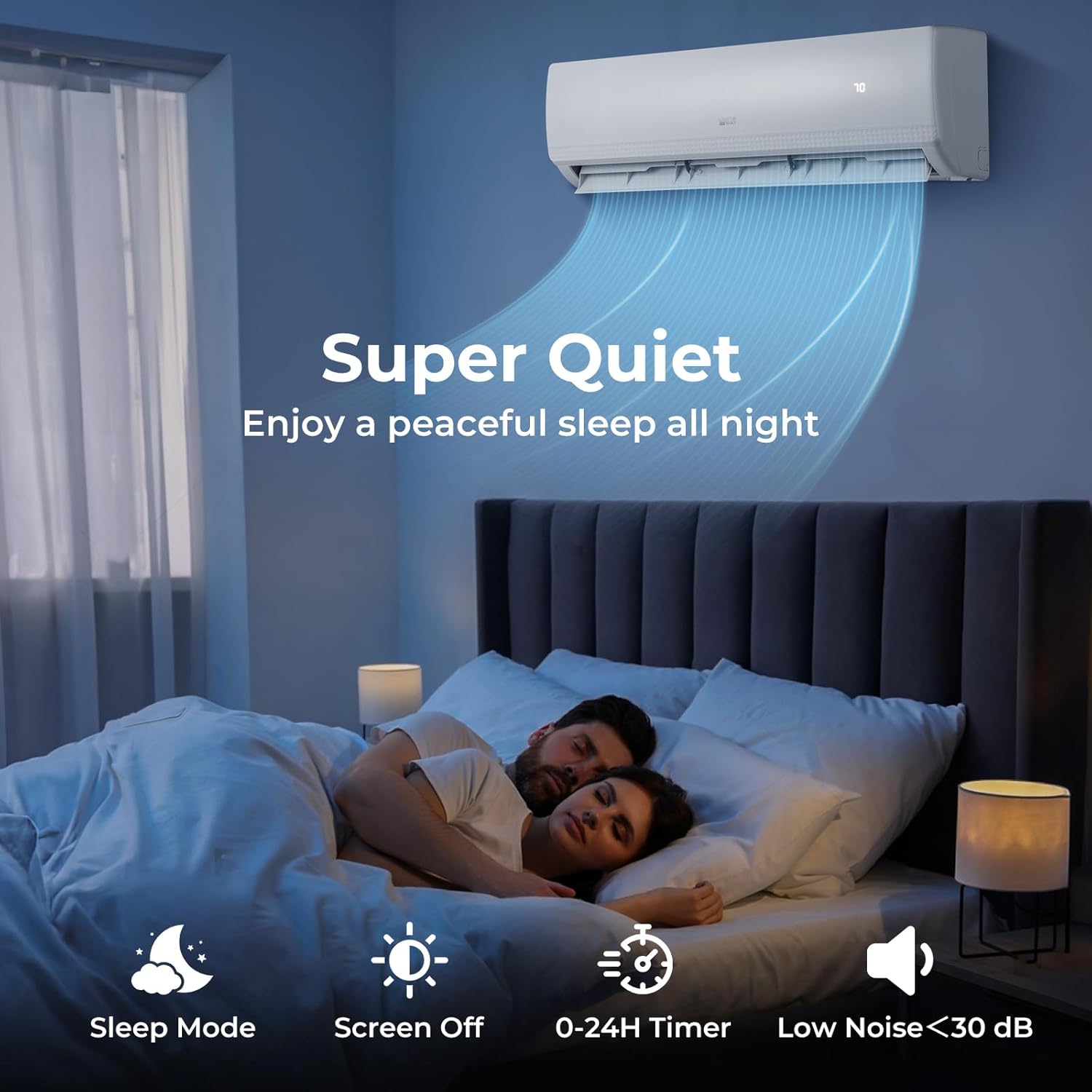
Image: A serene bedroom setting with the air conditioner, illustrating its quiet operation, sleep mode, 24-hour timer, and screen-off function for undisturbed rest.

Image: An exploded view of the indoor unit demonstrating the 133°F high-temperature self-cleaning function and the easily removable and washable filter for improved air quality.
5. Specifications
| Feature | Specification |
|---|---|
| Brand | COSTWAY |
| Model Number | 10794US-WH-2-CYFP |
| Capacity | 1.6 Tons (18,000 BTU) |
| Cooling Power | 18,000 British Thermal Units |
| Seasonal Energy Efficiency Ratio (SEER2) | 20 |
| Voltage | 208-230V~60Hz/1PH |
| Coverage Area | Up to 1250 sq. ft (for 9k+9k BTU combination) |
| Temperature Setting Range | 60℉~90℉ |
| Refrigerant | R410A |
| Indoor Noise Level | <30 dB |
| Outdoor Unit Net Weight | 97 lbs |
| Indoor Unit Size (18k) | 39.8" x 8.7" x 12.4" (L x W x H) |
| Outdoor Unit Size | 33.3" x 15" x 27.5" (L x W x H) |
| Control Method | App, Remote, Voice (Alexa/Google Assistant) |
| Installation Type | Split System |
| Compressor Type | Inverter (rotary_screw) |
| Color | White |
| Material | Metal, Aluminum, Plastic |
6. Setup and Installation
The installation of a mini split air conditioner system is complex and requires specific tools and expertise. Professional HVAC installation is mandatory to ensure the system operates safely and efficiently, and to maintain warranty validity. This section provides a general overview; refer to the detailed user guide included in your package for comprehensive installation instructions.
6.1 Pre-Installation Checks
- Ensure the mounting location for both indoor and outdoor units is structurally sound and provides adequate clearance for airflow and maintenance.
- Verify that the electrical supply meets the system's requirements (208-230V~60Hz/1PH).
- Confirm all necessary components and tools are available.
6.2 Key Installation Steps (Professional Only)
- Mount the indoor units securely on the wall, ensuring proper drainage.
- Install the outdoor unit on a level surface, using the provided rubber pads to reduce vibration.
- Connect the copper connection pipes and communication wires between the indoor and outdoor units. Proper flaring and torque are crucial to prevent leaks.
- Evacuate the refrigerant lines using a vacuum pump to remove air and moisture.
- Perform a leak test to ensure all connections are sealed.
- Connect the drain hoses to ensure proper condensate removal.
- Connect the electrical wiring according to the wiring diagram in the full manual.
- Test the system thoroughly in all modes to confirm correct operation.
7. Operating Instructions
Your COSTWAY Mini Split AC offers multiple ways to control your comfort:
7.1 Remote Control Operation
Each indoor unit comes with a dedicated remote control. Point the remote control towards the indoor unit when operating. The digital display shows current settings.
- Power Button: Turns the unit ON/OFF.
- Mode Button: Cycle through modes: Auto, Cool, Heat, Dry, Fan, Sleep, ECO.
- Temperature Adjustment: Use the UP/DOWN arrows to set the desired temperature (60℉~90℉).
- Fan Speed: Select from Auto, Mute, Low, Low-Mid, Mid, Mid-High, High, Turbo.
- Swing Function (4D Auto Swing): Activates automatic horizontal and vertical louver movement for even air distribution.
- Timer: Set a 0-24 hour timer for automatic ON/OFF.
- Sleep Mode: Adjusts temperature and fan speed for comfortable sleep and reduced noise.
- ECO Mode: Optimizes operation for energy saving.
- I FEEL: Activates a sensor in the remote to measure ambient temperature, providing more precise comfort.
- Child Lock: Prevents accidental changes to settings.
7.2 Smart APP & Voice Control
Download the compatible smartphone app to control your unit remotely. Follow the app's instructions to connect your air conditioner to your home WiFi network. Once connected, you can also link it to Alexa or Google Assistant for voice commands.
- Adjust temperature, change modes, and set schedules from anywhere.
- Use voice commands like "Alexa, set my air conditioner to cool mode" or "Hey Google, turn on the AC."
8. Maintenance
Regular maintenance ensures optimal performance and longevity of your air conditioner.
8.1 Filter Cleaning
The indoor unit features removable and washable filters. Clean them regularly (every 2-4 weeks, depending on usage) to maintain air quality and efficiency.
- Turn off the unit and disconnect power.
- Open the front panel of the indoor unit.
- Remove the air filters.
- Wash the filters with lukewarm water and a mild detergent. Rinse thoroughly.
- Allow filters to dry completely before reinserting.
- Close the front panel.
8.2 High-Temperature Self-Cleaning
The unit features a 133°F high-temperature self-cleaning function to help maintain internal cleanliness and prevent mold/bacteria growth. Refer to your remote control or app for instructions on how to activate this feature.
8.3 Outdoor Unit Maintenance
- Keep the area around the outdoor unit clear of debris, leaves, and snow to ensure proper airflow.
- Periodically clean the outdoor coil with a soft brush or vacuum cleaner.
- Ensure the drain hose is not blocked.
9. Troubleshooting
Before contacting customer service, review the following common issues and solutions. For more complex problems, consult a professional HVAC technician.
| Problem | Possible Cause | Solution |
|---|---|---|
| Unit does not turn on | No power supply; Remote control batteries low; Circuit breaker tripped. | Check power connection; Replace remote batteries; Reset circuit breaker. |
| Insufficient cooling/heating | Dirty air filters; Doors/windows open; Temperature setting incorrect; Outdoor unit obstructed. | Clean filters; Close doors/windows; Adjust temperature; Clear obstructions around outdoor unit. |
| Unusual noise | Loose parts; Unit not level; Fan obstruction. | Check for loose components; Ensure unit is level; Remove any fan obstructions. If noise persists, contact a professional. |
| Water leakage from indoor unit | Clogged drain hose; Improper installation. | Check and clear drain hose; Contact a professional for inspection if installation is suspected. |
| Remote control not working | Batteries dead; Obstruction between remote and unit. | Replace batteries; Ensure clear line of sight to indoor unit. |
10. Warranty and Support
This COSTWAY Mini Split Air Conditioner comes with a Limited Warranty. Please refer to the warranty card included in your package for specific terms, conditions, and duration of coverage.
For technical support, service, or warranty claims, please contact COSTWAY customer service through their official website or the contact information provided in your product documentation. Do not attempt to repair the unit yourself, as this may void your warranty.


