Introduction
This manual provides essential information for setting up, operating, and maintaining your VIZIO V4K43M 43-inch Class 4K LED HDR Smart TV. Please read through these instructions carefully to ensure optimal performance and longevity of your television.
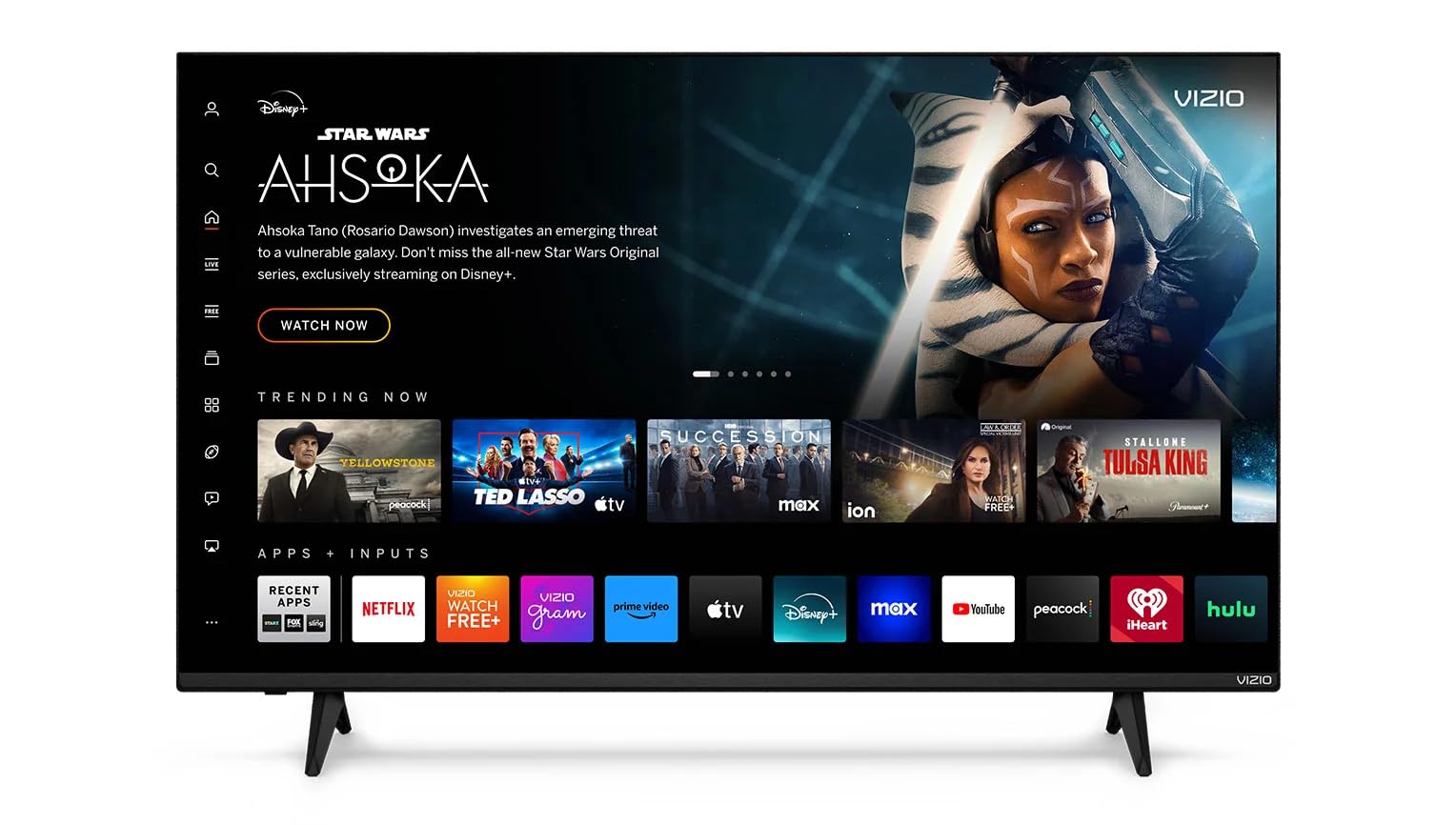
Front view of the VIZIO V4K43M 43-inch 4K LED HDR Smart TV, showcasing its sleek design and display.
What's in the Box
Upon unpacking your VIZIO V4K43M Smart TV, ensure all the following components are present:
- VIZIO V4K43M 43-inch Class 4K LED HDR Smart TV
- Power Cable
- Remote Control
- TV Stand (2 pieces)
Setup
1. Attaching the TV Stand
Carefully place the TV screen-down on a soft, clean surface to prevent scratches. Align the TV stand pieces with the designated slots on the bottom of the television and secure them with the provided screws. Ensure the stand is firmly attached before proceeding.

Angled view of the VIZIO V4K43M 43-inch 4K LED HDR Smart TV with its stand attached, ready for placement.
2. Power Connection
Connect the power cable to the TV's power input port and then plug the other end into a wall outlet. The TV will enter standby mode.
3. Initial Power On and Network Setup
Press the power button on the remote control or on the TV itself. Follow the on-screen instructions to select your language, connect to your Wi-Fi network, and complete the initial setup process. A VIZIO account may be required for full Smart TV functionality and updates.
Video demonstrating the simple setup process of the VIZIO Smart TV, including powering on and initial configuration.
Features
- Stunning Visuals: Enjoy breathtaking 4K UHD resolution with Dolby Vision HDR and HDR10+ for vivid, lifelike images. Enhanced by Ultra Color Spectrum and Full Array LED backlighting for rich, accurate colors.
- Gaming Optimized: Equipped with V-Gaming Engine, Auto Low Latency Mode, and HDMI VRR, the VIZIO V-Series ensures smooth gameplay, reduced input lag, and an enhanced gaming experience.
- Immersive Sound: DTS Virtual X delivers cinematic, multidimensional audio that elevates your entertainment experience.
- Smart Performance: Driven by IQ Active and the Spatial Scaling Engine, delivering sharp, detailed images for an enhanced viewing experience that makes every scene stand out.
- Bluetooth Compatible: Enhance your audio experience with integrated Bluetooth compatibility. Pair your smart TV with wireless headphones or speakers to enjoy high-quality sound without the clutter of cords.
- SmartCast Platform: Access a wide array of streaming apps, free channels, and on-demand content through the built-in SmartCast platform.
- Voice Control Integration: Works seamlessly with Apple AirPlay, Apple Home, Alexa, Chromecast built-in, and Google Home for convenient voice control.
Video highlighting the various smart features and picture quality of the VIZIO Smart TV.
Operating Instructions
1. Using the Remote Control
The included remote control allows you to navigate menus, adjust settings, and access streaming apps. Familiarize yourself with the button layout for easy operation.

Side view of the VIZIO V4K43M 43-inch 4K LED HDR Smart TV, illustrating the various input ports for connectivity.
2. SmartCast Interface
From the home screen, you can browse trending content, access free movies and TV, explore different genres, and manage your installed applications. Use the directional pad on your remote to navigate.
Video demonstrating the VIZIO Smart TV's user interface, showing navigation through apps and inputs.
3. Connecting External Devices
Utilize the multiple HDMI ports (including HDMI 1 with ARC support) and USB 2.0 port to connect gaming consoles, soundbars, and other external devices. Switch inputs using the remote control.

Back view of the VIZIO V4K43M 43-inch 4K LED HDR Smart TV, highlighting the arrangement of its various input and output ports.
4. Voice Control
If you have a compatible smart home device (Apple Home, Alexa, Google Home), you can link it to your VIZIO TV for hands-free control. Refer to your smart home device's instructions for pairing.
Video demonstrating voice control functionality with the VIZIO Smart TV, showing how to turn it on and navigate content using voice commands.
Maintenance
- Cleaning the Screen: Use a soft, lint-free cloth specifically designed for electronics. Gently wipe the screen to remove dust and smudges. Avoid harsh chemicals or abrasive materials.
- Cleaning the Frame: Wipe the TV frame with a soft, dry cloth.
- Software Updates: Ensure your TV's software is up-to-date for optimal performance and security. The TV will typically prompt you for updates, or you can check manually in the settings menu.
Troubleshooting
- No Power: Ensure the power cable is securely connected to both the TV and the wall outlet. Try plugging another device into the same outlet to confirm it's working.
- No Picture/Sound: Verify that the correct input source is selected. Check all cable connections (HDMI, etc.) for looseness or damage.
- Remote Not Working: Replace the batteries in the remote control. Ensure there are no obstructions between the remote and the TV's IR sensor.
- Network Connectivity Issues: Restart your Wi-Fi router and the TV. Check your network settings on the TV to ensure the correct network is selected and the password is entered correctly.
- Smart Features Not Responding: Perform a soft reset of the TV by unplugging it from the power outlet for 60 seconds, then plugging it back in.
Specifications
| Feature | Detail |
|---|---|
| Brand | VIZIO |
| Model | V4K43M |
| Screen Size | 43 Inches |
| Display Technology | LED |
| Resolution | 4K UHD |
| Refresh Rate | 60 Hz |
| Special Features | Flat, Game Mode (V-Gaming Engine, Auto Low Latency Mode, HDMI VRR) |
| HDR Support | Dolby Vision, HDR10+ |
| Audio Technology | DTS Virtual X |
| Connectivity Technology | Bluetooth, Wi-Fi (Dual-band) |
| Supported Internet Services | Browser, Hulu, Netflix, Prime Video, Apple TV, Disney+, Tubi, YouTube, VIZIO WatchFree+, HBO Max, Peacock, Fox One, iHeart, etc. |
| Voice Assistant Compatibility | Apple AirPlay, Apple Home, Alexa, Chromecast built-in, Google Home |
| Product Dimensions | 42.52 x 25.59 x 6.57 inches |
| Item Weight | 21.7 pounds |
Warranty and Support
As an Amazon Renewed product, this VIZIO V4K43M Smart TV is backed by the Amazon Renewed Guarantee. This typically includes a 90-day refund or replacement policy if the product does not work as expected. For specific warranty details and support, please refer to the documentation provided with your purchase or visit the Amazon Renewed product page.
For technical assistance or further inquiries, please contact VIZIO customer support or refer to the VIZIO official website for comprehensive support resources.


