
BoxWave ClearTouch Crystal Privacy (2-Pack)
BoxWave ClearTouch Crystal Privacy Screen Protector User Manual
Model: ClearTouch Crystal Privacy (2-Pack)
Compatible with Sainlogic Professional WiFi Weather Station (FT0300)
Product Overview
The BoxWave ClearTouch Crystal Privacy screen protector is designed to safeguard your device's screen while ensuring your visual privacy. This 2-pack offers a flexible film that changes its properties based on the viewing angle. When viewed directly, the screen remains crystal clear, allowing full visibility. However, from side angles (25 degrees and beyond), the protector automatically obstructs the view, preventing others from seeing your screen content. It is engineered for a precise fit, ensuring full accessibility to all ports and buttons, and provides robust protection against scratches and cracks without the brittleness of glass. The glueless adhesive allows for easy, automatic application after cleaning the screen.
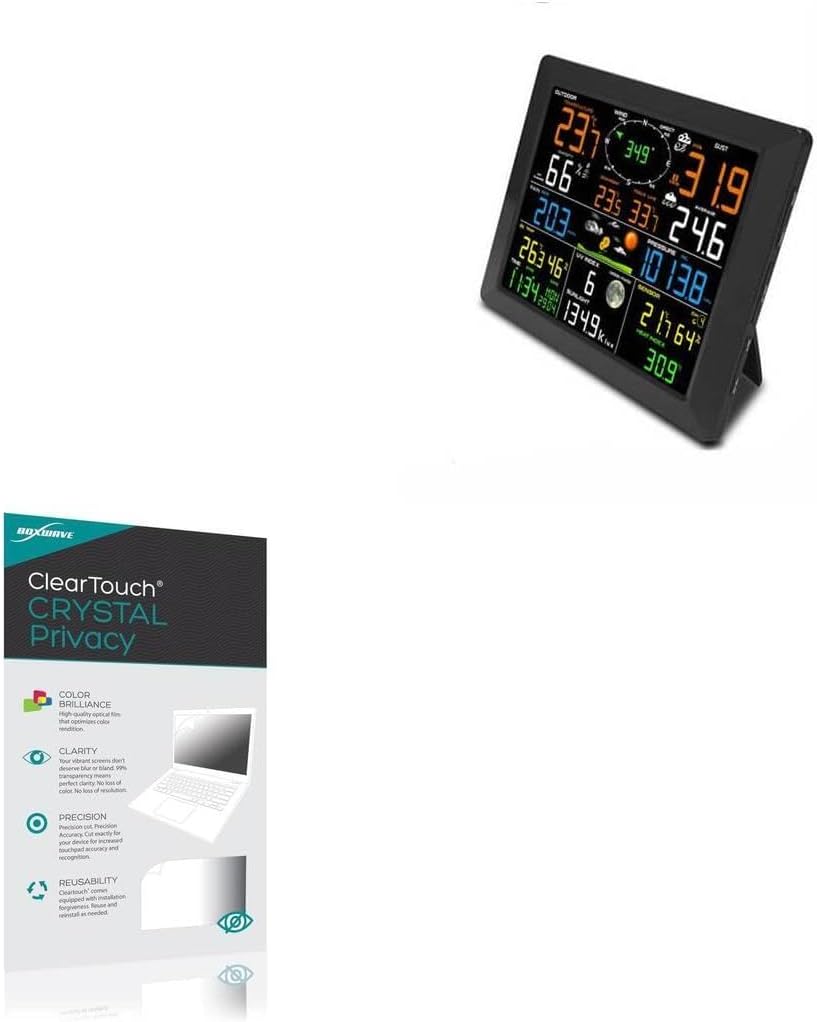
This image displays the BoxWave ClearTouch Crystal Privacy screen protector packaging alongside a Sainlogic Professional WiFi Weather Station (FT0300) display, illustrating the product's compatibility.
Key Features
- Privacy Protection: The screen protector changes properties depending on the angle of view. View the screen straight on, and the ClearTouch lets your brilliant screen shine through. If someone peeks at your screen from the side, it AUTOMATICALLY OBSTRUCTS their view from 25 degrees and beyond, ensuring your privacy!
- Perfect Design: Designed to fit specifically to your device, ensuring it is barely noticeable while protecting your screen. All ports and buttons remain fully accessible.
- Ultimate Protection: Utilizes next-generation material that is strong and flexible, guarding your screen from scratches or cracks as effectively as glass, but without being brittle to prevent chipping and cracking.
- Crystal Clear: Provides a glossy surface that is pleasant to the touch, offering 99% visibility without blurring or distorting your screen.

This image highlights the key features of the ClearTouch Crystal Privacy screen protector, including color brilliance, clarity, precision fit, and reusability.

This diagram illustrates the anti-spy privacy protection feature, showing how the screen is visible directly in front but obscured from side angles (25 degrees and beyond).

This image demonstrates the high definition clarity of the screen protector, maintaining 99% visual transparency for vibrant colors.

This image depicts the scratch-resistant properties of the screen protector, showing it protecting the screen from potential damage by a knife and a key.
Installation Instructions
Follow these steps for a smooth and bubble-free installation:
- Prepare the Screen: Clean your device's screen thoroughly with the included microfiber cloth. Ensure all dust, smudges, and fingerprints are removed. A clean screen is crucial for optimal adhesion.
- Align the Protector: Carefully align the ClearTouch Crystal Privacy screen protector with your device's screen. Take your time to ensure precise positioning relative to the edges and any cutouts.
- Peel and Apply: Once aligned, peel off the bottom protective layer of the screen protector. As you peel, gently lower the protector onto the screen. The glueless adhesive will automatically cling to the screen, starting from one edge and moving across.
- Smooth Out Bubbles: Use a soft cloth or the included applicator card to gently push any air bubbles towards the nearest edge of the screen. Work from the center outwards.
The glueless adhesive will automatically cling to your screen after making sure no dust settles on your screen and peeling off the bottom layer.

This image shows the contents of the 2-pack, including two screen protectors, a microfiber cleaning cloth, and an applicator, all essential for proper installation.
Operation and Usage
Once installed, the ClearTouch Crystal Privacy screen protector functions passively to enhance your device's usability and security.
- Privacy Feature: The primary function is privacy. Your screen content will be clearly visible only to you when viewing directly. From side angles, the screen will appear darkened or obscured, preventing casual onlookers from viewing sensitive information.
- Touch Sensitivity: The ultra-thin design ensures that the original touch sensitivity and responsiveness of your device's screen are fully maintained, allowing for seamless navigation and interaction.
- Visual Clarity: Despite its privacy features, the protector offers 99% visual transparency, ensuring that your screen's colors remain vibrant and details sharp when viewed head-on.
Care and Maintenance
Proper care will extend the life and effectiveness of your screen protector:
- Cleaning: To clean the screen protector, gently wipe it with a soft, lint-free cloth, preferably the microfiber cloth included with your purchase. For more stubborn smudges, a slightly damp cloth (water only) can be used.
- Avoid Harsh Chemicals: Do not use abrasive cleaners, alcohol-based solutions, or harsh chemicals, as these can damage the protector's surface or coating.
- Repositioning: If the screen protector needs to be removed or repositioned, do so carefully. The flexible material is designed to be reusable, but excessive force can cause damage.
Troubleshooting
Here are solutions to common issues you might encounter:
- Bubbles After Installation: Small bubbles are common immediately after installation. Most can be smoothed out by gently pushing them towards the edges with a soft cloth or the applicator card. For persistent bubbles, carefully lift the nearest edge of the protector and reapply, ensuring no dust is trapped underneath.
- Dust Under Protector: If dust particles are trapped under the protector, carefully lift the protector from the nearest edge. Use a dust-removal sticker or a piece of tape to gently lift the dust from both the screen surface and the adhesive side of the protector before reapplying.
- Reduced Clarity or Rainbow Effect: Ensure the screen protector is clean. If clarity issues persist, verify that the protector is correctly aligned and that no air gaps or moisture are present between the screen and the protector.
Product Specifications
| Property | Value |
|---|---|
| Item Weight | 1 ounces |
| ASIN | B0DG64BF7L |
| Date First Available | August 8, 2024 |
| Manufacturer | BoxWave |
| Country of Origin | China |
| Brand | BoxWave |
| Material | Polyethylene Terephthalate |
| Finish Type | Glossy |
| Screen Surface Description | Glossy |
Warranty and Support
BoxWave products are manufactured with a commitment to quality and durability. For specific warranty details, product registration, or technical assistance, please visit the official BoxWave website or contact their customer support team directly. Keep your purchase receipt for any warranty claims.
Ask a question about this manual
Ask about setup, troubleshooting, compatibility, parts, safety, or missing instructions. Manuals+ will review the question and use this page’s manual context to help answer it.