
1. Introduction
The Fastrack StreetStyle Digital Watch, Model 38120PP02, is designed for individuals seeking a blend of modern aesthetics and practical functionality. This manual provides essential information to ensure optimal use and longevity of your watch.
Key Features:
- Digital Display: Clear time, day, and date readout for quick reference.
- Sporty Grey Design: Stylish matte finish with a modern streetwear vibe.
- Durable Silicone Strap: Lightweight and comfortable for extended wear.
- Functional Layout: Includes additional icons for quick glance features.
- Everyday Ready: Perfect for casual wear, sports, and outdoor activities.
- Alarm Functionality
- Light Up Display
- Water Resistance: 30 Metres
2. Product Overview
Familiarize yourself with the components of your Fastrack StreetStyle Digital Watch.
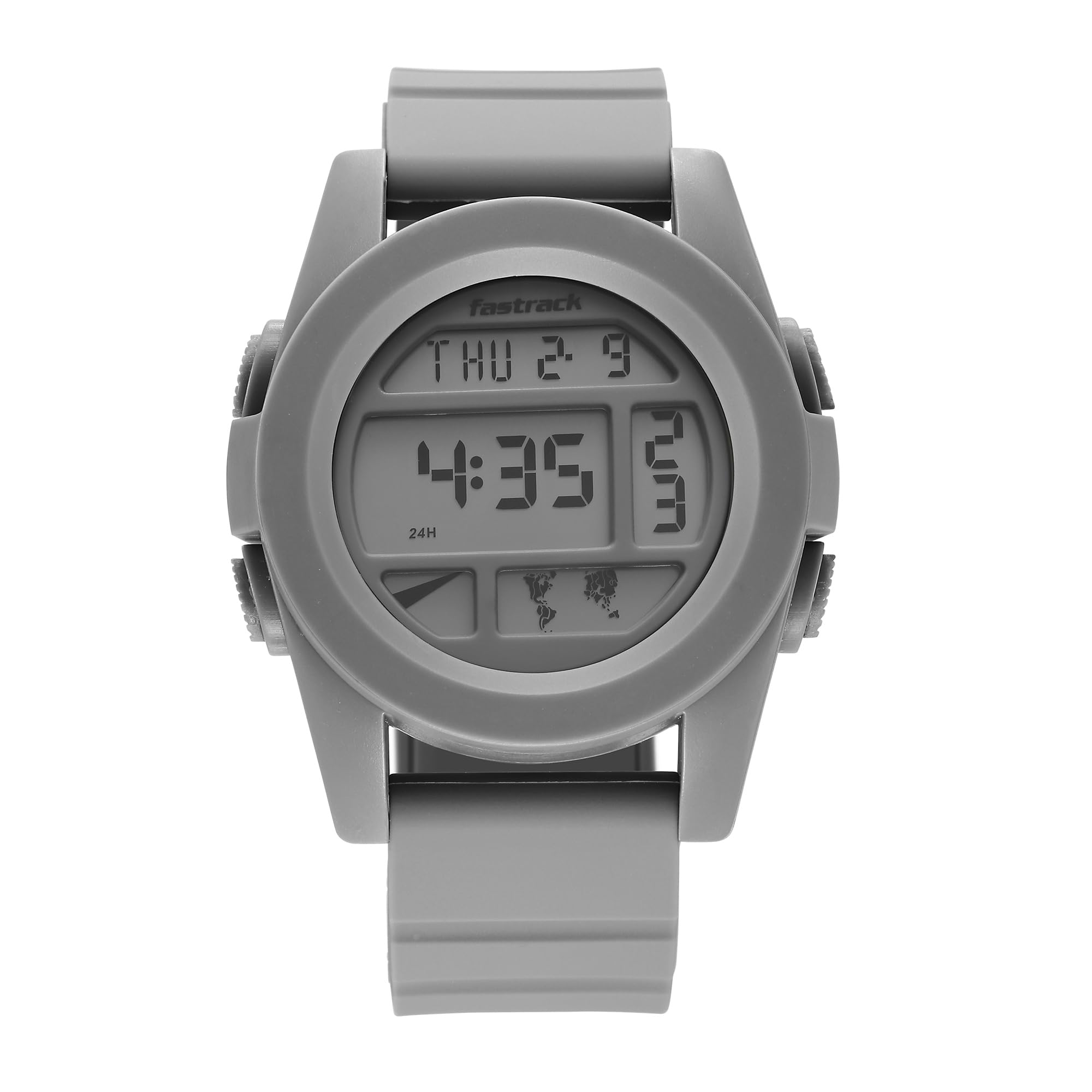
Figure 2.1: Front view of the Fastrack StreetStyle Digital Watch, showcasing the grey digital dial and matching silicone strap.

Figure 2.2: Angled view of the watch, highlighting the side buttons for function control.

Figure 2.3: Side profile of the watch, illustrating its thickness and button placement.

Figure 2.4: Rear view of the watch, displaying the stainless steel back and the silicone strap with its buckle closure.
Video 2.1: An overview of the Fastrack StreetStyle Digital Watch, demonstrating its design and basic features.
3. Setup
3.1 Initial Power On
Your watch is typically ready for use upon unboxing. If the display is blank, it may be in power-saving mode or require a button press to activate. Press any button to wake the display.
3.2 Setting Time and Date
- Press the MODE button (usually bottom-left) repeatedly until the time setting mode is displayed (often indicated by flashing digits).
- Use the SET or ADJUST button (usually top-right) to select the digit you wish to change (hours, minutes, year, month, day).
- Use the START/STOP or LIGHT button (usually top-left or bottom-right) to increase the selected digit. Hold to fast-forward.
- Once all settings are correct, press the MODE button again to exit the setting mode.
Note: Button functions may vary slightly. Refer to the watch's physical buttons for specific labels if available.
4. Operating Instructions
4.1 Switching Modes
Press the MODE button to cycle through different functions such as Time, Date, Alarm, Stopwatch, etc. The current mode is usually indicated on the display.
4.2 Using the Alarm
- Navigate to the Alarm mode using the MODE button.
- Press the SET button to activate the alarm setting.
- Adjust the alarm time using the START/STOP or LIGHT button.
- Press SET again to confirm and activate/deactivate the alarm. An alarm icon will typically appear when active.
4.3 Using the Backlight
Press the LIGHT button (often located on the top-left) to illuminate the display in low-light conditions. The light will typically stay on for a few seconds.
4.4 Stopwatch Function
- Switch to Stopwatch mode using the MODE button.
- Press the START/STOP button to begin timing.
- Press START/STOP again to pause/resume.
- Press the RESET button (often the SET button in stopwatch mode) to clear the stopwatch.
5. Maintenance
5.1 Cleaning Your Watch
To clean your watch, wipe it gently with a soft, damp cloth. Avoid using harsh chemicals, solvents, or abrasive cleaners, as these can damage the watch's finish and components. For the silicone strap, mild soap and water can be used, ensuring it is thoroughly rinsed and dried.
5.2 Water Resistance
This watch has a water resistance depth of 30 Metres. This means it is suitable for everyday use and can withstand splashes or brief immersion in water. However, it is not recommended for swimming, showering, or diving. Avoid operating buttons while the watch is wet to prevent water ingress.
5.3 Battery Replacement
The watch is powered by a battery. When the display dims or functions become erratic, the battery may need replacement. Battery replacement should be performed by a qualified watch technician or an authorized service center to ensure proper sealing and water resistance integrity. Attempting to replace the battery yourself may void the warranty.
6. Troubleshooting
Common Issues and Solutions:
- Display is blank:
Press any button to wake the watch. If it remains blank, the battery may be depleted. Refer to Section 5.3 for battery replacement.
- Time is incorrect:
Follow the instructions in Section 3.2 to reset the time and date.
- Buttons are unresponsive:
Ensure the watch is not in a locked mode (if applicable). If the issue persists, a soft reset (removing and reinserting the battery, performed by a technician) might be necessary.
- Water inside the watch:
Immediately take the watch to an authorized service center. Do not attempt to dry it yourself, as this can cause further damage.
7. Specifications
| Feature | Detail |
|---|---|
| Brand | Fastrack |
| Model Name | StreetStyle |
| Model Number | 38120PP02 |
| Display Type | Digital |
| Movement Type | Digital |
| Special Features | Alarm, Light Up |
| Power Source | Battery Powered |
| Strap Type | Two Piece Strap |
| Water Resistance Depth | 30 Metres |
| Clasp Type | Buckle |
| Band Material | Silicone |
| Case Material | Acrylonitrile Butadiene Styrene (ABS) |
| Crystal Material | Acrylic |
| Case Diameter | 48.9 Millimetres |
| Band Width | 23 Millimetres |
| Case Thickness | 15.5 Millimetres |
| Band Length | 25.5 Centimetres |
| Item Weight | 200 Grams |
| Country of Origin | India |
8. Warranty and Support
8.1 Warranty Policy
Your Fastrack StreetStyle Digital Watch comes with a 12-month manufacturer warranty on manufacturing defects. To avail warranty services, you must present your original purchase invoice at any authorized Titan Service Center. No separate warranty card is required.
8.2 Customer Support
For further details, service-related queries, or assistance, please contact Titan India customer care:
- Toll-Free Number: 1800-266-0123 (Available 10 AM to 7 PM, all days of the week)
- Email: customercare@titan.co.in
- Manufacturer: Titan Company Limited, #3, SIPCOT Industrial Complex, Hosur - 635126, Tamil Nadu, India.
For more information, you can also visit the Fastrack Store on Amazon.in.