
1. Introduction
The SMALLRIG S60 Wireless Lavalier Microphone is a compact and high-performance audio recording solution designed for content creators, vloggers, podcasters, and interviewers. This system provides high-definition audio capture with advanced noise reduction, extended battery life, and versatile connectivity options for various devices, including smartphones and action cameras. Its miniature design ensures discreet and comfortable wear, making it an ideal tool for professional and casual recording environments.

Figure 1.1: Overview of the SMALLRIG S60 Wireless Lavalier Microphone system components.
2. Package Contents
Please verify that all items listed below are included in your package. If any items are missing or damaged, please contact customer support.
- Microphone Transmitter (TX) x 2
- Receiver (RX) x 1
- Charging Case x 1
- Adhesive Pad x 2
- Adhesive Neck Strap x 2
- Back Clip x 2
- Furry Windscreen x 2
- USB-C Charging Cable x 1
- User Manual x 1

Figure 2.1: All items included in the SMALLRIG S60 Wireless Lavalier Microphone package.
3. Product Features
- Button-Sized & Lightweight: The S60 transmitter weighs only 7.9g (0.27oz), making it extremely portable and discreet for various recording scenarios. Its minimalist design integrates advanced IML technology for a modern aesthetic.
- High-Definition Audio Quality: Equipped with a customized omnidirectional 3-pin microphone, the S60 effectively reduces electromagnetic interference and noise. It supports 48 kHz / 24-bit audio recording, boasts a 74dB signal-to-noise ratio, can capture sounds up to 120 dB SPL without distortion, and ensures stable signal transmission up to 300m (984.2ft).
- Extended Battery Life: The transmitter (TX) provides up to 11 hours of battery life on a single charge. When combined with the charging case, the total operating time extends to approximately 44 hours, significantly longer than many comparable products.
- User-Friendly Sound Control: Features include a 3-level gain adjustment for precise audio control and a convenient double-tap mute function on the transmitter. The receiver supports mobile charging, enhancing usability for on-the-go filming and live streaming.
- Easy to Use: The transmitter and receiver automatically pair upon power-on, allowing for immediate recording. The USB-C receiver is compatible with Android phones, iPhone 16/15, and action cameras, providing clean and sharp sound output.
- Versatile Wearing Options: The microphone offers multiple wearing styles, including collar magnetic attachment, neck hanging, handheld use, and traditional clip-on. A complimentary furry windscreen can be affixed to a silicone mount for enhanced windproofing and noise reduction.
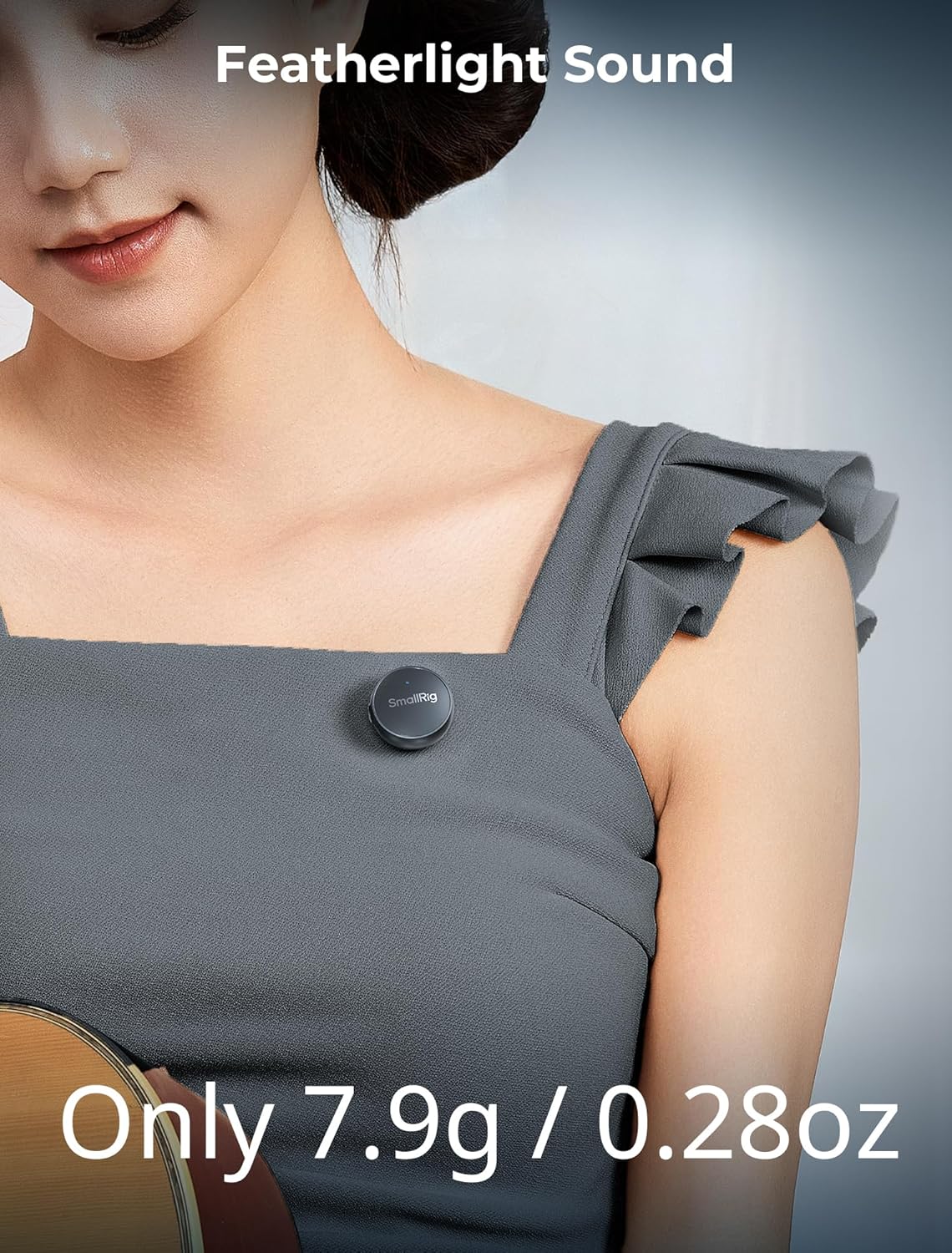
Figure 3.1: The compact and lightweight design of the S60 transmitter.

Figure 3.2: Illustration of the S60's high-definition audio capabilities and internal DSP chip for noise reduction.

Figure 3.3: The S60's impressive 44-hour total battery life with the charging case.

Figure 3.4: Demonstrating the versatile wearing options and windscreen accessory.
4. Setup
- Charge the Devices: Before first use, fully charge the transmitters (TX) and the charging case. Place the TX units into the charging case. Connect the USB-C charging cable to the charging case and a power source. The indicator lights will show charging status.
- Connect the Receiver (RX): Insert the USB-C receiver (RX) directly into the USB-C port of your compatible smartphone (Android, iPhone 15/16) or action camera. Ensure it is securely connected.
- Automatic Pairing: The transmitters (TX) and receiver (RX) are designed to automatically pair with each other when powered on. Once the receiver is connected to your device and the transmitters are taken out of the charging case, they should establish a connection within a few seconds. A solid blue indicator light on the transmitter typically indicates a successful connection.
- Attach the Microphone: Choose your preferred wearing option. For clip-on, use the back clip to attach the transmitter to your collar or clothing. For magnetic attachment, use the provided adhesive pad and neck strap for discreet placement. Ensure the microphone is positioned optimally for sound capture, typically 6-8 inches from your mouth.
- Apply Windscreen (Optional): If recording in windy conditions or outdoors, attach the furry windscreen to the transmitter to minimize wind noise and plosives.
5. Operating Instructions
- Power On/Off: The transmitters power on automatically when removed from the charging case. To power off, place them back into the charging case. The receiver powers on when connected to a device.
- Start Recording: Once the TX and RX are paired, open your recording application on your smartphone or action camera and begin recording. The S60 will serve as the audio input source.
- Mute Function: To mute the microphone during recording, double-tap the transmitter. Double-tap again to unmute. This is indicated by a change in the indicator light.
- Gain Adjustment: The receiver features a one-click 3-level gain adjustment. Press the gain button on the receiver to cycle through the low, medium, and high gain settings to optimize audio levels for your recording environment.
- Monitoring Audio: If your recording device supports real-time audio monitoring through its USB-C port, you can use headphones to monitor the audio quality during recording.
- Usage Scenarios: The S60 is versatile for various applications, including vlogging, interviews, live streaming, and general video recording.

Figure 5.1: Demonstrating the double-tap mute function and 3-level gain adjustment.
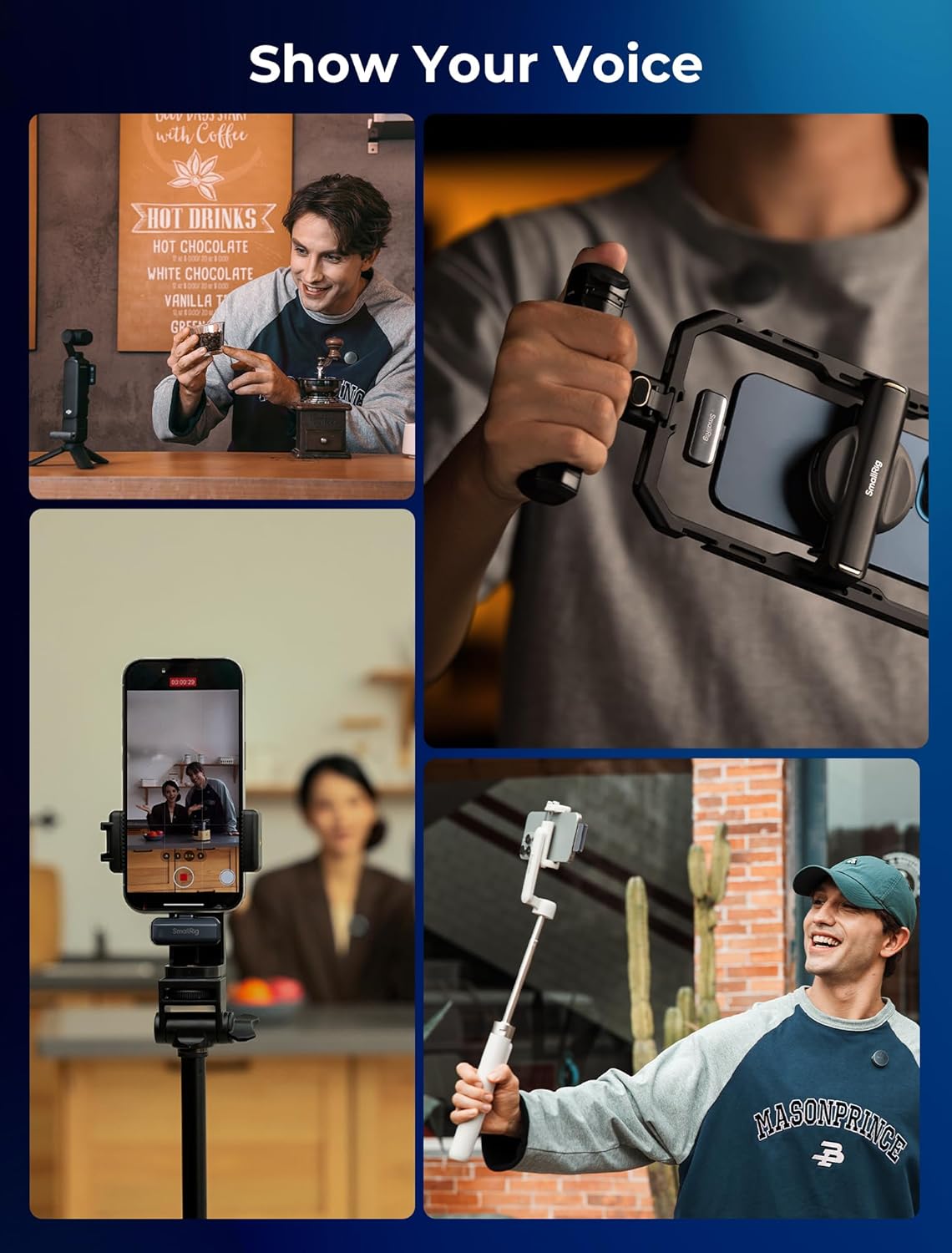
Figure 5.2: Examples of the SMALLRIG S60 in various content creation settings.
6. Maintenance
- Cleaning: Use a soft, dry cloth to clean the microphone transmitters, receiver, and charging case. Do not use liquid cleaners or solvents.
- Storage: Store the S60 system in its charging case when not in use to protect it from dust and physical damage. Keep it in a cool, dry place away from direct sunlight and extreme temperatures.
- Battery Care: To prolong battery life, avoid fully discharging the batteries frequently. Recharge the devices regularly, even if not in constant use.
- Avoid Moisture: The S60 is not waterproof. Avoid exposing the devices to water or high humidity.
7. Troubleshooting
- No Sound Output:
- Ensure the receiver (RX) is securely connected to your recording device.
- Verify that both transmitters (TX) are powered on and paired with the receiver (solid blue indicator light).
- Check the volume settings on your recording device.
- Ensure the microphone is not muted (double-tap TX to toggle mute).
- Confirm that your recording application is set to use the external microphone input.
- Poor Audio Quality/Noise:
- Ensure the transmitter is positioned correctly, typically 6-8 inches from the sound source.
- Apply the furry windscreen if recording in windy conditions.
- Adjust the gain level on the receiver. If the sound is distorted, reduce the gain. If it's too quiet, increase it.
- Check for strong electromagnetic interference sources nearby.
- Ensure the transmission distance is within the specified 300m (984.2ft) unobstructed range. Obstacles can affect signal quality.
- Microphone Not Pairing:
- Ensure both the transmitters and receiver are sufficiently charged.
- Place the transmitters back into the charging case for a few seconds, then remove them to re-initiate pairing.
- If issues persist, refer to the full user manual for detailed pairing instructions or contact customer support.
- Short Battery Life:
- Ensure the devices are fully charged before use.
- Battery performance can degrade over time with repeated charge cycles.
- Operating in extremely cold temperatures can reduce battery life.
8. Specifications
Figure 8.1: Visual representation of the product specifications.
| Specification | Value |
|---|---|
| Product Net Weight (Transmitter) | 7.9g / 0.28oz |
| Product Net Weight (Transmitter & Receiver & Charging Case) | 93.5g / 3.3oz |
| Product Gross Weight | 287.0 ± 40.0g / 10.1 ± 1.4oz |
| Transmitter Dimensions | Φ26.0 × 10.0 mm / Φ1.0 × 0.4 in |
| Receiver Dimensions | 38.0 (L) × 15.0 (W) × 8.0mm (H) / 1.5 (L) × 0.6 (W) × 0.3in (H) |
| Charging Case Dimensions | Φ70.0 × 24.0mm / Φ2.75 × 0.94in |
| Package Dimensions | 108.0 × 108.0 × 70.0mm / 4.2 × 4.2 × 2.7in |
| Material(s) | PC + ABS + Magnet |
| Operating Power | 45.5 mW |
| Standby Power | 38.5 uW |
| Wireless Frequency | 2.4 GHz |
| Wireless Transmission Distance | 300m / 984.2ft (Unobstructed) |
| Charging Case USB-C Input | 5V / 1A (Max 5W) |
| Transmitter 3-Pin Input | 5V / 0.08A (Max 0.4W) |
| Battery Parameters (Transmitter) | 3.87V / 97mAh / 0.3753Wh |
| Battery Parameters (Charging Case) | 3.87V / 1000mAh / 3.87Wh |
| Charging Temperature | 0°C to 45°C / 32°F to 113°F |
| Operating Temperature | -10°C to 45°C / 14°F to 113°F |
| Microphone Form Factor | Lavalier |
| Signal-to-Noise Ratio | 74 dB |
| Polar Pattern | Omnidirectional |
| Connectivity Technology | Bluetooth |
| Connector Type | USB Type-C |
| Recommended Uses For Product | Streaming, Video Recording, Vlogging, Interview |
9. Warranty and Support
SMALLRIG products are manufactured to high-quality standards and are backed by a limited warranty against defects in materials and workmanship. For specific warranty terms, registration, and support inquiries, please visit the official SMALLRIG website or contact their customer service directly. Please retain your proof of purchase for warranty claims.
For further assistance, you may contact SMALLRIG customer support through their official channels. Details can typically be found on the product packaging or the SMALLRIG official website.


