
B&H EB049
B&H Sleep Trainer Clock for Toddler - User Manual
Model: EB049
1. Introduction
Thank you for choosing the B&H Sleep Trainer Clock for Toddler. This device is designed to assist in establishing healthy sleep and wake-up routines for children using gentle colors and facial expressions. Please read this manual thoroughly before using the product to ensure proper operation and maintenance.
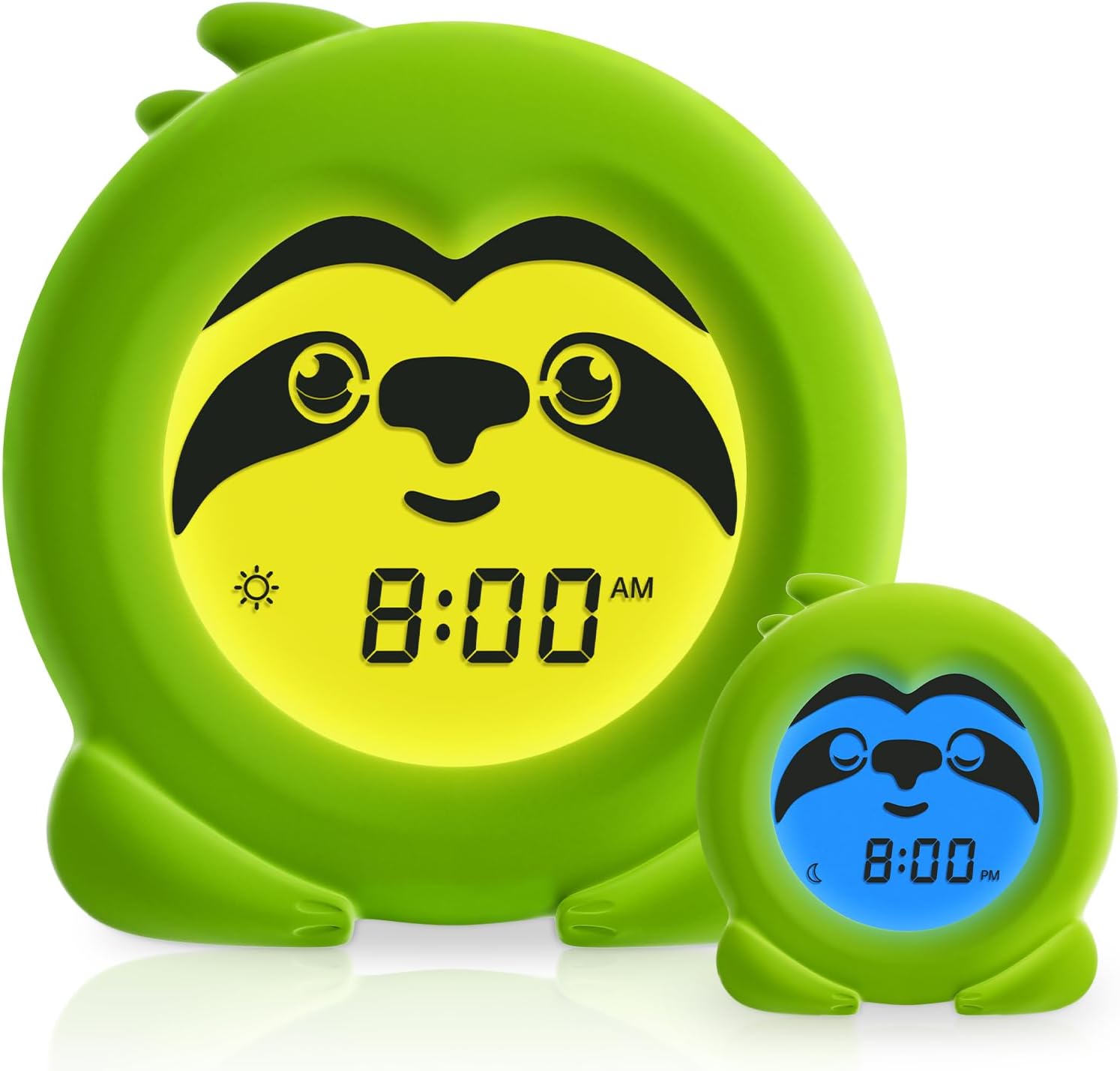
Image 1.1: The B&H Sleep Trainer Clock in green sloth design, illustrating its day and night modes.
2. Product Overview
2.1 Key Features
- Sleep Training: Uses gentle colors and facial expressions to indicate bedtime and wake-up time.
- Science-Backed Lighting: Soft blue light for wakefulness, amber light for sleep transition.
- Adjustable Time Settings: Customizable wake-up and sleep times.
- Night Light Function: Adjustable screen brightness for comfort.
- Optional Audible Alarm: For older children needing a routine wake-up.
- Child-Proof Design: Shock-absorbent silicone jacket and lockable settings.
- Portable: USB rechargeable with up to 7 days of battery life.
2.2 Components and Controls
Familiarize yourself with the clock's components and control buttons.

Image 2.1: Rear view of the B&H Sleep Trainer Clock with labeled controls.
- MODE Button: Used to cycle through different settings modes.
- + / - Buttons: Used to adjust values (time, brightness, etc.).
- SET Button: Confirms selections or enters setting mode.
- ON/OFF Button: Powers the clock on/off (short press for backlight, long press for power).
- Main Power On/Off Switch: Located at the back, requires a paper clip for first-time activation.
- DC5V Input: USB charging port.
- Battery Charge Indicator: Shows charging status.
3. Setup
3.1 Initial Activation and Charging
- Activate Main Power: For first-time use, locate the "Main Power On/Off" switch on the back of the clock. Use a paper clip or a similar thin, pointed tool to press the switch through the small pinhole to turn it ON.
- Charge the Clock: Connect the provided USB cable to the DC5V Input port on the back of the clock and plug the other end into a USB power adapter (not included). The battery charge indicator will show charging status. A full charge takes approximately 3 hours and provides up to 7 days of battery life.

Image 3.1: Activating the Main Power switch with a paper clip.
3.2 Setting the Current Time
- Press and hold the SET button for 3 seconds to enter time setting mode. The hour display will flash.
- Use the + or - buttons to adjust the hour.
- Press SET again to confirm the hour and move to minute setting. The minute display will flash.
- Use the + or - buttons to adjust the minute.
- Press SET one more time to confirm the minutes and exit time setting mode.
4. Operating Instructions
4.1 Setting Sleep and Wake-Up Times (OK to Wake Function)
This feature uses color changes to signal when it's time to sleep and when it's okay to wake up.

Image 4.1: Amber yellow light for wake-up and midnight blue light for sleep.
- Press the MODE button repeatedly until you see the sleep icon (moon) or wake icon (sun) flashing.
- To set Sleep Time: When the moon icon is flashing, press SET. Use + or - to set the desired bedtime hour, then press SET for minutes. Confirm with SET. The clock will display a blue light and a sleeping sloth face at this time.
- To set Wake-Up Time: When the sun icon is flashing, press SET. Use + or - to set the desired wake-up hour, then press SET for minutes. Confirm with SET. The clock will display an amber light and a happy sloth face at this time.
- Press MODE to exit setting mode.

Image 4.2: Clock displaying blue light for sleep time.

Image 4.3: Clock displaying amber light for wake-up time.
4.2 Setting the Audible Alarm
The clock includes an optional audible alarm for older children.
- Press the MODE button until the alarm icon appears and flashes.
- Press SET. The hour display for the alarm will flash.
- Use the + or - buttons to set the desired alarm hour.
- Press SET again to confirm the hour and move to minute setting.
- Use the + or - buttons to set the desired alarm minute.
- Press SET to confirm and exit alarm setting. The alarm icon will remain on, indicating the alarm is active.
- To turn off the audible alarm, repeat steps 1-2 and use the + or - buttons to toggle the alarm OFF.
4.3 Adjusting Night Light Brightness
The screen brightness can be adjusted to serve as a night light.
- In normal time display mode, short press the ON/OFF button to cycle through brightness levels.
- The clock offers multiple brightness settings, including off.
5. Maintenance
- Cleaning: Wipe the clock with a soft, dry cloth. Do not use abrasive cleaners or immerse the device in water.
- Battery Care: Recharge the clock when the battery indicator shows low power. Avoid fully depleting the battery frequently to prolong its lifespan.
- Storage: Store the clock in a cool, dry place away from direct sunlight and extreme temperatures when not in use for extended periods.
- Child Safety: The silicone jacket provides drop protection. However, avoid intentional dropping or rough handling. Lockable settings prevent tampering by toddlers.
6. Troubleshooting
| Problem | Possible Cause | Solution |
|---|---|---|
| Clock does not turn on. | Main power switch is off or battery is depleted. | Ensure the main power switch on the back is ON (use a paper clip if necessary). Charge the clock using the USB cable. |
| Display is dim or unresponsive. | Low battery or brightness setting is too low. | Recharge the clock. Short press the ON/OFF button to adjust brightness. |
| Sleep/Wake colors are not changing. | Sleep/Wake times are not set correctly or feature is disabled. | Review Section 4.1 to ensure sleep and wake-up times are properly configured and activated. |
| Audible alarm does not sound. | Alarm is not set or is turned off. | Check alarm settings in Section 4.2 to ensure it is set and active. |
| Buttons are unresponsive. | Settings might be locked to prevent tampering. | Check the manual for instructions on unlocking settings (if applicable, though the product description mentions "lockable settings"). If no specific unlock method is provided, try a soft reset by turning the main power switch off and on. |
7. Specifications
| Brand | B&H |
| Model Number | EB049 |
| Color | Green (Sloth) |
| Display Type | Digital |
| Material | Silicone (Frame) |
| Product Dimensions | 3.7"W x 3.9"H |
| Item Weight | 8.4 ounces |
| Power Source | Battery Powered (1 Lithium Ion battery included) |
| Special Features | Adjustable Brightness, Alarm, Day Mode, Large Display, OK to Wake |
| Mounting Type | Tabletop |
8. Warranty and Support
B&H products are designed for quality and reliability. For specific warranty information, please refer to the packaging or contact B&H customer support directly.
For further assistance, product inquiries, or troubleshooting not covered in this manual, please visit the official B&H store on Amazon or contact their customer service.
B&H Store Link: Visit the B&H Store on Amazon
Note: Warranty terms may vary by region and retailer. Please retain your proof of purchase.
Ask a question about this manual
Ask about setup, troubleshooting, compatibility, parts, safety, or missing instructions. Manuals+ will review the question and use this page’s manual context to help answer it.