
Introduction
This manual provides essential instructions for the safe and efficient installation, operation, and maintenance of your REYLAX 100FT Permanent Outdoor RGB+IC LED Eaves Lights. Please read this manual thoroughly before use and retain it for future reference.

This image illustrates the REYLAX permanent outdoor lights illuminating a house, alongside the remote control and the "Smart Life" application interface for controlling the lights.
Safety Information
- Ensure the power supply is disconnected before installation or maintenance.
- Do not cut the light string. This will damage the product and void the warranty.
- Use only the provided adapter. Using an incompatible adapter may cause damage or fire.
- Avoid installing lights near heat sources or in areas with excessive vibration.
- Ensure all connections are secure and waterproof where applicable.
- Keep out of reach of children.
Package Contents
Verify that all items are present in the package:
- 1 x 100FT String Lights (60 LED Lights)
- 1 x Power Adapter
- 1 x Remote Control
- Screws for installation
- Adhesive pads for installation
- 1 x Screwdriver
- 1 x User Manual
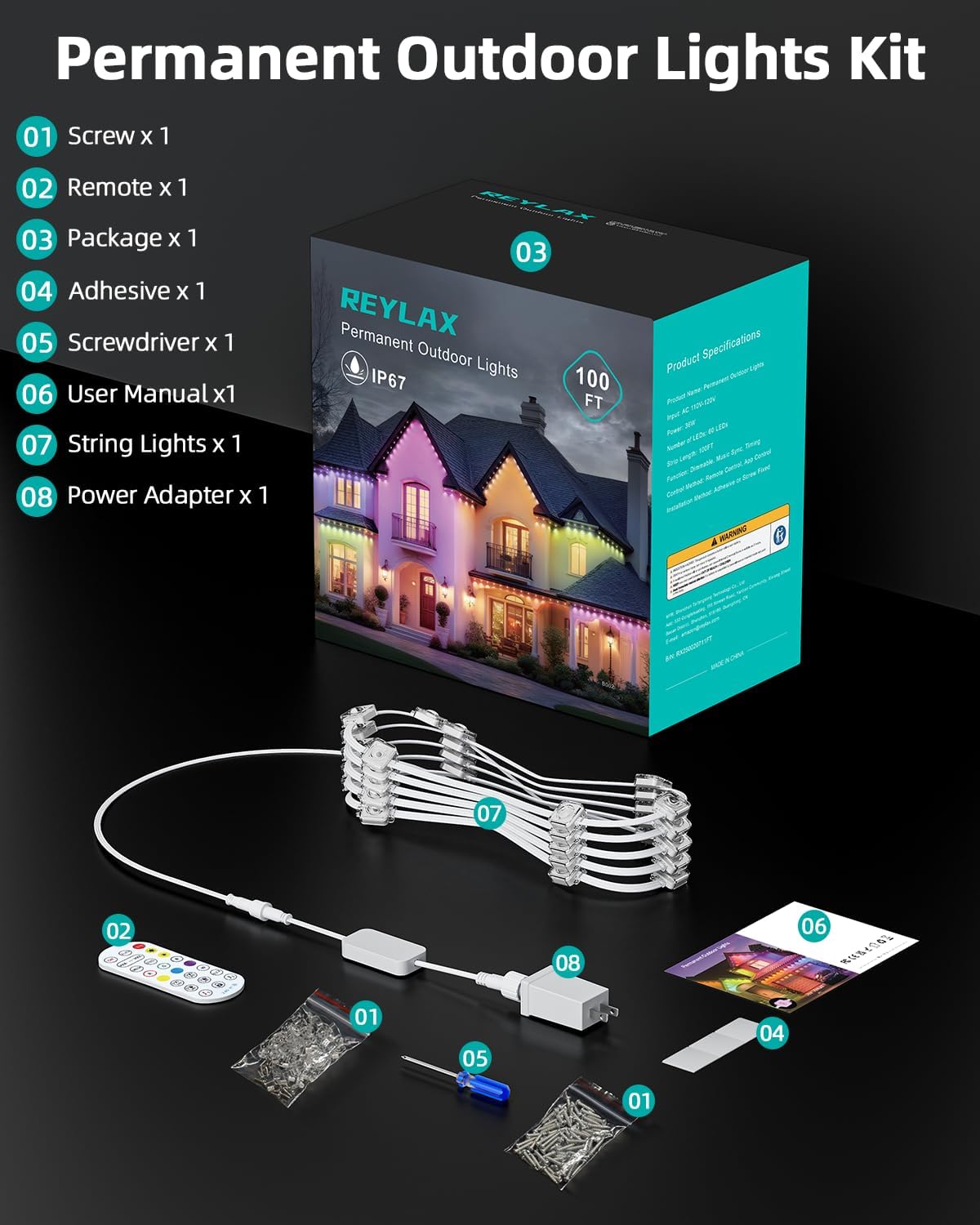
This image displays all components included in the REYLAX permanent outdoor lights kit, providing a visual guide to what is in the box.
Setup
Pre-Installation Considerations
- Plan your desired lighting layout before installation.
- Ensure the installation surface is clean, dry, and smooth for optimal adhesive performance.
- The lights are designed for permanent outdoor installation and are IP67 waterproof. The adapter is IP44.
Installation Steps
- Clean the Surface: Thoroughly clean the wall or eaves where you intend to install the lights. Ensure it is free of dust, dirt, and moisture.
- Apply Adhesive (Optional): If using adhesive, peel off the protective backing and firmly press the light unit onto the desired surface for 5-8 seconds to ensure strong adhesion.
- Secure with Screws: For permanent and secure installation, use the provided screws and screwdriver to fix each light unit in place. This is recommended for long-term outdoor use.
- Connect Power: Once all lights are securely installed, connect the power adapter to the light string and then plug the adapter into a suitable outdoor power outlet.

This image illustrates the four-step installation process: cleaning the surface, applying adhesive, securing with screws, and connecting the power supply.

This image shows a person installing the lights, highlighting the adhesive and screw attachment options for secure mounting.
Operating Instructions
Your REYLAX lights can be controlled via the "Smart Life" mobile application or the included remote control.
1. Smart Life App Control
- Download the "Smart Life" app from your smartphone's app store.
- Register or log in to your account.
- Add the device by following the in-app instructions. Ensure Bluetooth is enabled on your phone for initial pairing.
- Once connected, you can access various functions:
- Color & Brightness Adjustment: Precisely control 16 million colors and white light, and adjust brightness levels.
- DIY Exclusive Lighting: Customize individual light colors and effects to create unique lighting landscapes.
- Scene Modes: Select from pre-set scenes for different occasions (e.g., Christmas, party, daily).
- Music Sync: Synchronize lights with music played through your phone's microphone or device audio.
- Timer Function: Set schedules for automatic on/off times to save energy.

This image showcases a house decorated with REYLAX lights, illustrating how users can customize lighting colors and effects using the dedicated smartphone application.

This image displays the "Smart Life" app interface, showing options for color, scenes, playlists, music sync, and scheduling.
2. Remote Control
The included 2.4G RF remote control allows for convenient operation without an internet connection.
- ON/OFF: Power the lights on or off.
- MODE +/-: Cycle through various pre-set lighting modes.
- SPEED +/-: Adjust the speed of dynamic lighting effects.
- BRIGHTNESS +/-: Adjust the overall brightness of the lights.
- Single Color Buttons (R, G, B, W, Yellow, Purple): Select static colors.
- Timer (1H/2H/3H/4H): Set the lights to turn off automatically after a specified duration.
- Music Mode: Activate music synchronization.

This image provides a detailed diagram of the remote control, indicating the function of each button for easy operation.
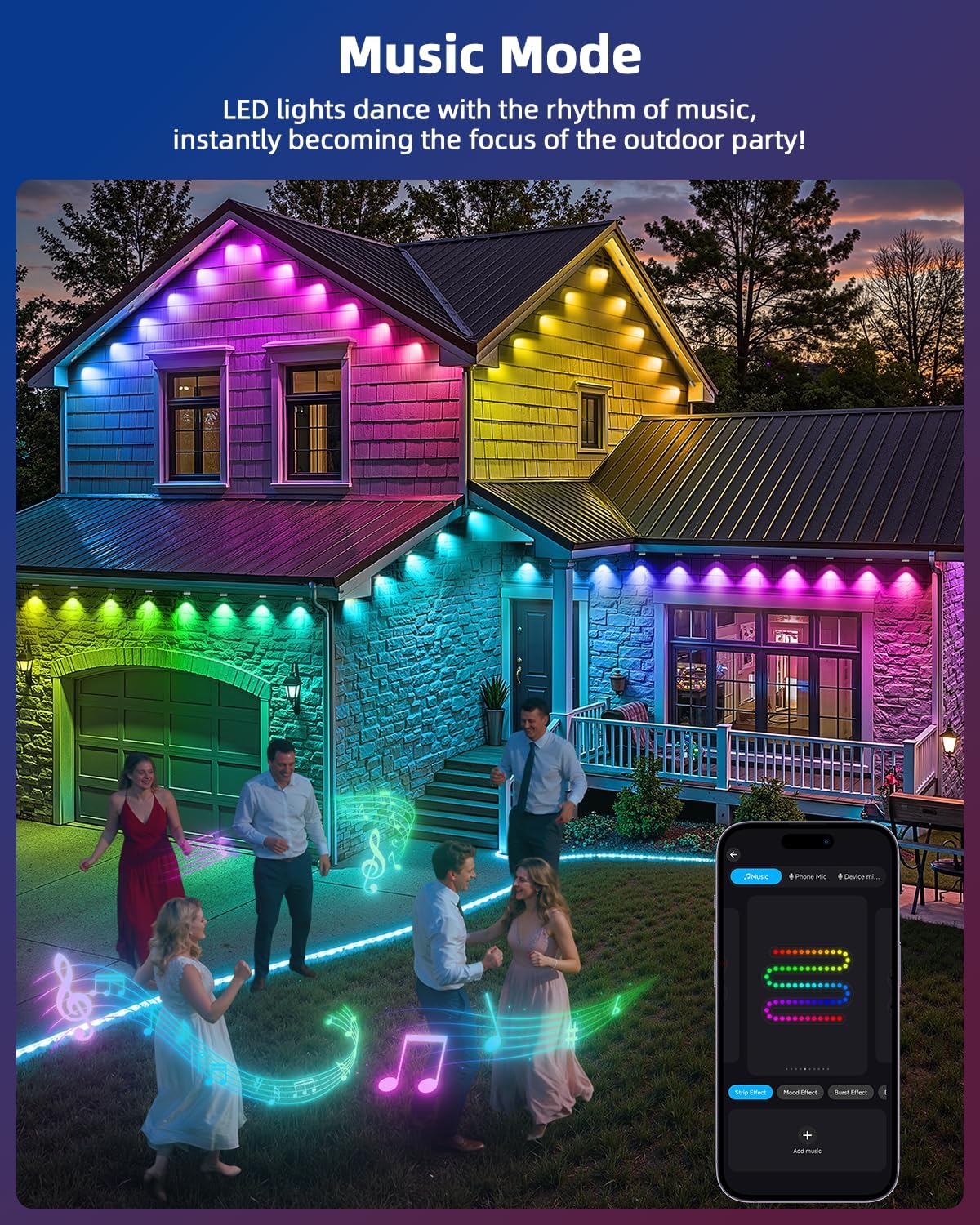
This image illustrates the REYLAX lights operating in music sync mode, creating a dynamic light display that responds to audio, enhancing an outdoor gathering.

This image shows the REYLAX lights with the timing feature enabled, allowing users to preset specific on and off times for energy efficiency and convenience.
Maintenance
- Cleaning: Gently wipe the light units with a soft, damp cloth to remove dirt or debris. Do not use harsh chemicals or abrasive cleaners.
- Inspection: Periodically inspect the light string and connections for any signs of wear, damage, or loose fittings.
- Weather Resistance: The lights are designed for year-round outdoor use with IP67 waterproof rating for the lights and IP44 for the adapter. They operate normally in temperatures ranging from -4°F to 140°F.
- Storage: If storing the lights for an extended period, disconnect them from power, clean them, and store them in a cool, dry place.

This image depicts the REYLAX lights installed on a house, emphasizing their robust construction and ability to withstand various weather conditions, indicated by IP67/IP65 ratings and a broad temperature tolerance.
Troubleshooting
| Problem | Possible Cause | Solution |
|---|---|---|
| Lights do not turn on. | No power, loose connection, remote battery low. | Check power outlet, ensure all connections are secure. Replace remote battery if necessary. |
| Remote control not working. | Remote battery depleted, obstruction, out of range. | Replace remote battery. Ensure no obstructions between remote and receiver. Operate within range. |
| App cannot connect to lights. | Bluetooth/Wi-Fi off, incorrect pairing mode, app issue. | Ensure Bluetooth is on. Restart app and lights. Follow in-app pairing instructions carefully. |
| Lights are flickering or inconsistent. | Loose connection, power fluctuation, damaged light unit. | Check all connections. Ensure stable power supply. If a single unit is damaged, contact support. |
Specifications
| Feature | Detail |
|---|---|
| Model Number | XY36SR-240150VQ-UT |
| Length | 100 Feet |
| Number of Lights | 60 LED Lights |
| Light Type | RGB+IC LED |
| Water Resistance (Lights) | IP67 |
| Water Resistance (Adapter) | IP44 |
| Operating Temperature | -4°F to 140°F (-20°C to 60°C) |
| Control Methods | Smart Life App, Remote Control |
| Power Source | AC |
| Material | Acrylonitrile Butadiene Styrene, Plastic |
| Estimated Lifespan | Up to 50,000 hours |
Warranty and Support
REYLAX products are designed for durability and performance. For warranty information or technical support, please refer to the contact details provided on the product packaging or visit the official REYLAX website. Please have your model number (XY36SR-240150VQ-UT) and purchase date ready when contacting support.