Ayybboo Football Digital Alarm Clock for Kids
Model 536 - User Manual
Introduction
Thank you for choosing the Ayybboo Football Digital Alarm Clock for Kids, Model 536. This device is designed to help children develop time management skills with its engaging football design and various features. Please read this manual carefully to ensure proper setup and operation.

Image: Front view of the Ayybboo Football Digital Alarm Clock, Model 536, displaying the time and colorful light ring.
Safety Information
- Ensure the device is placed on a stable, flat surface to prevent accidental falls.
- Keep the alarm clock away from water, excessive moisture, and direct heat sources.
- Do not attempt to disassemble, modify, or repair the device yourself. Contact customer support if issues arise.
- Use only the provided USB charging cable and a compatible USB power adapter (5V/1A recommended) for power.
- This product is intended for children under adult supervision.
Package Contents
- Ayybboo Football Digital Alarm Clock (Model 536)
- USB Charging Cable
- User Manual
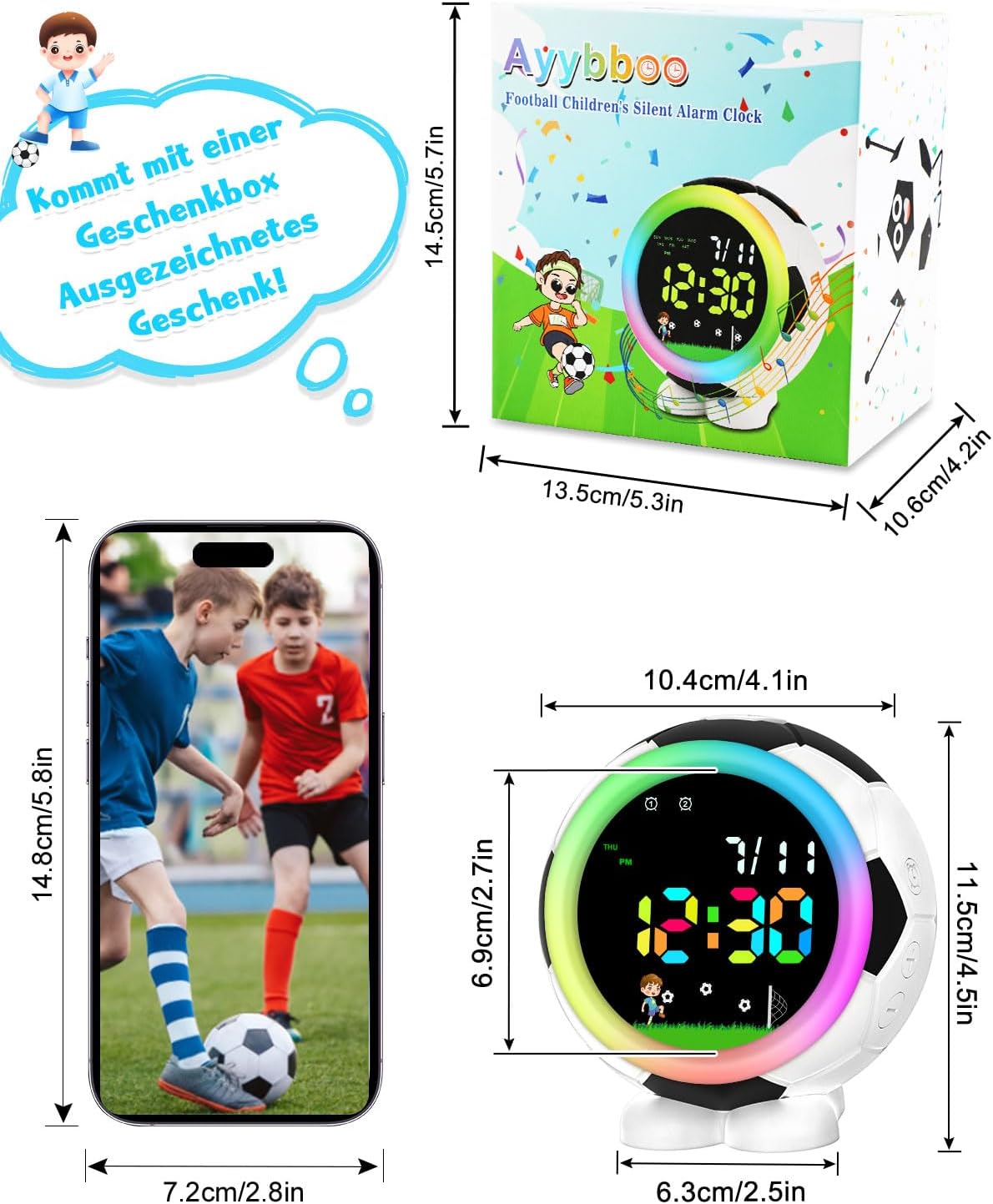
Image: The product package contents, including the Ayybboo Football Digital Alarm Clock, USB charging cable, and user manual.
Product Overview and Controls
Familiarize yourself with the buttons and ports on your alarm clock:

Image: Side view of the alarm clock showing the Adjustment Key, RGB Key, Music/Countdown Key, '+' Key, and '-' Key.
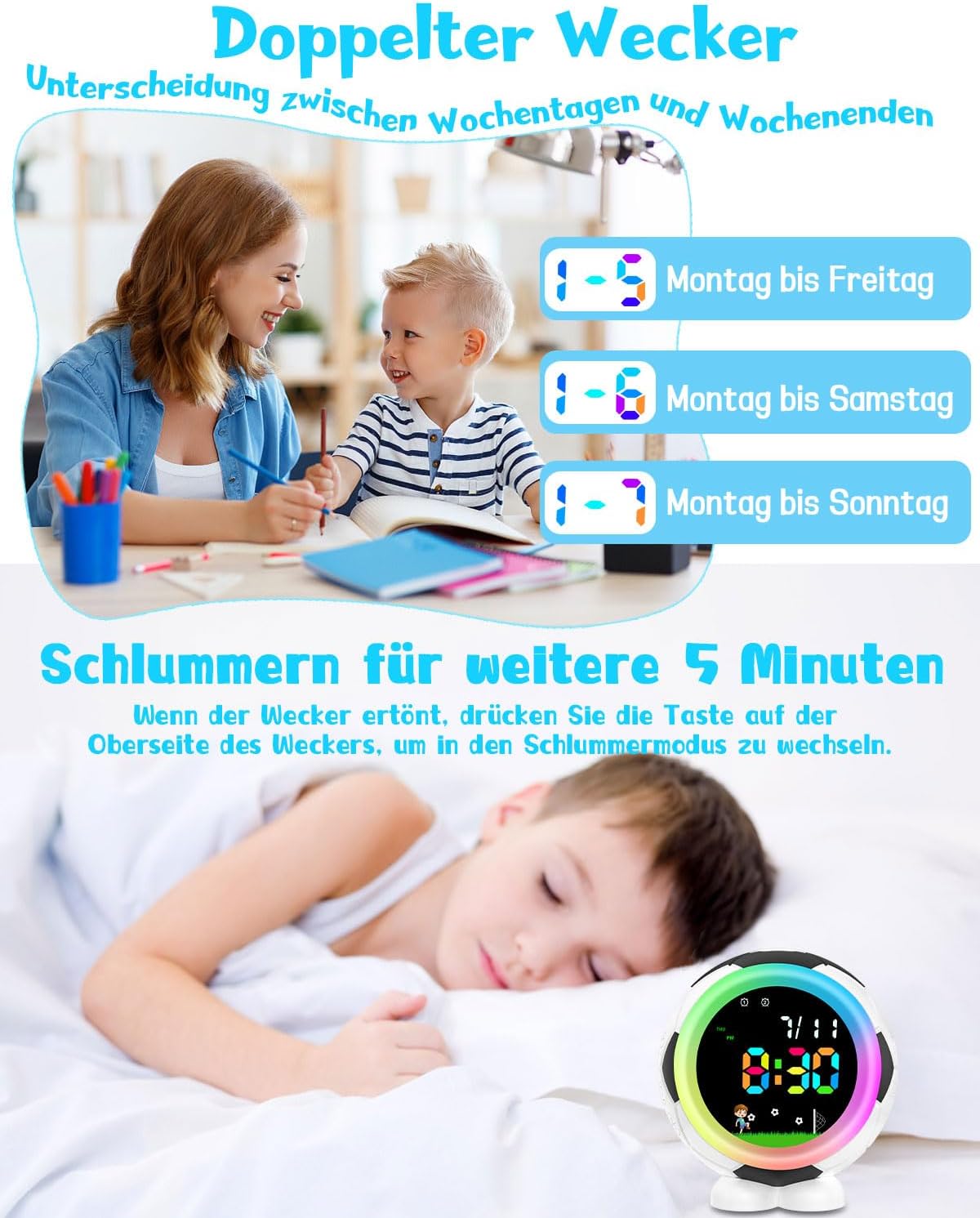
Image: Top view highlighting the Snooze/Light button and a rear view showing the USB charging port.
Button Functions:
- Adjustment Key: Used to enter setting modes (time, alarm) and confirm selections.
- RGB Key: Cycles through the various night light colors.
- Music/Countdown Key: Selects alarm ringtones or activates the countdown timer.
- '+' Key: Increases values during settings or navigates options.
- '-' Key: Decreases values during settings or navigates options.
- Snooze/Light Button (Top): Activates the snooze function when an alarm sounds, or turns the night light on/off.
Setup
Powering the Device
The Ayybboo Football Digital Alarm Clock is powered via a USB cable. Connect the provided USB cable to the charging port on the back of the clock and plug the other end into a compatible USB power adapter (not included) or a USB port. The clock will automatically turn on.
Initial Time Setting
- Press and hold the Adjustment Key until the hour display starts blinking.
- Use the '+' and '-' keys to adjust the hour. Press the Adjustment Key to confirm and move to minutes.
- Use the '+' and '-' keys to adjust the minute. Press the Adjustment Key to confirm and move to 12/24 hour format selection.
- Use the '+' and '-' keys to select between 12-hour (with AM/PM indicator) or 24-hour format. Press the Adjustment Key to confirm and exit time setting.
Operating Instructions
Setting Alarms (Dual Alarms)
The clock supports two independent alarms (Alarm 1 and Alarm 2). You can set each alarm for daily, weekdays (Monday-Friday), or Monday-Saturday.
- Short press the Alarm 1 or Alarm 2 button (indicated by icons on the display) to select the alarm you wish to set.
- Press and hold the Adjustment Key to enter alarm setting mode for the selected alarm. The hour display will blink.
- Adjust the hour using the '+' and '-' keys, then press the Adjustment Key to confirm.
- Adjust the minute using the '+' and '-' keys, then press the Adjustment Key to confirm.
- Select the alarm frequency (daily, Mon-Fri, Mon-Sat) using the '+' and '-' keys. Press the Adjustment Key to confirm and exit alarm setting.
- To activate or deactivate an alarm, short press the corresponding Alarm 1 or Alarm 2 button. An alarm icon will appear on the display when active and disappear when inactive.
Snooze Function
When an alarm sounds, press the Snooze/Light Button on top of the clock to activate the 5-minute snooze function. The alarm will temporarily stop and sound again after 5 minutes.
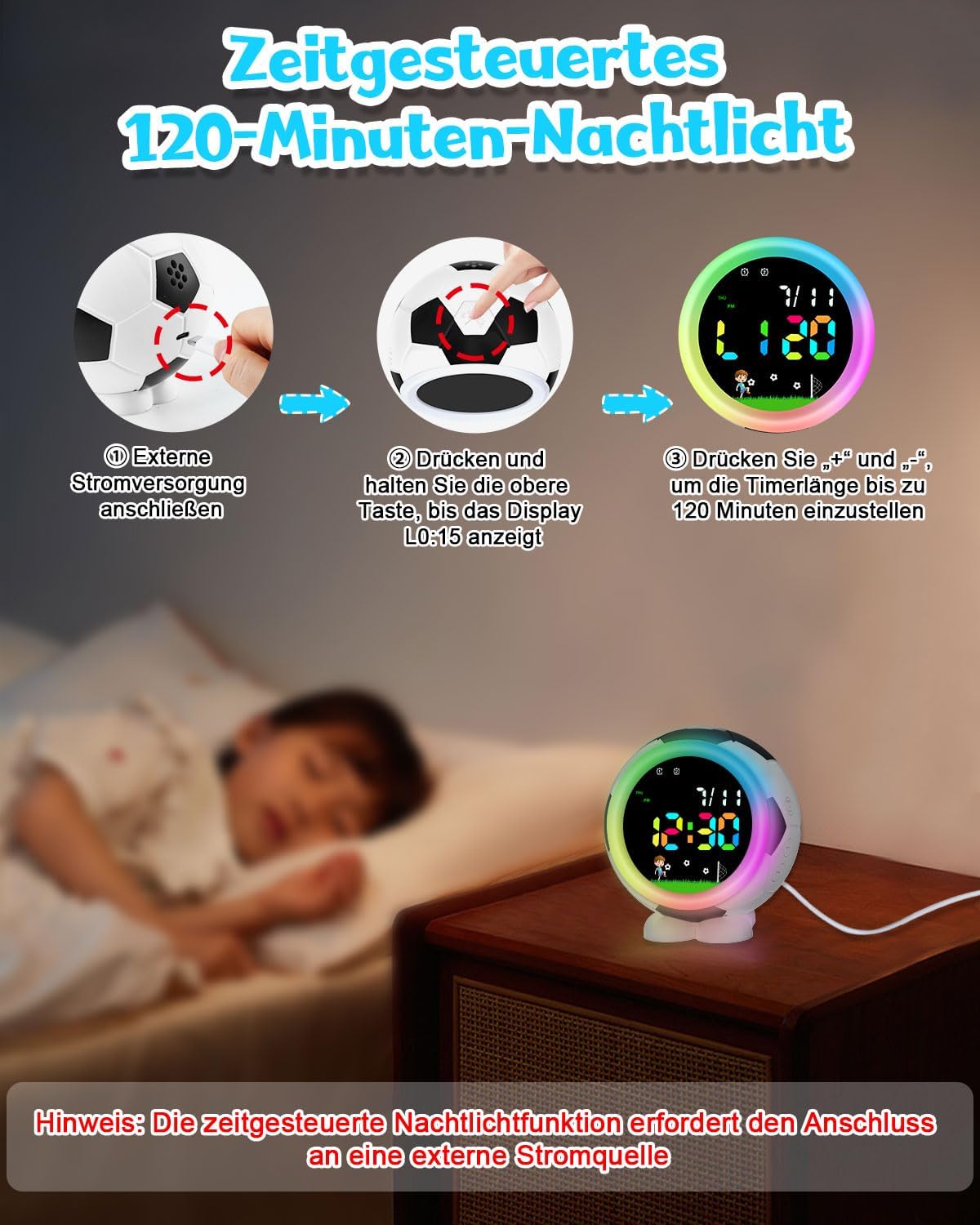
Image: A child sleeping peacefully with the alarm clock on a bedside table, illustrating the snooze function.
Night Light Function
The clock features 7 monochromatic light colors and a dazzling color light. The night light can also be set with a timer.
- To turn on/off: Short press the Snooze/Light Button on top of the clock.
- To change color: While the night light is on, press the RGB Key on the side to cycle through the 7 available colors.
- To set timer (requires external power): While the night light is on and the clock is connected to external power, press and hold the Snooze/Light Button until "L0:15" (15 minutes) appears on the display. Use the '+' and '-' keys to adjust the timer duration from 0 to 120 minutes. The light will automatically turn off after the set time.

Image: Illustration of setting the night light timer, showing the clock connected to external power and the display indicating the timer duration.
Ringtones and Volume
Choose from 6 gradual ringtones and 9 volume levels to ensure a gentle wake-up experience.
- To select ringtone: Press the Music/Countdown Key to cycle through the 6 available ringtones.
- To adjust volume: Use the '+' and '-' keys to set the volume level from U01 (lowest) to U09 (highest).
Power Failure Memory Function
The clock is equipped with a power failure memory function. In case of a power outage, the time and alarm settings will be retained, ensuring that the clock continues to function correctly once power is restored.

Image: Depiction of the power failure memory function, showing the clock retaining its time settings after being disconnected and reconnected to power.
Maintenance
- Clean the clock's surface with a soft, dry cloth. Do not use liquid cleaners, abrasive materials, or chemical solvents.
- Keep the USB charging port free from dust and debris to ensure proper connection.
- If storing the device for an extended period, ensure it is fully charged and kept in a cool, dry place.
Troubleshooting
| Problem | Possible Cause | Solution |
|---|---|---|
| Clock not turning on | No power or low battery. | Connect the clock to a USB power source. Ensure the USB cable is securely connected. |
| Alarm not sounding | Alarm not activated or volume too low. | Ensure the alarm icon is displayed on the screen. Increase the alarm volume level using the '+' key. |
| Night light not working | Light is off, or not connected to external power for timer function. | Short press the Snooze/Light button to turn it on. Ensure external power is connected if using the timer function. |
| Time display incorrect | Time not set correctly. | Re-enter time setting mode (press and hold Adjustment Key) and adjust the time. |
| Low battery indicator blinking | Battery level is at 5% or below. | Connect the clock to a USB power source for charging immediately. |

Image: The alarm clock display showing a red, blinking low battery indicator, signifying low battery capacity.
Specifications
- Brand: Ayybboo
- Model Number: 536
- Color: Black
- Dimensions: 9 x 3.81 x 11.5 cm (approximately 3.54 x 1.5 x 4.53 inches)
- Weight: 400 g (approximately 0.88 lbs)
- Material: Acrylonitrile Butadiene Styrene (ABS)
- Display Type: Digital LED
- Power Source: USB Cable (Electric)
- Special Features: Dual Alarms, 5-Minute Snooze, Colorful Night Lights (7 colors), Night Light Timer (0-120 min), 6 Ringtones, 9 Volume Levels, 12/24 Hour System, Countdown Function, Power Failure Memory, Low Battery Indicator.
Image: Detailed dimensions of the Ayybboo Football Digital Alarm Clock, including its height, width, and depth.
Warranty and Support
For warranty information, technical support, or any inquiries regarding your Ayybboo Football Digital Alarm Clock, please refer to the contact details provided with your purchase documentation or visit the official Ayybboo website. Please retain your purchase receipt as proof of purchase for warranty claims.


