
Introduction
This manual provides essential instructions for setting up, operating, and maintaining your EIGIIS KE5 Military Smart Watch. Please read thoroughly before use to ensure optimal performance and longevity of your device.
What's in the Box
- 1 * EIGIIS Smart Watch KE5
- 1 * Charging Cable
- 1 * User Manual
- 1 * Customized Box
Product Overview
The EIGIIS KE5 is a rugged tactical smartwatch designed for durability and functionality in various environments. It features a 1.45" HD display, long-lasting battery, and multiple sensors for health and outdoor activities.

Image: EIGIIS KE5 Smart Watch with two strap options, black and brown leather, displaying time and health metrics.
Key Features:
- 3ATM Waterproof: Certified to withstand depths of up to 30 meters underwater, suitable for swimming, snorkeling, diving, or surfing (avoid sea or hot water).
- LED Flashlight & SOS Alarm: Convenient side-mounted LED flashlight and an SOS alarm for outdoor survival.
- Outdoor Sensors: Equipped with compass, altimeter, and barometer for navigation and environmental data.
- 530mAh Big Battery: Provides 5-7 days of use on a 2-hour charge, with up to 20 days standby time.
- 1.45" HD Screen: TFT high-definition touch screen with 360x360 resolution, customizable watch faces.
- Bluetooth Call & Message Notification: Make/receive calls, control music, and receive notifications from social apps via BLE5.2.
- 110+ Sports Modes & Health Monitoring: Tracks over 110 sports, monitors sleep, heart rate, and blood oxygen levels.
- Multifunctional: Includes AI assistance, remote camera control, weather forecast, stopwatch, alarm, calculator, and more.
Setup
1. Initial Charging
Before first use, fully charge the smartwatch. Connect the magnetic charging cable to the back of the watch and plug the USB end into a compatible power source. Charging typically takes 2 hours.

Image: EIGIIS KE5 Smart Watch with its magnetic charging cable attached to the back of the watch face.
2. App Installation (FitCloudPro)
Download and install the "FitCloudPro" app from your smartphone's app store (compatible with Android 8.0+ and iOS 12.0+). This app is essential for full functionality and data synchronization.

Image: A visual guide demonstrating the steps to connect the EIGIIS KE5 Smart Watch to a smartphone using the FitCloudPro application, including Bluetooth pairing and audio settings.
3. Device Pairing
- Ensure Bluetooth is enabled on your smartphone.
- Open the FitCloudPro app and follow the on-screen instructions to "Add Peripheral" or "Bind Device".
- Select "KE5" from the list of available devices.
- Confirm the pairing request on both your smartphone and the smartwatch.
- Enable call audio and media audio permissions within the app settings for full Bluetooth calling functionality.
Video: This video provides a detailed review of the EIGIIS KE5 Smart Watch, including its features and how to connect it to your phone.
4. Strap Installation
The KE5 smartwatch comes with two watch bands. To attach a band, align the spring bar with the lug holes on the watch case and slide the pin into place. Ensure both ends are securely fastened.

Image: The EIGIIS KE5 Smart Watch is shown with two different watch bands: a classic brown leather strap and a rugged black silicone strap, highlighting the interchangeable design.
Operating Instructions
Basic Navigation
- Power On/Off: Long press the power button (usually the top right button) to turn the watch on or off.
- Wake Screen: Raise your wrist or press any button to wake the screen.
- Swipe Gestures:
- Swipe Up/Down: Scroll through menus and notifications.
- Swipe Left/Right: Access quick functions or different watch faces.
Bluetooth Calling
Once paired via Bluetooth, you can make and receive calls directly from your watch. Access the phone function from the main menu to dial numbers or view call history.

Image: A man is shown using the EIGIIS KE5 Smart Watch on his wrist to make a phone call, demonstrating the Bluetooth calling feature.
Video: This video demonstrates the multi-features of the EIGIIS KE5 Military Smart Watch, including its Bluetooth calling capabilities.
Sports Modes & Health Monitoring
The watch supports over 110 sports modes. Select your desired activity from the sports menu to track your workout data. Health monitoring features (heart rate, blood oxygen, sleep) operate continuously or on demand.

Image: The EIGIIS KE5 Smart Watch screen shows various health monitoring metrics such as heart rate, breathing, and blood oxygen levels, with a person sleeping in the background.
Video: This video showcases the various features of the EIGIIS KE5 Smart Watch, including its health tracking and sports modes.
Outdoor Functions (Compass, Altimeter, Barometer)
Access these features from the app drawer. The compass provides directional guidance, the altimeter displays current altitude, and the barometer measures air pressure, useful for outdoor adventures.
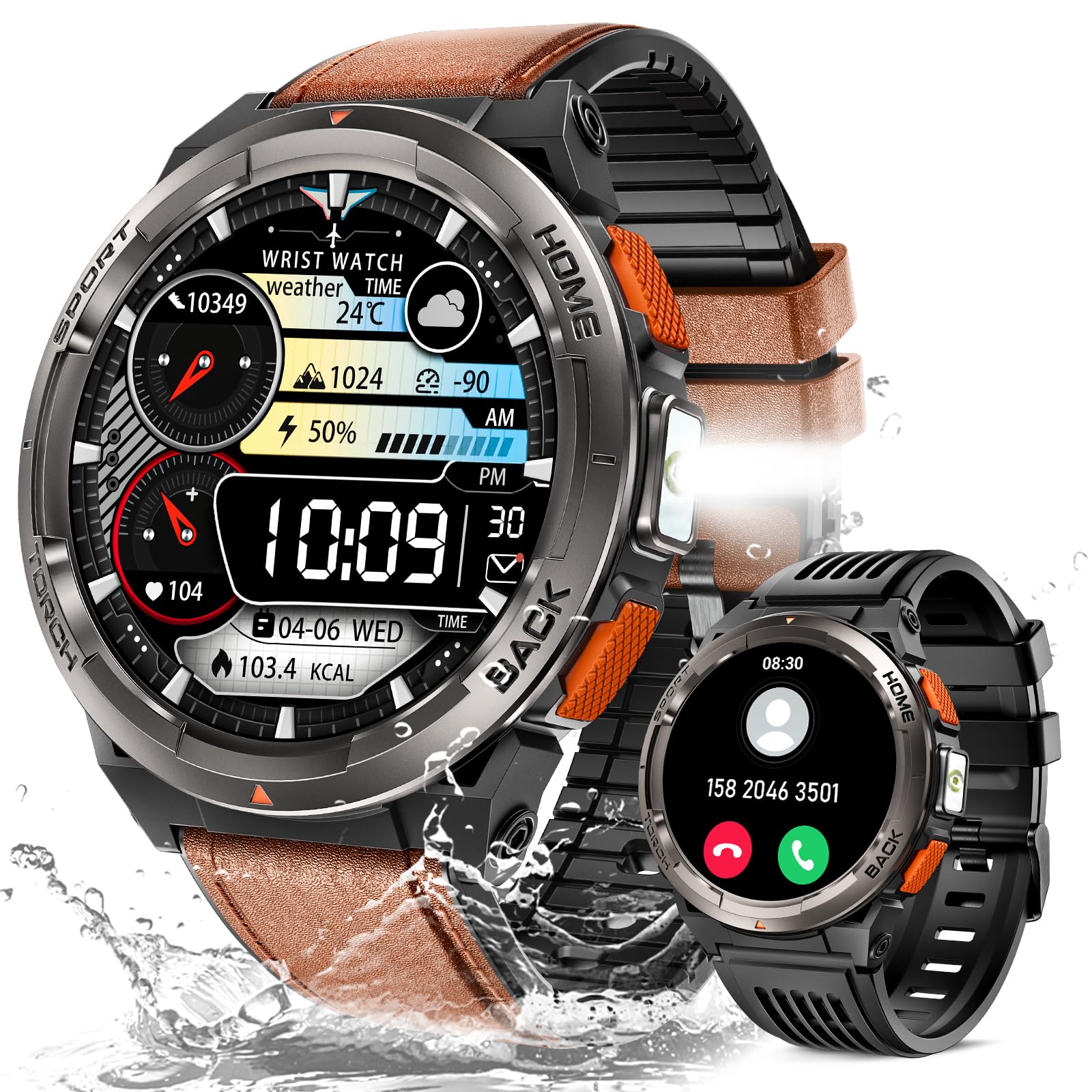
Image: The EIGIIS KE5 Smart Watch displays its compass, altitude, and air pressure functions, highlighting its utility for outdoor activities.
Video: This video demonstrates the flashlight feature of the EIGIIS KE5 Smart Watch.
Maintenance
- Cleaning: Wipe the watch screen and strap regularly with a soft, dry cloth. Avoid harsh chemicals.
- Water Resistance: The watch is 3ATM waterproof. Do not use in sea water or hot water (e.g., baths, saunas) as this can compromise the seal.
- Charging: Use only the provided charging cable. Avoid exposing charging contacts to water or corrosive liquids.
Troubleshooting
- Watch not turning on: Ensure the watch is fully charged. If battery is completely drained, it may take a few minutes on the charger before it responds.
- Cannot pair with phone:
- Ensure Bluetooth is enabled on your phone and the watch is within range.
- Restart both the watch and your phone.
- Clear Bluetooth cache on your phone (if applicable).
- Reinstall the FitCloudPro app.
- Inaccurate health data: Ensure the watch is worn snugly on your wrist, not too tight or too loose. Clean the sensor area regularly.
- Water resistance issues: Avoid using the watch in conditions beyond its 3ATM rating. Do not press buttons underwater.
Specifications
| Feature | Detail |
|---|---|
| Model Number | KE5 |
| Screen Size | 1.45 Inches |
| Battery Capacity | 530 Milliamp Hours (530mAh) |
| Water Resistance | 3ATM |
| Connectivity | Bluetooth 5.2 |
| Operating System Compatibility | Android 8.0+, iOS 12.0+ |
| Item Weight | 58 Grams |
| Special Features | LED Flashlight, Compass, Altimeter, Barometer, SOS Alarm, Bluetooth Calling, Music Control, Message Notification, Health Care (Blood Oxygen, Heart Rate Monitor, Sleep Tracker, Breathe Training), AI Voice Assistance, Timer, Stopwatch, Pedometer, Weather Forecast, Remote Camera Control, Calculator, Calendar, Massive DIY Dials, Sedentary Reminder, Water Drinking Reminder |
Warranty & Support
EIGIIS provides a 12-month money-back or free replacement guarantee. If you encounter any problems with this product, please contact our professional service team via email. We aim to reply within 24 hours and provide the best solution.