
Introduction
This manual provides essential information for setting up, operating, maintaining, and troubleshooting your HP 17 Laptop PC. Please read this manual thoroughly to ensure proper use and to maximize the lifespan of your device.
What's in the Box
Upon unboxing your HP 17 Laptop PC, verify that all the following items are present:
- HP 17 Laptop PC
- Power Adapter
- Power Cord
- 8-in-1 Docking Station (SD card reader, SuperSpeed USB-C & USB-A, PD, 4K HDMI, RJ-45)
- 3-in-1 Charging Cable
- Ethernet Cable

Image: Included accessory suite, featuring an 8-in-1 docking station, a 3-in-1 charging cable, and an Ethernet cable.
Setup
- Connect Power: Plug the power adapter into the laptop's AC smart pin port and then into a wall outlet. Allow the battery to charge fully before first use.
- Initial Power On: Open the laptop lid and press the power button, usually located on the keyboard deck. The laptop will boot up.
- Windows Setup: Follow the on-screen instructions to complete the Windows 11 Home setup process. This includes selecting your region, connecting to a Wi-Fi network, and creating a user account.
- Connect Peripherals:
- USB Devices: Connect USB devices (e.g., mouse, external drive) to the available USB Type-A or USB Type-C ports.
- External Display: Use an HDMI cable to connect an external monitor to the HDMI 1.4b port.
- Network: For a wired connection, use the provided Ethernet cable with the 8-in-1 docking station, then connect the docking station to a USB-C port on the laptop.
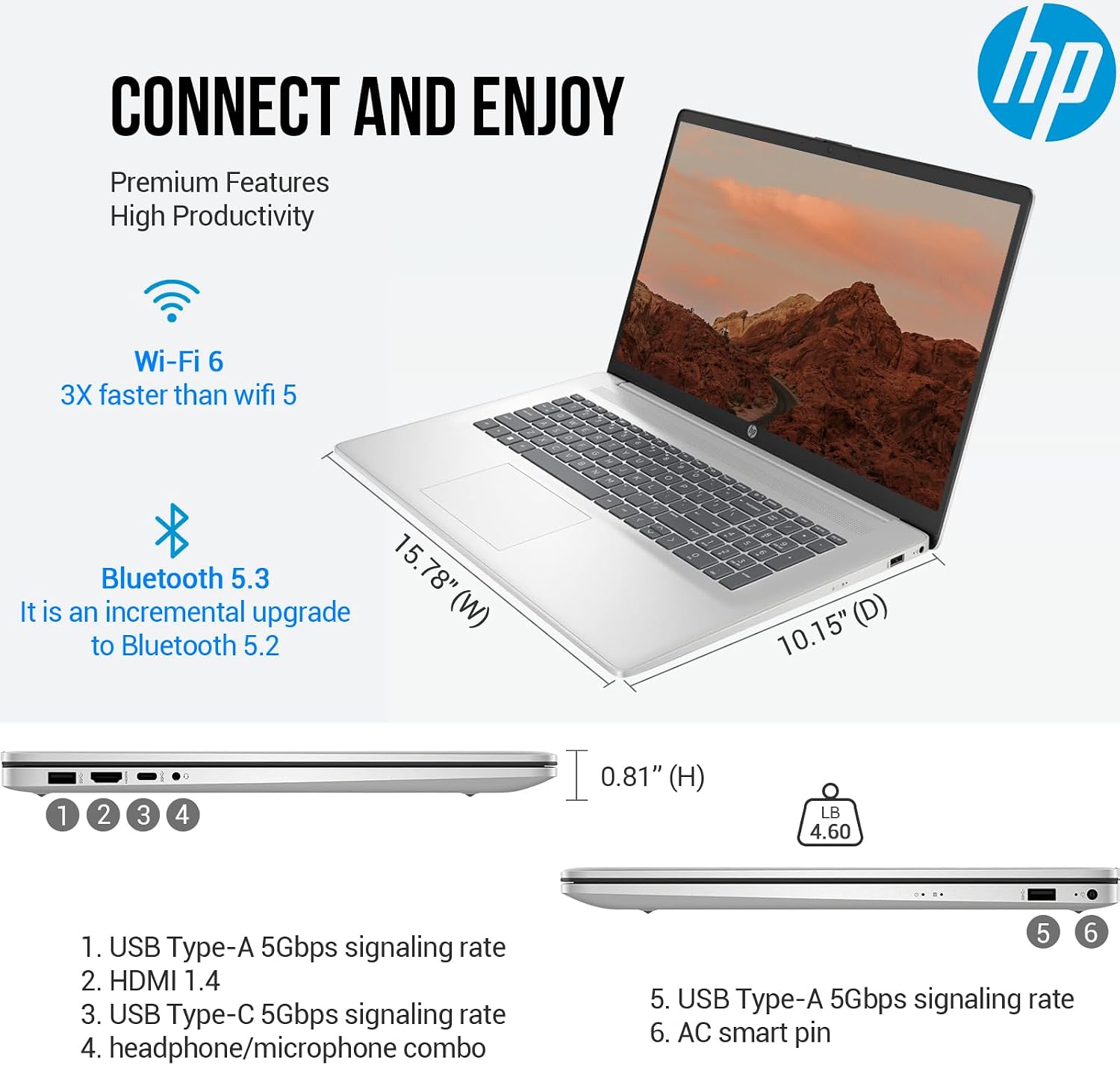
Image: Side view of the HP 17 laptop, illustrating the various ports including USB Type-A, HDMI, USB Type-C, headphone/microphone combo jack, and the AC smart pin for power.
Operating Your Laptop
Keyboard and Touchpad
The HP 17 features a full-size, backlit keyboard with a 10-key numeric keypad for comfortable typing and data entry. The integrated touchpad provides precise cursor control. Refer to the laptop's function keys for adjusting backlight brightness, volume, and other settings.

Image: The HP 17 laptop, highlighting its full-size backlit keyboard with a numeric keypad, the HP True Vision 720p HD camera, dual array digital microphones, and B&O-tuned stereo speakers.
Display
Your laptop is equipped with a 17.3-inch Full HD (1920 x 1080) IPS anti-glare display. This screen provides wide viewing angles and vibrant colors, suitable for various tasks from productivity to entertainment.
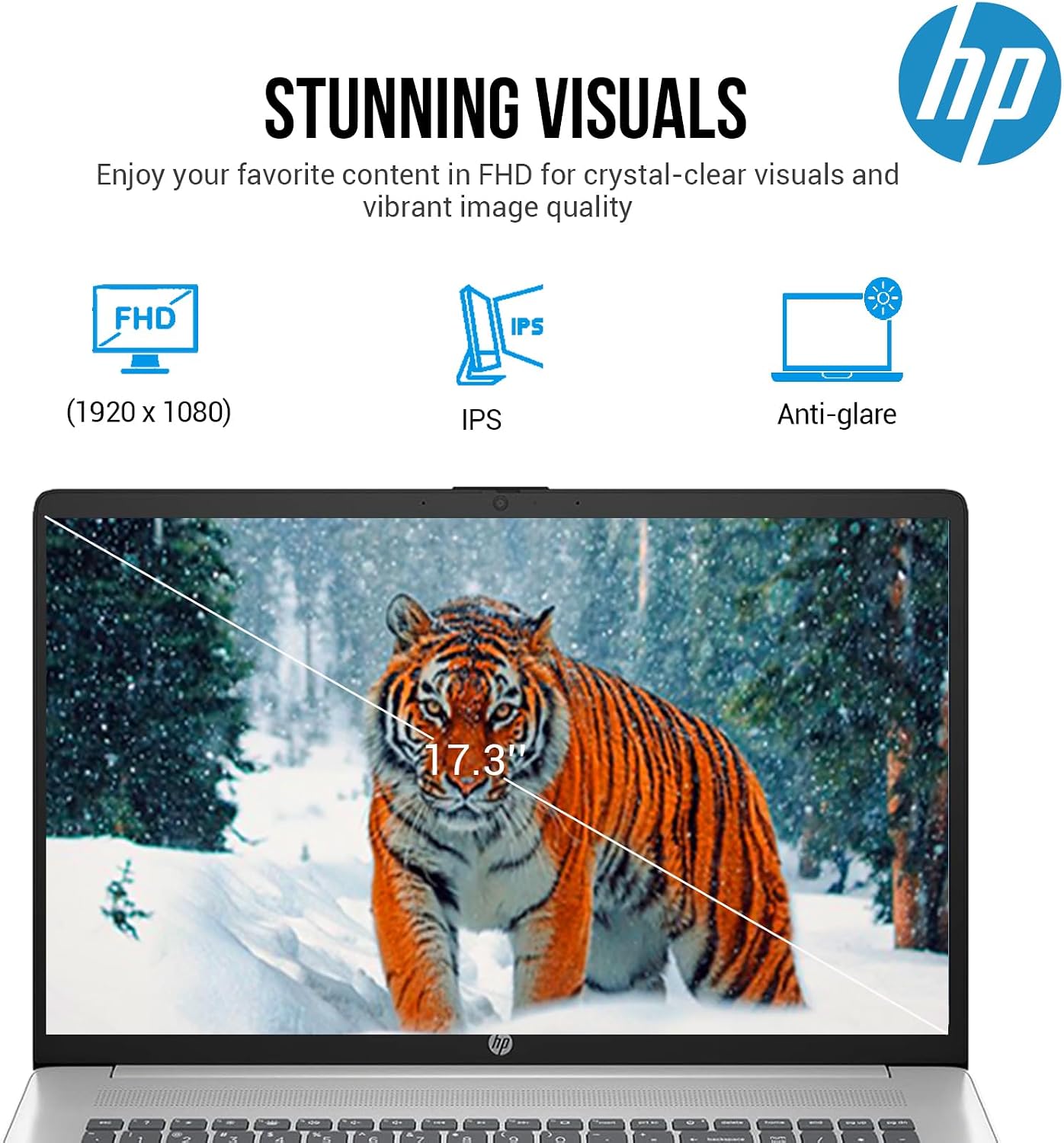
Image: The HP 17 laptop's display, emphasizing its Full HD (1920x1080) resolution, IPS technology for wide viewing angles, and anti-glare coating.
Camera and Audio
The integrated HP True Vision 720p HD camera and dual array digital microphones facilitate clear video calls and online meetings. Audio is enhanced by B&O-tuned stereo speakers, providing a quality listening experience.
Connectivity
- Wi-Fi 6: Connect to wireless networks for high-speed internet access.
- Bluetooth 5.3: Pair with compatible wireless devices such as headphones, speakers, or mice.
- USB Ports: Utilize the USB Type-A and USB Type-C ports for connecting various peripherals and data transfer.
- HDMI: Connect to external displays or projectors.
Accessory Suite Usage
The included 8-in-1 docking station expands your laptop's connectivity, offering additional USB ports, an SD card reader, HDMI output, and an Ethernet port. Connect the docking station to a USB-C port on your laptop. The 3-in-1 charging cable provides versatile charging options for various mobile devices.
Maintenance
- Cleaning: Use a soft, lint-free cloth slightly dampened with water or a screen cleaner to clean the display. For the keyboard and chassis, use a dry, soft cloth. Avoid harsh chemicals.
- Ventilation: Ensure the laptop's ventilation openings are clear and unobstructed to prevent overheating. Do not operate the laptop on soft surfaces like beds or couches that can block airflow.
- Battery Care: For optimal battery life, avoid frequently discharging the battery completely. Store the laptop in a cool, dry place when not in use for extended periods.
- Software Updates: Regularly update your operating system and drivers to ensure system stability and security.
Troubleshooting
| Problem | Possible Solution |
|---|---|
| Laptop does not power on | Ensure the power adapter is securely connected to both the laptop and a working power outlet. Check if the power outlet is functional. Try a different outlet. |
| Display is blank | Press the power button to ensure the laptop is on. Check display brightness settings (function keys). If an external monitor is connected, ensure it is powered on and correctly configured. |
| Wi-Fi connection issues | Verify Wi-Fi is enabled in Windows settings. Restart your router and modem. Ensure you are within range of the Wi-Fi network. Check for updated Wi-Fi drivers. |
| Keyboard or touchpad unresponsive | Restart the laptop. Ensure no external devices are interfering. Check for driver updates in Device Manager. |
| Slow performance | Close unnecessary applications. Check for background processes consuming resources. Ensure sufficient free storage space on the SSD. Run a system scan for malware. |
Specifications
The following table details the technical specifications of your HP 17 Laptop PC:
| Feature | Detail |
|---|---|
| Brand | HP |
| Model Name | Essential 17 |
| Screen Size | 17.3 Inches |
| Display Resolution | 1920 x 1080 pixels (FHD) |
| Display Type | LED IPS, Anti-glare |
| Processor | Intel Core i5-1335U (10 Cores, 12 Threads, up to 4.6 GHz) |
| Graphics | Intel Iris Xe Graphics (Integrated) |
| RAM | 32 GB DDR4 SDRAM |
| Storage | 1 TB PCIe NVMe M.2 SSD |
| Operating System | Windows 11 Home |
| Wireless Connectivity | Wi-Fi 6 (802.11ax), Bluetooth 5.3 |
| Ports | USB Type-C (5Gbps signaling rate), 2x USB Type-A (5Gbps signaling rate), HDMI 1.4b, Headphone/Microphone Combo |
| Camera | HP True Vision 720p HD camera |
| Audio | B&O-tuned stereo speakers |
| Keyboard | Full-size backlit keyboard with numeric keypad |
| Battery Life | Up to 8.5 Hours (41 Watt Hours Lithium Ion) |
| Dimensions (L x W x H) | 15.78" x 10.15" x 0.81" |
| Weight | 13.14 Pounds |
| Color | Silver |
| UPC | 195122685362 |

Image: Overview of the HP 17 laptop, highlighting key features such as Windows 11 Home operating system, Intel Core i5-1335U processor, and Intel Iris Xe Graphics.

Image: Detailed view of the Intel Core i5-1335U processor, showing its specifications including 10 cores, 12 threads, 12 MB cache, and a maximum turbo frequency of 4.60 GHz.

Image: Key features of the HP 17 laptop, including 32GB DDR4 RAM for faster speeds, a 1TB PCIe SSD for rapid storage, and a long battery life of up to 8 hours and 30 minutes.
Warranty and Support
Your HP 17 Laptop PC comes with a limited warranty. For specific warranty terms and conditions, please refer to the documentation included with your product or visit the official HP support website. For technical assistance, driver downloads, or service requests, please contact HP customer support.
HP Support Website: support.hp.com


