
1. Introduction
The Retevis NR30D is a robust and reliable Digital Mobile Radio (DMR) walkie-talkie designed for clear and secure communication over long distances. Featuring IP67 water and dust resistance, AES256 encryption, and a 2800mAh battery, it is suitable for various industrial and professional environments. This manual provides essential information for the proper setup, operation, and maintenance of your NR30D walkie-talkie.

2. Package Contents
Before using your Retevis NR30D walkie-talkie, please verify that all items are present in the package:
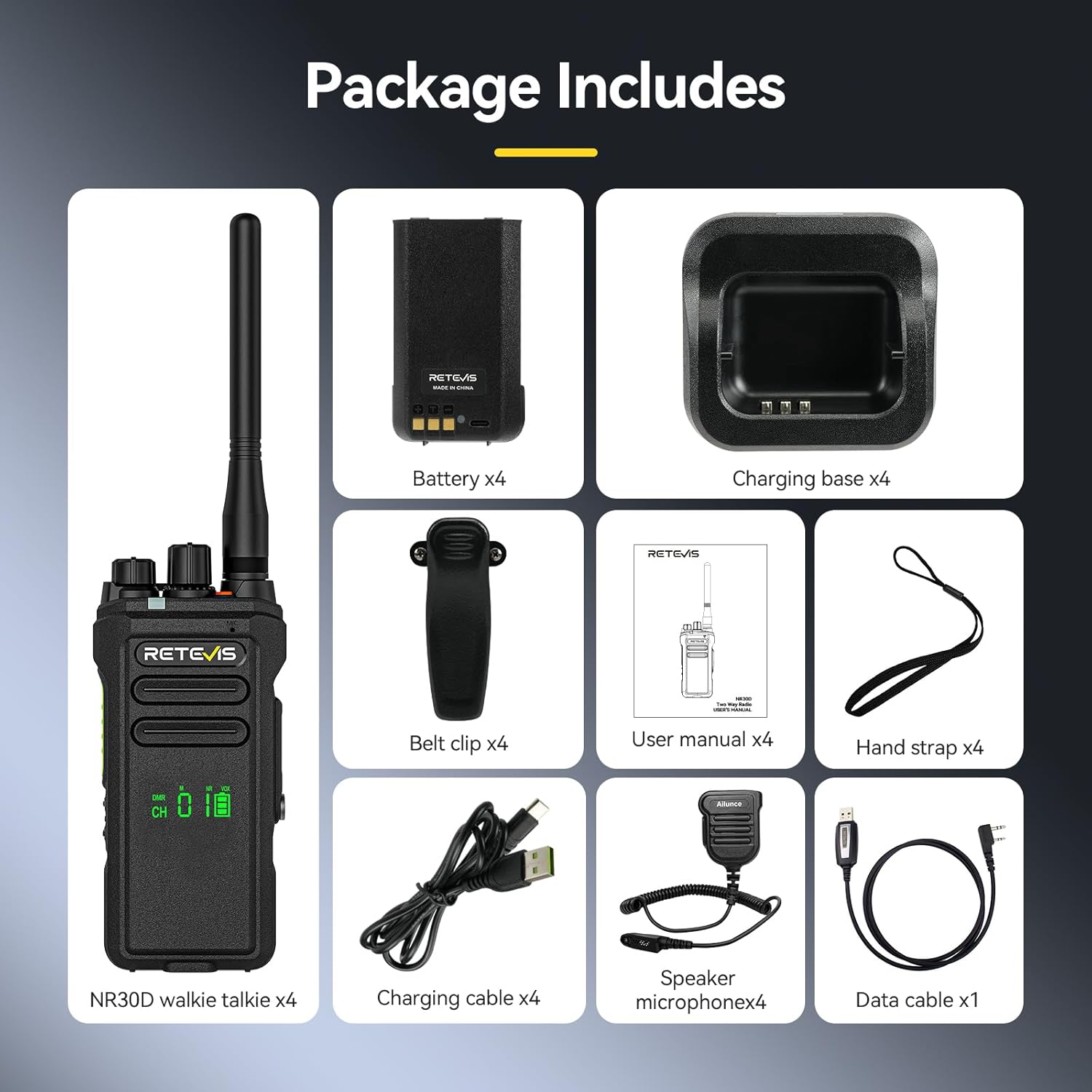
- 4 x NR30D Walkie Talkie units
- 4 x Antennas
- 4 x 2800mAh Li-ion Batteries
- 4 x Charging Bases
- 4 x Type-C Charging Cables
- 4 x Belt Clips
- 4 x Hand Straps
- 4 x User Manuals
- 1 x Data Cable
- 4 x Speaker Microphones
2.1 Unboxing and Initial Inspection
Watch this video for a visual guide on unboxing and inspecting the contents of a similar walkie-talkie package.
3. Setup
3.1 Battery Installation
- Ensure the walkie-talkie is powered off.
- Align the battery pack with the battery compartment on the back of the radio.
- Slide the battery pack into place until it clicks securely.
- To remove, press the battery release latch and slide the battery out.
3.2 Charging the Battery
The NR30D walkie-talkie features a 2800mAh Li-ion battery, providing approximately 15 hours of work time and 70 hours of standby time. It supports both Type-C direct charging and charging via the included desktop charging base.

- Using the Charging Base: Connect the charging base to a power outlet using the provided adapter. Place the walkie-talkie (with battery installed) into the charging slot. The indicator light on the base will show charging status.
- Using Type-C Cable: Connect the Type-C charging cable directly to the port on the side of the walkie-talkie and then to a compatible USB power source.
3.3 Antenna Attachment
Screw the antenna clockwise onto the connector at the top of the walkie-talkie until it is finger-tight. Do not overtighten.
3.4 Attaching Belt Clip and Hand Strap
Attach the belt clip to the designated slot on the back of the radio. Secure the hand strap to the loop on the side or top of the radio for convenient carrying.
4. Operating Instructions
4.1 Power On/Off and Volume Control
- To power on/off, rotate the power/volume knob clockwise/counter-clockwise until you hear a click.
- To adjust the volume, rotate the same knob clockwise to increase and counter-clockwise to decrease.
4.2 Channel Selection
The NR30D features 32 channels. Rotate the channel selector knob on the top of the radio to choose your desired channel. The display will show the current channel number.
4.3 Transmitting and Receiving
- To transmit, press and hold the Push-To-Talk (PTT) button on the side of the radio. Speak clearly into the microphone.
- Release the PTT button to receive.
4.4 Communication Modes
The NR30D supports flexible communication modes:
- Single Call: Communicate with a specific individual.
- Group Call: Communicate with a predefined group of users.
- All Call: Broadcast messages to all users within range.

4.5 Noise Reduction and Clear Sound
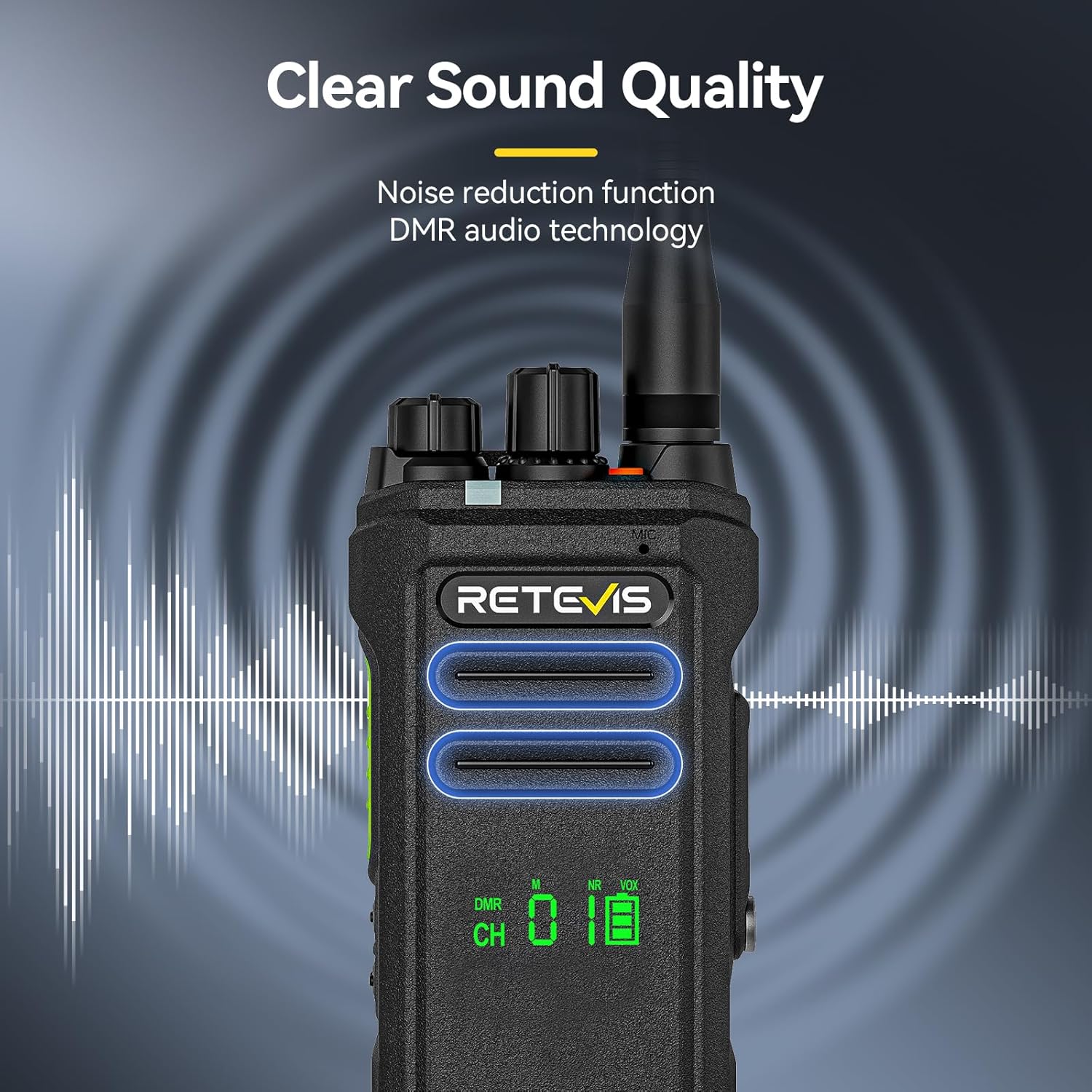
Equipped with noise reduction and digital voice technology, the NR30D minimizes background noise and howling, ensuring clear audio even in noisy environments.
4.6 AES256 Encryption
The NR30D utilizes AES256 encryption to enhance communication security, protecting your conversations from unauthorized interception. It also offers compatibility with Moto CP100 and CP200 walkie-talkies.

4.7 Direct Communication and Zone Switching
The NR30D can communicate directly with NR630 and NR630S models within Zone 2. A long press of Side Button 1 allows for zone switching.

4.8 General Operation and Interoperability (Similar Models)
The following videos demonstrate general operation and interoperability features found in similar Retevis walkie-talkie models, which may apply to the NR30D.
5. Maintenance
5.1 IP67 Water and Dust Resistance
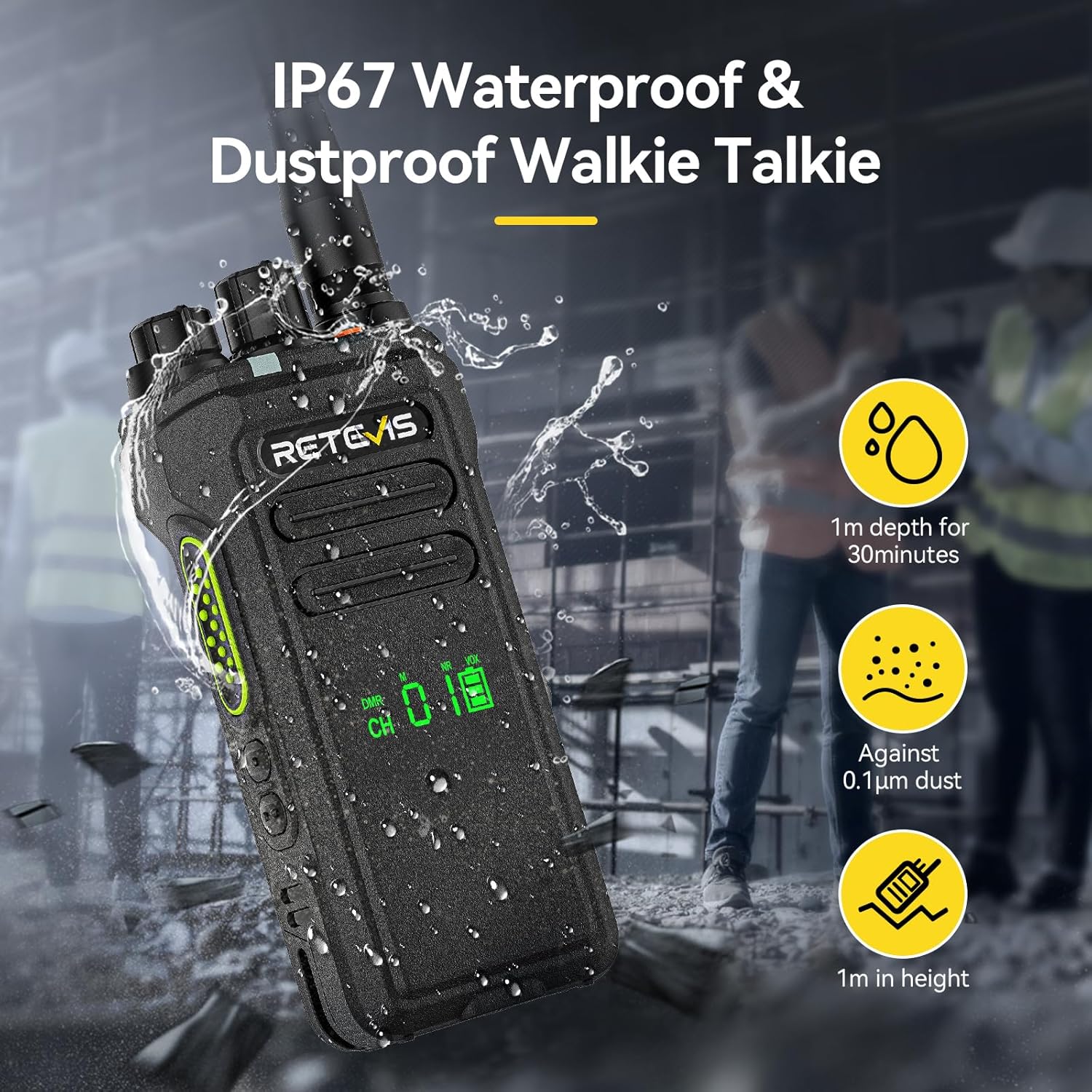
The NR30D walkie-talkie is rated IP67, meaning it can withstand immersion in 1 meter of water for 30 minutes and is protected against 0.1 µm dust particles. This makes it highly durable for use in challenging environments.
5.2 Cleaning
Regularly clean the radio's exterior with a soft, damp cloth. Do not use harsh chemicals or abrasive cleaners. Ensure all port covers are securely closed to maintain water and dust resistance.
5.3 Battery Care
To prolong battery life, avoid overcharging or completely discharging the battery. Store the battery in a cool, dry place when not in use for extended periods.
6. Troubleshooting
If you encounter issues with your NR30D walkie-talkie, please refer to the following common troubleshooting steps:
- No Power: Check if the battery is properly installed and charged. Ensure the power/volume knob is turned on.
- Cannot Transmit or Receive: Verify that you are on the correct channel and within range of other radios. Check antenna connection. Ensure the PTT button is functioning correctly.
- Poor Audio Quality: Adjust the volume. Check for obstructions between radios. Ensure noise reduction is properly configured if applicable.
- Short Range: Ensure the antenna is securely attached. Check for environmental obstructions (buildings, hills). Battery level can affect transmission power.
If the problem persists, please contact Retevis customer support.
7. Specifications
| Feature | Description |
|---|---|
| Brand | Retevis |
| Model Number | NR30D |
| Color | Black |
| Number of Channels | 32 |
| Frequency Range | 400.0-461.9 MHz / 468.0-470.0 MHz |
| Maximum Talk Range | 836.6 Meters (approx. 0.84 km) |
| Battery Capacity | 2800mAh Li-ion |
| Battery Life | 15 Hours (Work), 70 Hours (Standby) |
| Waterproof Level | IP67 (Waterproof and Dustproof) |
| Connectivity Protocol | DMR, AES256 |
| Voltage | 7.4 Volts |
| Product Dimensions (D x W x H) | 67mm x 39mm x 231mm |
| Compatible Devices | Headphones, Smartphone, MP3 Player, Laptop, In-ear Headphones (for accessories) |
8. Warranty and Support
Retevis provides a 2-year warranty for the radio body and a 1-year warranty for accessories. We also offer a 30-day no-reason return policy. Beyond the warranty period, maintenance services are available, with buyers responsible for corresponding costs. For any inquiries or support, please contact us on Amazon, and we will respond within 12 hours.


