
Introduction
Thank you for choosing the Cleer ARC 3 Open Ear Headphones. These true wireless earbuds are designed to provide a comfortable, high-quality audio experience with advanced features such as Dolby Audio, Snapdragon Sound, and smart controls. This manual will guide you through the setup, operation, and maintenance of your new headphones to ensure optimal performance and longevity.
The Cleer ARC 3 features an adjustable, soft ear hook for a secure and personalized fit, weighing just 12 grams for exceptional comfort during long listening sessions. Experience crystal clear sound with Dolby Atmos and Snapdragon Sound, delivered through 16.2mm drivers optimized for spatial audio and Dolby Atmos head tracking. The intuitive FHD Display on the smart case allows for effortless operation, including Dolby Sound Effects and EQ settings. The smart case also includes UV sterilization to keep your earbuds clean. Enjoy automatic volume adjustment based on your surroundings, crystal-clear voice for calls, and hands-free operation with head gesture commands. These headphones are IPX7 waterproof, making them resistant to sweat, rain, and splashes. With up to 50 hours of total battery life (10 hours on a single charge plus 40 hours from the wireless charging case) and Bluetooth 5.4 multi-point connectivity, the ARC 3 offers continuous, reliable performance.
Safety Information
- Do not disassemble or modify the device.
- Keep the device away from extreme temperatures, humidity, and corrosive environments.
- Avoid prolonged listening at high volumes to prevent hearing damage.
- Do not use the headphones in situations where inability to hear ambient sounds could be dangerous (e.g., driving, cycling, walking in traffic).
- Keep out of reach of children and pets.
- Use only the provided or certified charging cables and adapters.
Package Contents
Please check that all items are present:
- Cleer ARC 3 Open Ear Headphones (Left & Right)
- Charging Case
- USB-C Charging Cable
- User Manual
Product Overview
The Cleer ARC 3 Open Ear Headphones consist of two earbuds and a smart charging case. The earbuds feature an open-ear design with flexible ear hooks for comfort and situational awareness. The smart charging case includes an FHD display for controls and UV sterilization.

Image: Cleer ARC 3 Open Ear Headphones and their smart charging case. The headphones are pink with metallic accents, designed to hook over the ear. The charging case is also pink, featuring a display screen on its lid.
Comfort and Design
The ARC 3 headphones are engineered for all-day comfort with an ultra-light open-ear design and zero-degree elastic silicone ear hooks. This design ensures a secure fit without entering the ear canal, allowing for environmental awareness.
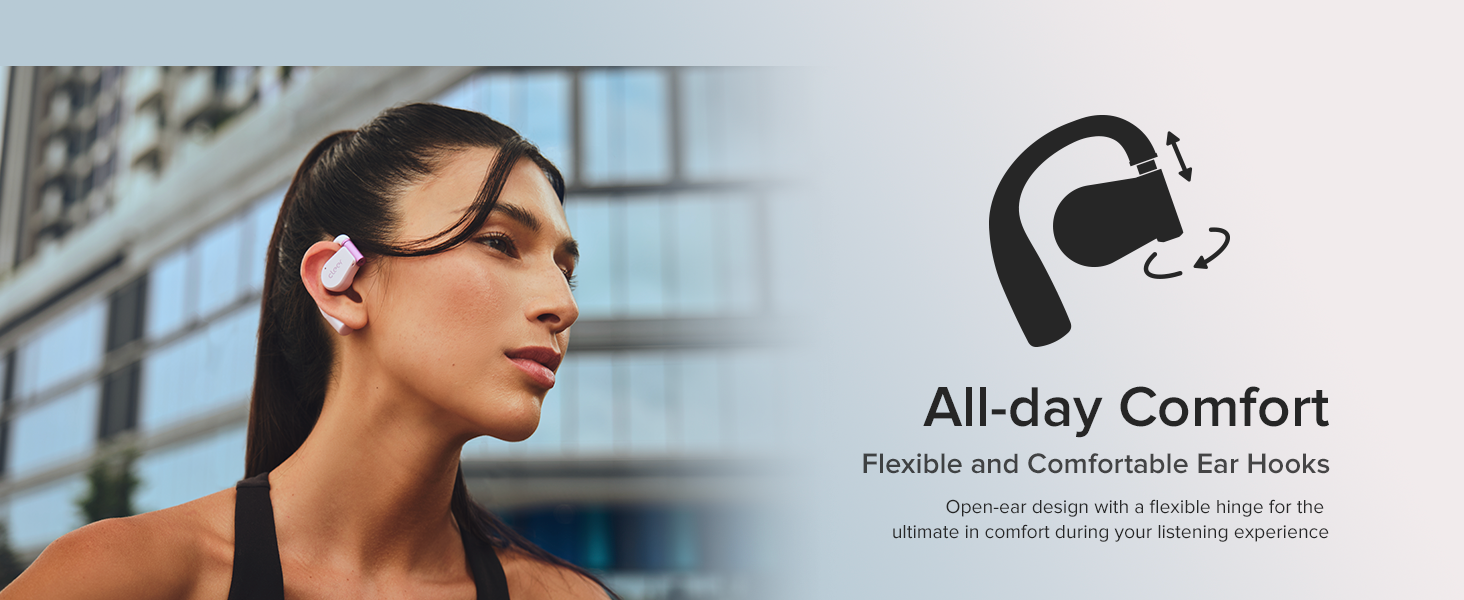
Image: A woman wearing the Cleer ARC 3 open-ear headphones, highlighting their comfortable and lightweight design that rests outside the ear canal.
Smart Charging Case
The charging case is equipped with an FHD display, offering more than 10 functions accessible directly from the screen. It also features UV sterilization to sanitize your earbuds when the lid is closed.

Image: Close-up of the Cleer ARC 3 charging case's FHD display, showing various control options like Dolby Atmos settings, music playback, EQ, and earbud reset functions.
Setup
Charging the Headphones and Case
Before first use, fully charge the Cleer ARC 3 headphones and charging case. Connect the USB-C charging cable to the case and a power source. The display on the case will indicate the charging status.
- The headphones provide up to 10 hours of playtime on a single charge.
- The charging case provides an additional 40 hours of battery life, totaling up to 50 hours.
- A quick 10-minute charge can provide 2.5 hours of listening time.
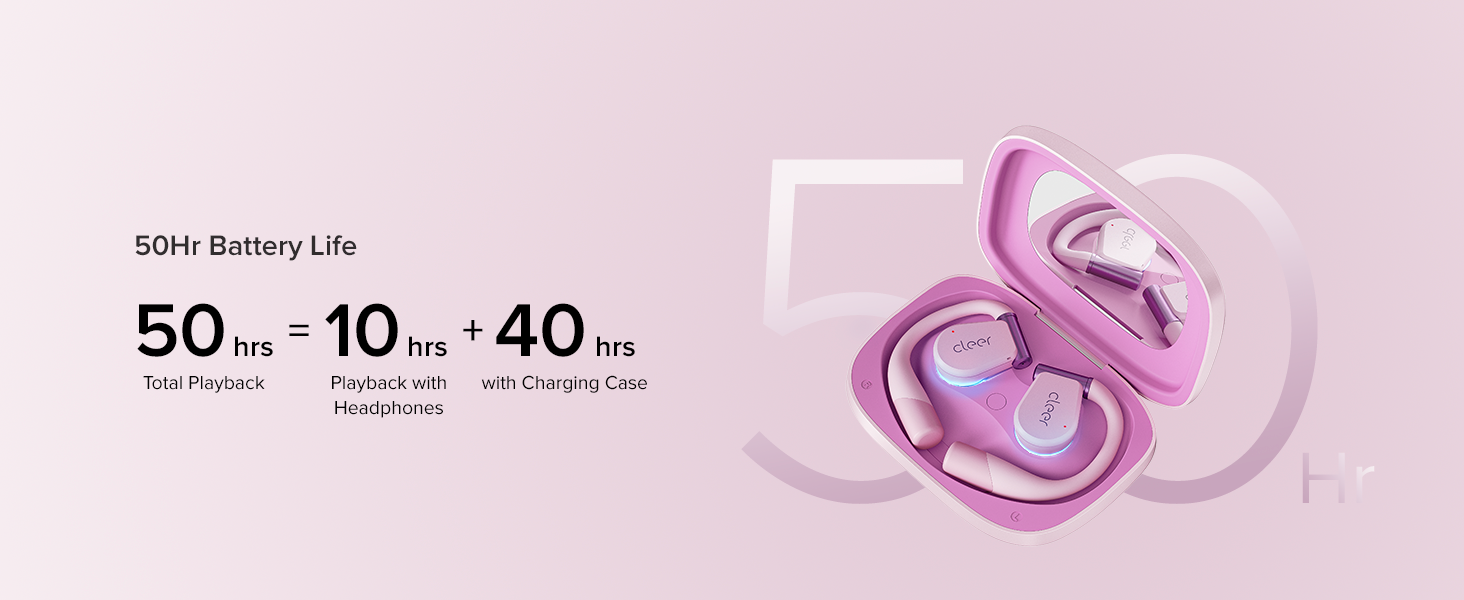
Image: Diagram showing the Cleer ARC 3 headphones and charging case, highlighting the total 50-hour battery life (10 hours from headphones + 40 hours from case).
Pairing with a Device
The Cleer ARC 3 headphones support Bluetooth 5.4 and multi-point connectivity, allowing connection to two devices simultaneously.
Option 1: First Time Pairing (MFB Button)
- Remove the protective film from the earbuds.
- Long press the Multi-Function Button (MFB) on both earbuds for 2 seconds.
- On your device, go to Bluetooth settings and select "Cleer ARC 3" from the list of available devices.
Option 2: Touch Pad Pairing
- Tap the touch pad on either headphone 5 times.
- Wait for the LED indicators to blink red and white.
- On your device, go to Bluetooth settings and select "Cleer ARC 3" from the list of available devices.
Option 3: Charging Case Pairing
- Place both headphones into the charging case and close the lid.
- Open the charging case.
- On the charging case's touch screen, navigate to the "Auxiliary" page and select "Pairing Mode".
- On your device, go to Bluetooth settings and select "Cleer ARC 3" from the list of available devices.
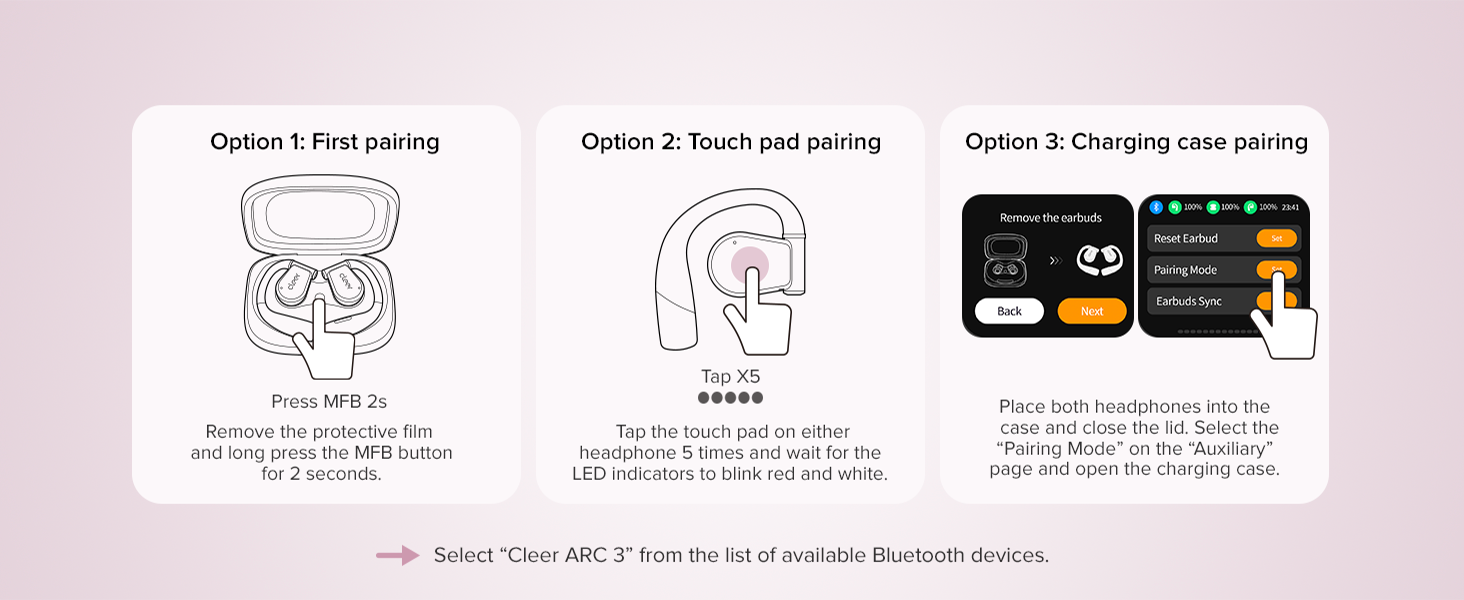
Image: Visual guide demonstrating three methods for pairing the Cleer ARC 3 headphones: MFB button, touch pad, and via the charging case screen.
Multi-point Connectivity
The ARC 3 can connect to two Bluetooth devices simultaneously. Once paired with two devices, the headphones will intelligently switch between them based on audio activity.
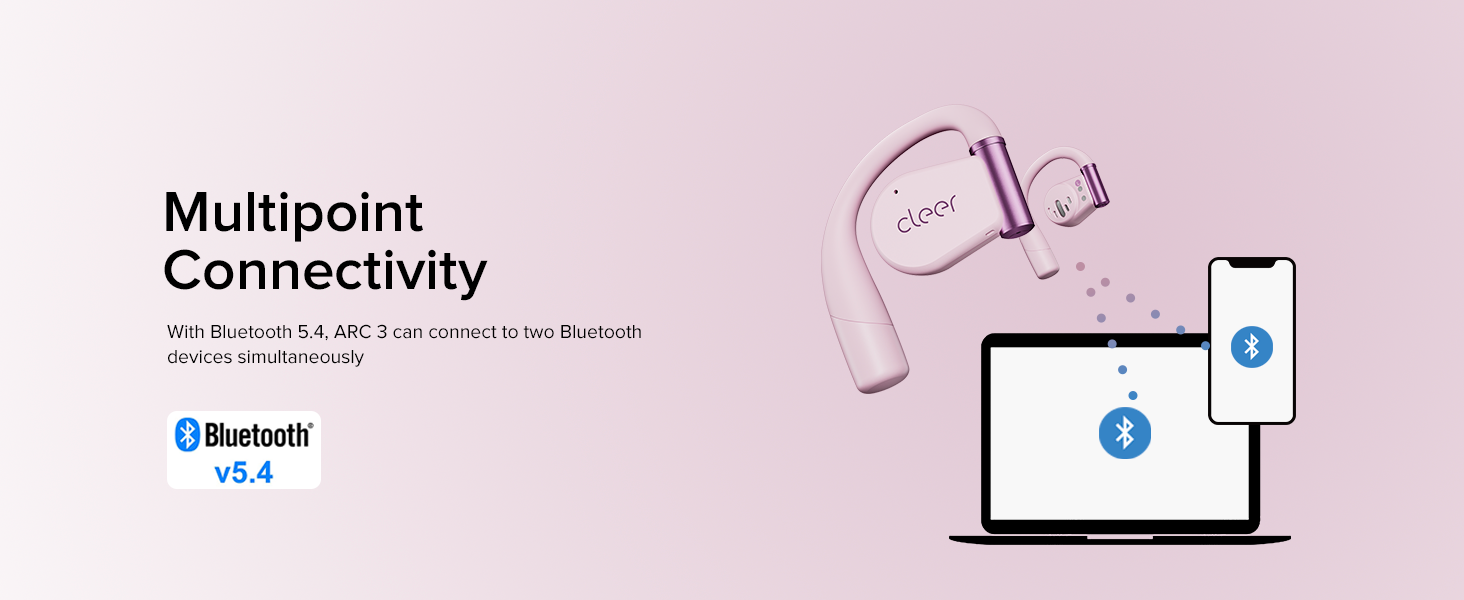
Image: An illustration depicting the Cleer ARC 3 headphones wirelessly connected to both a laptop and a smartphone, demonstrating multi-point connectivity.
Operating Instructions
Audio Quality and Features
The ARC 3 headphones deliver powerful sound optimized for Dolby Atmos and Snapdragon Sound, featuring 16.2mm dynamic drivers for an immersive listening experience.

Image: A woman enjoying music with Cleer ARC 3 headphones, with text indicating optimization for Dolby Atmos and powerful sound.
Dolby Audio Control
You can enable or disable Dolby Audio and head tracking through the Cleer+ App or directly from the charging case's touch screen.
- Via Cleer+ App: Open the Cleer+ App and toggle the Dolby Audio setting on the main page.
- Via Charging Case: Locate the Dolby Audio interface on the touch screen and toggle the "OPTIMIZED FOR Dolby Atmos" button.
- Via Touch Pad: Tap and hold the touch pad of either headphone for more than 2 seconds to turn on/off Dolby Audio.

Image: A visual guide showing how to enable or disable Dolby Audio via the Cleer+ app, the charging case screen, or by using the headphone touch pad.
Smart Controls
The ARC 3 offers various control methods including touch controls, voice control, and motion control.
Volume Control
- By Phone: Adjust volume directly on your mobile device.
- By Charging Case: Use the volume adjustment interface on the charging case's touch screen.
- By Touch Pad: Double tap (hold second tap) on the left earbud to decrease volume, and on the right earbud to increase volume.
- By Voice Control: Use voice commands like "Volume up" or "Volume down" when ARC 3 is active.
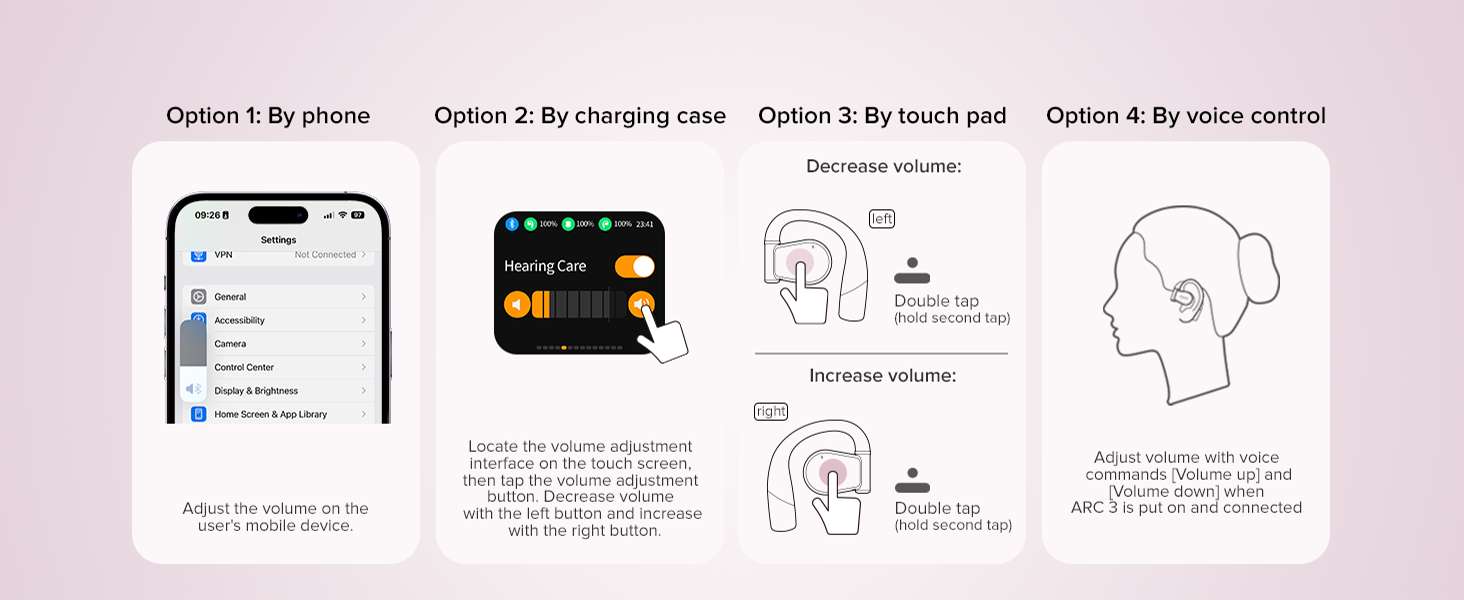
Image: A guide illustrating four ways to control volume: via phone, charging case, touch pad gestures, and voice commands.
Motion Control (Calls)
Enable smart motion control for calls via the Cleer+ App.
- Open the Cleer+ App.
- Tap "Motion Control" on the ARC 3 main page.
- Toggle the button to turn on/off "Call Control".
- Pick up call: Nod head twice.
- Hang up/Reject call: Shake head twice.
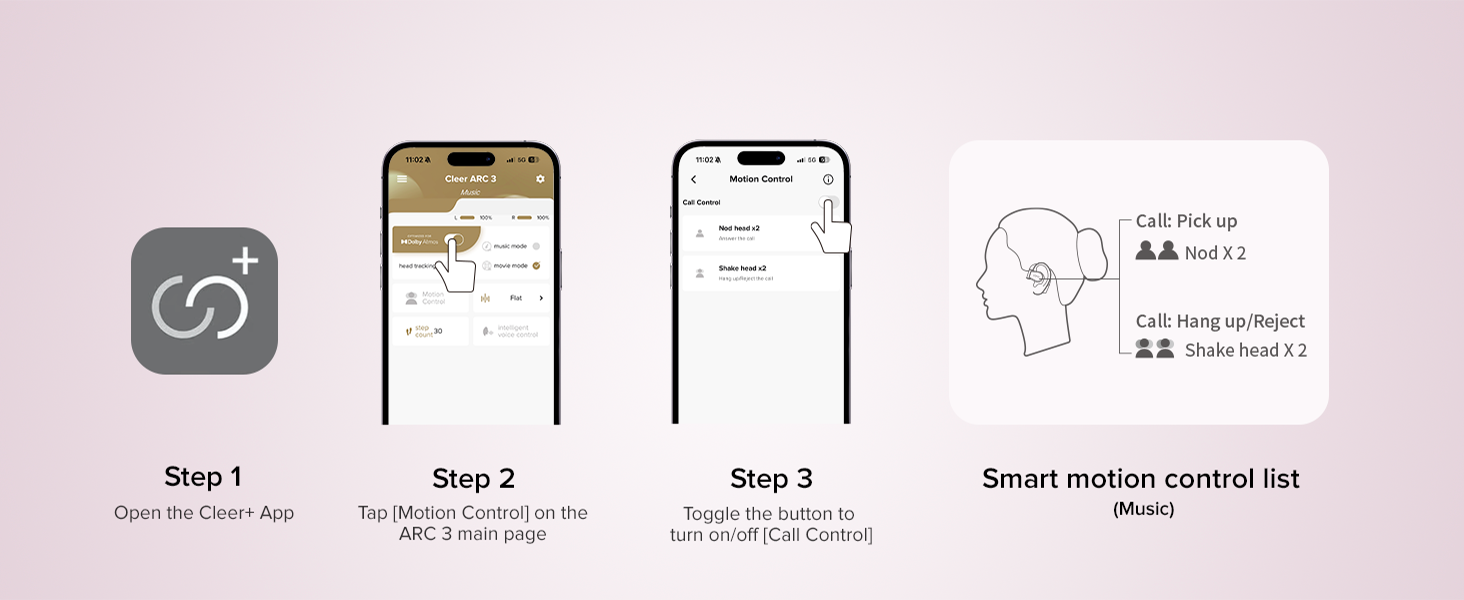
Image: Screenshot of the Cleer+ App showing motion control settings, alongside an illustration of head gestures for answering and rejecting calls.
Adaptive Volume Control
The headphones automatically adjust audio volume based on your surroundings for a consistent listening experience.
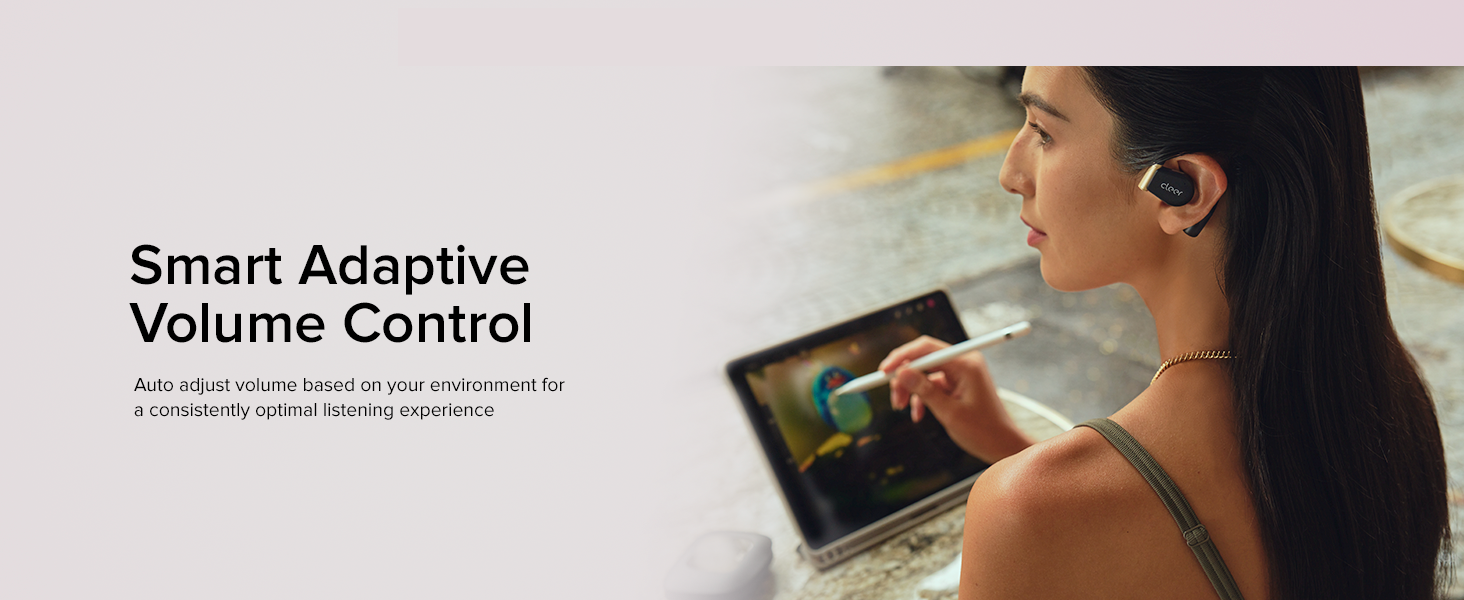
Image: A woman wearing Cleer ARC 3 headphones while working on a laptop, illustrating the smart adaptive volume control feature.
Clear Call Quality
Equipped with Clear Voice Capturing Technology and noise-canceling microphones, the ARC 3 ensures crystal clear voice during calls.
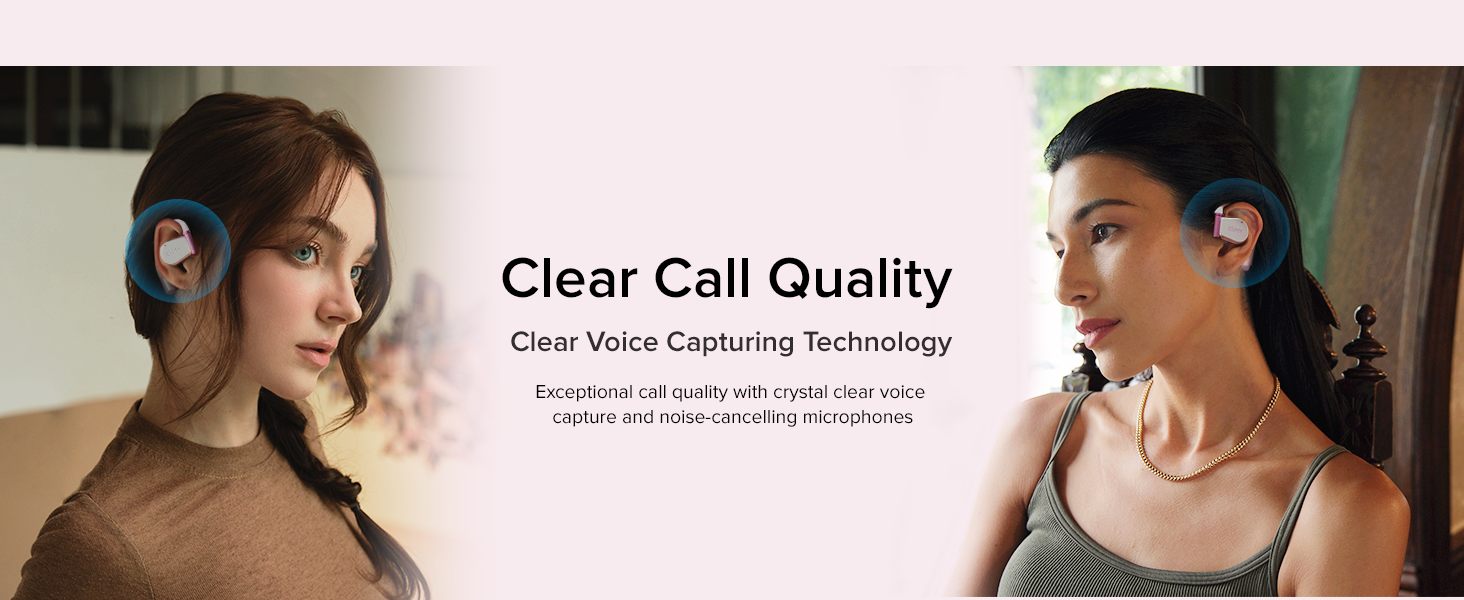
Image: Two people shown using Cleer ARC 3 headphones for phone calls, highlighting the clear call quality feature.
Cleer+ App
Download the Cleer+ App from the Apple App Store or Google Play Store to activate, deactivate, and customize various controls and settings, including EQ and Dolby Audio features.
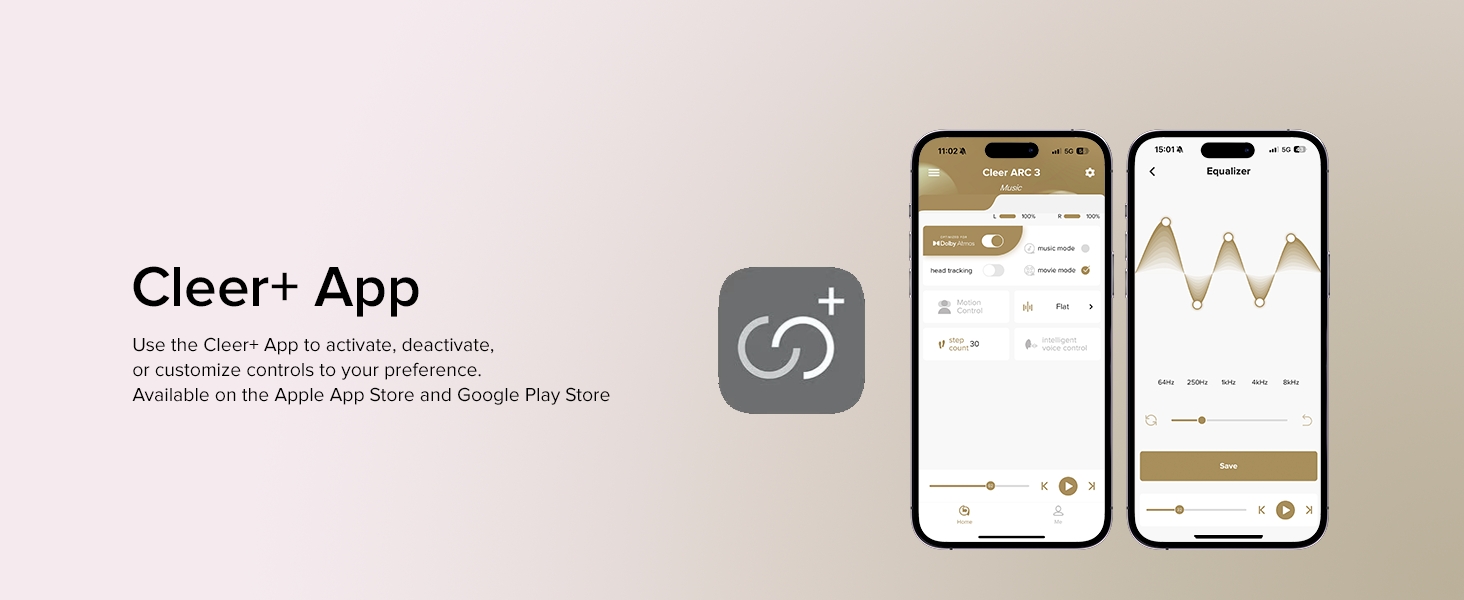
Image: Screenshots of the Cleer+ mobile application, showing options for controlling headphone settings, including EQ adjustments and Dolby Audio.
Maintenance
UV Light Sterilization
The multifunctional charging case includes UV-C light sterilization. When the earbuds are placed in the case and the lid is closed, the UV light activates to sanitize your headphones, ensuring they are clean for your next use.
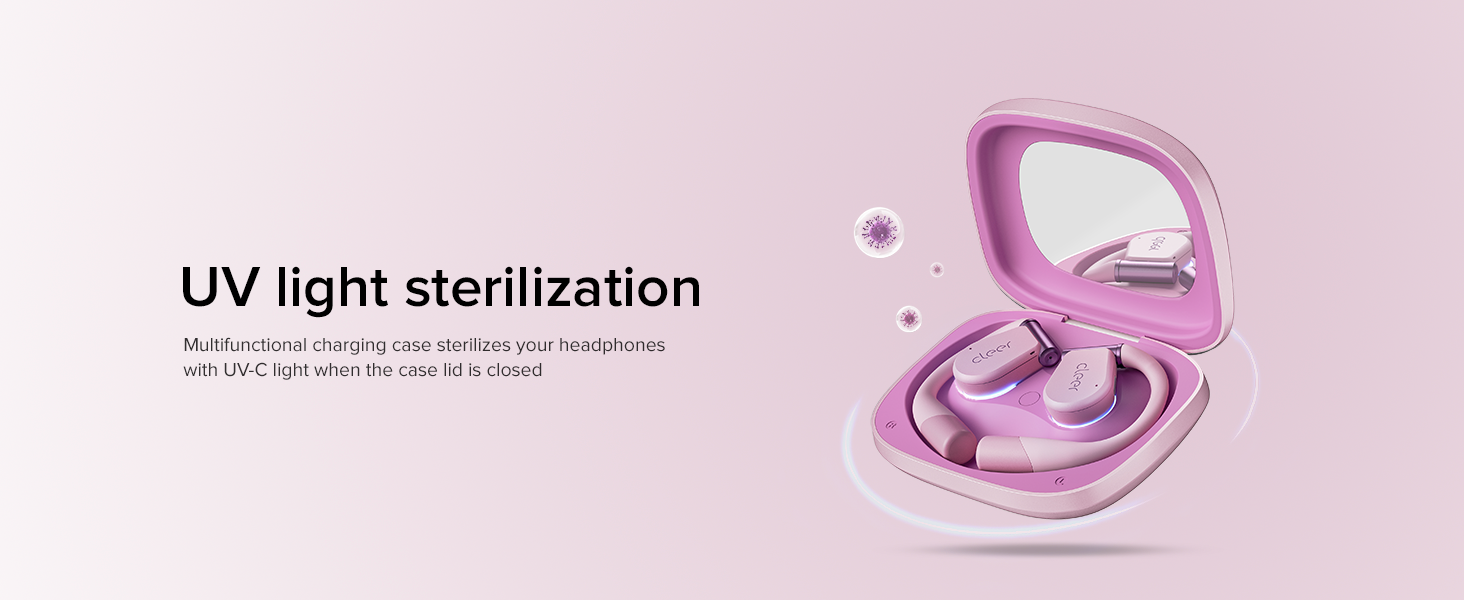
Image: An illustration of the Cleer ARC 3 charging case with earbuds inside, showing the UV light sterilization process when the lid is closed.
Cleaning and Care
- Wipe the earbuds and charging case with a soft, dry, lint-free cloth.
- Avoid using harsh chemicals, cleaning solvents, or strong detergents.
- Ensure the charging ports are clean and free of debris.
- The headphones are IPX7 waterproof, meaning they are resistant to sweat and splashes. However, avoid submerging them in water for extended periods.
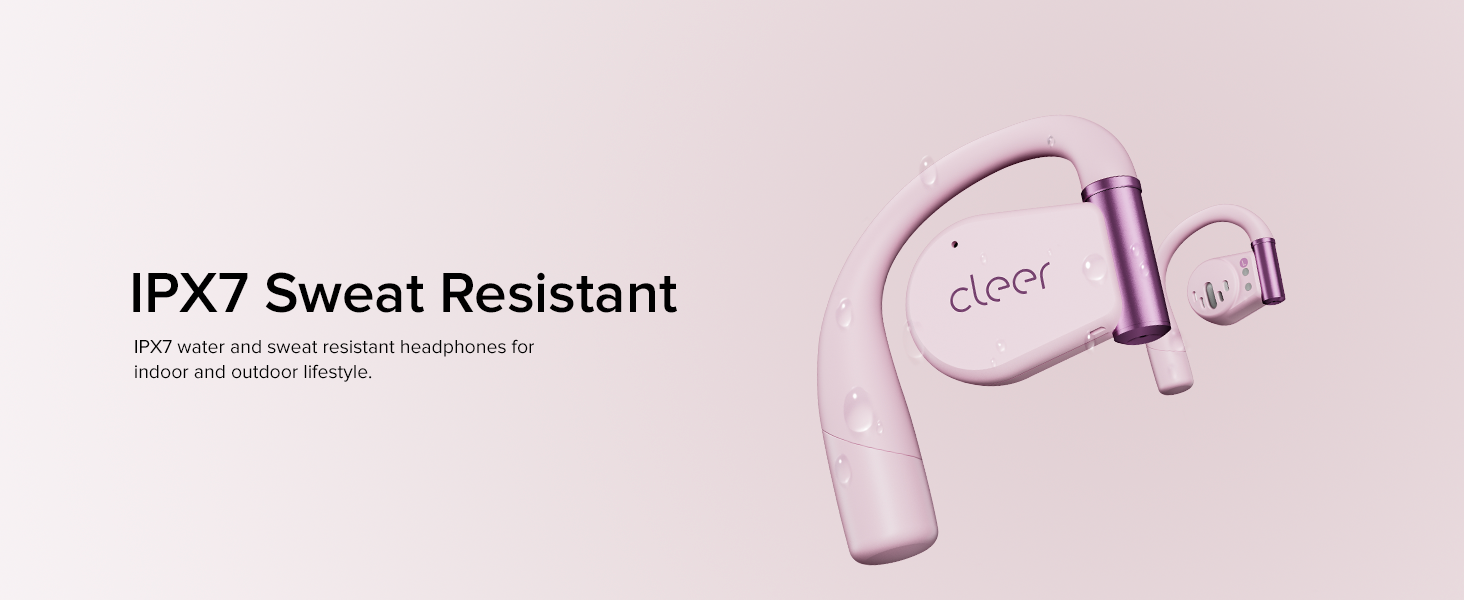
Image: Cleer ARC 3 headphones with water droplets on them, illustrating their IPX7 water and sweat resistant design for active lifestyles.
Troubleshooting
| Problem | Possible Solution |
|---|---|
| Headphones do not power on. | Ensure the headphones and charging case are fully charged. |
| Cannot pair with a device. |
|
| No sound or low volume. |
|
| Intermittent connection. |
|
| Touch controls are unresponsive. |
|
Specifications
| Feature | Detail |
|---|---|
| Model Name | Cleer ARC 3 |
| Connectivity Technology | Wireless (Bluetooth 5.4) |
| Ear Placement | Open Ear |
| Audio Driver Type | Dynamic Driver (16.2mm) |
| Frequency Range | 20 Hz - 20,000 Hz |
| Battery Life (Earbuds) | Up to 10 Hours |
| Battery Life (with Charging Case) | Up to 50 Hours |
| Charging Time | Approximately 0.5 Hours (for earbuds) |
| Water Resistance Level | IPX7 (Water Resistant) |
| Item Weight (Earbuds) | 12 grams (each, approximate) |
| Control Type | Touch Control, Volume Control, APP Control, Voice Control, Motion Control |
| Special Features | Integrated Equalizer, Lightweight, Multipoint Pairing, Rechargeable Battery, Sweatproof, Dolby Audio, Snapdragon Sound, UV Sterilization, Adaptive Volume Control |
| Compatible Devices | Cellphones, Desktops, Laptops, Tablets |
| Material | Metal, Plastic, Silicone |
Warranty Information
Cleer products are covered by a limited warranty against defects in materials and workmanship. The specific warranty period and terms may vary by region. Please refer to the official Cleer website or your purchase documentation for detailed warranty information.
For warranty claims or service, retain your proof of purchase.
Support
For further assistance, technical support, or to view frequently asked questions, please visit the official Cleer website or contact their customer service department.
You can also visit the Cleer Store on Amazon for product information and updates.