
1. Introduction
Thank you for choosing the Jiawu Body Camera. This manual provides essential information for the safe and effective operation of your 1080P HD body worn camcorder. Please read this manual thoroughly before use and retain it for future reference.
2. Package Contents
Verify that all items listed below are included in your package:
- 1 x Jiawu Body Camera (Small Memory Card Not Included)
- 2 x Accessories (e.g., clips, mounts)
- 1 x Card Removal Pin
- 1 x Data Cable
- 1 x User Manual

Image: The Jiawu Body Camera, along with its data cable, card removal pin, and two mounting accessories.
3. Product Overview
The Jiawu Body Camera is a compact, high-definition recording device designed for various applications, including personal security and law enforcement. It features a 1.54-inch color screen, a 180° rotatable lens, and integrated night vision capabilities.

Image: A detailed view of the Jiawu Body Camera, showing its front with the screen and lens, and a side view highlighting its compact design and control buttons.
4. Key Features
- 1080P Full HD Resolution: Captures clear and detailed video footage, ensuring optimal visual performance.
- Multi-Functional Design: Combines photography, video recording, and night vision in one device.
- Superior Night Vision: Advanced technology allows for clear image capture in low-light environments.
- 180° Rotatable Lens: Adjust the camera angle to suit specific recording requirements.
- Convenient Magnetic Installation: Easily attach the camera to metal surfaces without complex tools.
- Five Flashing Modes: Offers various light signaling options for different situations.

Image: The body camera screen displaying a black and white image captured in a low-light urban environment, demonstrating its night vision functionality.

Image: A hand holding the compact body camera, illustrating its small size and ease of carrying, with text highlighting its 1080P high-definition video resolution.
5. Setup
5.1. Charging the Device
- Connect the provided data cable to the camera's charging port.
- Plug the other end of the cable into a USB power adapter (not included) or a computer's USB port.
- The charging indicator light will illuminate. The device is fully charged when the indicator changes or turns off (refer to on-screen battery icon).
5.2. Inserting a Memory Card
The camera supports a small memory card (up to 128GB, not included).
- Locate the memory card slot on the camera.
- Gently insert the memory card into the slot until it clicks into place. Ensure the card is oriented correctly.
- To remove, gently push the card inward until it springs out, then pull it out.
6. Operating Instructions
For detailed operational guidance, including specific button functions and menu navigation, please refer to the QR code provided in the physical user manual for on-screen prompts.
6.1. Power On/Off
- Power On: Press and hold the Power button for a few seconds until the screen illuminates.
- Power Off: Press and hold the Power button again until the device shuts down.
6.2. Video Recording
- Ensure a memory card is inserted.
- From the main interface, select the video recording mode.
- Press the Record button to start recording. A recording indicator will appear on the screen.
- Press the Record button again to stop and save the video.
6.3. Photo Taking
- From the main interface, select the photo mode.
- Frame your shot using the screen.
- Press the Shutter button to capture a photo.
6.4. Night Vision Activation
The camera automatically adjusts to low-light conditions. Manual activation may be available through the menu settings.
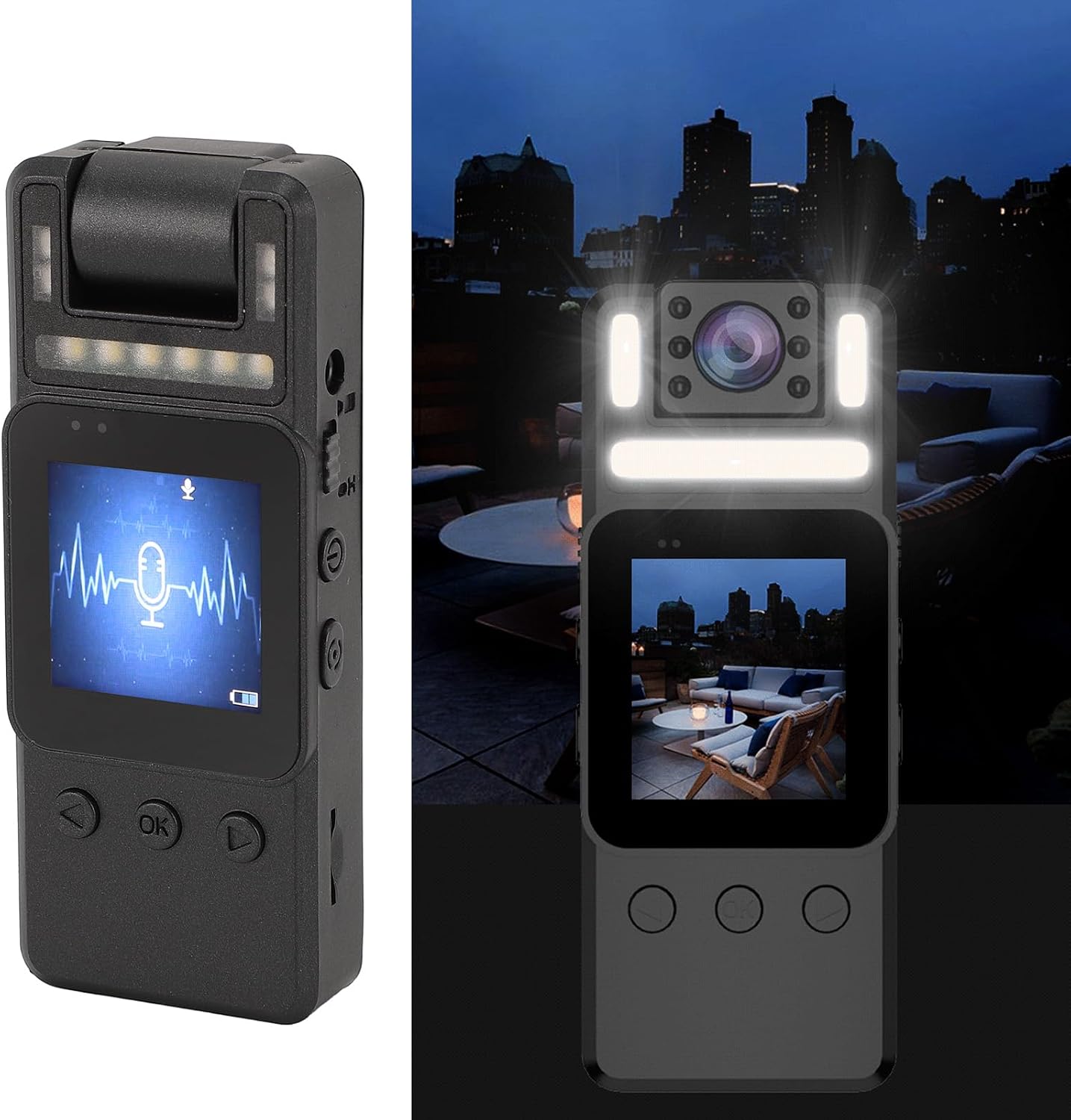
Image: The body camera shown in a dark environment, with its night vision LEDs illuminated, and the screen displaying a live view.
6.5. Lens Rotation
The camera lens can be manually rotated 180° to adjust the recording angle. Gently rotate the lens module to the desired position.
6.6. Magnetic Installation
Utilize the magnetic back of the camera or the included accessories to attach the device to suitable metal surfaces or clothing.
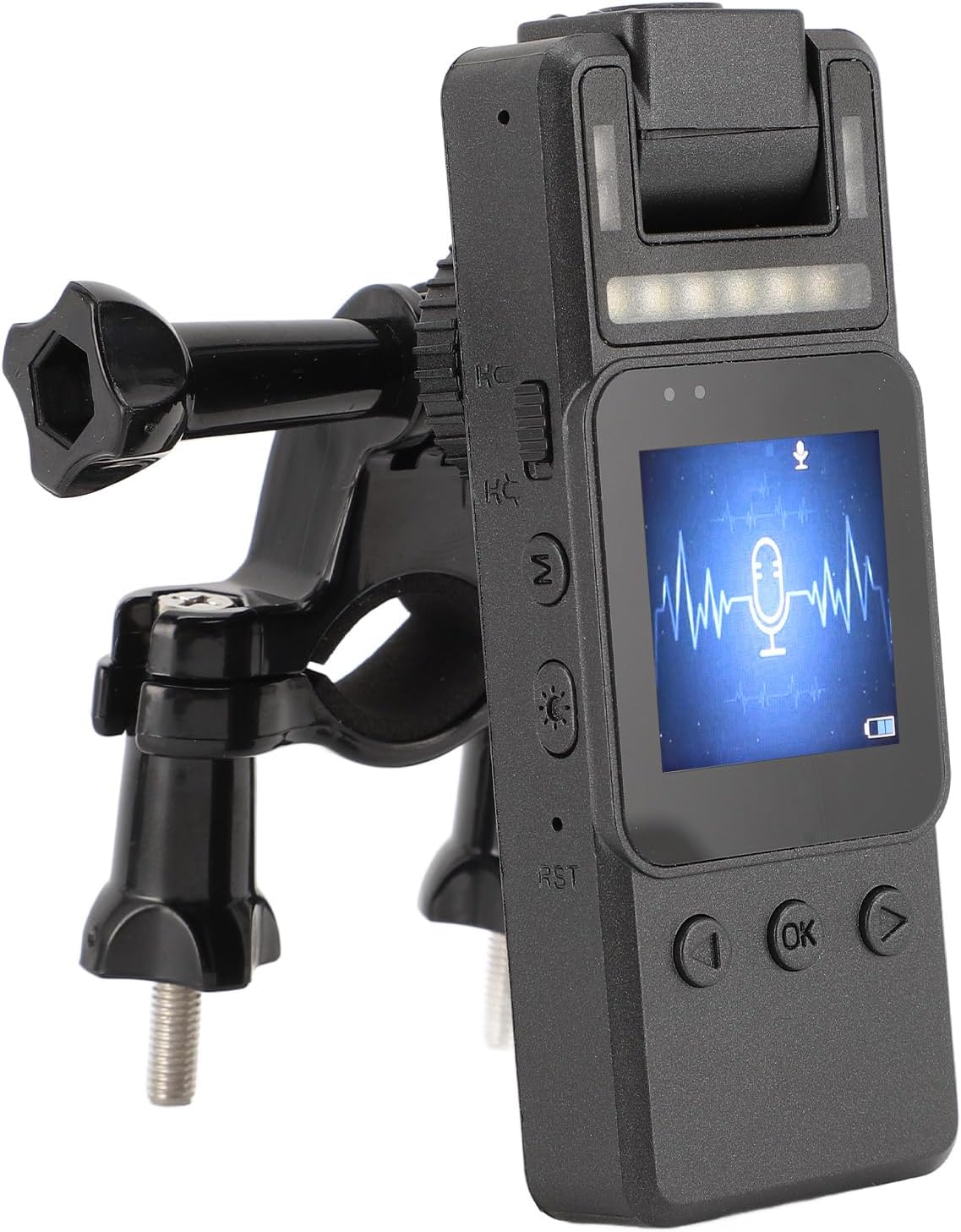
Image: The body camera mounted on a bicycle handlebar bracket, demonstrating its versatile attachment options.
7. Maintenance
7.1. Cleaning
- Use a soft, dry cloth to clean the camera body.
- For the lens, use a specialized lens cleaning cloth and solution to avoid scratches.
- Do not use harsh chemicals or abrasive materials.
7.2. Storage
- Store the camera in a cool, dry place away from direct sunlight and extreme temperatures.
- If storing for extended periods, ensure the battery is partially charged (around 50%) to prolong its lifespan.
7.3. Battery Care
- Avoid fully discharging the battery frequently.
- Charge the battery regularly, even if the camera is not in use, to maintain battery health.
8. Troubleshooting
- Device not turning on: Ensure the battery is charged. If not, connect to a power source and try again.
- Cannot record video/take photos: Check if a memory card is inserted and has sufficient free space. Ensure the card is formatted correctly.
- Poor image quality: Clean the camera lens. Ensure adequate lighting or activate night vision if in a dark environment.
- Screen frozen: Use the card removal pin to press the reset button (RST) if available, or hold the power button to force a restart.
9. Specifications
| Item Type | Law Enforcement Camera |
| Material | ABS |
| Screen | 1.54 Inch Color Screen |
| Video Resolution | 1080P |
| Storage | Up to 128GB Small Memory Card (Not Included) |
| Battery Type | Built-in 1000mAh Lithium Ion Battery |
| Lens Rotation | 180° |
| Night Vision | Integrated |
| Connectivity Technology | Ethernet (for data transfer) |
| Item Weight | 6.1 ounces |
| Package Dimensions | 4.33 x 3.15 x 1.97 inches |
| Model Name | Jiawu3pigzcugrn |
10. Warranty and Support
For warranty information and technical support, please refer to the documentation included with your purchase or visit the official Jiawu website. Keep your purchase receipt as proof of purchase.