
Monster Blaster Micro
Monster Blaster Micro Wearable Bluetooth Speaker Instruction Manual
Model: Blaster Micro (RM)
Introduction
Thank you for choosing the Monster Blaster Micro Wearable Bluetooth Speaker. This manual provides essential information for setting up, operating, and maintaining your speaker. Please read it thoroughly to ensure optimal performance and longevity of your device.
Package Contents
Verify that all items are present in the package:
- Monster Blaster Micro Bluetooth Speaker
- Clip
- Charging Cable
- Instruction Manual
Product Overview
Familiarize yourself with the speaker's components and controls.

Image: Front view of the Monster Blaster Micro Speaker, highlighting its compact design and speaker grille.
Controls and Indicators

Image: Diagram illustrating the button layout and their respective functions on the side of the Monster Blaster Micro speaker.
- + Button:
- Long press: Quickly turn up the volume.
- Short press: Turn up the volume incrementally.
- Double click: Skip to the next song.
- O Button (Power/Multi-function):
- Long press: Turn on/off the speaker.
- Short press: Play/pause music, answer/hang up calls.
- Double click: Initiate TWS pairing, connect/disconnect/reject calls.
- - Button:
- Long press: Quickly turn down the volume.
- Short press: Turn down the volume incrementally.
- Double click: Go to the previous song.
Ports
- USB-C Charging Port: For connecting the charging cable.
Setup
1. Charging the Speaker
Before first use, fully charge the speaker. Use the provided USB-C charging cable.
- Connect the USB-C end of the charging cable to the speaker's charging port.
- Connect the USB-A end to a compatible USB power adapter (not included) or a computer's USB port.
- The indicator light will show charging status (refer to product for specific light behavior).
- Once fully charged, disconnect the cable.

Image: A hand connecting a USB-C charging cable to the Monster Blaster Micro speaker.
2. Power On/Off
- To Power On: Long press the O button until the indicator light illuminates and you hear a power-on tone.
- To Power Off: Long press the O button until the indicator light turns off and you hear a power-off tone.
3. Bluetooth Pairing
Pair your speaker with a Bluetooth-enabled device.
- Ensure the speaker is powered on and in pairing mode (indicator light will flash, typically blue).
- On your device (smartphone, tablet, laptop), enable Bluetooth.
- Search for available Bluetooth devices.
- Select "Monster Blaster Micro" from the list.
- Once connected, the indicator light will typically turn solid blue, and you will hear a confirmation tone.
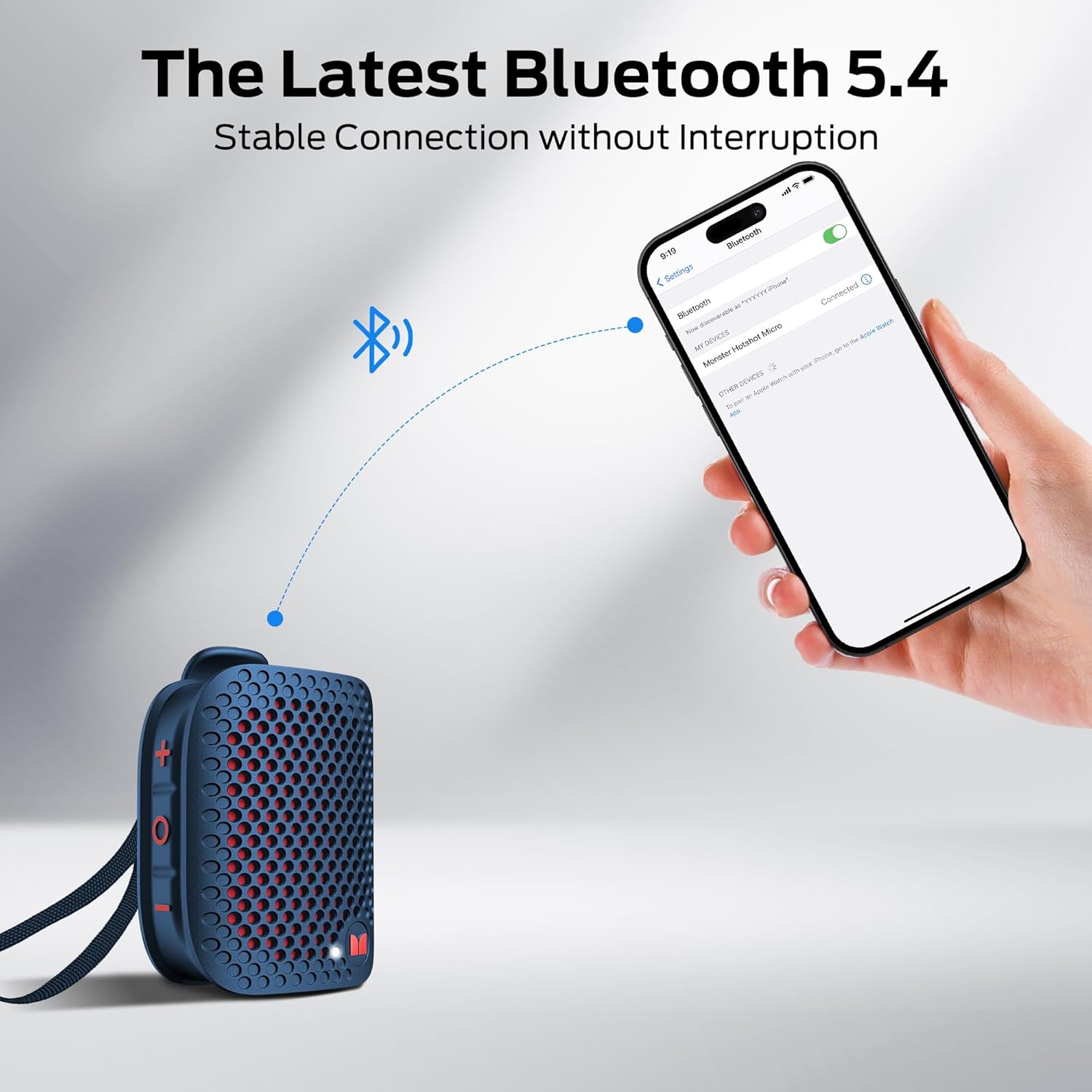
Image: A smartphone screen showing "Monster Blaster Micro" as a discoverable Bluetooth device, with the speaker nearby.
4. True Wireless Stereo (TWS) Pairing
Connect two Monster Blaster Micro speakers for an immersive stereo sound experience.
- Ensure both speakers are powered on and not connected to any other Bluetooth device.
- On one speaker (this will be the primary speaker), double-click the O button. It will enter TWS pairing mode.
- The primary speaker will search for the secondary speaker.
- Once connected, both speakers will indicate successful TWS pairing (refer to product for specific light behavior and tones).
- Now, connect your device to the primary speaker via Bluetooth as described in step 3.
Operating Instructions
Music Playback
- Play/Pause: Short press the O button.
- Next Track: Double click the + button.
- Previous Track: Double click the - button.
- Volume Up: Short press the + button. Long press for continuous volume increase.
- Volume Down: Short press the - button. Long press for continuous volume decrease.
Call Management
The speaker features a built-in microphone for hands-free calls.

Image: A person wearing the Monster Blaster Micro speaker on their shirt, demonstrating its use for hands-free communication while working.
- Answer Call: Short press the O button when a call comes in.
- End Call: Short press the O button during a call.
- Reject Call: Double click the O button when a call comes in.
Maintenance
Cleaning
- Wipe the speaker with a soft, damp cloth.
- Do not use abrasive cleaners, alcohol, or chemical solvents.
- Ensure the charging port cover is securely closed before cleaning or exposing to water.
Storage
- Store the speaker in a cool, dry place away from direct sunlight and extreme temperatures.
- If storing for an extended period, charge the battery periodically to maintain its health.
Water Resistance (IPX7)
The Monster Blaster Micro is IPX7 waterproof, meaning it can be immersed in water up to 1 meter for 30 minutes. This protection is effective only when the charging port cover is fully sealed. Do not expose the speaker to saltwater or other chemicals.

Image: The Monster Blaster Micro speaker being splashed with water, illustrating its IPX7 waterproof capability.
Troubleshooting
| Problem | Possible Cause | Solution |
|---|---|---|
| Speaker does not power on. | Low battery. | Charge the speaker fully. |
| Cannot pair via Bluetooth. | Speaker not in pairing mode; device Bluetooth off; speaker already connected to another device. | Ensure speaker is in pairing mode. Turn device Bluetooth off and on. Disconnect from other devices. |
| No sound or low volume. | Volume too low on speaker or device; speaker not connected. | Increase volume on both speaker and device. Re-establish Bluetooth connection. |
| TWS pairing fails. | Speakers too far apart; one speaker already paired to a device. | Ensure speakers are close. Disconnect both speakers from any devices before TWS pairing. |
Specifications
| Feature | Detail |
|---|---|
| Model Name | D127 (Blaster Micro) |
| Speaker Type | Portable Bluetooth Speaker |
| Special Feature | Clip On |
| Recommended Uses | Indoor/Outdoor |
| Compatible Devices | Smartphone, Tablet, Laptop |
| Product Dimensions | 3.07"D x 1.69"W x 1.3"H |
| Waterproof Rating | IPX7 |
| Control Method | Touch (Buttons) |
| Wireless Technology | Bluetooth 5.4 |
| Speaker Size | 7.8 Centimeters |
| Power Source | Battery Powered (1 A battery included) |
| Audio Driver Type | Dynamic Driver |
| Item Weight | 6.4 ounces |
| Speaker Maximum Output Power | 6 Watts |
| Connectivity Technology | Wireless |
| Audio Output Mode | Stereo (with TWS) |
| Battery Life | Up to 12 hours (at 50% volume) |
Warranty and Support
The Monster Blaster Micro Wearable Bluetooth Speaker comes with a limited warranty. Please refer to the warranty card included in your package or visit the official Monster website for detailed warranty terms and conditions.
For technical support, troubleshooting assistance, or warranty claims, please contact Monster customer service through their official website or the contact information provided in your product documentation.
Manufacturer: Monster
Related documentsBlaster Micro


Ask a question about this manual
Ask about setup, troubleshooting, compatibility, parts, safety, or missing instructions. Manuals+ will review the question and use this page’s manual context to help answer it.