
1. Introduction
This BrickSoul LED Light Kit is specifically designed to enhance your LEGO Minecraft The Crafting Table 21265 building set. It transforms your model into a vibrant and dynamic display piece, bringing intricate details to life with custom lighting. This manual provides comprehensive instructions for the safe and effective use of your lighting kit, ensuring a smooth installation and an impressive final result.
2. What's in the Box
Please verify that all components listed below are included in your package:
- 21265 LED Light Kit components
- Battery Box (AAA batteries not included)
- Instructions for Use (digital guides available online)
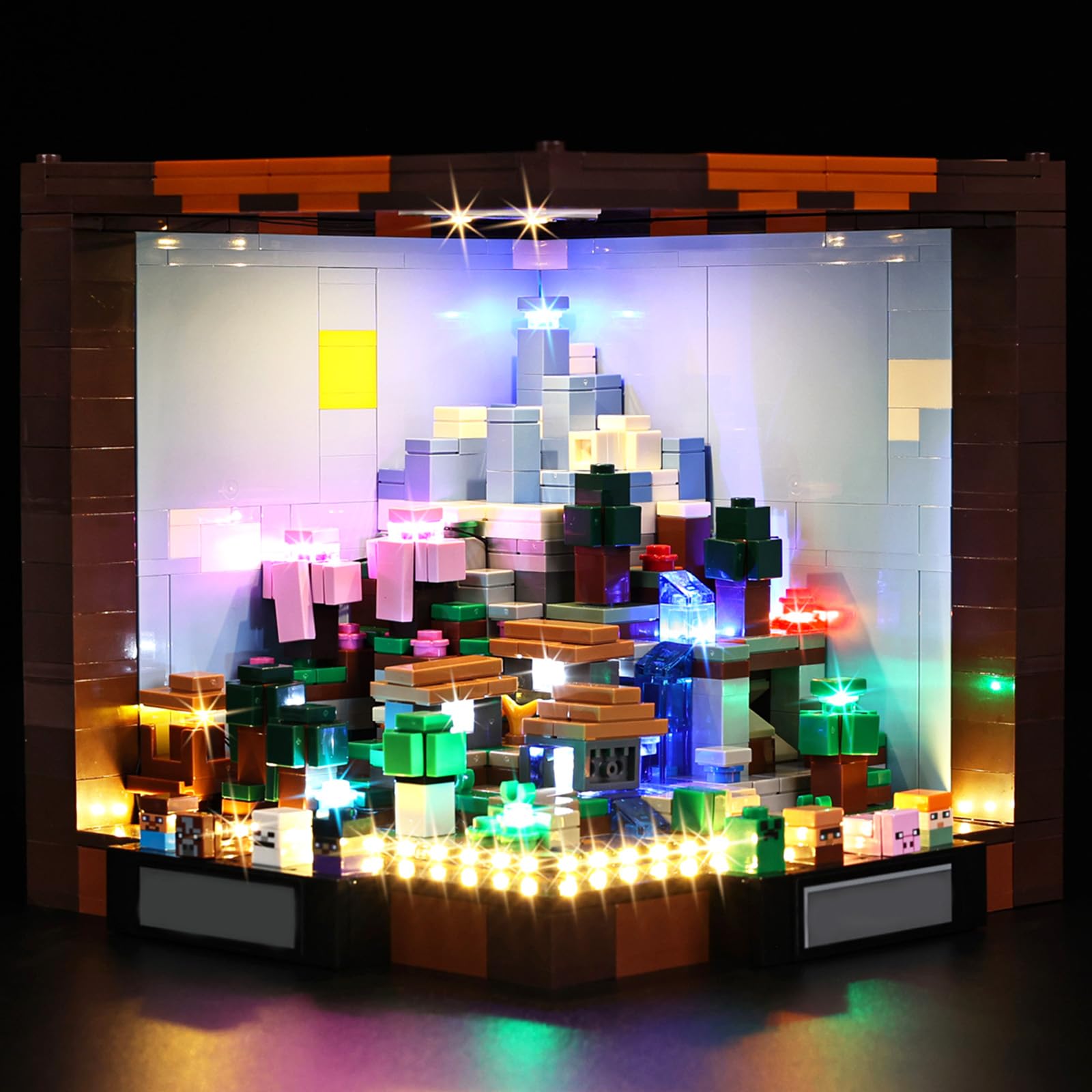
Image: Package contents of the BrickSoul LED Light Kit, showing the light components, instruction manual, and battery box.
3. Safety Information
- The light kit is made from premium ABS plastic and copper wire, ensuring durability and safety.
- Power the kit using a USB connection or AAA batteries (not included). The recommended input voltage is 3-5V.
- Ensure proper voltage to prevent damage to the lights or your LEGO model.
- Handle wires and connectors with care to avoid bending or breaking.
- This product is designed for adults and is not a toy. Keep out of reach of small children.
4. Setup and Installation
The BrickSoul LED kit is designed for easy installation. Follow the step-by-step instructions provided in the numbered bags and refer to the clear online video or PDF guides for detailed visual assistance. Installation typically involves removing a few bricks from your LEGO model, integrating the lights, and then reassembling the bricks.
The lighting kit is expertly designed to integrate neatly into your model, ensuring a smooth and professional appearance without tangled wires or clutter.
Installation Video Guide
Video: An official BrickSoul video demonstrating the installation and final illuminated appearance of the LED light kit for the LEGO Minecraft The Crafting Table 21265 set.

Image: A visual comparison demonstrating the significant enhancement provided by the light kit, showing the LEGO set both unlit and fully illuminated.

Image: Detailed views of the illuminated LEGO set, showcasing how the lights bring individual elements and areas to life.
5. Operating Instructions
Once the light kit is fully installed, connect it to a power source. You have two options:
- USB Power: Connect the provided USB cable to a compatible USB power adapter (e.g., phone charger, power bank, computer USB port) with a 3-5V output.
- Battery Power: Insert AAA batteries (not included) into the battery box, ensuring correct polarity.
The light kit typically features an on/off function. Activate the lights by using the switch on the battery box or by connecting/disconnecting the USB power source.
6. Maintenance
- Keep the light kit and your LEGO model clean and free from dust using a soft, dry cloth or a soft brush.
- Avoid exposing the kit to excessive moisture or extreme temperatures.
- Periodically check wire connections to ensure they are secure.
- If using batteries, replace them when lights dim or stop working to ensure optimal performance.
7. Troubleshooting
- Lights not turning on: Verify that the power source (USB or batteries) is connected correctly and providing power. If using batteries, ensure they are new or fully charged and inserted with the correct polarity.
- Dim or flickering lights: This may indicate a low battery charge or an insufficient power supply. Replace batteries or try a different USB power source.
- Individual lights not working: Check the connections for that specific light. Gently re-seat any loose connectors. If a wire appears bent or broken, contact BrickSoul support for assistance.
- Wires are tangled: The kit is designed for clean wiring. If wires become tangled during installation, carefully untangle them and re-route as per the instructions to maintain a neat appearance.
8. Specifications
- Product Dimensions: 4.3 x 5.3 x 3 inches
- Item Weight: 4.8 ounces
- Item Model Number: 21265-cv
- Manufacturer: BrickSoul
- Recommended Power Input: 3-5V (USB or AAA batteries)
- Materials: ABS plastic, Copper wire
9. Warranty and Support
BrickSoul stands behind the quality of its products. We offer a worry-free warranty and support for your LED light kit.
- Accidental Damage: In case of a bent connector, broken wire, or other accidental damage, BrickSoul offers quick and hassle-free replacements.
- Customer Support: If you encounter any issues or have questions regarding installation, operation, or maintenance, please do not hesitate to contact the BrickSoul support team. We are committed to ensuring a smooth and stress-free lighting experience for all our customers.
