
Huacaoe TYZG-002 RF
Huacaoe Zigbee 1CH AC 85-250V USB 5V Relay Smart Switch Module User Manual
Model: TYZG-002 RF
1. Product Overview
The Huacaoe Zigbee 1CH AC 85-250V USB 5V Relay Smart Switch Module is a Zigbee-enabled smart switch designed for controlling various household appliances. It offers remote control capabilities, voice control integration, and smart scene functionality when connected to a compatible Zigbee gateway. The device features a fire-proof and flame-retardant shell for safety, and AES-128 encryption ensures data privacy.
This module functions as a Zigbee router, extending the Zigbee signal to maintain a stable connection within your smart home network, especially when multiple Zigbee devices are in use.
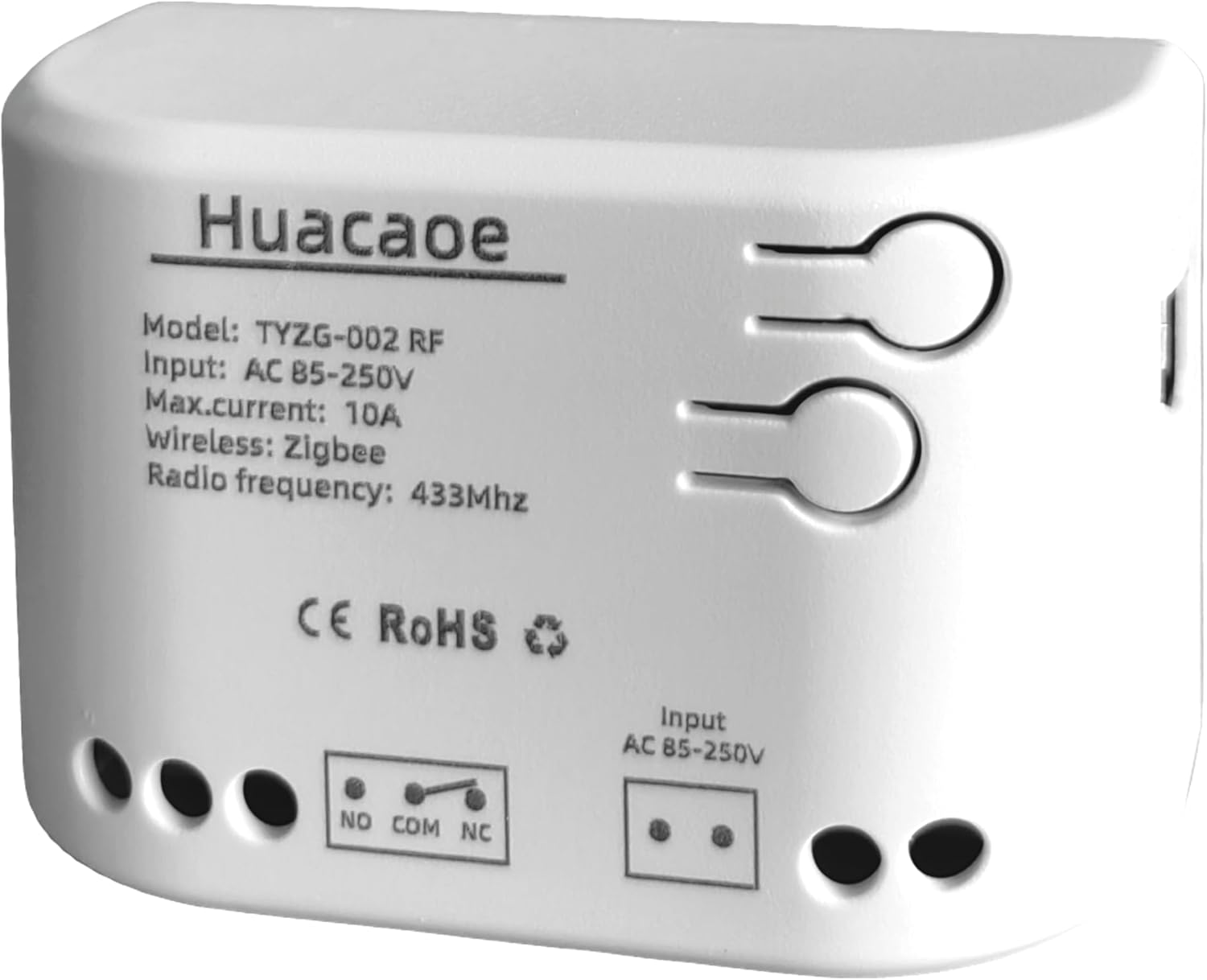
Image 1.1: Front view of the Huacaoe Zigbee Smart Switch Module, showing model number, input voltage, max current, wireless protocol (Zigbee), and radio frequency (433MHz).
2. Key Features
- Zigbee Gateway Control: Supports control via a Zigbee gateway for centralized management.
- Multi-Device Management: Manage numerous Zigbee smart switches from a single smartphone application.
- Status Tracking: Provides real-time device status feedback within the Tuya/Smart Life application.
- Remote Control: Remotely turn household appliances ON/OFF, including lights, electric kettles, rice cookers, electric curtains, and access control systems.
- Flexible Scheduling: Supports up to 8 time schedules, countdowns, and cycle timers for each device.
- Voice Control: Compatible with Amazon Alexa and Google Assistant for hands-free operation.
- RF Control: Can be integrated with RF433MHz learning code remote controls (not included).
- Enhanced Connectivity: Functions as a Zigbee router to strengthen the Zigbee signal for a more stable network.

Image 2.1: Overview of the smart switch module's capabilities, including APP control, voice control, timing functions, and ease of installation.
3. Setup Guide
3.1 Pre-installation Checklist
Before proceeding with the installation and pairing, ensure the following conditions are met:
- Wi-Fi Network: A 2.4GHz Wi-Fi network is required. 5GHz networks are not supported.
- Android Version: Your Android device must be running Android 4.0 or above.
- MAC Address Filtering: If your wireless router has MAC address filtering enabled, disable this function in your router's settings.
- Zigbee Gateway: A Zigbee gateway (hub) is essential for the smart switch to function. This device cannot connect directly to a Wi-Fi network.
3.2 Pairing Instructions
- Ensure the Zigbee gateway is powered on and within close proximity to the smart switch module during the pairing process.
- Power on the Huacaoe Zigbee Smart Switch Module.
- Open your compatible smart home application (e.g., Tuya Smart Life, Alexa, SmartThings).
- Initiate the device discovery process within the application. For Alexa, you can say, "Alexa, find devices."
- The smart switch module should be discovered and added to your Zigbee gateway network.

Image 3.1: Visual guide for quick setup, illustrating the steps to download the app, connect to a hub, and add devices.
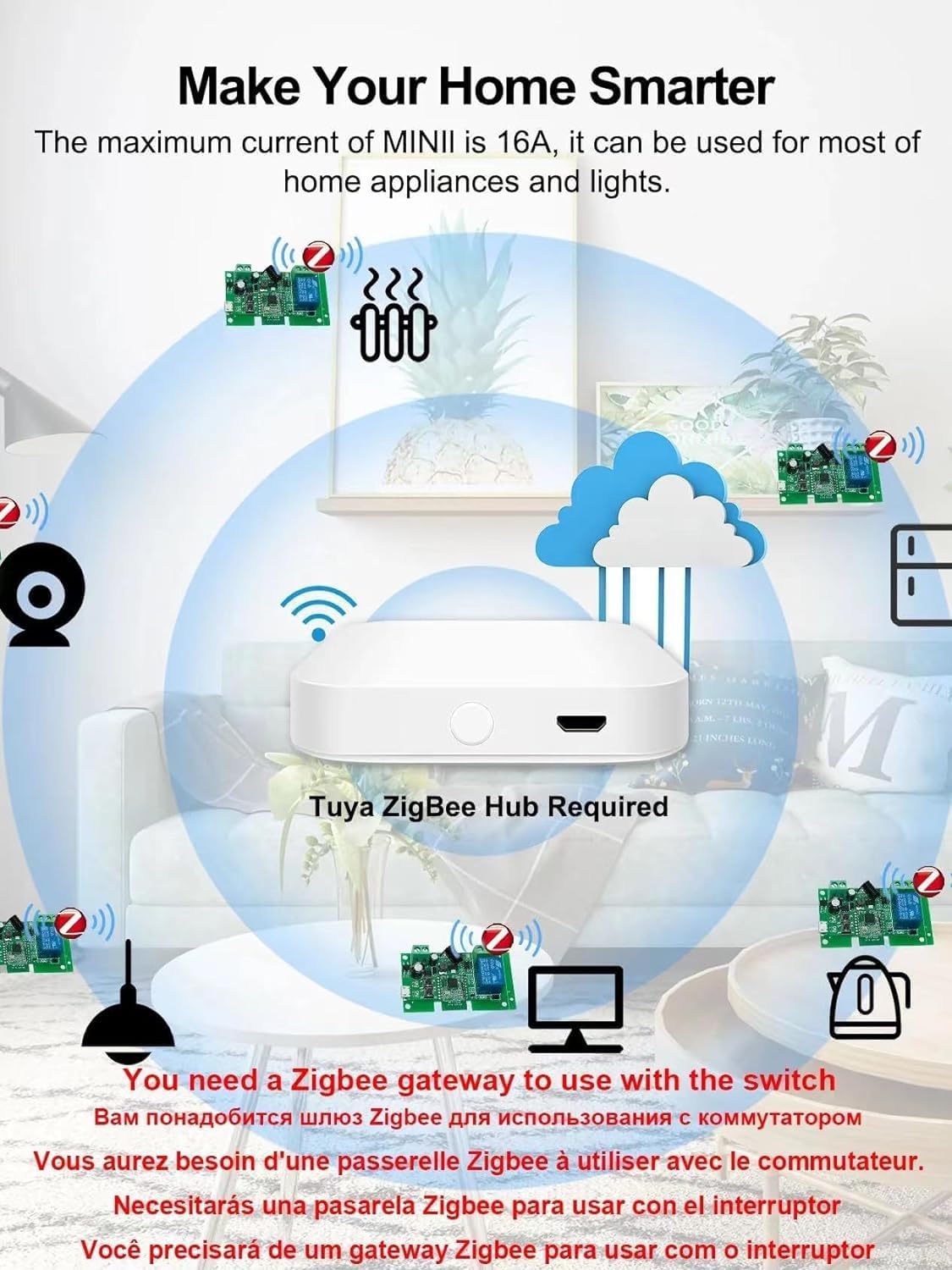
Image 3.2: Illustration emphasizing the requirement of a Tuya Zigbee Hub for connecting various smart home devices.
4. Operating Instructions
4.1 Working Modes
The smart switch module supports two primary working modes:
- Latching Mode: The relay remains in its ON or OFF state until manually changed.
- Momentary Mode: The relay activates for a brief period and then returns to its original state. This mode is suitable for applications like garage door openers.
The working mode can typically be configured via the associated smart home application or by pressing the mode button on the device itself, if available.
4.2 App Remote Control
Utilize the Tuya Smart Life app to control your connected appliances from anywhere. Simply tap the ON/OFF button within the app to manage your devices.

Image 4.1: Example of the Tuya Smart Life app interface for remote control of smart devices.
4.3 Voice Control
Integrate the smart switch with Amazon Alexa or Google Assistant for convenient voice control. After successful pairing with your Zigbee hub and linking to your voice assistant account, you can issue commands such as:
- "Alexa, turn on the lights."
- "Hey Google, turn off the fan."

Image 4.2: Depiction of voice control functionality with Amazon Alexa and Google Assistant.
4.4 Timing Functions
Set up various timing functions through the smart home application:
- Schedule: Program specific ON/OFF times for your devices daily or weekly.
- Countdown: Set a timer for a device to turn ON or OFF after a specified duration.
- Cycle Timers: Automate devices to repeatedly turn ON and OFF at set intervals.

Image 4.3: Illustrations of various timing functions for home appliances.
4.5 Smart Scenes and Family Sharing
- Smart Scenes: Create custom scenes to automate device actions based on environmental conditions (e.g., temperature, humidity) or specific events (e.g., departure, home arrival).
- Family Sharing: Share control of the smart switch with family members through the app, allowing multiple users to manage connected devices.

Image 4.4: Depiction of family sharing functionality for smart home control.
5. Maintenance
To ensure optimal performance and longevity of your Huacaoe Zigbee Smart Switch Module, follow these general maintenance guidelines:
- Cleaning: Gently wipe the device with a soft, dry cloth. Avoid using abrasive cleaners, solvents, or harsh chemicals, as these can damage the casing or internal components.
- Environment: Install the module in a dry environment, away from direct sunlight, excessive heat, and moisture. Avoid locations with extreme temperature fluctuations.
- Power: Ensure stable power supply within the specified voltage range (AC 85-250V or USB 5V).
- Firmware Updates: Periodically check the associated smart home application for any available firmware updates for the device to ensure it has the latest features and security enhancements.
6. Troubleshooting
If you encounter issues with your smart switch module, refer to the following troubleshooting steps:
6.1 Device Not Pairing
- Zigbee Gateway: Confirm that your Zigbee gateway is powered on and functioning correctly.
- Proximity: Ensure the smart switch is within close range of the Zigbee gateway during the pairing process.
- Wi-Fi Band: Verify that your smartphone is connected to a 2.4GHz Wi-Fi network, as 5GHz is not supported for initial setup.
- MAC Filtering: Check your router settings to ensure MAC address filtering is disabled.
- Reset: If pairing fails, try resetting the smart switch (refer to the device's specific reset procedure, usually a long press on a button) and attempt pairing again.
6.2 Device Unresponsive
- Power Supply: Check if the smart switch module is receiving power. Verify connections and power source.
- Zigbee Network: Ensure the Zigbee gateway is online and the smart switch is still connected to the network. Check the device status in your smart home app.
- Signal Strength: If the device is far from the gateway, consider relocating it or adding another Zigbee router to improve signal strength.
- App Status: Confirm that the smart home application is updated and functioning correctly.
6.3 Voice Control Issues
- Account Linking: Ensure your smart home app account is correctly linked to your Amazon Alexa or Google Assistant account.
- Device Naming: Use simple, recognizable names for your devices in the smart home app to avoid confusion for voice commands.
- Discovery: Ask your voice assistant to "discover devices" after making any changes in the smart home app.
7. Specifications
| Specification | Detail |
|---|---|
| Brand | Huacaoe |
| Model Number | TYZG-002 RF |
| Operation Mode | ON-OFF-ON |
| Current Rating | 10 Amps |
| Operating Voltage | AC 85-250V / USB 5V |
| Contact Type | Normally Open |
| Connector Type | Plug In |
| Switch Type | Push Button |
| Terminal | Plug in |
| Item Dimensions (L x W x H) | 2.87 x 1.81 x 1.14 inches |
| Circuit Type | 1-way |
| Number of Positions | 1 |
| Control Method | App, Remote, Touch, Voice |
| Connectivity Protocol | ZigBee |
| Color | White |
| Item Weight | 1.6 ounces |
| Included Components | Relay housing; relay module |
8. Warranty and Support
Specific warranty information for the Huacaoe Zigbee 1CH AC 85-250V USB 5V Relay Smart Switch Module is not provided in this manual. Please refer to the product packaging or the seller's website for detailed warranty terms and conditions.
For technical support, troubleshooting assistance beyond this manual, or inquiries regarding product functionality, please contact the manufacturer or your point of purchase. Contact information may be available on the product packaging or the official Huacaoe website.
Ask a question about this manual
Ask about setup, troubleshooting, compatibility, parts, safety, or missing instructions. Manuals+ will review the question and use this page’s manual context to help answer it.