
1. What's in the Box
Upon opening your Monster Adventurer Max package, please ensure all the following items are present:
- Monster Adventurer Max Bluetooth Speaker (1 unit)
- USB-C Charging Cable (2 units)
- AUX Cable (1 unit)
- Wireless Microphones (2 units)
- Microphone Batteries (4 units)
- Baldric (Shoulder Strap) (1 unit)
- Quick Start Guide (1 unit)
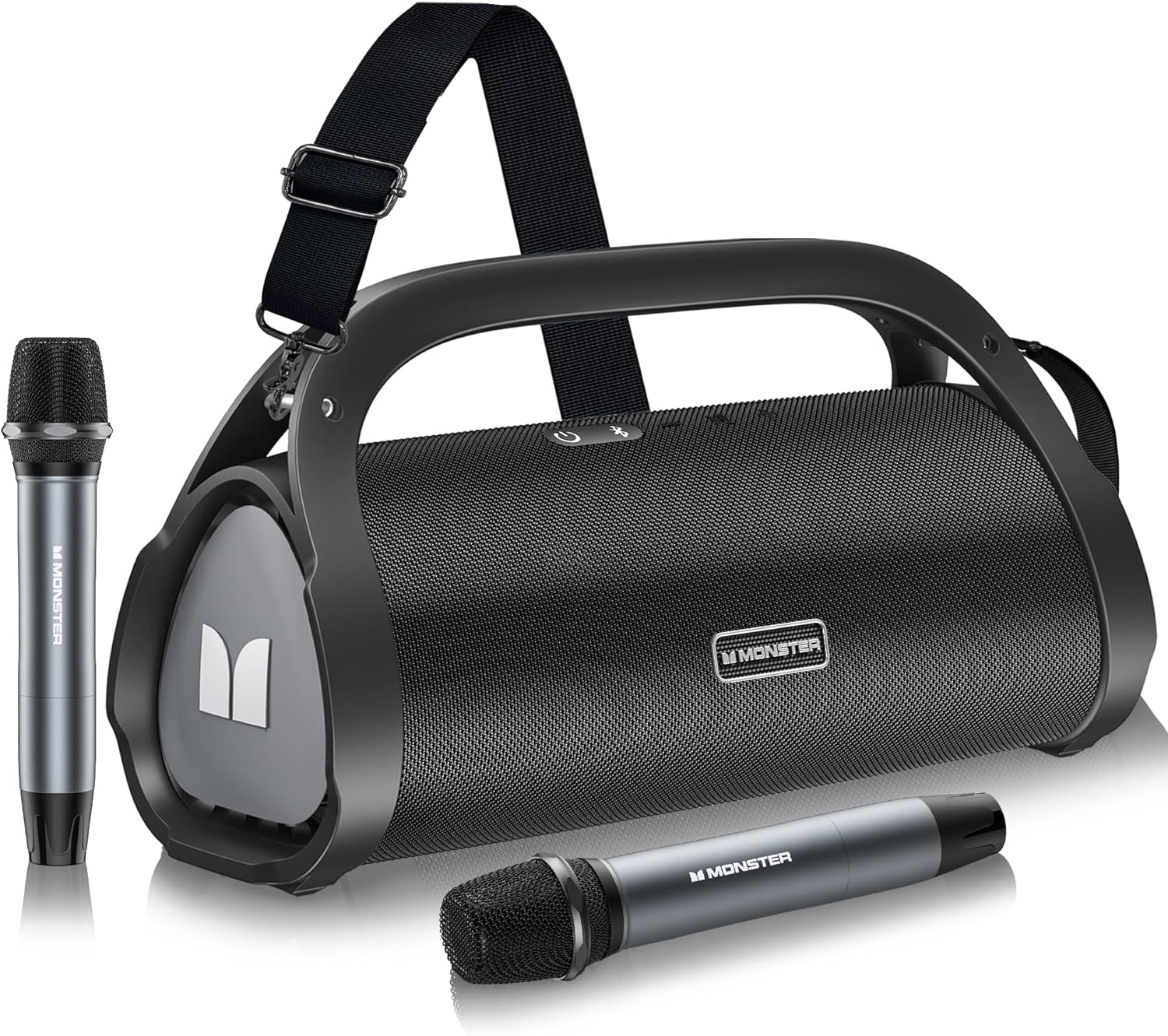
Image 1.1: Contents of the Monster Adventurer Max package.
2. Product Overview
2.1 Top Panel Controls
The top panel of the Monster Adventurer Max features essential control buttons for power, Bluetooth, volume, and mode switching.
- Power On / Off: Press and hold to power the speaker on or off.
- Bluetooth Mode: Press to switch to Bluetooth pairing mode.
- Volume + / Next Track: Short press for volume up, long press for next track.
- MFB (Multi-Function Button): Press for Play/Pause. Long press to switch between Indoor and Outdoor audio modes.
- Volume - / Previous Track: Short press for volume down, long press for previous track.

Image 2.1: Top Panel Controls.
2.2 Rear Panel Ports
The rear panel provides various connectivity options for your speaker.
- USB-C Charging: Port for charging the speaker.
- Reset Button: Small pinhole button to reset the device.
- AUX-in: 3.5mm audio input for wired connections.
- MIC-in: Input for wired microphones (if desired, in addition to wireless).
- USB-in Port: For USB drive playback.
- SD Card Slot: For Micro SD card playback.

Image 2.2: Rear Panel Ports.
3. Setup
3.1 Charging the Speaker
Before first use, fully charge the speaker. Connect the provided USB-C charging cable to the USB-C port on the speaker and the other end to a compatible USB power adapter (not included). The charging indicator will show the charging status. A full charge takes approximately 3 hours.
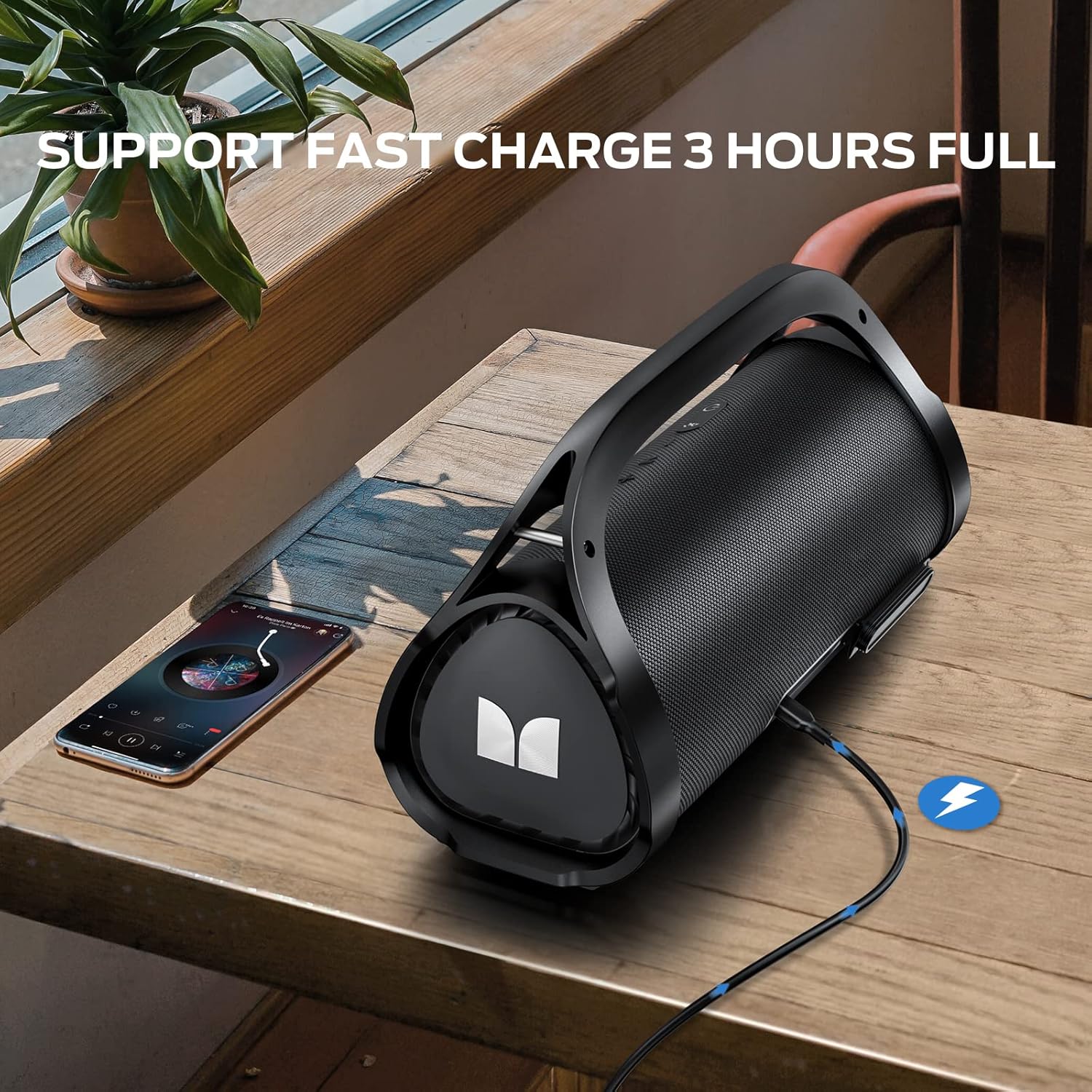
Image 3.1: Charging the speaker via USB-C.
3.2 Powering On/Off
To power on the speaker, press and hold the Power button on the top panel until you hear an audible prompt. To power off, press and hold the Power button again.
3.3 Bluetooth Pairing
Follow these steps to pair your device with the Monster Adventurer Max speaker:
- Ensure the speaker is powered on and in Bluetooth pairing mode (the Bluetooth indicator light will flash). If not, press the Bluetooth Mode button.
- On your mobile device, enable Bluetooth and search for available devices.
- Select "Monster Adventurer Max" from the list of devices.
- Once connected, the Bluetooth indicator light on the speaker will become solid, and you will hear a confirmation sound.

Image 3.2: Bluetooth connection setup.
4. Operation
4.1 Audio Playback Modes
The Monster Adventurer Max supports multiple audio input sources:
- Bluetooth 5.3: For wireless audio streaming from compatible devices.
- AUX: Connect external audio devices using the provided 3.5mm AUX cable.
- Micro SD Card: Insert a Micro SD card into the designated slot for direct playback of audio files.
- USB: Insert a USB drive into the USB-in port for direct playback of audio files.

Image 4.1: Multiple playback options.
4.2 Using the Wireless Microphones
The speaker comes with two wireless microphones for enhanced entertainment. Ensure the microphones have batteries installed. They should automatically pair with the speaker when powered on. Use the volume controls on the microphones to adjust their output level.
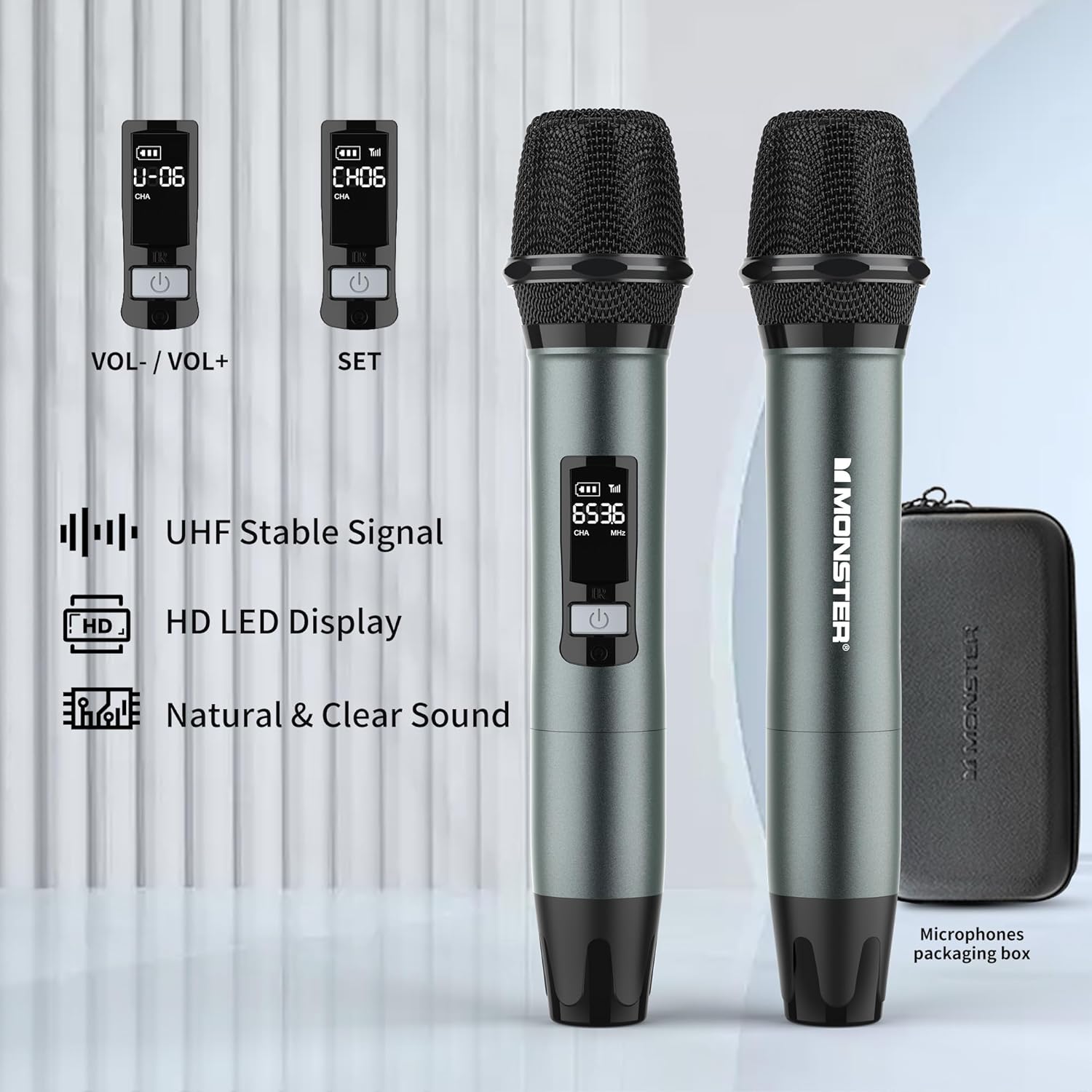
Image 4.2: Wireless Microphones with LED display.
4.3 Sound Modes (Indoor/Outdoor)
The speaker features switchable sound modes optimized for different environments. Long press the MFB (Multi-Function Button) to toggle between Indoor and Outdoor sound modes. The Outdoor mode enhances bass and volume for open spaces.
4.4 Volume and Track Control
Use the Volume + and Volume - buttons on the top panel for audio adjustments. A short press adjusts volume, while a long press skips to the next or previous track.
5. Key Features
5.1 Powerful Stereo Sound
The Monster Adventurer Max delivers 100W (120W peak) of powerful stereo sound, featuring two built-in subwoofers and two tweeters for rich, clear audio with deep bass.
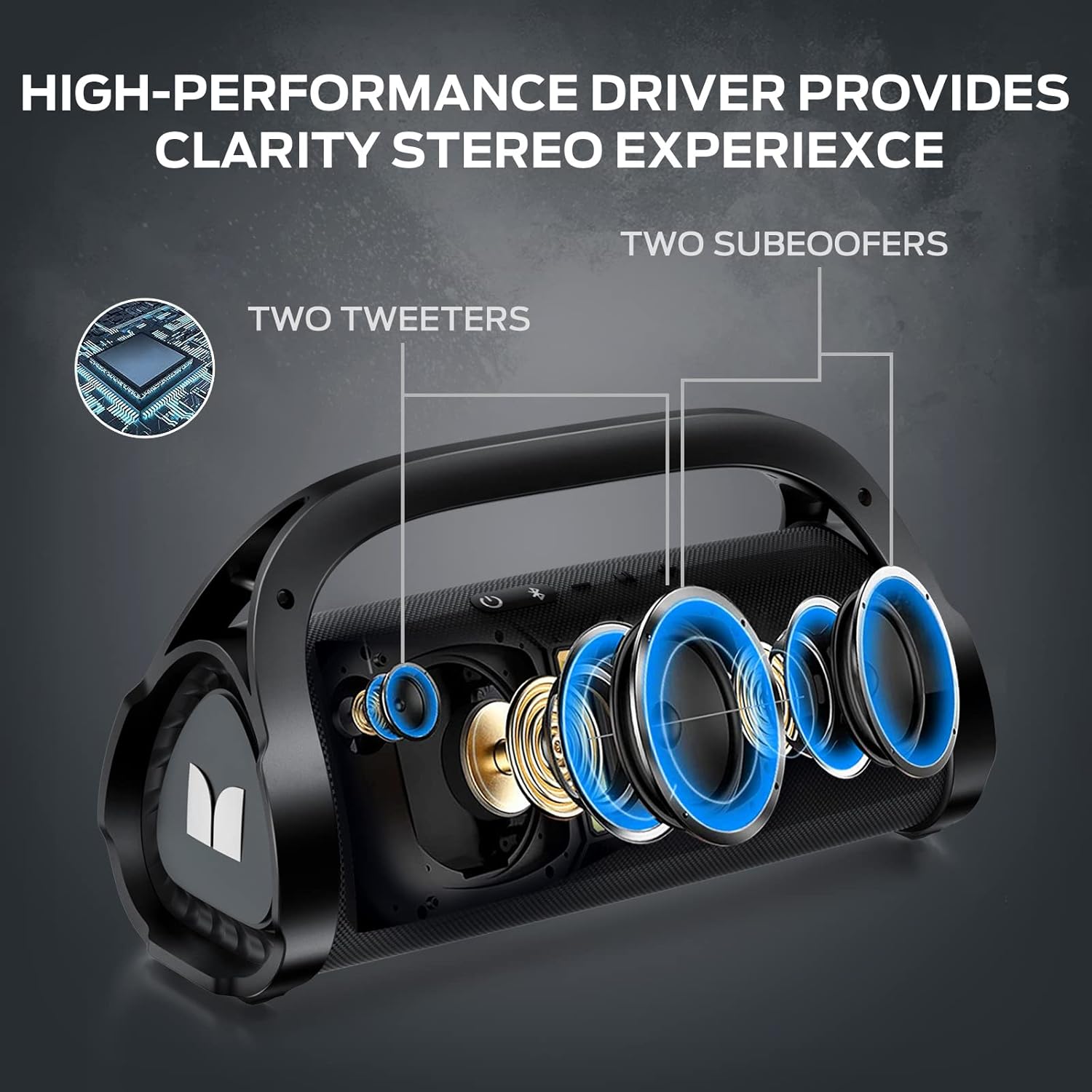
Image 5.1: Speaker internal components.
5.2 IPX7 Waterproof Rating
Designed for outdoor use, the speaker boasts an IPX7 waterproof rating, meaning it can withstand submersion in water up to 1 meter for 30 minutes. This makes it suitable for pool parties, beach trips, and other outdoor adventures.

Image 5.2: IPX7 Waterproof capability.
5.3 Extended Playtime
The built-in high-capacity rechargeable battery provides up to 24 hours of playtime at 50% volume, ensuring your music lasts throughout your activities.

Image 5.3: 24-hour playtime.
5.4 Portable Design
The speaker features an ergonomic all-in-one handle and includes a removable, adjustable shoulder strap (baldric) for convenient portability, allowing you to easily carry it anywhere.

Image 5.4: Detachable shoulder strap for easy carry.
6. Maintenance
6.1 Cleaning
To maintain the speaker's appearance and functionality, wipe it with a soft, damp cloth. Do not use abrasive cleaners, alcohol, or chemical solvents, as these may damage the surface or internal components. Ensure all ports are dry before charging or connecting other devices, especially after exposure to water.
6.2 Storage
Store the speaker in a cool, dry place away from direct sunlight and extreme temperatures. If storing for an extended period, it is recommended to charge the battery to approximately 50% every few months to preserve battery health.
7. Troubleshooting
If you encounter issues with your Monster Adventurer Max speaker, refer to the table below for common problems and their solutions.
| Problem | Possible Cause | Solution |
|---|---|---|
| Speaker does not power on. | Low battery; Power button not pressed long enough. | Charge the speaker fully; Press and hold the Power button for 3-5 seconds. |
| No sound from speaker. | Volume too low; Incorrect input mode; Device not connected. | Increase volume on speaker and source device; Switch to correct input mode (Bluetooth, AUX, USB, SD); Re-pair Bluetooth device or check cable connection. |
| Bluetooth pairing fails. | Speaker not in pairing mode; Device too far; Interference. | Ensure speaker is in Bluetooth pairing mode (flashing light); Move device closer to speaker; Turn off other Bluetooth devices nearby. |
| Microphones not working. | Microphone batteries low/dead; Microphone not powered on. | Replace microphone batteries; Ensure microphones are powered on. |
| Sound distortion. | Volume too high; Source audio quality poor. | Reduce volume; Try a different audio source. |
8. Specifications
Detailed technical specifications for the Monster Adventurer Max Bluetooth Speaker:
| Feature | Specification |
|---|---|
| Brand | Monster |
| Model | Adventurer Max |
| Power Output | 100W (120W Peak) |
| Connectivity Technology | Bluetooth 5.3, AUX, Micro SD Card, USB, Microphone Input |
| Waterproof Rating | IPX7 |
| Battery Life | Up to 24 hours (at 50% volume) |
| Charging Time | Approx. 3 hours (full charge) |
| Dimensions (L x W x H) | 13.39 x 5.51 x 7.48 inches |
| Item Weight | 11.13 pounds (5.06 Kilograms) |
| Included Microphones | 2 Wireless Microphones |
| Recommended Uses | Indoor/Outdoor |
9. Warranty and Support
Your Monster Adventurer Max Bluetooth Speaker is covered by a manufacturer's warranty. For specific warranty terms and conditions, please refer to the warranty card included in your product packaging or contact Monster customer support.
Should you encounter any issues or require assistance with your product, our dedicated support team is ready to assist promptly. Please refer to the contact information provided in your Quick Start Guide or visit the official Monster website for support options.
