
1. Introduction
The HTRC P15 Smart Car Battery Charger is designed for efficient and safe charging of various 12V and 24V batteries. This manual provides essential information for the correct operation, maintenance, and troubleshooting of your charger.
Key Features:
- Wide Application: Compatible with 12V/24V lead-acid batteries (AGM, Calcium, GEL, MF, EFB, SLA, VRLA, WET) and lithium batteries (LiFePO4). Suitable for cars, motorcycles, boats, and lawn mowers.
- Intelligent 9-Stage Charging: Features automatic charging stages including battery detection, desulphurisation, and trickle charging for optimal efficiency. Includes a repair mode for old and weak batteries (minimum starting voltage 2V).
- Automatic Temperature Compensation: Automatically adjusts charging voltage based on ambient temperature (winter/summer mode) to prevent overcharging or undercharging.
- Multiple Protection Features: Incorporates overcharge, reverse polarity, short circuit, overcurrent, overheating, and undervoltage protection. Automatically identifies defective batteries.
- User-Friendly Interface: High-definition LCD screen displays temperature, charging voltage, current, and battery power. One-button operation with 4 selectable modes and LED indicators.
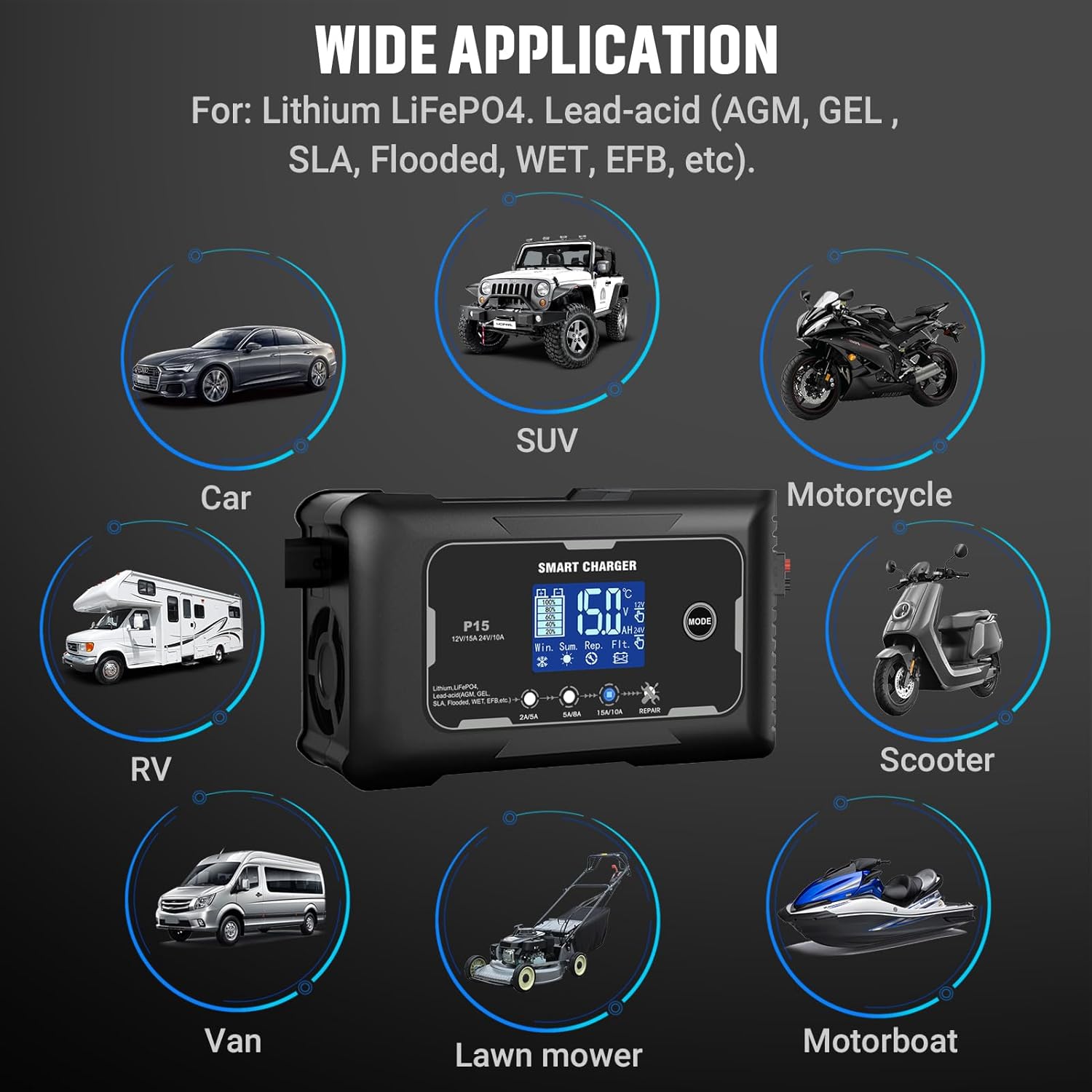
Figure 1: HTRC P15 Smart Charger demonstrating its wide range of applications for different vehicle types and batteries.
2. Safety Information
Please read all safety warnings and instructions before using the charger. Failure to follow these instructions may result in electric shock, fire, or serious injury.
- This charger is designed for 12V/24V lead-acid (AGM, GEL, MF, EFB, SLA, VRLA, WET) and lithium (LiFePO4) batteries only. Do not use it for other battery types.
- Ensure the charger is disconnected from the power supply before making or breaking connections to the battery.
- Always connect the red (+) clamp to the positive battery terminal and the black (-) clamp to the negative battery terminal.
- Avoid sparks or flames near the battery. Batteries can produce explosive gases.
- Use the charger in a well-ventilated area.
- Do not expose the charger to rain or excessive moisture.
- If the power cord is damaged, it must be replaced by the manufacturer or a qualified service agent to avoid hazards.
- Keep out of reach of children.
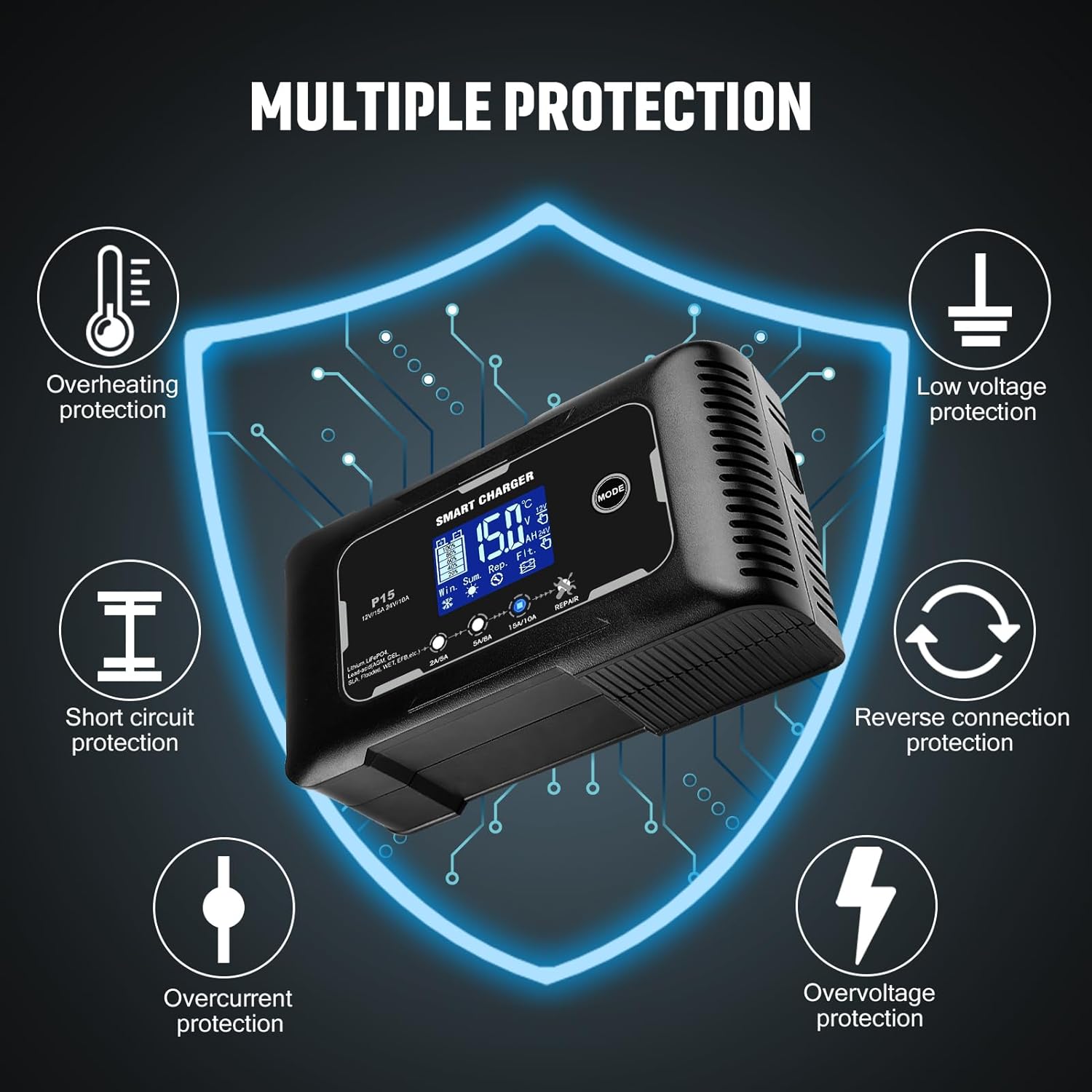
Figure 2: The HTRC P15 charger features multiple safety protections for secure operation.
3. Package Contents
Verify that all items are present in the package:
- HTRC P15 Smart Car Battery Charger Unit
- Battery Clamps (Red for positive, Black for negative)
- AC Power Cord (with appropriate plug type)
- User Manual (this document)
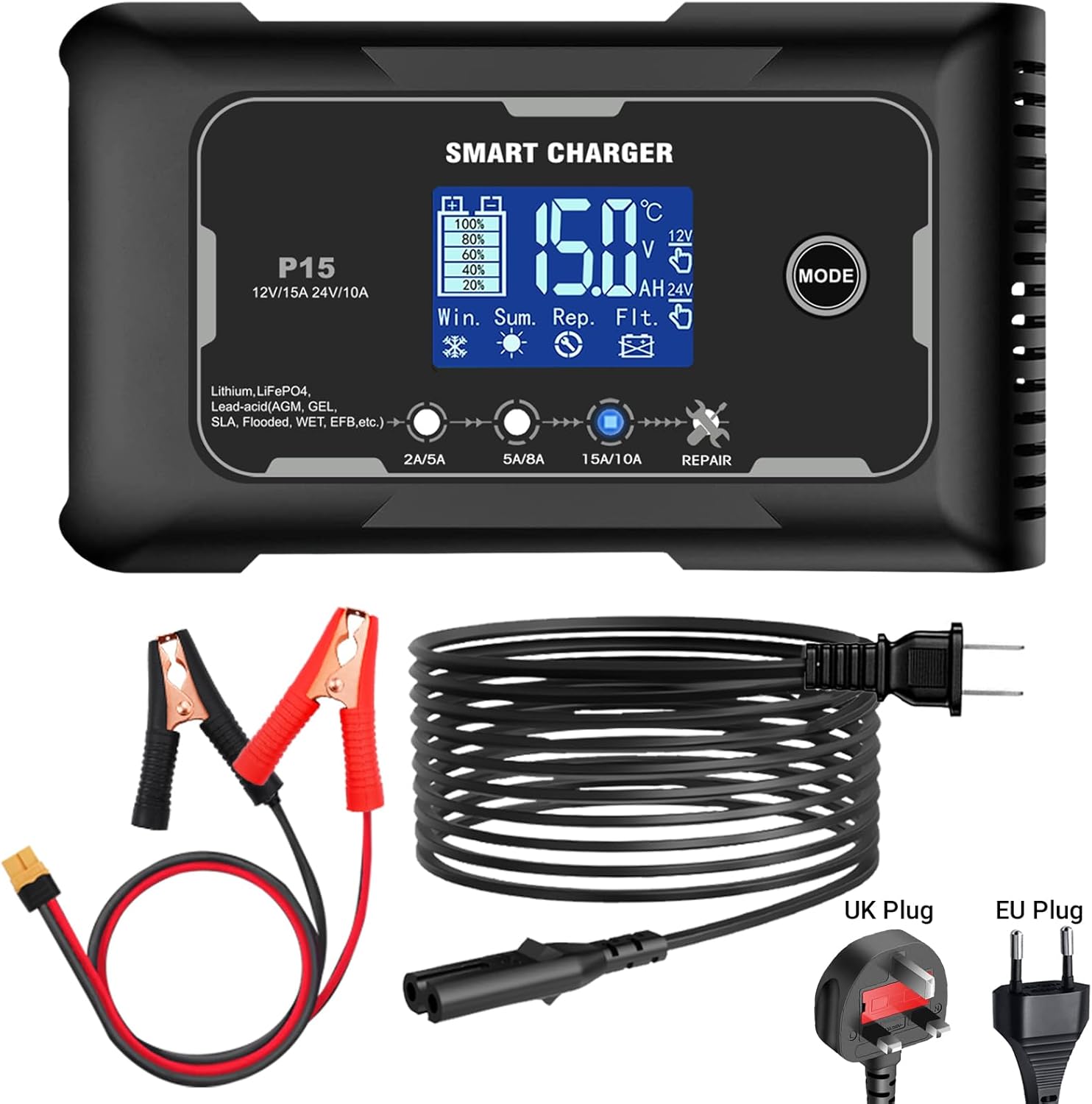
Figure 3: Contents of the HTRC P15 Smart Charger package.
4. Product Overview
The HTRC P15 charger features a robust design with a clear LCD display and intuitive controls.
- LCD Display: Shows real-time charging status, battery voltage, current, temperature, and selected mode.
- MODE Button: Used to cycle through different charging modes (2A/5A/15A/Repair).
- Cooling Fan: Integrated fan for efficient heat dissipation during operation.
- Battery Clamps: Heavy-duty clamps for secure connection to battery terminals.
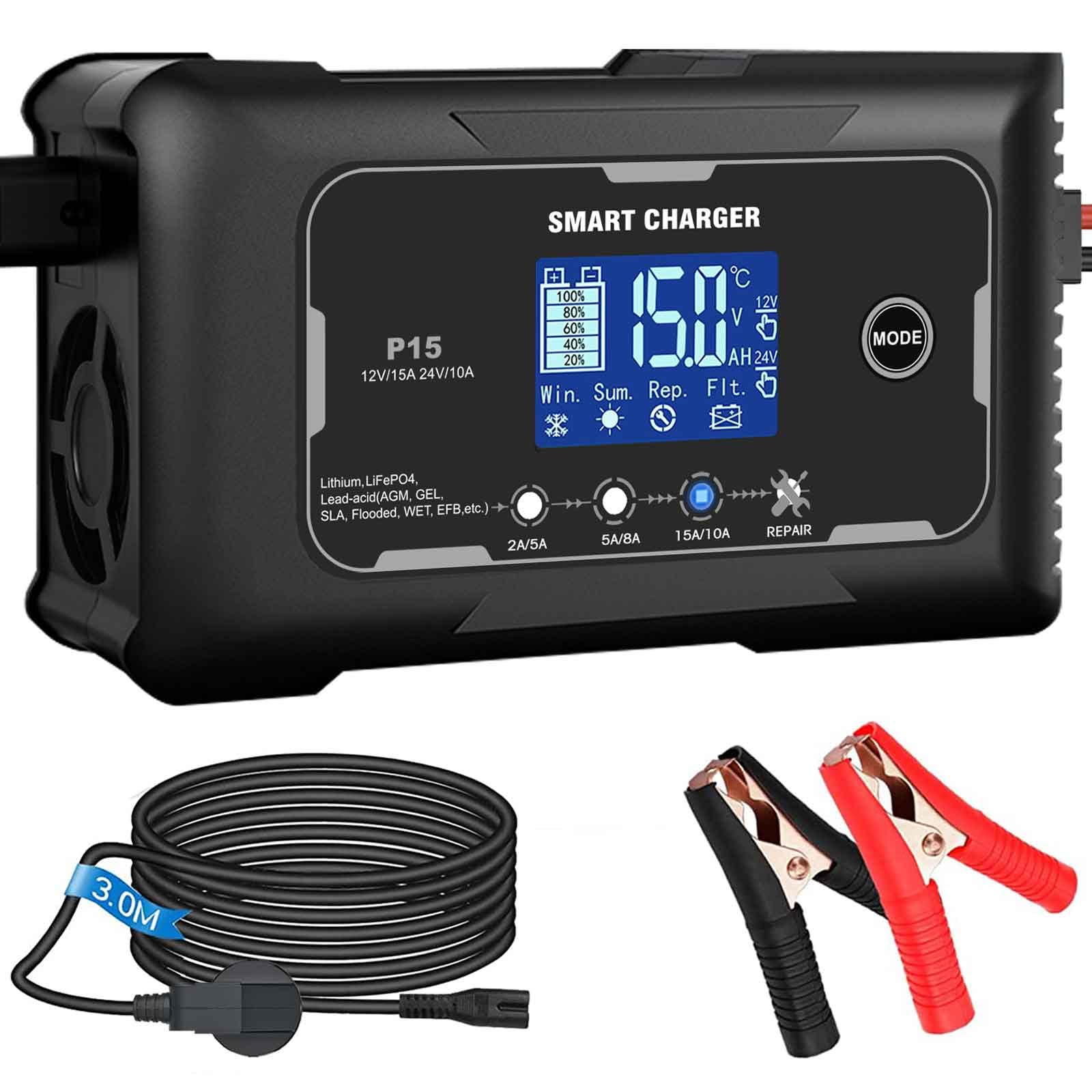
Figure 4: Front panel of the HTRC P15 Smart Charger with display and mode selection.

Figure 5: The HTRC P15 charger features a built-in cooling fan for effective heat management.
5. Setup
Follow these steps to connect the charger to your battery:
- Ensure the charger is unplugged from the AC power outlet.
- Identify the positive (+) and negative (-) terminals on your battery. The positive terminal is usually larger and marked with a plus sign (+). The negative terminal is marked with a minus sign (-).
- Connect the red (+) battery clamp to the positive (+) terminal of the battery.
- Connect the black (-) battery clamp to the negative (-) terminal of the battery. For vehicles, if the battery is installed, connect the black clamp to the vehicle chassis away from the battery and fuel line.
- Plug the AC power cord into a standard wall outlet. The charger will power on and display the current battery status.
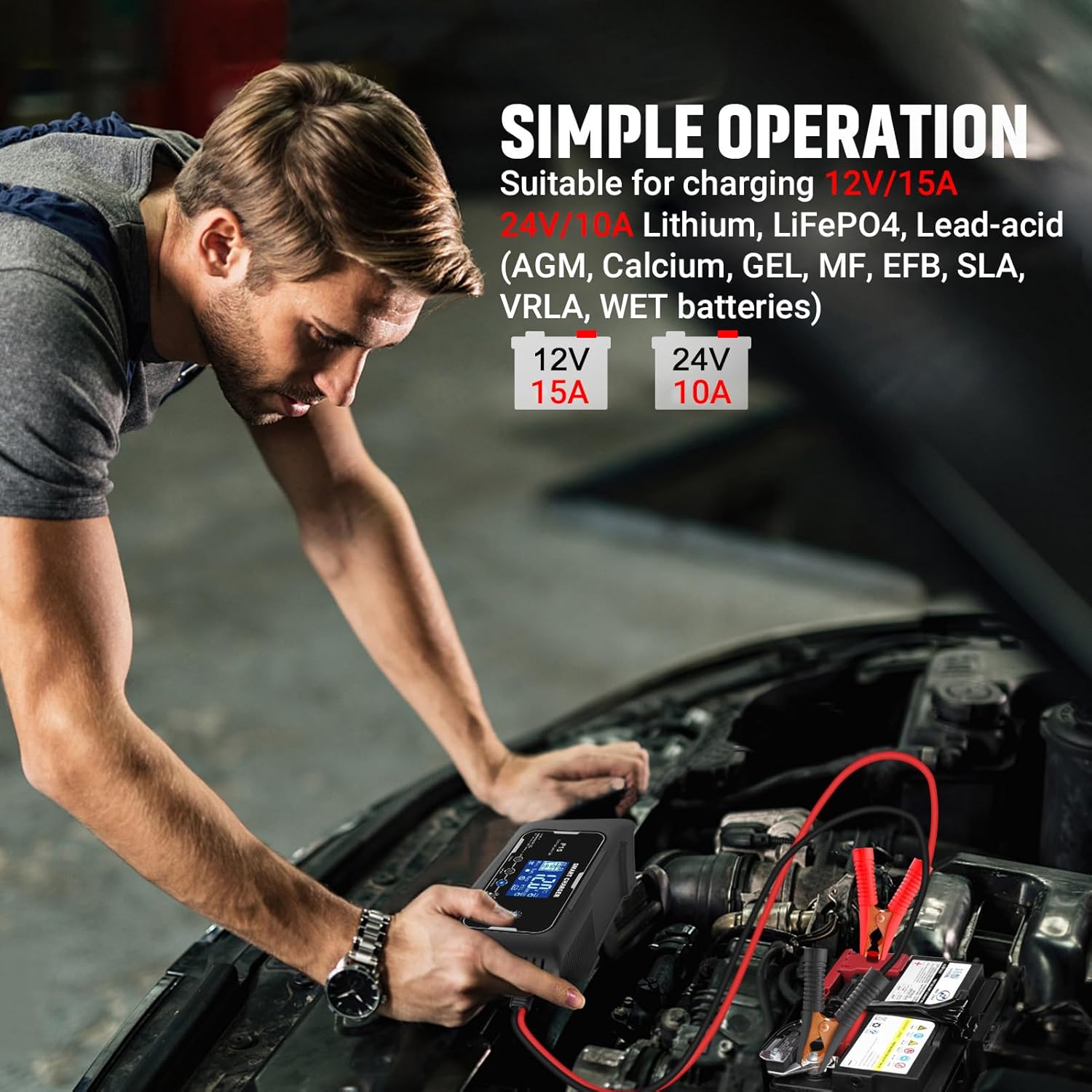
Figure 6: Proper connection of the HTRC P15 charger to a vehicle battery.
6. Operating Instructions
Once connected, the charger will automatically detect the battery voltage (12V or 24V) and display the current status.
- Select Charging Mode: Press the 'MODE' button to cycle through the available charging modes. The charger offers different current outputs (e.g., 2A, 5A, 15A for 12V; 5A, 8A, 10A for 24V) and a 'REPAIR' mode. Choose the appropriate mode for your battery type and desired charging speed.
- Automatic Charging: The charger will begin the 9-stage charging process automatically. The LCD screen will show the charging progress, voltage, current, and internal temperature.
- Temperature Compensation: The charger automatically adjusts its charging parameters based on ambient temperature. In cold conditions (below -10°C), it will enter 'Winter Mode' and raise the charge voltage. In hot conditions (above 28°C), it will enter 'Summer Mode' and reduce the charge voltage to prevent overcharging.
- Repair Mode: For old, weak, or sulfated batteries, select the 'REPAIR' mode. This mode attempts to desulfate and reactivate the battery. Monitor the battery during this process.
- Charging Completion: The charger will automatically switch to trickle charge (maintenance mode) once the battery is fully charged. The display will indicate 'FULL' or similar. You can leave the charger connected for long-term maintenance.
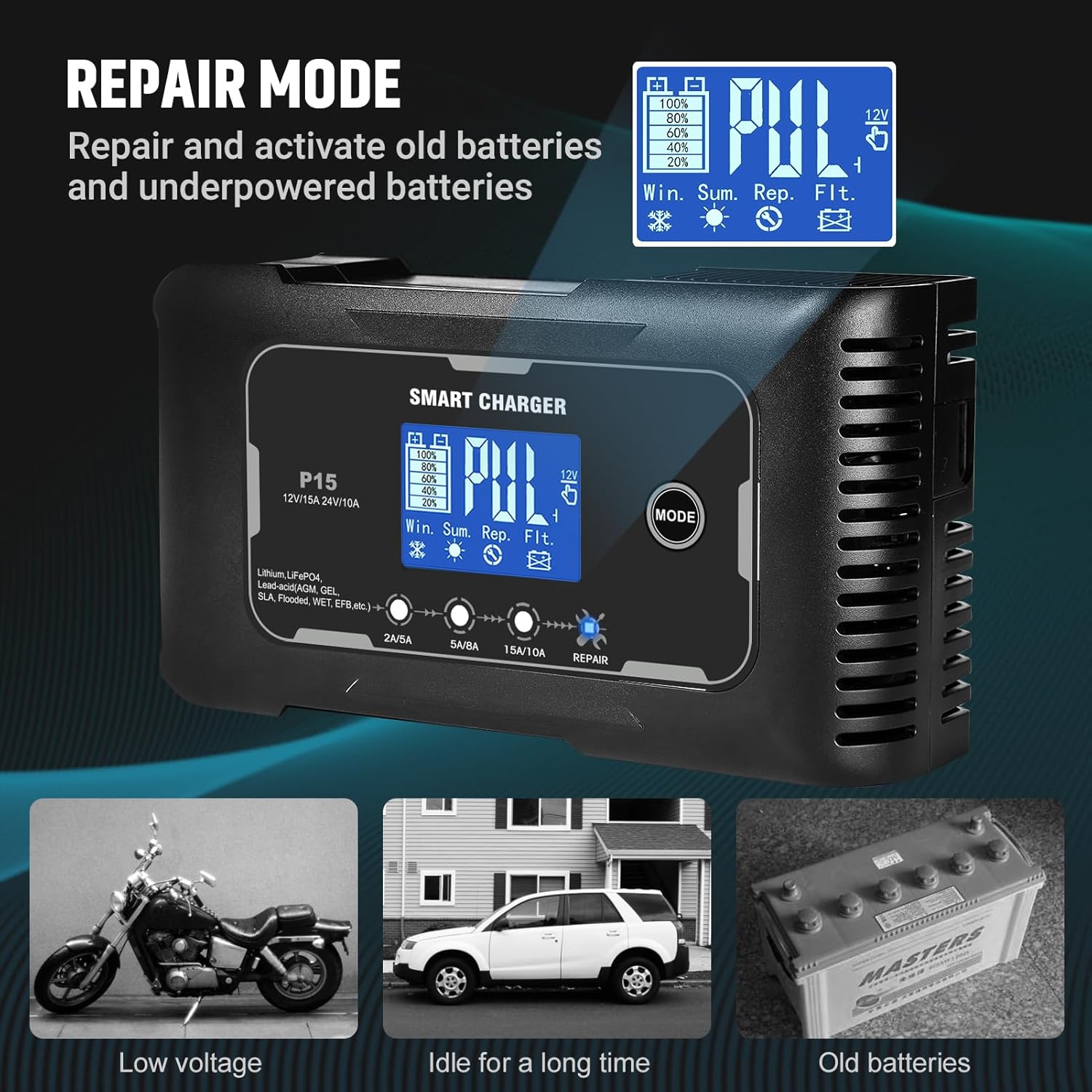
Figure 7: Repair mode function for restoring battery performance.

Figure 8: Automatic temperature compensation for optimal charging in varying climates.
7. Maintenance
Proper maintenance ensures the longevity of your charger and batteries.
- Charger Care: Keep the charger clean and dry. Wipe the exterior with a soft, damp cloth. Do not use harsh chemicals or abrasives.
- Cable and Clamp Inspection: Regularly inspect the charging cables and clamps for any signs of damage, corrosion, or wear. Replace if necessary.
- Storage: Store the charger in a cool, dry place when not in use.
- Battery Maintenance: For batteries stored for extended periods, periodic charging with the HTRC P15 can help maintain their charge and extend their lifespan.
8. Troubleshooting
If you encounter issues, refer to the following common problems and solutions:
| Problem | Possible Cause | Solution |
|---|---|---|
| Charger does not power on. | No AC power; faulty power cord. | Check power outlet and connections. Ensure power cord is not damaged. |
| Charger displays error or 'Reverse Polarity'. | Battery clamps connected incorrectly. | Disconnect from power, then reconnect red (+) to positive and black (-) to negative. |
| Charger does not start charging. | Battery voltage too low (below 2V); battery is severely damaged. | Ensure battery voltage is above 2V. If not, the battery may be beyond repair. The charger automatically identifies defective batteries. |
| Charger overheats. | Poor ventilation; prolonged high current charging. | Ensure adequate ventilation around the charger. The charger has overheating protection and will reduce current or shut down if necessary. |
9. Specifications
| Feature | Specification |
|---|---|
| Brand | HTRC |
| Model | P15 |
| Input Voltage | AC 100-240V, 50/60Hz (Typical for such devices, not explicitly in JSON) |
| Output Voltage | 12V DC, 24V DC |
| Output Current (12V) | 2A, 5A, 15A (Max) |
| Output Current (24V) | 5A, 8A, 10A (Max) |
| Battery Types | Lead-acid (AGM, Calcium, GEL, MF, EFB, SLA, VRLA, WET), LiFePO4, Lithium |
| Minimum Start Voltage | 2V |
| Thermal Protection | Yes (Automatic Temperature Compensation) |
| Cooling | Built-in Fan |
| Product Dimensions | 5 x 9 x 15 cm |
| Item Weight | 0.81 Kilograms |
| Safety Certification | CE |
10. Warranty and Support
HTRC products are manufactured to high-quality standards. For warranty information, technical support, or service inquiries, please refer to the warranty card included with your purchase or visit the official HTRC website. Keep your proof of purchase for warranty claims.


