
Introduction
The Harman Kardon Onyx Studio 8 is a Bluetooth wireless portable speaker designed to deliver room-filling sound. It features a distinctive design with a fabric-covered body and an anodized aluminum ring that functions as both a stable base and a convenient carry handle. This speaker incorporates automatic room calibration to optimize sound quality for any environment. It supports Bluetooth 5.2 for wireless audio streaming and includes far-field microphones for hands-free calling. The Onyx Studio 8 is constructed with eco-friendly materials, reflecting a commitment to both high performance and environmental responsibility.
What's in the Box
The following items are included with your Harman Kardon Onyx Studio 8 speaker bundle:
- 2 x Harman Kardon Onyx Studio 8 Bluetooth Wireless Portable Speaker (Black)
- 2 x USB-C Cable
- 2 x AUX Cable
- 2 x Power Cable (included by manufacturer with each speaker)
Product Overview
The Harman Kardon Onyx Studio 8 combines sophisticated design with powerful audio capabilities. Its unique circular shape and integrated aluminum handle make it both aesthetically pleasing and portable.
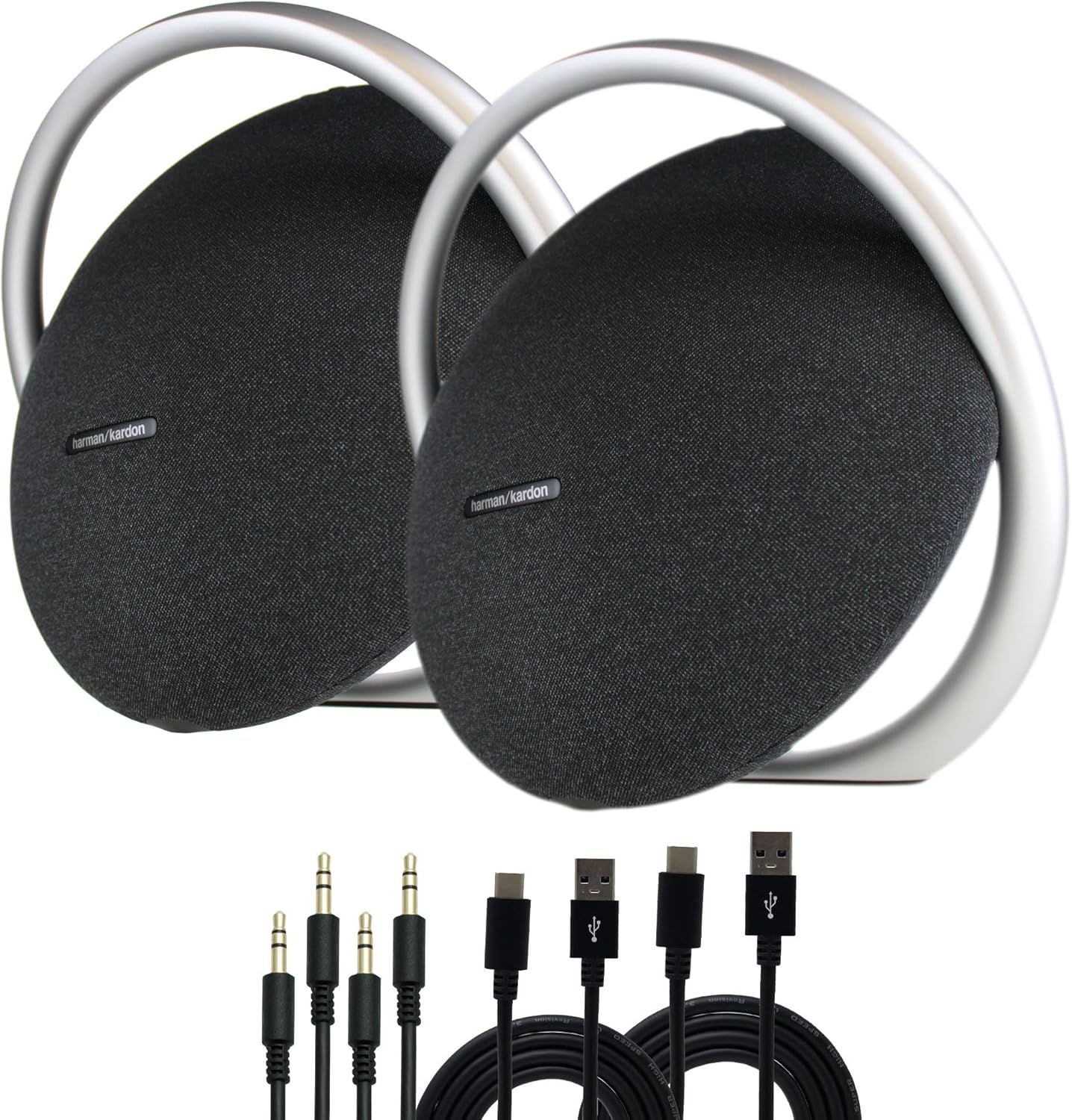
Image: Two Harman Kardon Onyx Studio 8 speakers shown with USB-C and AUX cables. The speakers feature a black fabric finish and a silver anodized aluminum handle/stand.
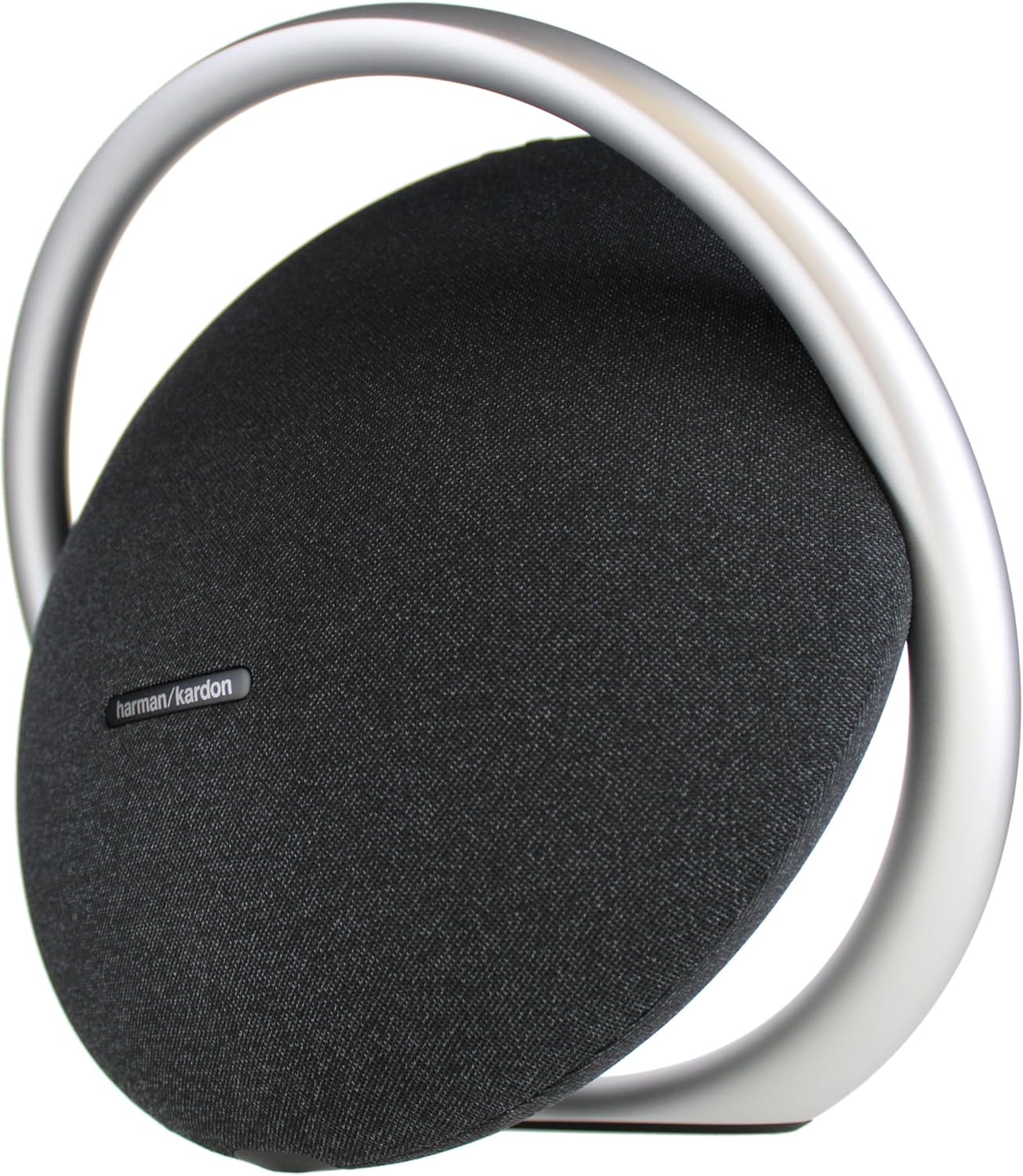
Image: Side view of a single Harman Kardon Onyx Studio 8 speaker, highlighting its circular design and the integrated aluminum handle that also serves as a stand.
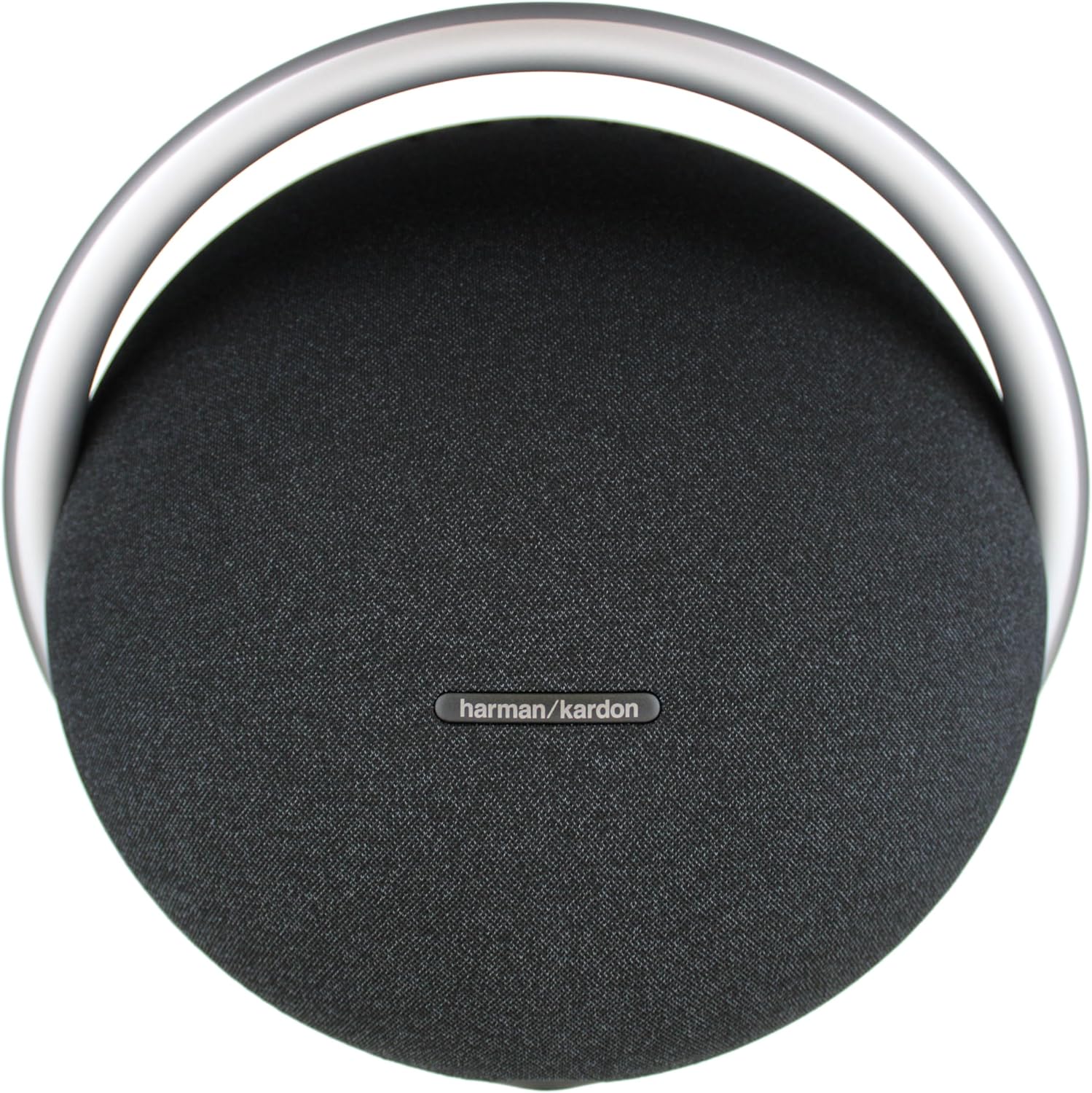
Image: Front view of a single Harman Kardon Onyx Studio 8 speaker, showing the Harman Kardon logo on the black fabric grille.

Image: Top-down view of a single Harman Kardon Onyx Studio 8 speaker, emphasizing the sleek aluminum handle and the speaker's overall circular form.
Key Features:
- Powerful Audio: Equipped with a 4.7-inch woofer and two 0.8-inch tweeters, delivering 50W RMS output for rich, detailed sound and deep bass.
- Automatic Room Calibration: The speaker automatically adjusts its sound profile to optimize audio performance based on the acoustics of its environment.
- Bluetooth 5.2 Connectivity: Allows for wireless streaming from up to two devices simultaneously.
- Dual Speaker Pairing: Link two Onyx Studio 8 speakers together for an enhanced stereo sound experience.
- Hands-Free Calling: Integrated far-field microphones enable clear voice calls.
- Long Playback Time: Provides up to 8 hours of audio playback on a single charge.
- Sustainable Design: Constructed using eco-friendly materials and packaging.
Setup
1. Powering On and Charging
- Initial Charge: Before first use, fully charge the speaker using the provided power cable. Connect the power cable to the speaker's power input and then to a wall outlet. The charging indicator will show the charging status.
- Power On/Off: Press and hold the power button located on the speaker to turn it on or off.
2. Bluetooth Pairing
- Enter Pairing Mode: When the speaker is powered on, it will automatically enter Bluetooth pairing mode if no device is connected. The Bluetooth indicator light will flash. If a device is already connected, press the Bluetooth button on the speaker to enter pairing mode.
- Connect Device: On your mobile device (smartphone, tablet, laptop), go to the Bluetooth settings and select "Harman Kardon Onyx Studio 8" from the list of available devices.
- Confirmation: Once connected, the Bluetooth indicator light on the speaker will become solid, and you may hear an audible confirmation tone.
- Pairing Multiple Devices: The Onyx Studio 8 supports connecting up to two Bluetooth devices simultaneously. To connect a second device, repeat step 1 and 2 with the new device. The speaker will play audio from the currently active device.
3. AUX Connection
For wired audio playback, connect your audio source to the speaker's AUX input using the provided 3.5mm AUX cable. The speaker will automatically switch to AUX mode when a cable is detected.
Operating Instructions
1. Basic Controls
The Onyx Studio 8 features touch controls located on the speaker's surface:
- Power Button: Press and hold to turn the speaker on or off.
- Bluetooth Button: Press to enter Bluetooth pairing mode or to disconnect the current Bluetooth device.
- Volume Up/Down: Press to adjust the playback volume.
- Play/Pause Button: Press to play or pause audio playback.
- Call Button: Press to answer or end a phone call. Press and hold to reject an incoming call.
2. Linking Two Onyx Studio 8 Speakers (Stereo Pairing)
You can link two Harman Kardon Onyx Studio 8 speakers together for a more immersive stereo sound experience:
- Ensure both Onyx Studio 8 speakers are powered on and not connected to any Bluetooth device.
- On one speaker (this will be your primary speaker), press and hold the Bluetooth button until it enters pairing mode.
- On the second speaker, press the Bluetooth button briefly.
- The two speakers will automatically connect to each other. Once connected, the primary speaker's Bluetooth indicator will flash, and the second speaker's Bluetooth indicator will be solid.
- Now, connect your audio source to the primary speaker via Bluetooth as described in the "Bluetooth Pairing" section. Audio will play in stereo through both linked speakers.
3. Hands-Free Calling
The integrated far-field microphones allow for clear hands-free calling:
- Answering a Call: When a call comes in, press the Call button once to answer.
- Ending a Call: During a call, press the Call button once to end the call.
- Rejecting a Call: Press and hold the Call button to reject an incoming call.
4. Automatic Room Calibration
The Onyx Studio 8 features an automatic room calibration function. This system intelligently analyzes the acoustics of the room where the speaker is placed and adjusts its sound output to deliver optimal audio quality. This process occurs automatically when the speaker is powered on or moved to a new location, ensuring consistent performance regardless of your listening environment.
Maintenance
1. Cleaning
- Ensure the speaker is powered off and disconnected from the power source before cleaning.
- Use a soft, dry, lint-free cloth to wipe the speaker's surfaces.
- For stubborn marks, lightly dampen the cloth with water. Do not use abrasive cleaners, alcohol, benzene, or other volatile liquids, as they may damage the speaker's finish.
- Avoid getting moisture into any openings or ports.
2. Storage
- Store the speaker in a cool, dry place away from direct sunlight, extreme temperatures, and excessive humidity.
- If storing for an extended period, it is recommended to fully charge the battery before storage and recharge it every few months to maintain battery health.
3. General Care
- The Onyx Studio 8 is designed for indoor use. It is not waterproof. Avoid exposing it to water, rain, or excessive moisture.
- Do not place the speaker near heat sources such as radiators, heat registers, stoves, or other apparatus (including amplifiers) that produce heat.
- Protect the power cord from being walked on or pinched, particularly at plugs, convenience receptacles, and the point where they exit from the apparatus.
Troubleshooting
If you encounter issues with your Harman Kardon Onyx Studio 8, refer to the following common solutions:
| Problem | Possible Cause | Solution |
|---|---|---|
| No power | Battery is depleted; Power cable not connected properly. | Charge the speaker using the provided power cable. Ensure the power cable is securely connected to both the speaker and a working power outlet. |
| Cannot connect via Bluetooth | Speaker is not in pairing mode; Bluetooth is off on your device; Speaker is connected to another device; Interference. | Ensure the speaker is in Bluetooth pairing mode (flashing blue light). Turn Bluetooth off and on again on your device. Disconnect the speaker from any other connected devices. Move the speaker closer to your device and away from other electronic interference. |
| No sound | Volume is too low; Audio source is paused or muted; Incorrect input selected (if using AUX). | Increase the volume on both the speaker and your audio source. Ensure audio is playing on your source device. If using AUX, ensure the cable is fully inserted and the speaker has switched to AUX mode. |
| Poor sound quality / Distortion | Volume too high; Audio source quality is low; Speaker placement. | Reduce the volume. Try a different audio source or file. Ensure the speaker is placed on a stable surface and not obstructed. The automatic room calibration should help optimize sound. |
| Cannot link two speakers | Speakers are already connected to a device; Incorrect pairing procedure. | Ensure both speakers are disconnected from any Bluetooth devices before attempting to link them. Follow the stereo pairing instructions precisely. |
Specifications
| Feature | Detail |
|---|---|
| Model Name | HKOS8BLKAM |
| Brand | Harman Kardon |
| Speaker Type | Portable Bluetooth Speaker (Woofer) |
| Audio Output Mode | Stereo |
| Speaker Maximum Output Power | 50 Watts RMS |
| Woofer Diameter | 4.7 Inches |
| Tweeter Diameter | 0.8 Inches (Dual) |
| Wireless Communication Technology | Bluetooth 5.2 |
| Connectivity Technology | Auxiliary, Bluetooth, USB (for charging) |
| Power Source | Battery Powered |
| Battery Playback Time | Up to 8 hours |
| Control Method | Touch |
| Material | Aluminum (handle/stand) |
| Indoor/Outdoor Usage | Indoor |
| Is Waterproof | No |
| Product Dimensions (L x W x H) | 6.4 x 12.3 x 10.9 inches |
| Item Weight | 20.7 pounds (per speaker) |
| Compatible Devices | Smartphone, Tablet, MP3 Player, Desktop, Television, Laptop |
| Manufacturer | Harman Kardon |
Warranty and Support
For warranty information and technical support, please refer to the documentation provided with your purchase or visit the official Harman Kardon website. Keep your proof of purchase for warranty claims.
Harman Kardon Official Website: www.harmankardon.com


