
SANSUI W9
SANSUI W9 TWS Earbuds User Manual
Model: W9
Introduction
This manual provides comprehensive instructions for the SANSUI W9 TWS Earbuds, designed to deliver an exceptional audio experience with wireless 5.4 connectivity, low latency for gaming, and Hi-Fi stereo sound. Please read this manual carefully before using the product to ensure proper operation and maintenance.
Package Contents
Upon opening the package, please verify that all the following items are included:
- SANSUI W9 TWS Earbuds (Left and Right)
- Charging Case
- USB Charging Cable
- Ear Cushions (Multiple Sizes)

Image: SANSUI W9 TWS Earbuds inside their open charging case, displaying the digital battery indicator.
Setup
1. Charging the Earbuds and Case
Before first use, fully charge the earbuds and the charging case. Connect the provided USB cable to the charging port on the case and a power source. The LED digital display on the case will indicate the charging status and battery level.
- Charging Time: Approximately 1.5 hours for a full charge.
- Battery Life: Up to 23 hours of playtime with the charging case.
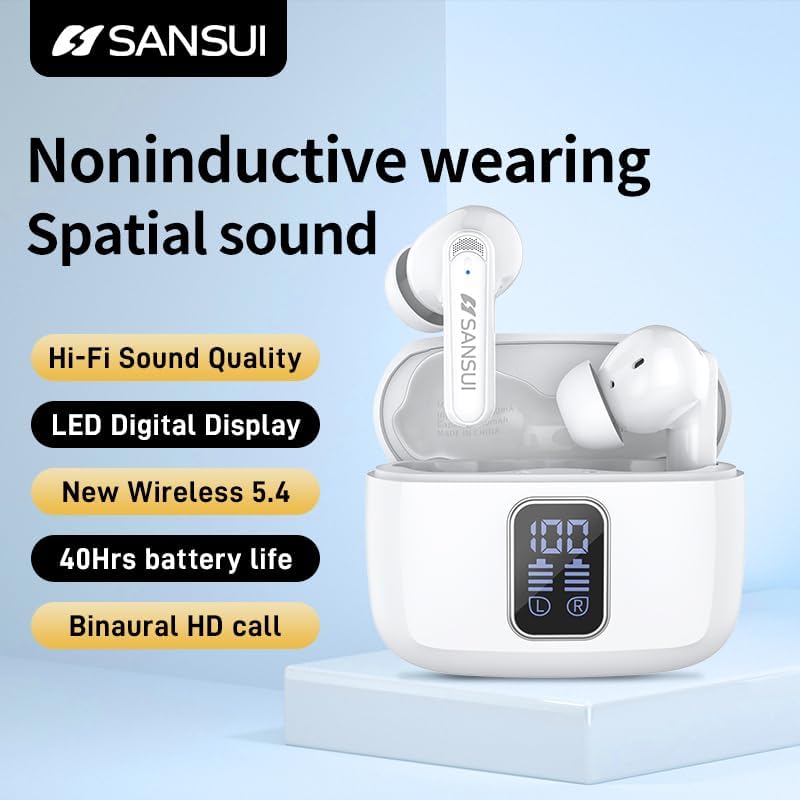
Image: The SANSUI W9 charging case with the earbuds inside, showing the illuminated LED digital display indicating battery percentage.
2. Pairing with a Device
- Ensure the earbuds are charged and placed inside the charging case.
- Open the charging case. The earbuds will automatically enter pairing mode.
- On your device (e.g., smartphone, tablet), go to Bluetooth settings and turn Bluetooth on.
- Search for "SANSUI W9" in the list of available devices and select it to connect.
- Once connected, a voice prompt will confirm successful pairing.
The earbuds feature Bluetooth 5.4 for stable and fast connectivity.
3. Wearing the Earbuds
Select the ear cushions that provide the most comfortable and secure fit for your ears. Insert the earbuds gently into your ear canal and rotate them slightly until they feel snug and stable.
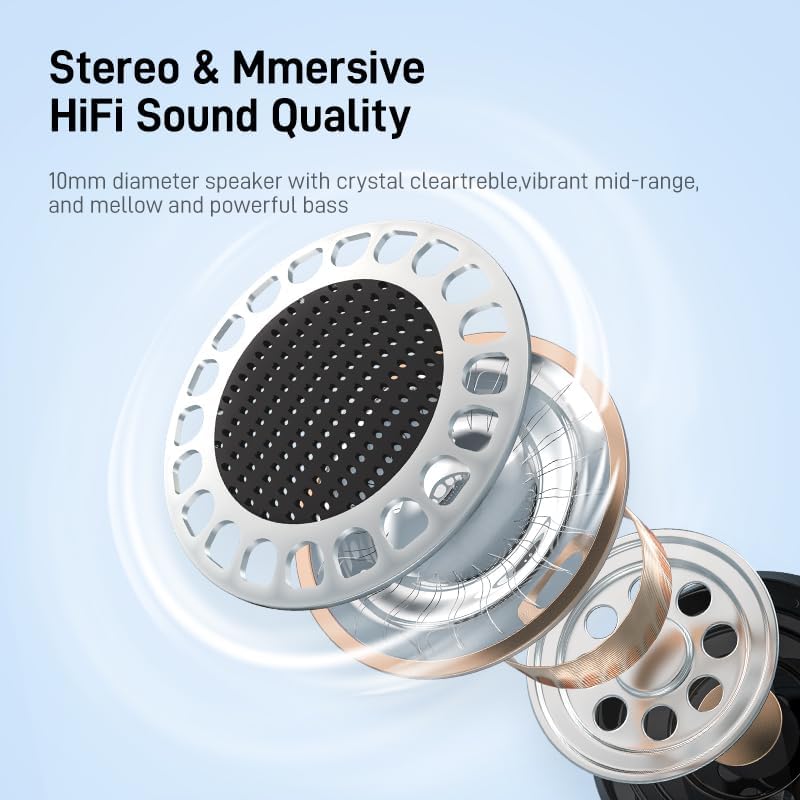
Image: A person wearing the SANSUI W9 TWS Earbuds, demonstrating a comfortable fit. Below, three different ear tip sizes (S, M, L) are shown, emphasizing customization for optimal comfort.
Operating Instructions
Touch Controls
The SANSUI W9 earbuds feature intuitive touch controls on each earbud for managing media playback, calls, and voice assistant activation.
| Action | Left Earbud | Right Earbud |
|---|---|---|
| Play/Pause | Single Tap | Single Tap |
| Next Track | Triple Tap | Triple Tap |
| Previous Track | Double Tap | Double Tap |
| Volume Up | N/A | Long Press |
| Volume Down | Long Press | N/A |
| Answer/End Call | Single Tap | Single Tap |
| Reject Call | Long Press | Long Press |
| Activate Voice Assistant | Quadruple Tap | Quadruple Tap |
Note: Touch sensitivity may vary slightly. Ensure your finger covers the touch sensor area for accurate input.
Gaming Mode (Low Latency)
The SANSUI W9 earbuds are optimized for gaming with low latency. This mode minimizes audio delay, providing a more synchronized experience between audio and video, crucial for competitive gaming.
- Activation: The earbuds automatically adjust to low latency when connected to a gaming device or application that supports it.
- Benefit: Enjoy seamless audio without annoying lags, enhancing your gaming performance.

Image: A conceptual diagram illustrating the high-performance Wireless V5.4 chip, highlighting its benefits: Faster Connection, Lower Power Consumption, and Stronger Signal, all contributing to a low-latency listening experience.
Maintenance
Cleaning
- Regularly clean the earbuds and charging case with a soft, dry, lint-free cloth.
- Remove ear cushions and clean them separately with mild soap and water if necessary, ensuring they are completely dry before reattaching.
- Do not use abrasive cleaners, alcohol, or chemical solvents.
- Gently clean the charging contacts on both the earbuds and the case to ensure proper charging.
Storage
Always store the earbuds in their charging case when not in use to protect them from dust, damage, and to keep them charged.
Water Resistance
The SANSUI W9 earbuds are water resistant. This means they are protected against splashes and sweat, making them suitable for sports and light rain. However, they are not designed for submersion in water or for use during swimming. Avoid exposing them to excessive moisture or high humidity.
Troubleshooting
If you encounter any issues with your SANSUI W9 TWS Earbuds, please refer to the following common solutions:
- Earbuds not pairing:
- Ensure both earbuds are charged.
- Place both earbuds back into the charging case, close the lid, wait a few seconds, then open it again to re-enter pairing mode.
- On your device, forget or delete "SANSUI W9" from your Bluetooth device list and attempt to pair again.
- Ensure your device's Bluetooth is enabled and within range (up to 10 meters).
- Only one earbud playing sound:
- Place both earbuds back into the charging case, close the lid, and then take them out again. This often re-syncs them.
- Check if the non-working earbud has sufficient charge.
- Earbuds not charging:
- Ensure the charging cable is securely connected to both the case and the power source.
- Verify that the charging contacts on both the earbuds and the case are clean and free of debris.
- Try a different USB charging cable or power adapter.
- Poor sound quality:
- Ensure the ear cushions provide a proper seal in your ear canal. Try different sizes.
- Clean any earwax or debris from the earbud speaker mesh.
- Move closer to your connected device to avoid interference.
- Check the audio source quality.
Specifications
| Feature | Detail |
|---|---|
| Model Name | W9 |
| Connectivity Technology | Wireless, Bluetooth |
| Wireless Communication Technology | Bluetooth 5.4 |
| Audio Driver Type | Dynamic Driver (10MM Speaker) |
| Noise Control | Passive Noise Cancellation (ENC) |
| Battery Life (Earbuds + Case) | Up to 23 Hours |
| Charging Time | 1.5 Hours |
| Bluetooth Range | 10 Meters |
| Control Method | Touch |
| Water Resistance Level | Water Resistant |
| Material | TPU+Plating, Acrylonitrile Butadiene Styrene (ABS) |
| Item Weight | 40 Grams (Case) / 1.41 ounces (Total) |
| Product Dimensions | 5.71 x 4.13 x 1.57 inches |
| Carrying Case Battery Capacity | 400 Milliamp Hours |
| Audio Latency | 10 Milliseconds |
| Color | White |
| Included Components | Cable, Charging Case, Ear Cushions |

Image: An exploded view diagram illustrating the internal components of the 10mm dynamic speaker, highlighting its design for Hi-Fi stereo sound quality.
Warranty and Support
SANSUI products are designed and manufactured to the highest quality standards. For information regarding warranty coverage, please refer to the warranty card included with your product or visit the official SANSUI website.
For technical support, troubleshooting assistance, or any inquiries about your SANSUI W9 TWS Earbuds, please contact SANSUI customer service. You can often find contact information on the SANSUI brand store page or their official website.
SANSUI Brand Store: Visit the SANSUI Store on Amazon
Related documentsW9


Ask a question about this manual
Ask about setup, troubleshooting, compatibility, parts, safety, or missing instructions. Manuals+ will review the question and use this page’s manual context to help answer it.