
1. Introduction
Thank you for choosing the Machenike Machcreator Mini Desktop. This compact and powerful computer is designed for efficiency and performance, featuring a 13th Gen Intel i7-13620H processor, 16GB DDR5 RAM, and a 1TB PCIe M.2 SSD. This manual provides essential information to help you set up, operate, and maintain your new device.
2. Product Overview
The Machenike Machcreator Mini Desktop is a high-performance mini PC designed for various computing needs, from business applications to multimedia. Its compact form factor allows for versatile placement, including wall mounting.

Figure 2.1: Front and rear view of the Machenike Machcreator Mini Desktop, showing its compact design and an optional mounting bracket for discreet installation.
2.1 Key Features
- Processor: 13th Gen Intel Core i7-13620H (10 Cores, 16 Threads, up to 4.9 GHz)
- Memory: 16GB DDR5 RAM (expandable up to 64GB)
- Storage: 1TB PCIe M.2 Solid State Drive (supports dual M.2, expandable up to 4TB PCIe SSD)
- Operating System: Windows 11 Pro
- Graphics: Intel UHD Graphics, supporting 4K dual monitor output
- Connectivity: Wi-Fi 6, Bluetooth, Dual 2.5G RJ45 Ethernet ports
- Ports: 4x USB 3.2 Gen2 Type-A, 1x USB Type-C, 1x 3.5mm Audio Jack, 1x HDMI 2.0, 1x DisplayPort 1.4
- Cooling System: Twin turbine cooling fan with deluxe all-copper radiator

Figure 2.2: Visual summary of the Machenike Machcreator Mini Desktop's key features, highlighting its connectivity options, cooling system, and core components.
3. Setup Guide
3.1 Unboxing and Initial Inspection
- Carefully remove the Mini Desktop and all accessories from the packaging.
- Verify that all components are present: Mini Desktop unit, power adapter, and any included documentation.
- Inspect the device for any visible damage. If damage is found, contact customer support immediately.
3.2 Connecting Peripherals
Refer to the port diagram below for connecting your devices.

Figure 3.1: Detailed view of the front and rear ports, including USB, HDMI, DisplayPort, Ethernet, and audio connections.
- Power: Connect the power adapter to the DC-in port on the rear of the Mini Desktop, then plug it into a power outlet.
- Display: Connect your monitor(s) to the HDMI 2.0 or DisplayPort 1.4 ports. The device supports dual 4K monitors.
- Keyboard and Mouse: Connect your USB keyboard and mouse to any available USB Type-A ports.
- Network: For a wired connection, connect an Ethernet cable to one of the RJ45 ports. For wireless, ensure Wi-Fi 6 is enabled (see Section 4.2).
- Audio: Connect speakers or headphones to the 3.5mm audio jack on the front.
3.3 First Power On
- Ensure all necessary peripherals are connected.
- Press the power button located on the front of the device.
- The system will boot into Windows 11 Pro. Follow the on-screen instructions for initial setup, including language, region, and network configuration.
4. Operating Instructions
4.1 Windows 11 Pro Overview
Your Mini Desktop comes pre-installed with Windows 11 Pro, offering a streamlined interface and enhanced features for productivity and collaboration. Explore the Start Menu, Taskbar, and Snap Layouts for efficient multitasking.
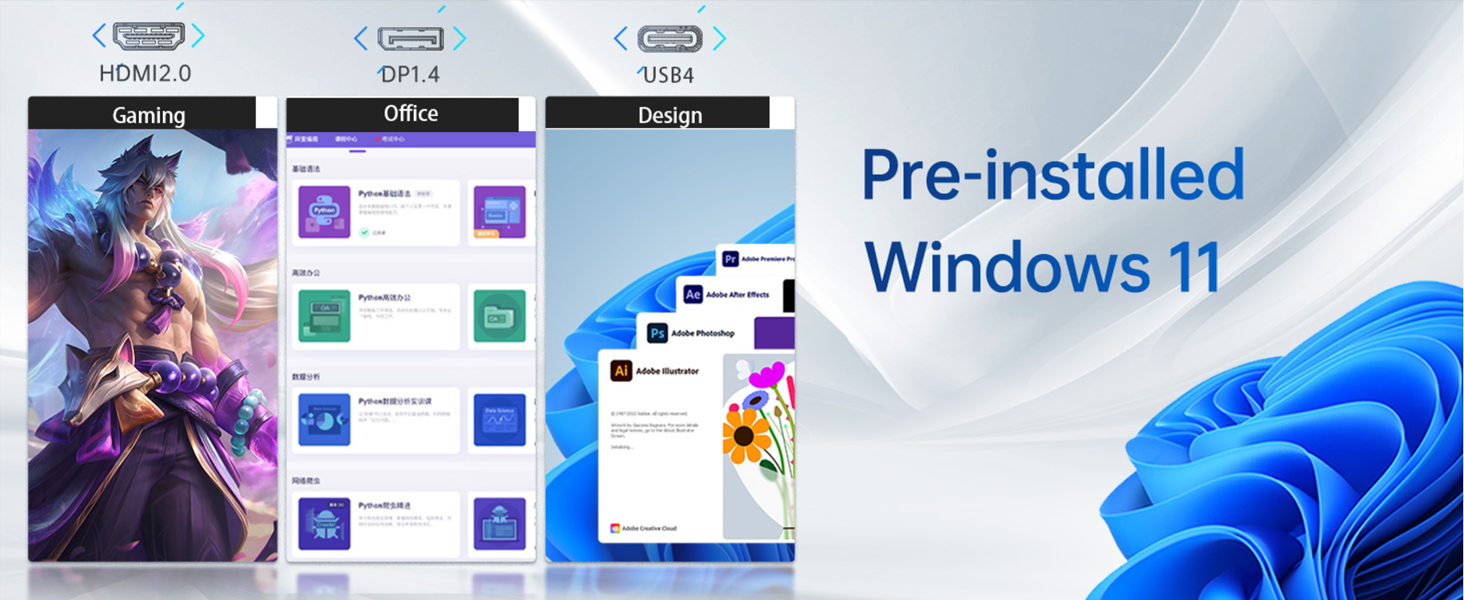
Figure 4.1: The Windows 11 Pro operating system, demonstrating its versatility for various applications including gaming, office work, and graphic design.
4.2 Network Connectivity
- Wi-Fi: Click the Wi-Fi icon in the taskbar, select your network, enter the password, and click Connect.
- Bluetooth: To pair Bluetooth devices, go to Settings > Bluetooth & devices, ensure Bluetooth is on, and click 'Add device'.
- Ethernet: If an Ethernet cable is connected, the system should automatically establish a wired network connection.
4.3 Display Configuration
To configure display settings, right-click on the desktop and select 'Display settings'. Here you can adjust resolution, orientation, and arrange multiple displays.
4.4 Power Management
To shut down, restart, or put the device to sleep, click the Start button, then the Power icon, and select the desired option.
5. Maintenance
5.1 General Care
- Keep the Mini Desktop in a clean, dry environment, away from direct sunlight and extreme temperatures.
- Avoid blocking the ventilation openings to ensure proper airflow and prevent overheating.
- Use a soft, dry cloth for cleaning the exterior. For stubborn marks, a slightly damp cloth can be used, ensuring no liquid enters the device.
5.2 Software Updates
Regularly update your Windows operating system and drivers to ensure optimal performance and security. Go to Settings > Windows Update to check for and install updates.
5.3 Cooling System
The Mini Desktop features a twin turbine cooling fan and an all-copper radiator to manage heat. Ensure the vents are clear of dust and obstructions. If you notice increased fan noise or reduced performance, consider cleaning the vents with compressed air.

Figure 5.1: Illustration of the advanced cooling system, featuring twin turbine fans and a deluxe all-copper radiator for efficient heat dissipation.
5.4 Storage and Memory Expansion
The device supports expansion of both RAM and SSD storage. It can be upgraded to up to 64GB DDR5 RAM and up to 4TB PCIe SSD. Consult a qualified technician for hardware upgrades to avoid voiding your warranty.

Figure 5.2: Overview of the internal components, highlighting the PCIe 4.0 SSD slot and DDR5 RAM slots, indicating upgrade capabilities.
6. Troubleshooting
This section addresses common issues you might encounter. For more complex problems, please contact customer support.
| Problem | Possible Cause | Solution |
|---|---|---|
| No power | Power cable disconnected, faulty outlet | Check power cable connections, try a different outlet. |
| No display | Monitor cable loose, incorrect input selected on monitor | Ensure HDMI/DisplayPort cables are securely connected. Select correct input source on your monitor. |
| No internet (Wi-Fi) | Wi-Fi disabled, incorrect password, router issue | Check Wi-Fi settings in Windows, re-enter password, restart your router. |
| Bluetooth device not pairing | Bluetooth disabled, device out of range, driver issue | Ensure Bluetooth is enabled in Windows settings. Move device closer. Update Bluetooth drivers. Clear previous pairings on the Bluetooth device. |
| System crashes/freezes | Overheating, software conflict, driver issue | Ensure proper ventilation. Update Windows and drivers. Check for conflicting software. If persistent, contact support. |
| Slow performance | Too many applications running, low disk space, outdated drivers | Close unnecessary applications. Free up disk space. Update drivers. |
7. Specifications
Detailed technical specifications for the Machenike Machcreator Mini Desktop (Model 4762H).
| Feature | Detail |
|---|---|
| Model Number | 4762H |
| Processor | Intel Core i7-13620H (10 Cores, 16 Threads, 24MB Cache, 1.8 GHz Base, up to 4.9 GHz Max Turbo) |
| RAM | 16GB DDR5 (4800 MHz), expandable up to 64GB |
| Storage | 1TB PCIe M.2 SSD, supports dual M.2, expandable up to 4TB PCIe SSD |
| Graphics | Intel UHD Graphics (Integrated) |
| Operating System | Windows 11 Pro |
| Wireless Connectivity | Wi-Fi 6 (802.11ax), Bluetooth |
| Ethernet | 2 x RJ45 (2.5G network ports) |
| USB Ports | 4 x USB 3.2 Gen2 Type-A, 1 x USB Type-C |
| Video Output | 1 x HDMI 2.0, 1 x DisplayPort 1.4 (Supports 4K Dual Monitor) |
| Audio | 1 x 3.5mm Audio Jack |
| Dimensions (LxWxH) | 5.12 x 5 x 1.85 inches (130 x 127 x 47 mm) |
| Weight | Approximately 6 pounds (2.7 kg) |
| Power Source | AC Adapter |
8. Warranty and Support
8.1 Warranty Information
Your Machenike Machcreator Mini Desktop comes with a standard manufacturer's warranty. Please refer to the warranty card included in your product packaging for specific terms and conditions. Keep your proof of purchase for warranty claims.
8.2 Customer Support
For technical assistance, troubleshooting, or warranty inquiries, please contact Machenike customer support. You can find contact information on the official Machenike website or through your retailer.
Visit the official Machenike Store for more information: Machenike Store on Amazon