Introduction
Thank you for choosing the pocobob GO Wireless Earbuds. These semi in-ear earbuds are designed to provide a comfortable audio experience with clear sound and an integrated ENC (Environmental Noise Cancellation) microphone for enhanced call quality. This manual will guide you through the setup, operation, and maintenance of your new earbuds.

Image: The pocobob GO Wireless Earbuds resting inside their white charging case, showcasing their compact and sleek design.
Setup
1. What's in the Box
- pocobob GO Wireless Earbuds (Left and Right)
- Charging Case
- USB Charging Cable (Type-C)
- User Manual
2. Charging the Earbuds and Case
Before first use, fully charge the earbuds and the charging case.
- Place the earbuds into the charging case, ensuring they are correctly seated.
- Connect the USB charging cable to the charging port on the case and the other end to a 5V/1A power adapter (not included).
- The indicator light on the charging case will show charging status. A full charge is indicated when the light turns solid or off, depending on the model's specific indicator.
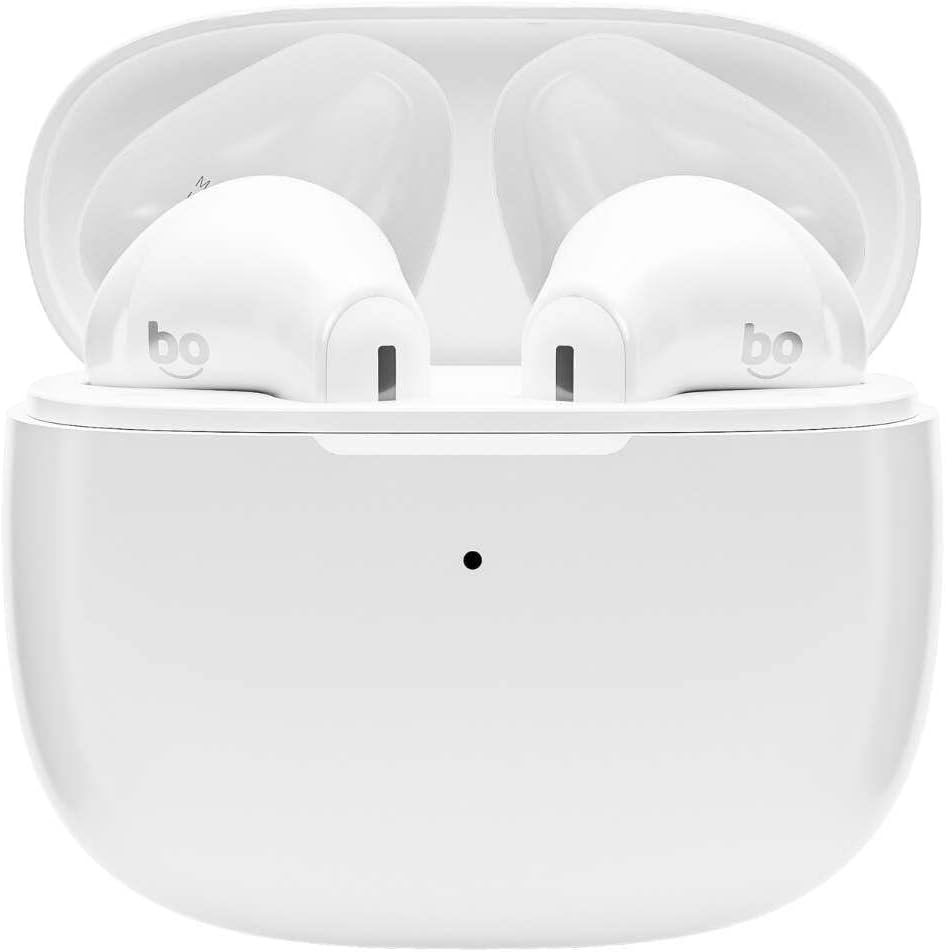
Image: The pocobob GO Wireless Earbuds inside their open charging case, ready for charging or pairing.
3. Bluetooth Pairing
Pair your earbuds with your device for the first time.
- Ensure the earbuds are charged.
- Open the charging case. The earbuds will automatically enter pairing mode, and an indicator light on the earbuds or case will flash, indicating they are discoverable.
- On your device (smartphone, tablet, etc.), go to Bluetooth settings and turn on Bluetooth.
- Search for available devices and select "pocobob GO" from the list.
- Once connected, a voice prompt will confirm successful pairing, and the indicator light will turn off or change.
- For subsequent use, the earbuds will automatically connect to the last paired device when taken out of the case.
Operating Instructions
Touch Controls
The pocobob GO earbuds feature touch-sensitive controls on each earbud. The specific functions may vary slightly, but common controls include:
| Action | Function |
|---|---|
| Single Tap (Left/Right) | Play/Pause music, Answer/End call |
| Double Tap (Right) | Next track |
| Double Tap (Left) | Previous track |
| Triple Tap (Left/Right) | Activate Voice Assistant |
| Long Press (2 seconds) | Reject call |
Note: Specific touch functions may be customizable via a companion app if available (check product website for details).
Environmental Noise Cancellation (ENC) Microphone
The integrated ENC microphone reduces ambient noise during calls, ensuring clearer voice transmission for the person on the other end. This feature is active automatically during phone calls.
Maintenance
Cleaning
To maintain optimal performance and hygiene:
- Gently wipe the earbuds and charging case with a soft, dry, lint-free cloth.
- Do not use abrasive cleaners, alcohol, or chemical solvents.
- Ensure charging contacts on both earbuds and case are clean and dry.
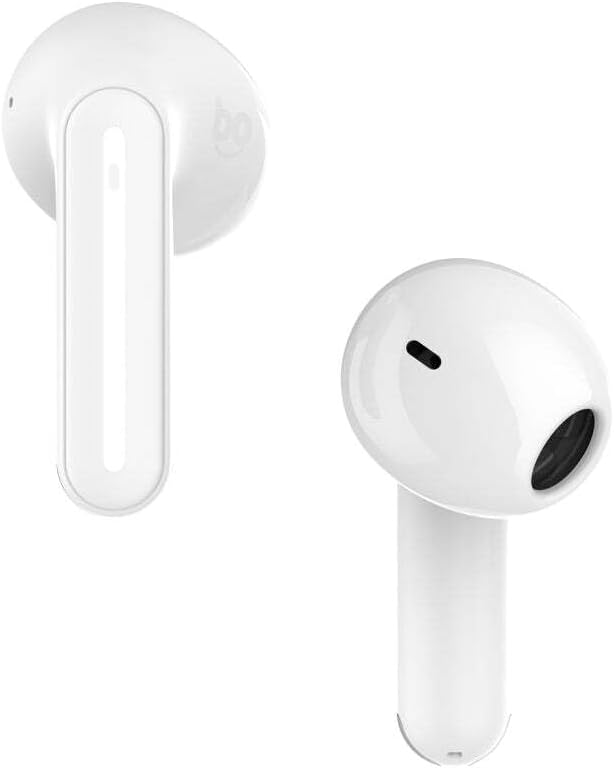
Image: A close-up view of the pocobob GO Wireless Earbuds, highlighting the speaker grille and microphone opening for cleaning purposes.
Storage
When not in use, store the earbuds in their charging case to protect them and keep them charged. Store in a cool, dry place away from extreme temperatures.
Battery Care
To prolong battery life:
- Avoid fully discharging the battery frequently.
- Charge the earbuds regularly, even if not used for extended periods.
- Do not expose to extreme heat or cold.
Troubleshooting
Common Issues and Solutions
- Earbuds not pairing with device:
- Ensure Bluetooth is enabled on your device.
- Make sure earbuds are charged and in pairing mode.
- Forget "pocobob GO" from your device's Bluetooth list and try pairing again.
- Try resetting the earbuds (see below).
- Only one earbud working:
- Place both earbuds back into the charging case, close the lid, wait a few seconds, then take them out again.
- Ensure both earbuds are charged.
- Try resetting the earbuds.
- No sound or low volume:
- Check the volume level on both your device and the earbuds.
- Ensure earbuds are properly connected to your device.
- Clean any debris from the earbud speaker grilles.
- Charging issues:
- Ensure the charging cable is securely connected.
- Try a different USB port or power adapter.
- Clean the charging contacts on the earbuds and inside the case.
Resetting the Earbuds
If you experience persistent issues, a factory reset may resolve them. Consult the specific instructions provided with your product, as reset procedures can vary. Typically, this involves:
- Place both earbuds into the charging case.
- Press and hold a button on the case or earbuds for a specified duration (e.g., 10-15 seconds) until an indicator light flashes or changes.
- Remove the earbuds from your device's Bluetooth paired list ("Forget Device").
- Re-pair the earbuds as described in the "Bluetooth Pairing" section.
Specifications
| Feature | Detail |
|---|---|
| Brand | pocobob |
| Manufacturer | Grupo Audio |
| Model | PBGOW |
| Part Number | 8720165952571 |
| Form Factor | Semi In-Ear |
| Microphone Type | ENC (Environmental Noise Cancellation) |
| Package Dimensions | 10 x 10 x 3 cm; 115 g |
| ASIN | B0DFZ1TCY7 |
| First Available Date | September 3, 2024 |
Warranty and Support
For warranty information and customer support, please refer to the warranty card included with your product or visit the official pocobob website. You can also contact Grupo Audio customer service for assistance with product inquiries, troubleshooting, or warranty claims.
Keep your proof of purchase for any warranty-related services.

