1. Introduction
The pocobob GO are high-quality wireless semi in-ear earbuds designed for an exceptional audio experience. They offer clear sound, advanced microphone technology, and long battery life, making them suitable for various activities including calls, music, and online meetings. Compatible with iOS, Android, and laptops, these earbuds provide versatility and convenience.

Image: pocobob GO black wireless earbuds securely placed in their compact charging case.
2. What's in the Box
- pocobob GO Wireless Earbuds (Left and Right)
- Charging Case
- USB-C Charging Cable
- User Manual
3. Setup
3.1 Initial Charging
Before first use, fully charge your pocobob GO earbuds and charging case.
- Place both earbuds into the charging case.
- Connect the USB-C charging cable to the charging port on the case and the other end to a USB power source (e.g., wall adapter, computer USB port).
- The indicator light on the case will show charging status. Allow approximately 1 hour for a full charge of both earbuds and the case.
3.2 Pairing with Your Device
The pocobob GO earbuds use Bluetooth 5.3 for a stable and efficient connection.
- Ensure the earbuds are charged and inside the charging case.
- Open the charging case lid. The earbuds will automatically enter pairing mode (indicator lights may flash).
- On your device (smartphone, tablet, laptop), go to Bluetooth settings and turn Bluetooth on.
- Search for "pocobob GO" in the list of available devices and select it to connect.
- Once connected, the earbuds will indicate successful pairing (e.g., a voice prompt or steady light).
Note: The earbuds support independent use. You can use either the left or right earbud alone after initial pairing.
4. Operating Instructions
4.1 Wearing the Earbuds
The pocobob GO are semi in-ear earbuds, designed to sit comfortably in your ear without deep insertion into the ear canal. Gently place each earbud into the corresponding ear (L for left, R for right) and adjust for a secure and comfortable fit.
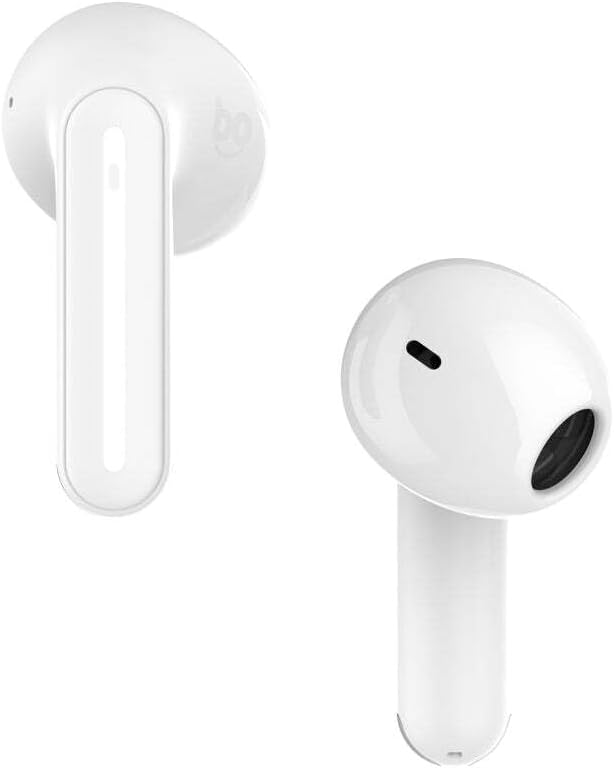
Image: Close-up view of the white pocobob GO earbuds, highlighting their semi in-ear design.
4.2 Touch Controls
The pocobob GO earbuds feature intuitive touch controls on the stem of each earbud.
| Action | Left Earbud | Right Earbud |
|---|---|---|
| Play/Pause Music | Double Tap | Double Tap |
| Next Song | Triple Tap | Triple Tap |
| Previous Song | (Not specified) | (Not specified) |
| Answer/End Call | Double Tap | Double Tap |
| Reject Call | Press and Hold (2s) | Press and Hold (2s) |
| Volume Up | (Not specified) | (Adjustable via device) |
| Volume Down | (Not specified) | (Adjustable via device) |
| Activate Voice Assistant | (Not specified) | (Not specified) |
Note: Specific volume and voice assistant controls were not detailed in the product description, but general adjustment is mentioned.
4.3 Power On/Off
- Power On: Open the charging case lid, or take the earbuds out of the case. They will automatically power on and attempt to reconnect to the last paired device.
- Power Off: Place both earbuds back into the charging case and close the lid. They will automatically disconnect and power off.
5. Battery and Charging
The pocobob GO earbuds offer extended battery life for uninterrupted listening.
- Earbud Battery Life: Up to 6.5 hours of usage on a single charge.
- Total Playtime (with Charging Case): Up to 30 hours.
- Charging Time (Earbuds): Approximately 1 hour when placed in the charging case.
- Charging Time (Case): Approximately 1 hour using the USB-C cable.
To charge the case, connect the supplied USB-C cable to the charging port on the case and a compatible USB power source. The compact charging case (2.1 cm wide) is designed for portability.
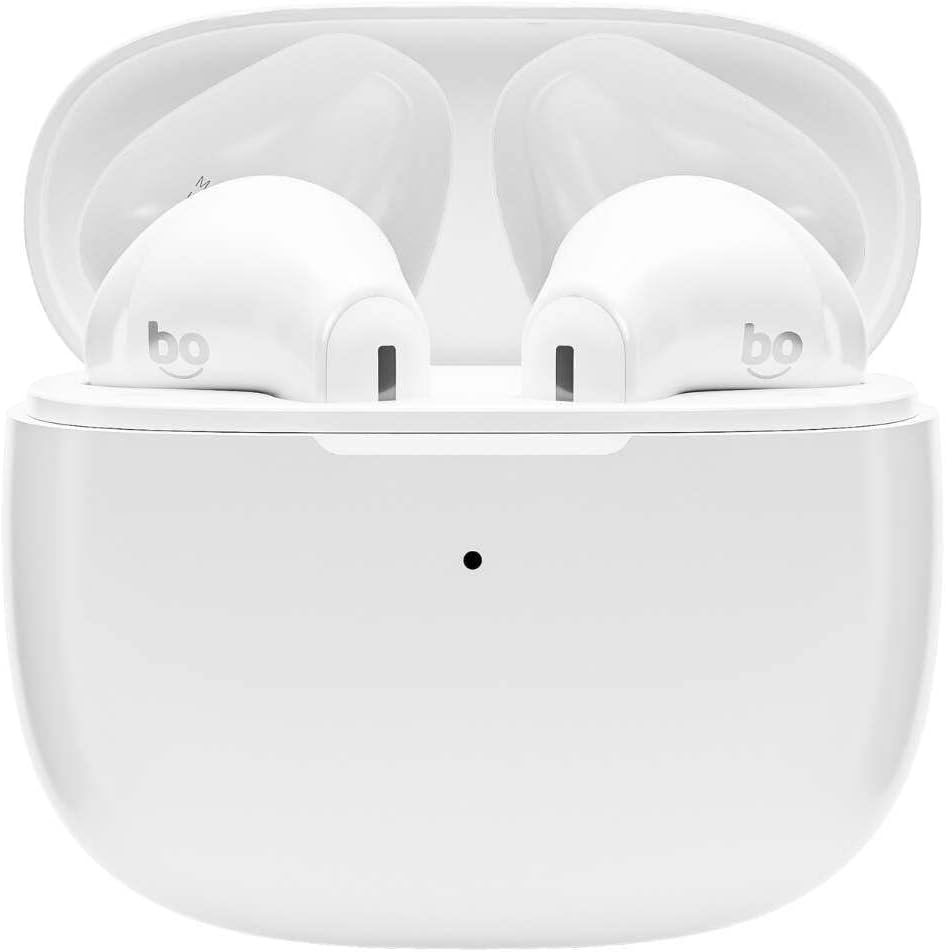
Image: White pocobob GO earbuds inside their open charging case, ready for charging or use.
6. Maintenance and Care
- Cleaning: Use a soft, dry, lint-free cloth to clean the earbuds and charging case. Do not use harsh chemicals or abrasive materials.
- Water Resistance: The earbuds are IPX4 rated, meaning they are resistant to splashing water from any direction. They are suitable for exercise and light rain, but should not be submerged in water.
- Storage: When not in use, store the earbuds in their charging case to protect them and keep them charged. Store in a cool, dry place away from extreme temperatures.
- Avoid Impact: Do not drop or expose the earbuds or case to strong impacts.
7. Troubleshooting
7.1 Earbuds Not Pairing
- Ensure both earbuds are fully charged.
- Make sure Bluetooth is enabled on your device.
- Place earbuds back in the case, close the lid, wait a few seconds, then open the lid to re-enter pairing mode.
- If previously paired, try "forgetting" or "unpairing" "pocobob GO" from your device's Bluetooth list and then re-pair.
- Ensure no other Bluetooth devices are interfering or connected to the earbuds.
7.2 No Sound or Low Volume
- Check the volume level on both your device and the earbuds.
- Ensure the earbuds are properly seated in your ears.
- Reconnect the earbuds to your device.
- Clean any debris from the earbud speakers.
7.3 Microphone Issues
- Ensure the earbuds are connected and selected as the audio input device on your phone/computer.
- Check for any obstructions around the microphone openings.
- Test the microphone in a quiet environment to assess ENC performance.
8. Specifications
| Model Name | GO |
| Model Number | PBGOW |
| Bluetooth Version | 5.3 |
| Supported Profiles | HFP, HSP, A2DP, AVRCP |
| Audio Codecs | SBC, AAC |
| Speaker Size | 13mm |
| Microphones | 4x with ENC Filter |
| Wireless Range | 10m (33ft) |
| Earbud Battery Capacity | 35 mAh (each) |
| Charging Case Battery Capacity | 320 mAh |
| Charging Port | USB-C |
| Waterproof Rating | IPX4 |
| Talk Time | 3 hours |
| Music Playback Time | 5 hours |
| Standby Time | More than 30 hours |
| Charging Time (Earbuds) | 1 hour |
| Charging Time (Case) | 1 hour |
| Charging Input | DC 5V 0.5A |
9. Warranty and Support
Specific warranty information is not provided in this manual. Please refer to the warranty card included with your product or visit the official pocobob website for detailed warranty terms and conditions.
For technical support, troubleshooting assistance, or general inquiries, please contact pocobob customer service through the contact information provided on the product packaging or the official website.

