
1. Introduction
This manual provides detailed instructions for setting up, operating, and maintaining your THOMSON 40-inch FHD Fire TV. Please read this manual thoroughly before using the television to ensure proper functionality and safety. Keep this manual for future reference.
2. Safety Information
Always follow basic safety precautions when using this product to reduce the risk of fire, electric shock, and injury.
- Do not expose the TV to rain or moisture.
- Do not block ventilation openings.
- Ensure proper grounding for the power plug.
- Unplug the TV during lightning storms or when unused for long periods.
- Refer all servicing to qualified service personnel.
3. Package Contents
Verify that all items are included in your package:
- THOMSON 40-inch FHD Fire TV
- Remote Control (with batteries)
- Power Cord
- TV Stand (2 pieces)
- Screws for TV Stand
- User Manual (this document)

Image: The product box illustrating the TV, remote control, and various features like Fire TV, Alexa, and Dolby Audio.
4. Product Overview
Familiarize yourself with the components and connections of your THOMSON Fire TV.
4.1 Front View

Image: The front of the TV, showcasing its slim bezel and the Fire TV smart interface with popular streaming applications.
4.2 Side View and Dimensions
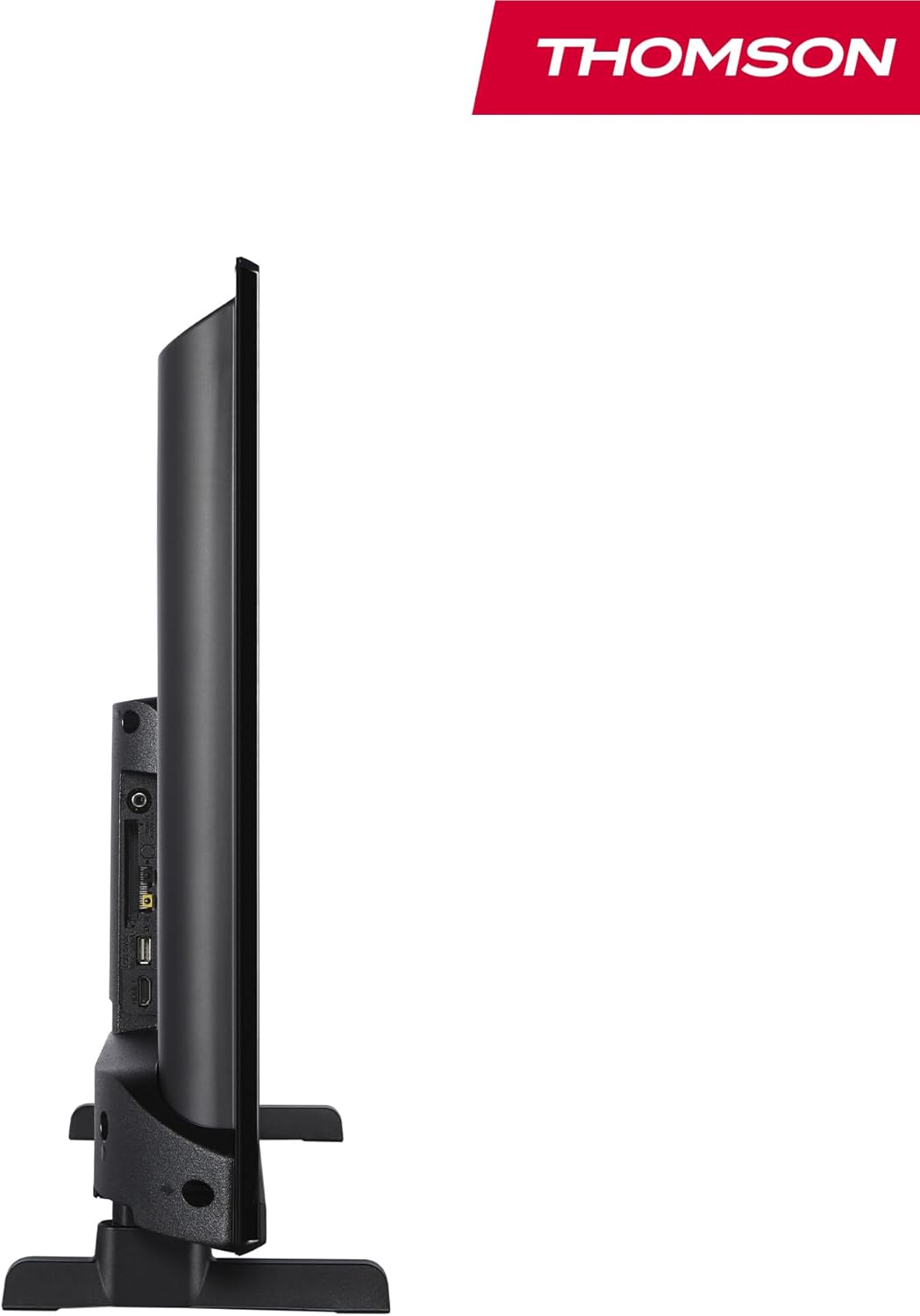
Image: A side view of the television, demonstrating its thin profile.

Image: A diagram illustrating the physical dimensions of the TV, including width, height, and depth with the stand.
4.3 Rear View and Ports
The rear panel of your TV features various input and output ports for connecting external devices.

Image: A detailed view of the TV's rear panel, highlighting all connectivity ports such as HDMI, USB, Audio Out, CI+, and antenna inputs.
- Audio Out: For connecting external audio systems.
- CI+: Common Interface Plus slot for conditional access modules.
- Headphones: 3.5mm jack for private listening.
- AV IN: For connecting older devices with composite video and stereo audio.
- USB 2.0: For media playback from USB drives.
- HDMI 1.4 (x2): High-Definition Multimedia Interface for connecting Blu-ray players, game consoles, etc.
- Antenna: For connecting a terrestrial antenna (DVB-T2).
- Satellite: For connecting a satellite dish (DVB-S2).
- LAN: Ethernet port for wired network connection.
5. Setup
5.1 Attaching the TV Stand
- Carefully place the TV face down on a soft, flat surface to prevent screen damage.
- Align the stand pieces with the corresponding slots on the bottom of the TV.
- Secure the stands using the provided screws.
5.2 Initial Power-On and Network Connection
- Connect the power cord to the TV and a wall outlet.
- Press the power button on the TV or remote control to turn it on.
- Follow the on-screen instructions for initial setup, including language selection and network connection (Wi-Fi or Ethernet).
- Log in with your Amazon account to activate Fire TV features.
5.3 Tuner Setup (Triple-Tuner)
Your TV is equipped with a triple-tuner for DVB-C (cable), DVB-S2 (satellite), and DVB-T2 (terrestrial) reception.

Image: The DVB-T2/C/S2 tuner inputs, allowing connection to various broadcast sources.
- Connect your antenna or satellite cable to the appropriate input on the TV.
- Navigate to the TV settings and select 'Channel Scan' or 'Tuner Setup'.
- Choose your broadcast type (Antenna, Cable, or Satellite) and follow the prompts to scan for available channels.
6. Operating Instructions
6.1 Fire TV Interface
The Fire TV interface provides easy access to your favorite streaming services, apps, and live TV.
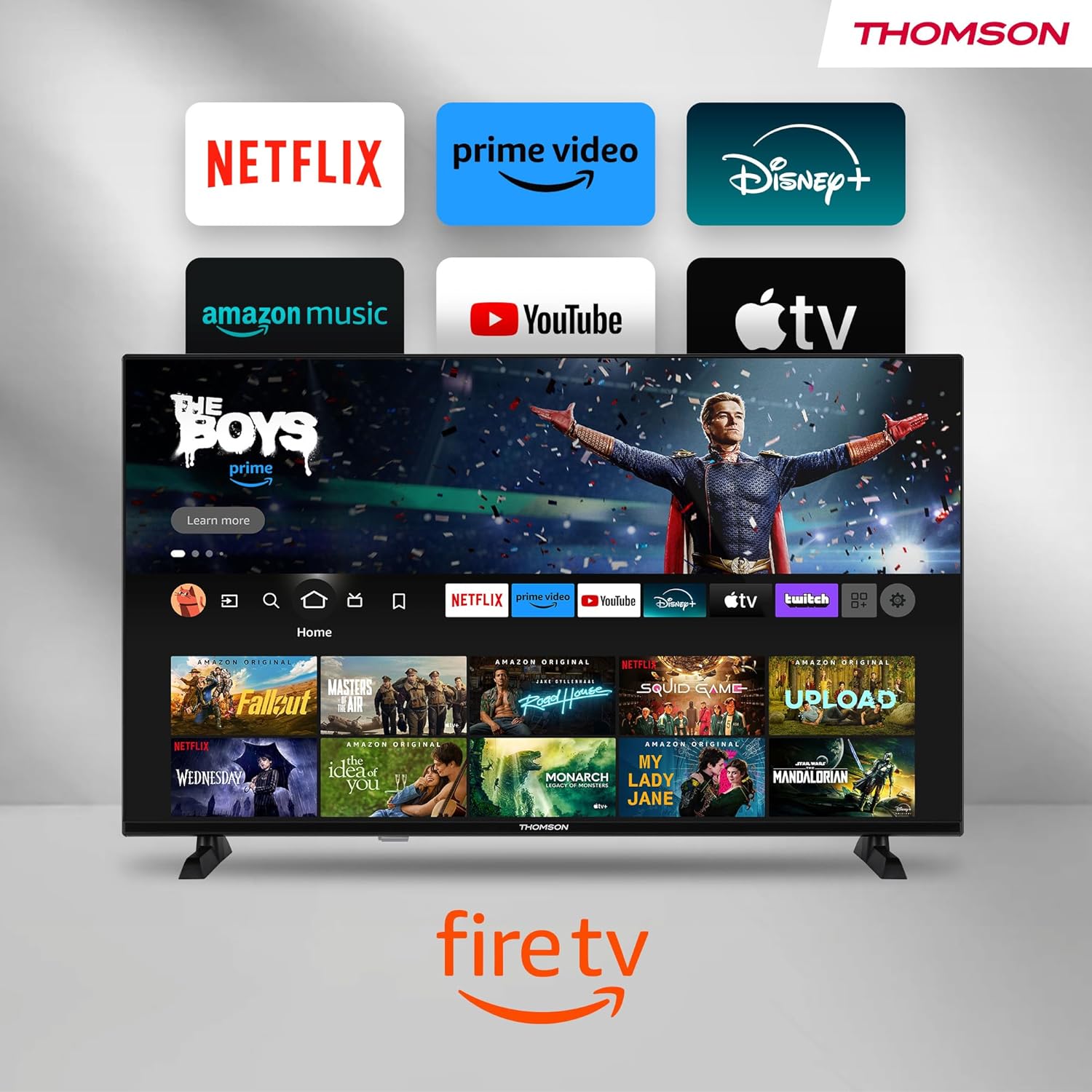
Image: The Fire TV home screen, showing a selection of popular streaming apps and content recommendations.
Navigate using the remote control's directional pad. The home screen provides personalized recommendations and quick access to your installed applications.
6.2 Alexa Voice Control
Use the integrated Alexa voice control for hands-free operation.
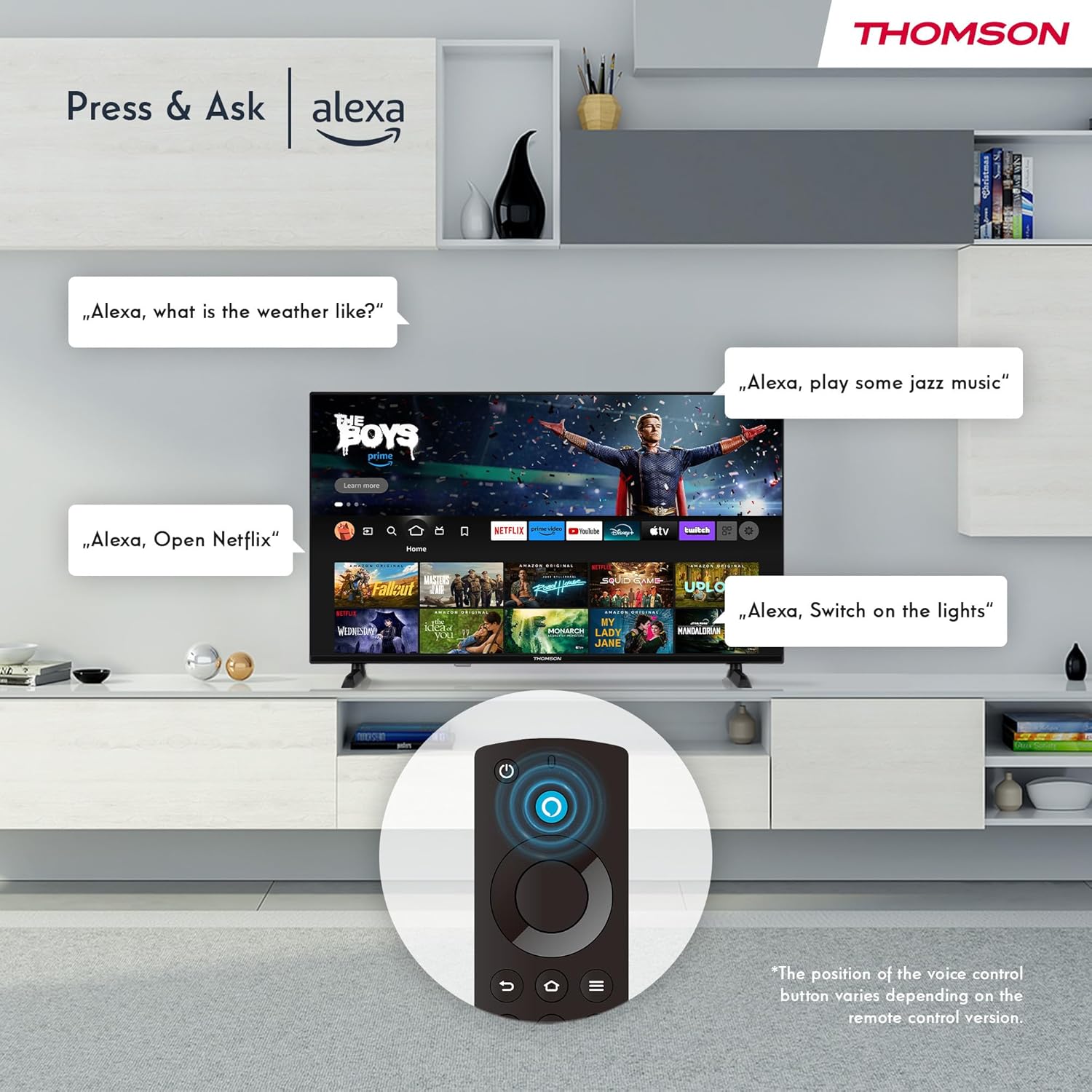
Image: Demonstrating Alexa voice commands for controlling the TV, searching content, and managing smart home devices.
Press the Alexa button on your remote and speak your command. You can ask Alexa to:
- Search for movies or TV shows.
- Launch applications.
- Control playback (pause, play, skip).
- Check the weather or news.
- Control compatible smart home devices.
6.3 Smart Home Integration
Manage your connected smart home devices directly from your TV's integrated dashboard.

Image: The Smart Home dashboard, providing a centralized control panel for various smart devices in your home.
Access the Smart Home dashboard to monitor and control devices such as cameras, lights, and plugs.
6.4 AirPlay Functionality
Stream content directly from your Apple devices (iPhone, iPad, Mac) to your THOMSON Fire TV using AirPlay.

Image: A demonstration of Apple AirPlay, showing content being mirrored from an iOS device to the television screen.
Ensure both your Apple device and the TV are connected to the same Wi-Fi network. Select the AirPlay icon on your Apple device and choose your THOMSON TV from the list of available devices.
6.5 Creating User Profiles
Create multiple user profiles for personalized content recommendations and settings.

Image: The user profile selection screen on Fire TV, allowing different users to have their own personalized viewing experience.
From the Fire TV home screen, navigate to the profile selection to add or switch profiles. Each profile can have its own watch history and app preferences.
6.6 HDR10 and Dolby Audio
Experience enhanced picture quality with HDR10 and immersive sound with Dolby Audio.

Image: A visual comparison demonstrating the improved contrast and color vibrancy offered by HDR10 technology.

Image: A graphic illustrating the immersive sound experience provided by Dolby Audio.
HDR10 provides a wider range of colors and contrasts, while Dolby Audio delivers rich, clear, and powerful sound.
6.7 Remote Control
The ergonomic Bluetooth remote control provides easy navigation and direct access to key features.
- Alexa Button: Press and hold to activate voice commands.
- Navigation Pad: For moving through menus and selecting items.
- Netflix/Prime Video Buttons: Direct access to these streaming services.
- Amazon Silk Button: Direct access to the web browser.
7. Maintenance
To ensure the longevity and optimal performance of your TV, follow these maintenance guidelines:
- Cleaning the Screen: Gently wipe the screen with a soft, lint-free cloth. For stubborn marks, use a screen cleaner specifically designed for TVs, applied to the cloth, not directly to the screen.
- Cleaning the Cabinet: Use a soft, dry cloth to wipe the TV cabinet. Do not use abrasive cleaners or solvents.
- Ventilation: Ensure the ventilation openings on the back of the TV are not blocked to prevent overheating.
- Power Cord: Regularly check the power cord for any damage. If damaged, replace it immediately.
8. Troubleshooting
If you encounter issues with your TV, refer to the following common problems and solutions:
| Problem | Possible Cause / Solution |
|---|---|
| No power | Check if the power cord is securely plugged into the TV and the wall outlet. Ensure the outlet is active. |
| No picture, but sound is present | Check input source. Ensure external devices are properly connected and powered on. |
| No sound, but picture is present | Check volume level. Ensure Mute is not activated. Check audio cables for external devices. |
| Remote control not working | Check batteries. Ensure there are no obstructions between the remote and the TV. Re-pair the Bluetooth remote if necessary. |
| Cannot connect to Wi-Fi | Ensure Wi-Fi is enabled on the TV. Check Wi-Fi password. Restart your router. Move TV closer to router. |
| Apps are slow or freezing | Restart the TV. Clear app cache or data in settings. Ensure sufficient internet speed. |
If the problem persists, please contact customer support.
9. Specifications
| Feature | Detail |
|---|---|
| Model Number | 40FF2S34 |
| Screen Size | 40.0 inches (100 cm) |
| Display Technology | LED |
| Resolution | 1080p (Full HD) |
| Refresh Rate | 60 Hz |
| Aspect Ratio | 16:9 |
| Connectivity | Wi-Fi, Bluetooth 5.0, 2x HDMI 1.4, USB 2.0, AV IN, Audio Out, CI+, LAN |
| Tuners | DVB-C, DVB-S2, DVB-T2 |
| Special Features | Fire TV, Alexa Voice Control, AirPlay, HDR10, Dolby Audio, Smart Home Dashboard, User Profiles |
| Dimensions (with stand) | 90.2 x 55.4 x 17.5 cm (W x H x D) |
| Weight | 9 kg |
| Energy Efficiency Rating | E |
| Included Components | Remote control |
| Supported Languages | Spanish, French, English, Italian, Germanic languages |
10. Warranty and Support
Your THOMSON Fire TV comes with a manufacturer's warranty. Please refer to the warranty card included in your package for specific terms and conditions.
For technical support, troubleshooting assistance, or warranty claims, please visit the official THOMSON support website or contact their customer service line. Keep your purchase receipt and model number (40FF2S34) handy when contacting support.
Online Support: www.thomsonconsumer.com/support


