
Introduction
This manual provides comprehensive instructions for the setup, operation, and maintenance of your mingwear G39 Smartwatch. Please read this manual thoroughly to ensure proper use and to maximize the functionality of your device. The mingwear G39 is designed to assist with fitness tracking, communication, and daily activity monitoring.
Package Contents
Verify that all items are present in the package:
- mingwear G39 Smartwatch (with strap)
- Charging Cable
- User Manual (this document)
Product Overview
The mingwear G39 Smartwatch features a 1.85-inch display and a single side button for navigation. The device is equipped with sensors for fitness tracking and supports Bluetooth connectivity for smartphone integration.
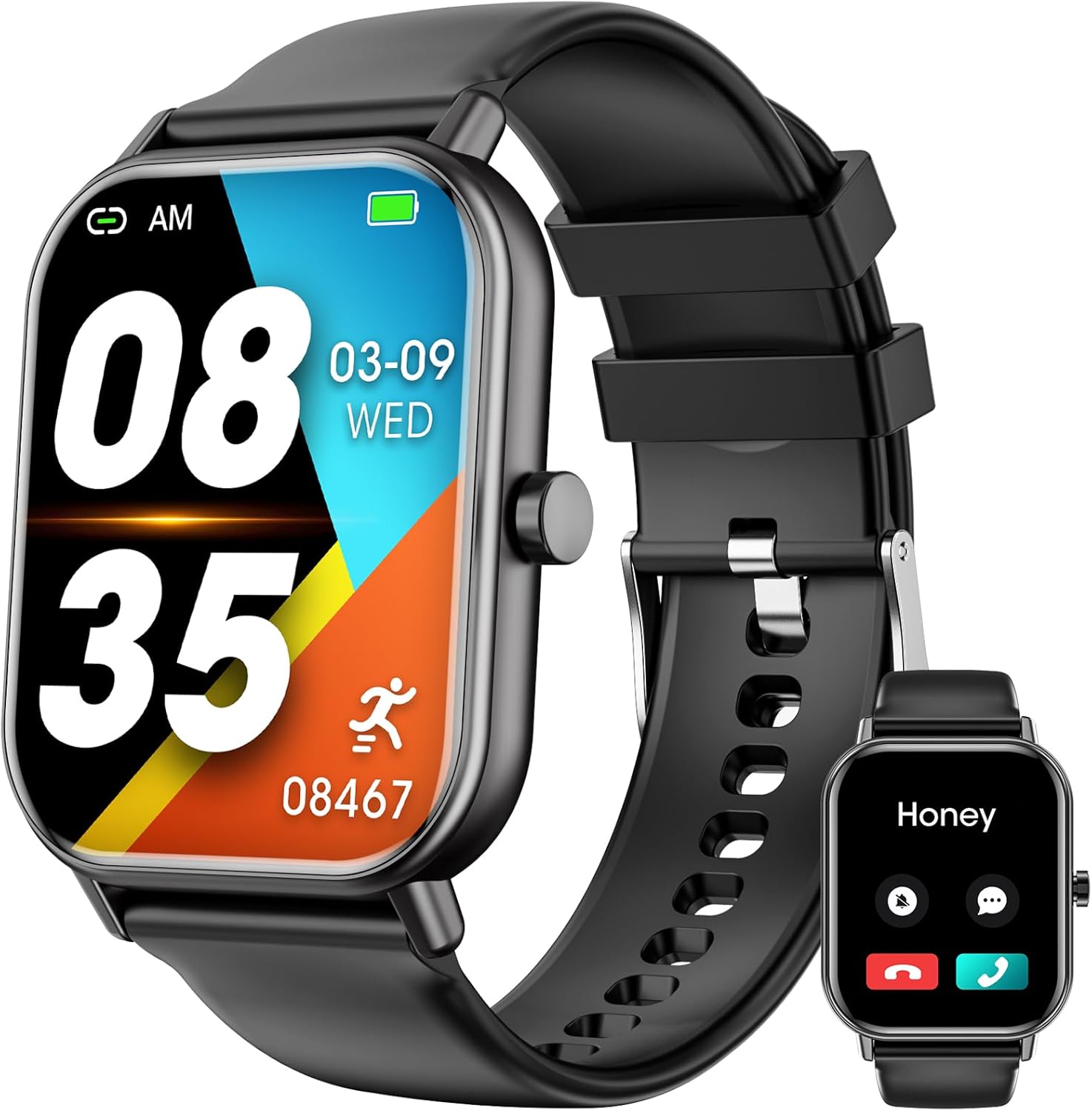
Image 1: mingwear G39 Smartwatch. This image shows the smartwatch from a slightly elevated angle, highlighting its square 1.85-inch display. The main screen displays the time (08:35), date (03-09 WED), and a step count (08467), along with battery and Bluetooth connection icons. An inset image to the lower right shows the watch displaying an incoming call from "Honey" with options to answer or decline. The watch has a black silicone strap and a single physical button on the right side.
Setup
1. Charging the Smartwatch
Before initial use, fully charge the smartwatch. Connect the magnetic charging cable to the charging contacts on the back of the watch and plug the USB end into a standard USB power adapter (not included) or a computer's USB port. The watch display will indicate charging status. A full charge typically takes approximately 2 hours.
2. App Installation
To access all features and synchronize data, download the companion application to your smartphone. Scan the QR code provided in the quick start guide (if applicable) or search for the designated app name in your smartphone's app store (Google Play Store for Android, Apple App Store for iPhone). Install the application and grant necessary permissions.
3. Pairing with Your Smartphone
- Ensure your smartwatch is charged and powered on.
- Enable Bluetooth on your smartphone.
- Open the installed companion application on your smartphone.
- Follow the in-app instructions to add a new device. The app will search for available Bluetooth devices.
- Select "G39" or a similar device name from the list to initiate pairing.
- Confirm the pairing request on both your smartphone and the smartwatch if prompted.
- Once paired, the watch will synchronize time and data with your phone.
Operating Instructions
Basic Navigation
- Touchscreen: Swipe left/right to navigate between main functions (e.g., activity, heart rate). Swipe up/down to access quick settings or notifications. Tap to select an option.
- Side Button: Press once to return to the previous screen or the watch face. Press and hold to power on/off the device.
Call Function
After successful Bluetooth pairing, the G39 Smartwatch supports answering and making calls directly from your wrist.
- Answering Calls: When an incoming call is received, the watch will display the caller ID. Tap the green answer icon on the screen to accept the call.
- Making Calls: Access the dial pad or contact list through the watch's menu. Tap the desired contact or dial the number directly to initiate a call.
Fitness Tracking
The smartwatch continuously monitors various fitness metrics.
- Steps: Tracks daily step count, distance, and calories burned.
- Heart Rate: Monitors heart rate throughout the day. Access the heart rate interface on the watch to view real-time readings.
- Sleep Monitoring: Automatically tracks sleep patterns, including deep sleep, light sleep, and wake times. Data is viewable in the companion app.
100+ Sport Modes
The G39 Smartwatch offers a wide range of sport modes to accurately track specific activities. Navigate to the "Sport" or "Workout" menu on the watch, select your desired activity (e.g., running, cycling, swimming), and start the tracking. The watch will record duration, calories, and other relevant metrics for that activity.
Message Notifications
Once paired with your smartphone and notification permissions are granted in the companion app, the smartwatch will display incoming messages and app notifications from your phone. Swipe down from the watch face to view your notification history.
Maintenance
Cleaning
Regularly clean your smartwatch and strap to prevent skin irritation and maintain device functionality. Use a soft, lint-free cloth. If necessary, slightly dampen the cloth with water. Avoid using harsh chemicals, abrasive materials, or strong detergents.
Water Resistance (IP67)
The mingwear G39 Smartwatch is rated IP67 water resistant. This means it is protected against dust ingress and can withstand immersion in water up to 1 meter for up to 30 minutes. It is suitable for daily use, such as hand washing or light rain. It is not recommended for showering with hot water, diving, or high-pressure water activities. Prolonged exposure to water or steam may affect its performance.
Battery Care
To prolong battery life, avoid fully discharging the watch frequently. Charge the device using the provided cable and a compatible power source. Do not expose the watch to extreme temperatures.
Troubleshooting
- Watch not turning on: Ensure the watch is fully charged. Connect it to the charging cable and a power source for at least 30 minutes.
- Unable to pair with smartphone:
- Confirm Bluetooth is enabled on your smartphone.
- Ensure the watch is within Bluetooth range (typically 10 meters).
- Restart both the smartwatch and your smartphone.
- Clear existing Bluetooth pairings for the watch on your phone and try pairing again.
- Verify the companion app has all necessary permissions.
- Notifications not appearing:
- Check if notifications are enabled in the companion app settings.
- Ensure your phone's notification settings allow the companion app to display alerts.
- Confirm the watch is properly connected via Bluetooth.
- Inaccurate fitness data: Ensure the watch is worn snugly on your wrist, about one finger's width above your wrist bone. Keep the sensor clean.
Specifications
| Model Name | G39 |
| Brand | mingwear |
| Screen Size | 1.85 Inches |
| Compatible Devices | Smartphones (Android and iPhone) |
| Special Features | Fitness Tracking, Call Function, 100+ Sport Modes, Message Reminder |
| Water Resistance Rating | IP67 |
| Color | Black |
| Product Dimensions | 1 x 1 x 1 inches (approximate) |
Warranty and Support
For warranty information or technical support, please refer to the contact details provided on the product packaging or the official mingwear website. Keep your purchase receipt as proof of purchase for warranty claims.
