
Introduction
This manual provides essential information for the safe and effective use of your Kircuit AC/DC Adapter. This adapter is designed to convert AC power from electrical outlets into the DC power required by your compatible device, such as the Vacpurvans Model HC01 HCO1 cordless stick vacuum cleaner. It allows you to operate your device or charge its battery from standard electrical power outlets, serving as a portable power source for home, office, or on-the-go use.
The Kircuit AC/DC Adapter has been rigorously tested and validated to ensure compatibility and reliable performance with your specified device.
Safety Information
Important Safety Precautions:
- Always ensure the adapter's input voltage (100-240VAC 50/60Hz) matches your local power supply.
- Do not expose the adapter to water, moisture, or extreme temperatures.
- Avoid dropping or subjecting the adapter to severe impact.
- Do not disassemble or attempt to repair the adapter. Refer all servicing to qualified personnel.
- Ensure proper ventilation around the adapter during use to prevent overheating.
- Unplug the adapter from the power outlet when not in use or during electrical storms.
- This adapter is equipped with Over Voltage Output Protection (OVP), Over Current Output Protection (OCP), and Short Circuit Output Protection (SCP) for enhanced safety.
Note on Battery Voltage:
The 29.6V specification often refers to the vacuum cleaner's battery voltage, not the charger's output voltage. Always verify compatibility with your specific unit before connecting the adapter.
Product Overview
The Kircuit AC/DC Adapter is a compact and durable power supply unit. It consists of the main adapter body with integrated prongs for wall outlets and an attached DC output cable with a barrel connector.

Figure 1: Front view of the Kircuit AC/DC Adapter showing the main unit, input/output specifications, and the attached DC power cord with a barrel connector.

Figure 2: Detailed view of the barrel connector at the end of the adapter's power cord, designed for compatible devices.
Setup
- Unpack the Adapter: Carefully remove the Kircuit AC/DC Adapter from its packaging.
- Inspect for Damage: Before use, visually inspect the adapter and its cable for any signs of damage. Do not use if damaged.
- Identify Power Outlet: Locate a standard electrical wall outlet (100-240VAC, 50/60Hz) that is easily accessible.
- Connect to Device: Insert the barrel connector of the adapter's DC cable firmly into the power input port of your compatible device (e.g., Vacpurvans Model HC01 HCO1 vacuum cleaner).
- Plug into Wall Outlet: Insert the prongs of the AC/DC adapter into the electrical wall outlet. Ensure it is securely seated.

Figure 3: Two Kircuit AC/DC Adapters, illustrating their compact design suitable for various power outlets.
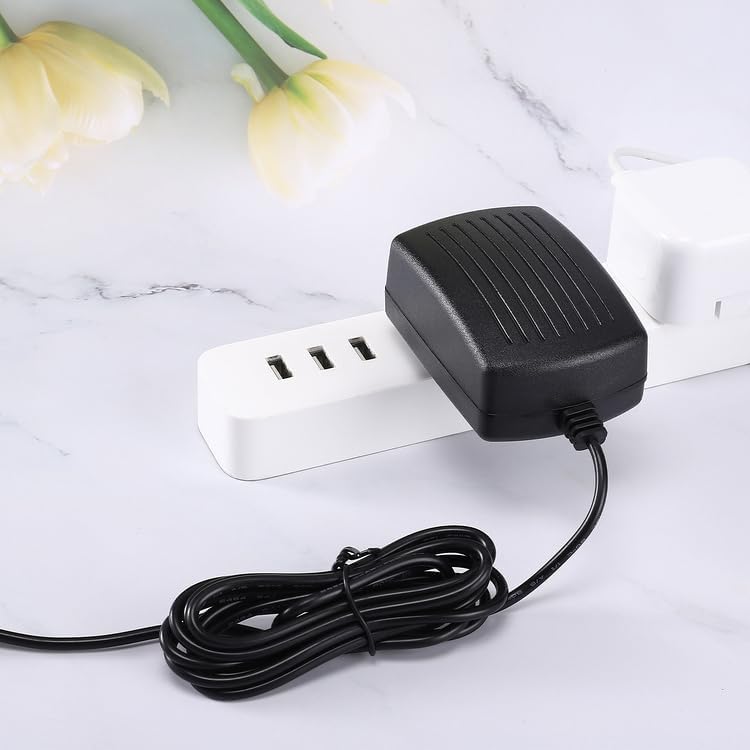
Figure 4: The Kircuit AC/DC Adapter connected to a power strip, demonstrating its use in a typical home or office setup.
Operating Instructions
Once the adapter is properly connected to both the power outlet and your device, it will begin supplying power or charging the device's battery. The operation is automatic.
- Powering the Device: If your device is designed to operate directly from the adapter, it will power on as usual.
- Charging the Battery: If your device has a rechargeable battery, the adapter will initiate the charging process. Refer to your device's manual for specific charging indicators (e.g., LED lights).
- Disconnecting: To disconnect, first unplug the adapter from the wall outlet, then disconnect the barrel connector from your device.
Maintenance
The Kircuit AC/DC Adapter requires minimal maintenance to ensure its longevity and optimal performance.
- Cleaning: Disconnect the adapter from all power sources before cleaning. Use a soft, dry cloth to wipe the exterior. Do not use liquid cleaners or abrasive materials.
- Storage: When not in use, store the adapter in a cool, dry place away from direct sunlight and extreme temperatures. Avoid tightly coiling the cable to prevent damage.
- Cable Care: Do not bend, twist, or pinch the power cable excessively. Regularly inspect the cable for fraying or cuts.
Troubleshooting
| Problem | Possible Cause | Solution |
|---|---|---|
| Adapter not supplying power/device not charging. |
|
|
| Adapter feels hot during use. |
|
|
Important Note: If you suspect your device's battery is the issue, a voltmeter can help determine if the charger is working correctly. The adapter's output voltage should match the required input voltage of your device, not necessarily the battery's nominal voltage.
Specifications
| Feature | Detail |
|---|---|
| Brand | Kircuit |
| Input Voltage | 100-240VAC, 50/60Hz |
| Output Voltage | DC29.6V (for compatible devices like Vacpurvans HC01 HCO1) |
| Output Current | 2.5Ah (2500mAh) |
| Power Output | 74Wh |
| Connector Type | Barrel Connector |
| Compatible Devices | Vacpurvans Model HC01 HCO1 (29.6V 2500mAh 74Wh Li-ion Battery 530W 45Kpa Powerful Suction Lightweight Cordless Stick Vacuum Cleaner) |
| Safety Features | OVP (Over Voltage Output Protection), OCP (Over Current Output Protection), SCP (Short Circuit Output Protection) |
| Color | Black |
| Cord Length | Approximately 6.5 ft |
Warranty and Support
For warranty information and technical support, please refer to the documentation provided with your purchase or contact Kircuit customer service directly. Ensure you have your product model and purchase details ready when contacting support.
This product is designed for reliable operation. In case of any issues not covered by the troubleshooting section, please contact the seller or manufacturer for assistance.
Return Policy: This product typically comes with a 30-day return/replacement policy. Please check your purchase details for specific terms.
Protection Plans: Extended protection plans may be available for purchase. Refer to your retailer for details on 2-Year or 3-Year protection plans.