
1. Introduction
This manual provides detailed instructions for the installation, operation, and maintenance of your Auxbeam RC-800 (RA84) and AR-800 RGB 8 Gang Multifunction Switch Panels. These panels are designed to control various DC12-24V automotive accessories, offering enhanced control and customization for your vehicle's lighting and other electrical devices.
2. Safety Information
Always prioritize safety during installation and operation. Incorrect wiring can lead to electrical hazards, fire, or damage to your vehicle. If you are unsure about any step, consult a qualified professional.
- Ensure the vehicle's power is disconnected before installation.
- Do not immerse the panel in water. The product is IP65 waterproof, but prolonged submersion is not recommended.
- Built-in solid-state relay provides over-voltage, reverse polarity, over-current, and thermal protection. Use additional fuses for replacement as needed.
- Verify correct voltage (DC12-24V) for all connected devices.
3. Product Features
- 3 Lighting Modes & RGB Color (RC-800/RA84): Red-Toggle (constant light), Blue-Momentary (press & hold to turn on), Green-Pulsed (flash/strobe effect). Customize backlit colors to your liking.
- Wireless Remote Control (RC-800/RA84): Operate electronic devices from up to 165 FT away. Remote features a strong magnet for easy attachment to metal surfaces.
- Device Compatibility: Manages up to 8 gang automotive DC12-24V devices, including LED light bars, fans, horns, and more. Suitable for RVs, trucks, cars, off-road vehicles, and boats.
- Bluetooth App Control (AR-800): LED light color selection, brightness control, basic color selection, color reset/DIY. Customize icons (200 default icons / photo album DIY) and set up groups to control multiple lights simultaneously. App compatible with Android 4.5+ & iOS 9.0+ versions.
- Safety Protection Design: Built-in solid-state relay for comprehensive protection.
4. Package Contents
Your Auxbeam Switch Panel package includes the following components:
- 8 Gang Switch Panel (RC-800 or AR-800)
- Control Box
- Wireless Remote Control (for RC-800/RA84)
- Mounting Brackets (various types)
- Wiring Harnesses
- 60-piece Reusable Switch Labels
- Fuses (various amperages)
- Screws and Fasteners
- Antenna (for RC-800/RA84)
- Panel Cover (for weather protection)
5. Installation
Carefully plan the mounting location for both the control box and the switch panel to ensure proper wire routing and accessibility.
5.1 Control Box Installation
The control box should be mounted in a secure, dry location, typically in the engine bay. Ensure sufficient clearance for wiring and components.
- Option 1: Fix Mount
Use the provided mounting bracket as a guide to find a suitable location. Secure the bracket, then attach the control box. - Option 2: Flush Mount
If a flush mount is preferred, use the control box as a template to mark and cut the desired opening.
5.2 Switch Panel Installation
The switch panel can be mounted in various orientations based on your preference and vehicle interior.
- Option 1: Angle Adjustable Mount
Utilize the adjustable bracket to position the switch panel at an optimal viewing angle. - Option 2: Slim Line Flush Mount
For a sleek, integrated look, use the flush mount option. This may require cutting into the dashboard or trim.
5.3 Antenna Installation (RC-800/RA84)
For optimal wireless remote control range, install the antenna in a clear location.
- Method 1: Magnetically Attached
The antenna can be magnetically attached to a metal surface, such as the vehicle's hood. - Method 2: Fixed with Adhesive
Alternatively, use the provided adhesive to secure the antenna to a non-magnetic surface.
5.4 Wiring
Connect the main power wires (red for positive, black for negative) from the control box to your vehicle's battery. Connect accessory wires from your devices to the corresponding output terminals on the control box. Ensure all connections are secure and insulated.

Figure 1: Auxbeam RC-800 and AR-800 RGB 8 Gang Switch Panels.
Video 1: Auxbeam 8 Gang Wireless Aux Switch Panel for Trucks - Demonstrates installation and basic functionality of the RC-800 model.
Video 2: Auxbeam RA84 (RC-800) Switch Panel with Remote Control & RGB - Highlights features and operation of the RC-800 model.
6. Operation
6.1 Switch Panel Operation
Each button on the switch panel controls a connected accessory. The RC-800 (RA84) offers three distinct lighting modes:
- Toggle (Press Once): Activates constant light mode.
- Momentary (Press Twice): Activates momentary mode, where the light stays on only while the button is pressed.
- Pulsed (Press 3 Times): Activates flash or strobe mode.
To save a selected lighting mode, press the 'MODE' button after selecting your desired mode.
6.2 Wireless Remote Control (RC-800/RA84)
The wireless remote allows for convenient control of your accessories from a distance of up to 165 feet.
- Pairing: To pair the remote, press the ON/OFF button on the remote and any button on the switch panel simultaneously. A green indicator light will flash twice on the panel to confirm successful pairing.
- Unpairing: To unpair, long-press the panel's ON/OFF button for 12 seconds until the indicator light flashes.

Figure 2: Wireless remote control range of up to 165 feet for the RC-800.

Figure 3: Syncing the wireless remote control with the RC-800 switch panel.
6.3 Bluetooth App Control (AR-800)
The AR-800 panel can be controlled via a dedicated Bluetooth app for extensive customization.
- RGB Backlight Color: Use the app's color wheel to select from 16 million colors for your backlight.
- Brightness Adjustment: Adjust backlight brightness manually via the app or rely on the automatic brightness sensing function.
- Custom Icons: Choose from 200 default icons or upload your own photos to personalize the switch buttons.
- Grouping: Set up groups to control multiple accessories simultaneously.

Figure 4: RC-800 RGB backlights can be customized, offering 3 distinct lighting modes.

Figure 5: The RC-800 features automatic brightness sensing and manual backlight ON/OFF control.

Figure 6: The AR-800 offers 3 lighting modes and can be controlled via panel or app.

Figure 7: Synchronization between the AR-800 panel and its dedicated app for comprehensive control.
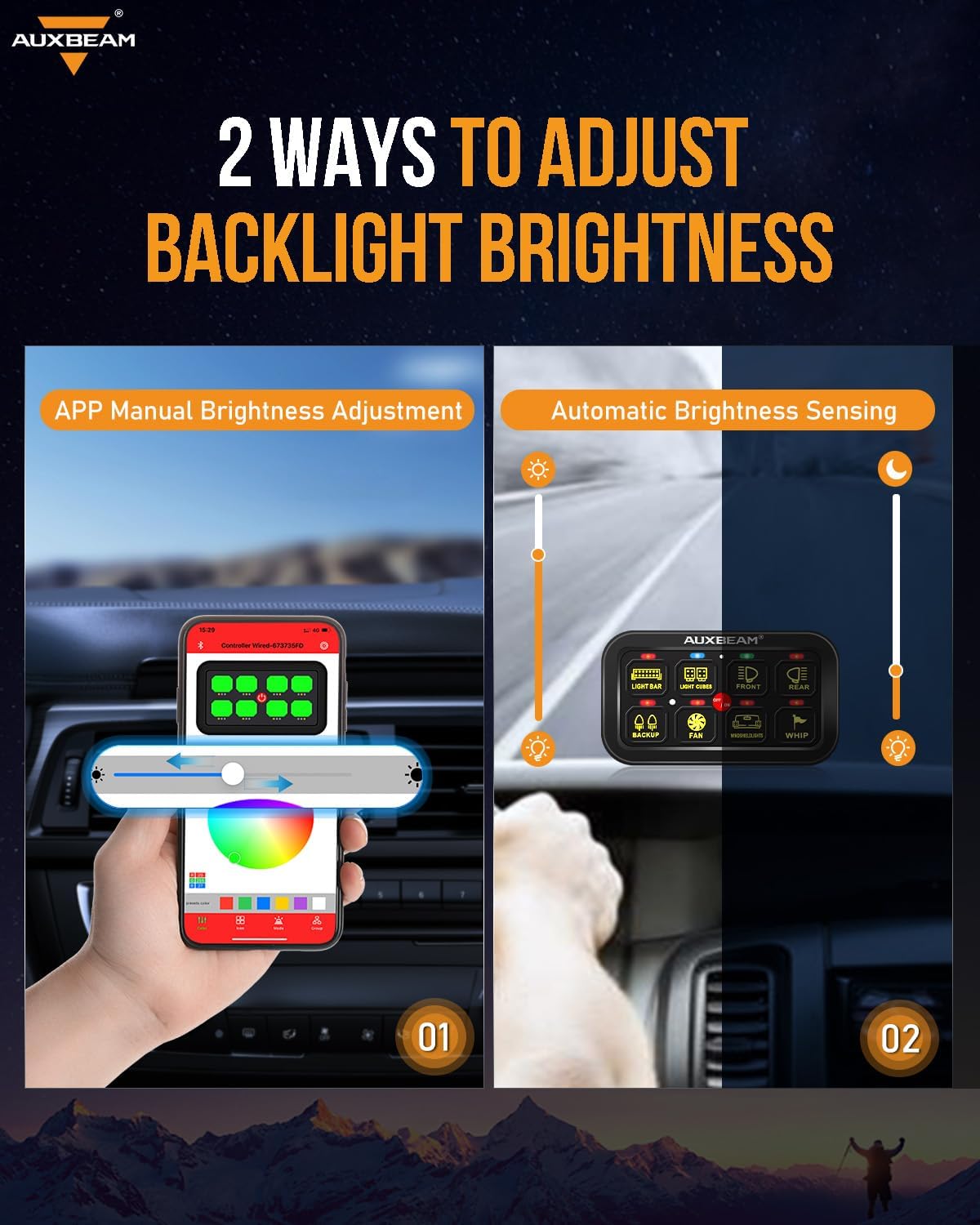
Figure 8: Two methods for adjusting backlight brightness on the AR-800: manual app control and automatic sensing.

Figure 9: The AR-800 allows for 16 million RGB colors to create a customized ambiance.
Video 3: Auxbeam 6 Gang Slim Switch Panel RGB AS-600 Series - Demonstrates features of a similar Auxbeam RGB switch panel model.
Video 4: How to Use the Auxbeam AS-600 Slim Switch Panel? - Provides a guide on operating a similar Auxbeam switch panel model.
Video 5: AUXBEAM RA84 Switch Panel For Better Driving - Showcases the RA84 (RC-800) switch panel in action.
7. Specifications
| Feature | Detail |
|---|---|
| Brand | Auxbeam |
| Switch Type | Toggle |
| Mounting Type | Panel Mount |
| Controller Type | Android, iOS (for AR-800) |
| Control Method | Remote (for RC-800), App (for AR-800) |
| Max Current | 8 Gang 80A |
| Voltage | DC 12-24V |
| 8 Gang Max Power | 960W/12V, 1920W/24V |
| Waterproof Rating | IP65 |
| Dimmable Function | Auto-Sensing |
| Operating Temperature | -40°C to 105°C (-40°F to 221°F) |
| Lighting Modes | Toggle, Momentary, Pulsed |
8. Maintenance & Care
To ensure the longevity and optimal performance of your Auxbeam Switch Panel, follow these maintenance guidelines:
- Regularly inspect all wiring connections for tightness and corrosion.
- Keep the switch panel and control box clean and free from dust and debris. Use a soft, damp cloth for cleaning.
- Replace blown fuses with new ones of the correct amperage to prevent damage to the system.
- If operating in harsh weather conditions, ensure the protective panel cover is properly installed.
9. Troubleshooting
If you encounter issues with your switch panel, refer to the following common problems and solutions:
- Panel Not Powering On: Check battery connections, ensure the main fuse is intact, and verify the ACC (accessory) wire connection if applicable.
- Accessories Not Responding: Check individual accessory wiring, ensure the correct fuse for the accessory is not blown, and verify the switch mode (toggle, momentary, pulsed).
- Remote Control Not Working (RC-800/RA84): Ensure the remote is paired correctly. If not, re-pair it following the instructions in Section 6.2. Check remote battery if applicable.
- App Connectivity Issues (AR-800): Ensure Bluetooth is enabled on your mobile device and the app is updated to the latest version. Try restarting the app and the switch panel.
- Backlight Issues: Check if the backlight is manually turned off. For AR-800, verify brightness settings in the app.
10. Warranty & Support
Auxbeam products typically come with a manufacturer's warranty. Please refer to the warranty card included in your package or visit the official Auxbeam website for detailed warranty information and customer support contacts. For technical assistance or further inquiries, please contact Auxbeam customer service.
