
1. Introduction
The Raddy RF205 is a compact and versatile portable FM radio designed for convenient listening on the go. It features advanced Bluetooth 5.3 connectivity, allowing for both FM signal output to Bluetooth headphones and use as a Bluetooth speaker for your devices. With its integrated MP3 player, alarm clock, and Type-C charging, the RF205 offers a comprehensive audio experience in a pocket-sized form factor.

Image: The Raddy RF205 radio displayed on a desk, highlighting its key features including Bluetooth 5.3, alarm clock, Type-C charging, and a 3.5mm headset jack.
2. Package Contents
Please check the package carefully to ensure all items are present and in good condition:
- Raddy RF205 Portable FM Radio
- USB-A to Type-C Charging Cable
- Drawstring Pouch
- Wrist Strap
- Owner's Manual (this document)

Image: A flat lay of the Raddy RF205 radio and its included accessories: a grey carrying pouch, a black wrist strap, and a USB-A to Type-C charging cable.
3. Product Features
- FM Receiver: Access a wide range of local and international FM stations.
- Compact Design: Lightweight and portable, designed to fit easily in a pocket or bag.
- BT 5.3 Connection: Supports dual-way Bluetooth output, allowing FM signal conversion to Bluetooth headphones or using the radio as a Bluetooth speaker.
- Additional Functions: Features a time display and alarm clock functionality.
- Rechargeable Battery: Equipped with a 500mAh battery for extended playback, rechargeable via Type-C.

Image: The Raddy RF205 radio being placed into a pocket, demonstrating its small and portable design. Key dimensions and weight are overlaid on the image.
4. Setup
4.1. Charging the Battery
Before first use, fully charge the radio's internal 500mAh Lithium Ion battery. Use the provided USB-A to Type-C charging cable and connect it to a standard USB power adapter (not included) or a computer's USB port.
- Connect the Type-C end of the cable to the radio's charging port.
- Connect the USB-A end to a power source.
- The charging indicator on the display will show charging status.
- A full charge typically takes approximately 1.5 hours.

Image: The Raddy RF205 radio connected to a laptop via its Type-C charging port. An inset highlights the 3.5mm headset jack located on the side of the device.
4.2. Initial Power On
To power on the radio, press and hold the power button (usually labeled with a power symbol) for approximately 2 seconds. The display will illuminate, and the radio will start in the last used mode (e.g., FM or Bluetooth).
5. Operating Instructions
5.1. FM Radio Operation
- Antenna: For optimal FM reception, fully extend the telescopic antenna.
- Tuning: Use the dedicated tuning buttons (e.g., "Tune +" / "Tune -") to manually adjust the frequency. For automatic scanning, press and hold the scan button (refer to the specific button layout on your device).
- Preset Stations: The radio may support saving favorite stations. Consult the manual's button diagram for specific instructions on saving and recalling presets.
- Headphone Use: When headphones are connected to the 3.5mm jack, they can also act as an antenna, potentially improving reception in some areas.
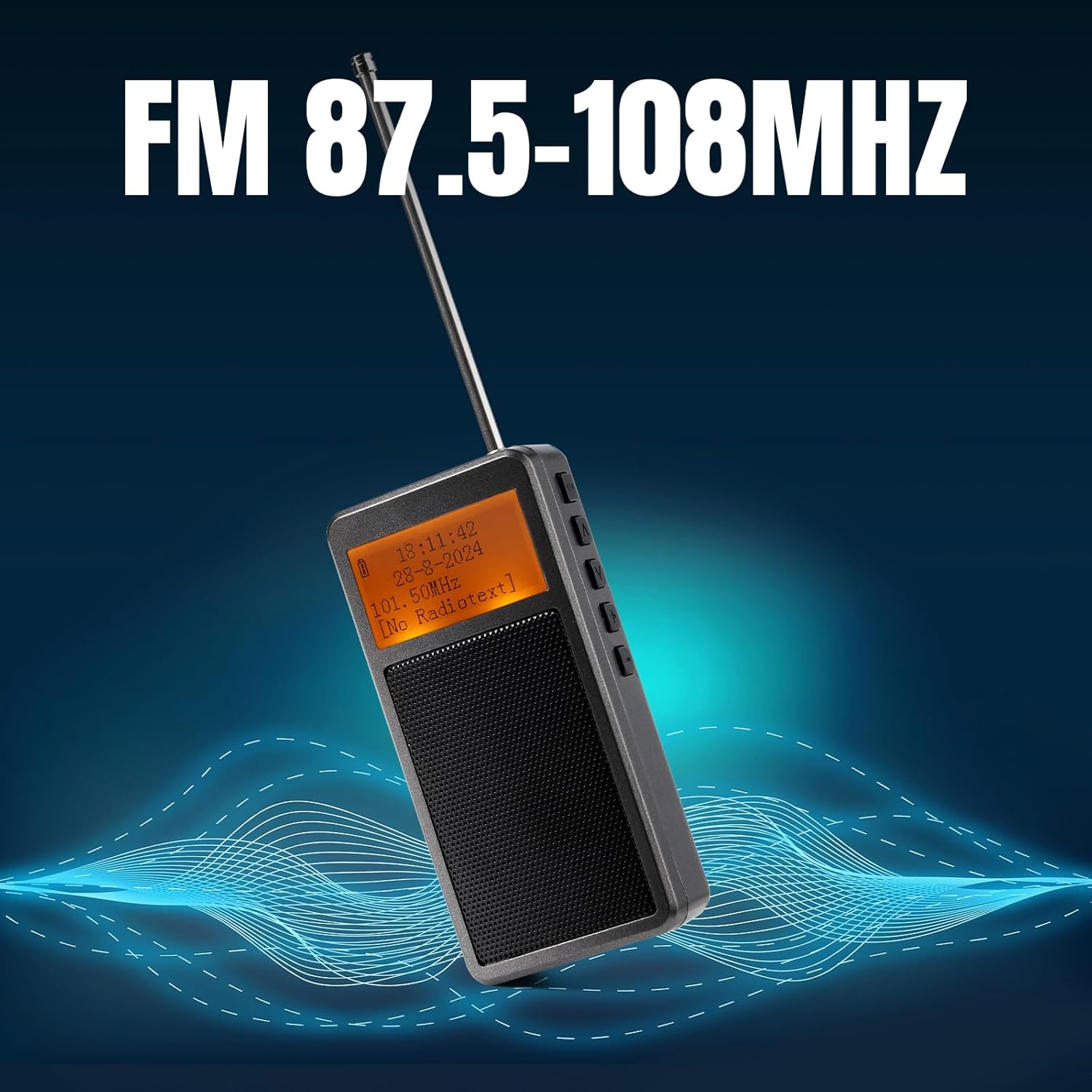
Image: The Raddy RF205 radio with its antenna extended, illustrating its FM reception capability across the 87.5-108MHz frequency range.
5.2. Bluetooth Connectivity (BT 5.3)
The RF205 offers versatile Bluetooth functionality:
- FM-to-Bluetooth Output: To listen to FM radio through Bluetooth headphones, ensure the radio is in FM mode. Activate Bluetooth pairing on the radio (refer to button functions for "BT" or "Mode" button). Put your Bluetooth headphones into pairing mode. Once paired, the FM audio will be transmitted to your headphones.
- Bluetooth Speaker Input: To use the RF205 as a Bluetooth speaker for your smartphone or other devices, switch the radio to Bluetooth input mode. On your smartphone, search for "Raddy RF205" (or similar name) in the Bluetooth settings and pair. Audio from your phone will now play through the radio's speaker.
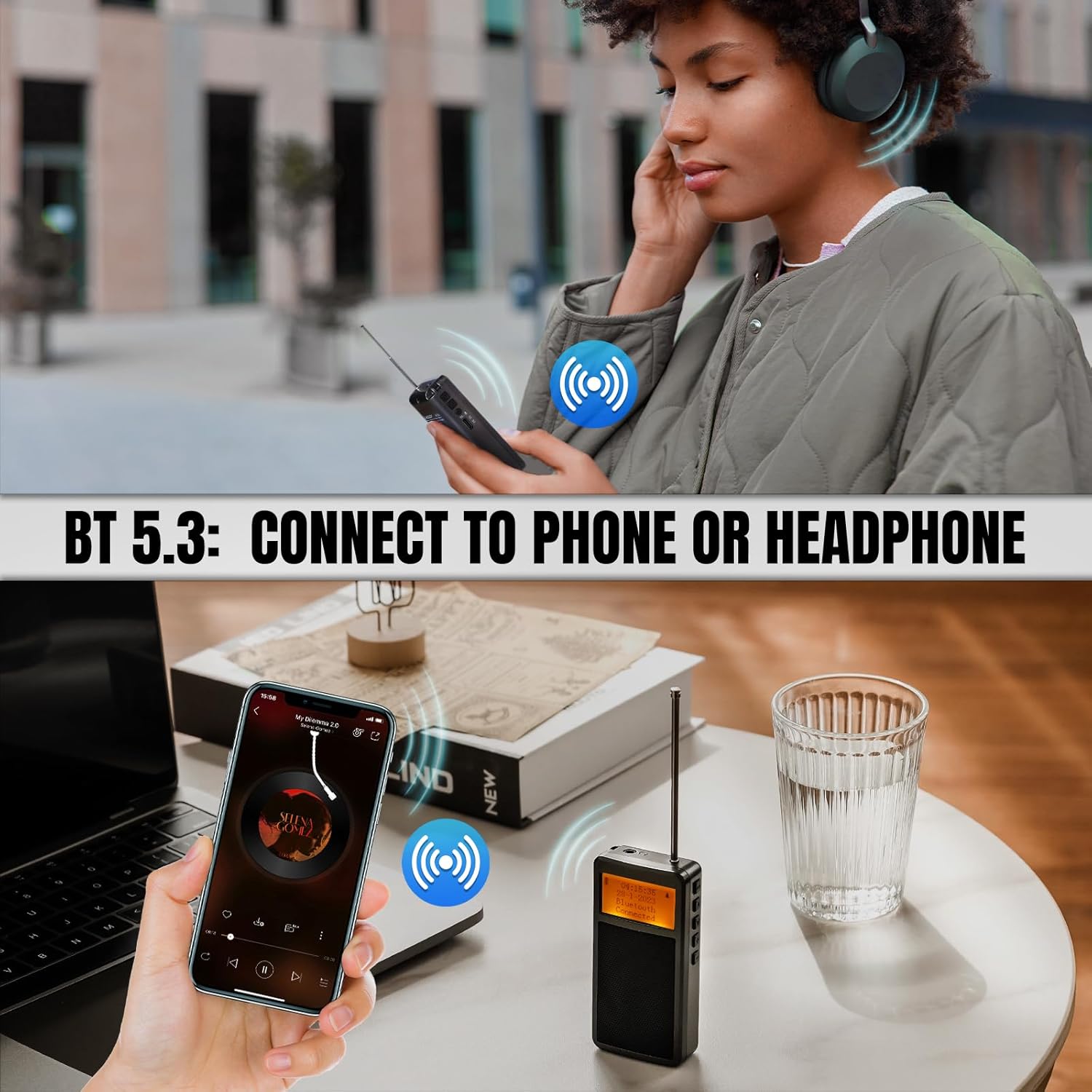
Image: Illustrations showing the Raddy RF205's Bluetooth 5.3 capabilities, including connecting to Bluetooth headphones for private listening and functioning as a Bluetooth speaker for a smartphone.
5.3. Time and Alarm Settings
The radio features a time display and an alarm clock. Refer to the specific button combinations in the included quick start guide or the full manual for setting the time and configuring alarms. Typically, a "Mode" or "Set" button is used to cycle through settings, and tuning buttons adjust values.
6. Maintenance
- Cleaning: Use a soft, dry cloth to clean the radio's exterior. Do not use abrasive cleaners or solvents.
- Storage: Store the radio in a cool, dry place away from direct sunlight and extreme temperatures.
- Battery Care: To prolong battery life, avoid fully discharging the battery frequently. Recharge the radio regularly, even if not in use, to maintain battery health.
- Antenna: Handle the telescopic antenna with care to prevent bending or breaking.
7. Troubleshooting
| Problem | Possible Cause / Solution |
|---|---|
| No power / Radio won't turn on | Battery is depleted. Connect to a Type-C charger and allow it to charge for at least 15 minutes before attempting to power on again. Ensure the charging cable and power source are functional. |
| Poor FM reception |
|
| Bluetooth connection issues |
|
| Display is blank or unreadable |
|
| Sound distortion or low volume |
|
8. Specifications
| Feature | Detail |
|---|---|
| Model Number | 420922790 |
| Product Dimensions | 2 x 2 x 4 inches (approx. 5.08 x 5.08 x 10.16 cm) |
| Item Weight | 5.3 ounces (approx. 150 grams) |
| Battery | 1 Lithium Ion battery (500mAh) |
| Charging Port | Type-C |
| Connectivity Technology | Bluetooth 5.3 |
| Tuner Technology | FM (87.5-108MHz) |
| Special Features | Portable, Alarm Clock, MP3 Music Player Speaker |
| Color | Grey |
9. Warranty and Support
Raddy products are designed for reliability and performance. For specific warranty details, please refer to the warranty card included with your product or visit the official Raddy website. In case of any issues or questions regarding your RF205 radio, please contact Raddy customer support through their official channels or the retailer from whom you purchased the product.
Manufacturer: Raddy
For further assistance, you may visit the Raddy Brand Store on Amazon.