
Cuifati CUIFATIymtpg9v0da-28
Cuifati Smart Ring Fitness Tracker User Manual
Model: CUIFATIymtpg9v0da-28
Introduction
Thank you for choosing the Cuifati Smart Ring Fitness Tracker. This innovative device is designed to seamlessly integrate into your daily life, providing comprehensive health and fitness monitoring. It tracks heart rate, oximetry, sleep patterns, and exercise activities, empowering you with valuable insights into your well-being. This manual will guide you through the setup, operation, and maintenance of your new smart ring to ensure optimal performance and a fulfilling user experience.
Safety Information
- Do not attempt to disassemble or modify the device. This may cause damage and void the warranty.
- Keep the device away from extreme temperatures and direct sunlight.
- Avoid exposing the charging contacts to water or corrosive liquids.
- Consult a medical professional before starting any new exercise regimen, especially if you have pre-existing health conditions.
- This device is not a medical device and should not be used for diagnostic or treatment purposes.
- Ensure the charging cable is used correctly to prevent electrical hazards.
Package Contents
Please check the package contents upon unboxing:
- 1 x Cuifati Smart Ring
- 1 x Charging Cable
- 1 x User Manual (this document)
Product Overview
The Cuifati Smart Ring is crafted from lightweight aluminum alloy, ensuring comfort for prolonged wear. It features advanced sensors on its inner surface for accurate health data collection.

Image: Top view of the Cuifati Smart Ring, showcasing its sleek design and inner sensor area.

Image: Two Cuifati Smart Rings, highlighting the lightweight aluminum alloy material and comfortable design.

Image: The Cuifati Smart Ring worn on a finger, illustrating its lightweight and comfortable profile, almost weightless to wear.

Image: A display of multiple Cuifati Smart Rings in various colors, emphasizing their stylish appearance and ability to create diverse looks.
Setup
1. Charging the Smart Ring
Before first use, fully charge your smart ring. Connect the provided charging cable to the ring and a USB power source. A full charge takes approximately 60 minutes. The ring features a 20mAh battery, providing approximately 5 days of continuous monitoring on a single charge.
2. App Installation
The Cuifati Smart Ring uses the JYOUPRO app for data synchronization and advanced features. Download the app from your device's app store (Google Play Store for Android or Apple App Store for iOS).
3. Pairing the Ring with the App
- Ensure your smart ring is charged and within Bluetooth range of your smartphone.
- Open the JYOUPRO app on your smartphone.
- Follow the on-screen instructions to create an account or log in.
- Navigate to the device pairing section within the app.
- Select your Cuifati Smart Ring from the list of available devices to complete the pairing process.
Operating Instructions
Health Monitoring
Once paired, the Cuifati Smart Ring automatically monitors various health metrics throughout your day and night. These include:
- Heart Rate: Continuous monitoring of your heart rate.
- Oximetry (Blood Oxygen): Tracks your blood oxygen saturation levels.
- Sleep Monitoring: Analyzes sleep stages (deep, light, REM) and sleep quality.
- Exercise Monitoring: Automatically detects and tracks various physical activities.
- Stress Monitoring: Provides insights into your stress levels.
All collected data can be viewed and analyzed in detail within the JYOUPRO app.
Comprehensive Sports Modes
The fitness ring supports various regular sports and map track sports such as walking, running, and cycling. After completing your workouts, you can easily check time, distance, and calories burned on the mobile app for a comprehensive health and fitness analysis.
Remote Photography
The smart ring allows for remote control of your smartphone's camera, enabling effortless photography and selfies with a simple gesture. This innovative feature helps you capture beautiful moments anytime, anywhere.

Image: The Cuifati Smart Ring positioned next to a smartphone, illustrating its capability for remote photography and capturing moments with ease.
Water Resistance
The Cuifati Smart Ring features a fully sealed structure with 50 meters water resistance technology. This means it can be worn for swimming, diving, or snorkeling up to 50 meters deep, meeting various water-resistant needs without compromising functionality.
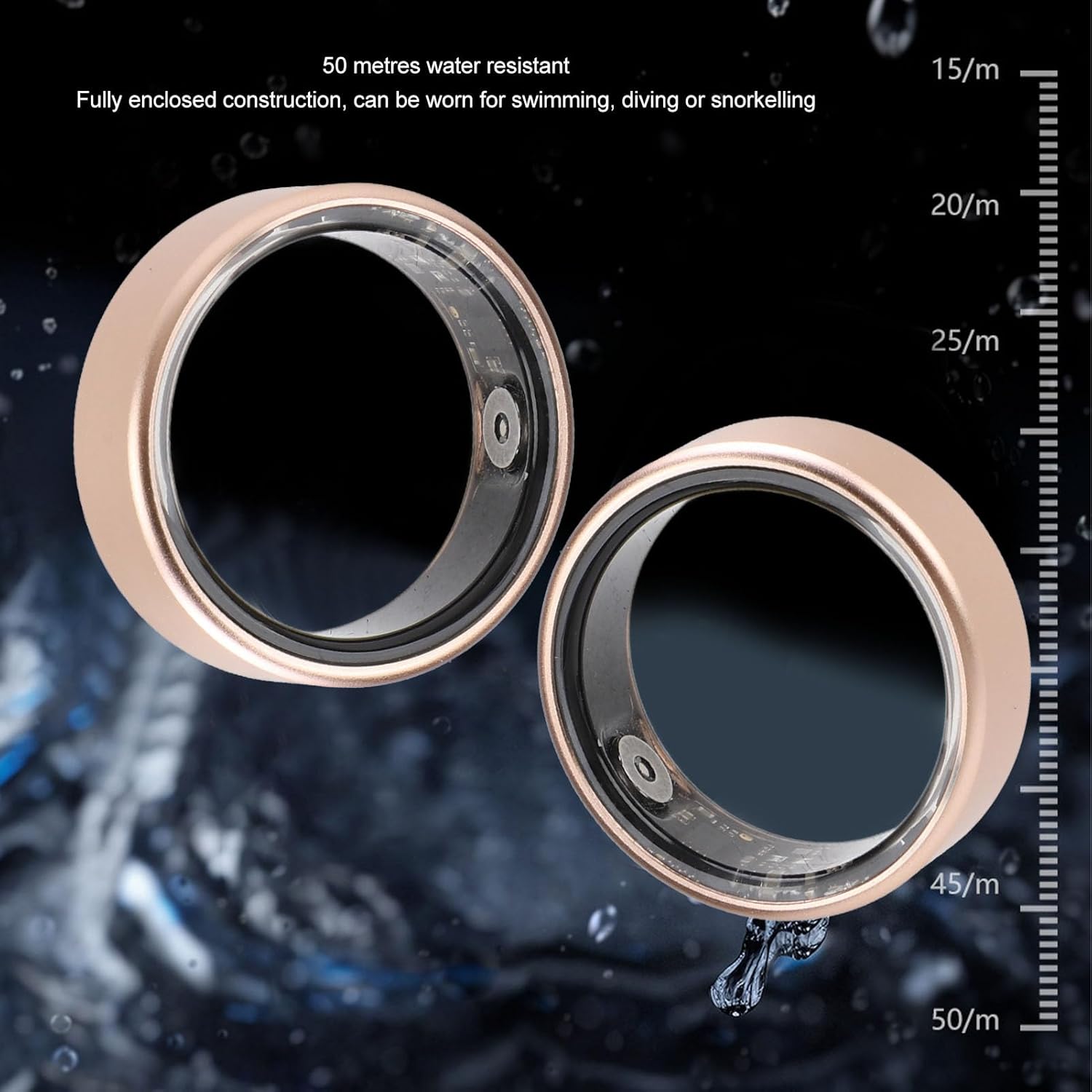
Image: Two Cuifati Smart Rings partially submerged in water, with an overlay indicating 50 meters water resistance, suitable for swimming, diving, or snorkeling.
Maintenance
Cleaning
To maintain the cleanliness and functionality of your smart ring:
- Wipe the ring regularly with a soft, damp cloth.
- Avoid using harsh chemicals, abrasive cleaners, or solvents, as these can damage the finish and sensors.
- Ensure the charging contacts are clean and dry before charging.
Storage
When not in use, store the smart ring in a cool, dry place, away from direct sunlight and extreme temperatures.
Troubleshooting
| Problem | Possible Cause | Solution |
|---|---|---|
| Ring not turning on/responding | Low battery; Device malfunction. | Charge the ring for at least 30 minutes. If still unresponsive, contact customer support. |
| Cannot pair with app | Bluetooth off; Ring out of range; App issue. | Ensure Bluetooth is enabled on your phone. Bring the ring closer to your phone. Restart the app and try again. Restart your phone. |
| Inaccurate data readings | Improper fit; Dirty sensors; Software glitch. | Ensure the ring fits snugly on your finger. Clean the inner sensors. Update the app to the latest version. |
| Short battery life | Frequent data syncing; Old battery. | Reduce frequency of manual syncing if applicable. Ensure full charge cycles. Battery life naturally degrades over time. |
Specifications
| Feature | Detail |
|---|---|
| Model Name | CUIFATIymtpg9v0da-28 |
| Material | Aluminum Alloy |
| Battery Type | Lithium Battery (Built-in) |
| Battery Capacity | 20mAh |
| Battery Life | Approx. 5 days |
| Charging Time | Approx. 60 minutes |
| App Compatibility | JYOUPRO |
| Water Resistance | 50 Meters (suitable for swimming, diving, snorkeling) |
| Monitoring Functions | Heart Rate, Oximetry, Sleep, Exercise, Stress |
| Dimensions (Package) | 3.15 x 3.15 x 1.18 inches |
| Weight (Package) | 63 Grams |
Warranty and Support
For warranty information and customer support, please refer to the warranty card included with your product or visit the official Cuifati website. If you encounter any issues not covered in this manual, please contact Cuifati customer service for assistance.
Typical return policy duration is 30 days for refund/replacement, as per product information.
You can also visit the Cuifati Store on Amazon for more information: Cuifati Amazon Store
Ask a question about this manual
Ask about setup, troubleshooting, compatibility, parts, safety, or missing instructions. Manuals+ will review the question and use this page’s manual context to help answer it.