
1. Introduction
This manual provides detailed instructions for the installation, operation, and maintenance of your MISONDA 9-inch Android 14 Car Radio. Please read this manual thoroughly before using the product to ensure proper function and safety. Keep this manual for future reference.
2. Package Contents
Carefully unpack the box and verify that all items listed below are present and in good condition. If any items are missing or damaged, please contact your retailer.

Image: Overview of included components, including the main unit, power sockets, RCA cables, USB cable, user manual, GPS antenna, Canbus, installation brackets, external microphone, rear camera, and connection cable.
- Main Head Unit (9-inch IPS Display)
- Power Socket A
- Power Socket B
- RCA Output Cable A
- RCA Output Cable B
- USB Cable
- User Manual
- GPS Antenna
- Canbus Decoder
- Installation Brackets
- External Microphone
- Rear Camera
- Connection Cable
3. Product Overview and Dimensions
The MISONDA car radio features a 9-inch IPS touchscreen display designed for seamless integration into your Honda CR-V (2012-2016). The unit comes with a custom frame to ensure a perfect fit.
Image: The main head unit with a 9-inch display and the specific installation frame for Honda CR-V (2012-2016).
4. Setup and Installation
This car radio is specifically designed for Honda CR-V CRV models manufactured between 2012 and 2016. Professional installation is recommended due to the complexity of vehicle wiring.
4.1 Pre-Installation Check
- Ensure the vehicle's ignition is off and the battery is disconnected before starting installation.
- Verify all package contents are present.
4.2 Wiring Connections
Connect the provided power sockets, RCA cables, USB cables, GPS antenna, and external microphone to their respective ports on the head unit. Refer to the wiring diagram in the included user manual for specific connections. The Canbus decoder should be fully plugged in to ensure proper communication with the vehicle's systems.
4.3 Mounting the Unit
- Remove the original car radio and dashboard trim.
- Attach the provided installation brackets to the new head unit.
- Carefully route all cables and connect them.
- Insert the new head unit with its frame into the dashboard opening.
- Secure the unit and reassemble the dashboard trim.
Image: Visual representation of the car's center console before and after the MISONDA car radio installation, showing a seamless fit.
5. Operating Instructions
Your MISONDA car radio runs on the Android 14 operating system, offering a wide range of features and connectivity options.
5.1 System Overview

Image: Visual representation of the core system specifications: Android 14, 6GB RAM (LPDDR4), 128GB ROM (UFS 3.0), and a 2.5GHz Octa-Core processor.
- Operating System: Android 14
- Processor: 8-Core Cortex A53 2.5GHz
- Memory: 6GB RAM (LPDDR4) + 128GB ROM (UFS 3.0)
- Display: 9-inch IPS Touch Screen, 1080x680 resolution
5.2 Wireless Carplay and Android Auto
Connect your smartphone wirelessly via Bluetooth to access Apple Carplay or Android Auto. This allows for seamless integration of navigation, calls, messages, and music directly on the car radio display.

Image: Display of Wireless Carplay and Android Auto interfaces, highlighting wireless connectivity for navigation, communication, and entertainment.
5.3 Bluetooth 5.0
The unit supports Bluetooth 5.0 with A2DP for high-quality audio streaming, hands-free calling, and phonebook synchronization. This enhances safety by allowing you to manage calls without diverting attention from the road.
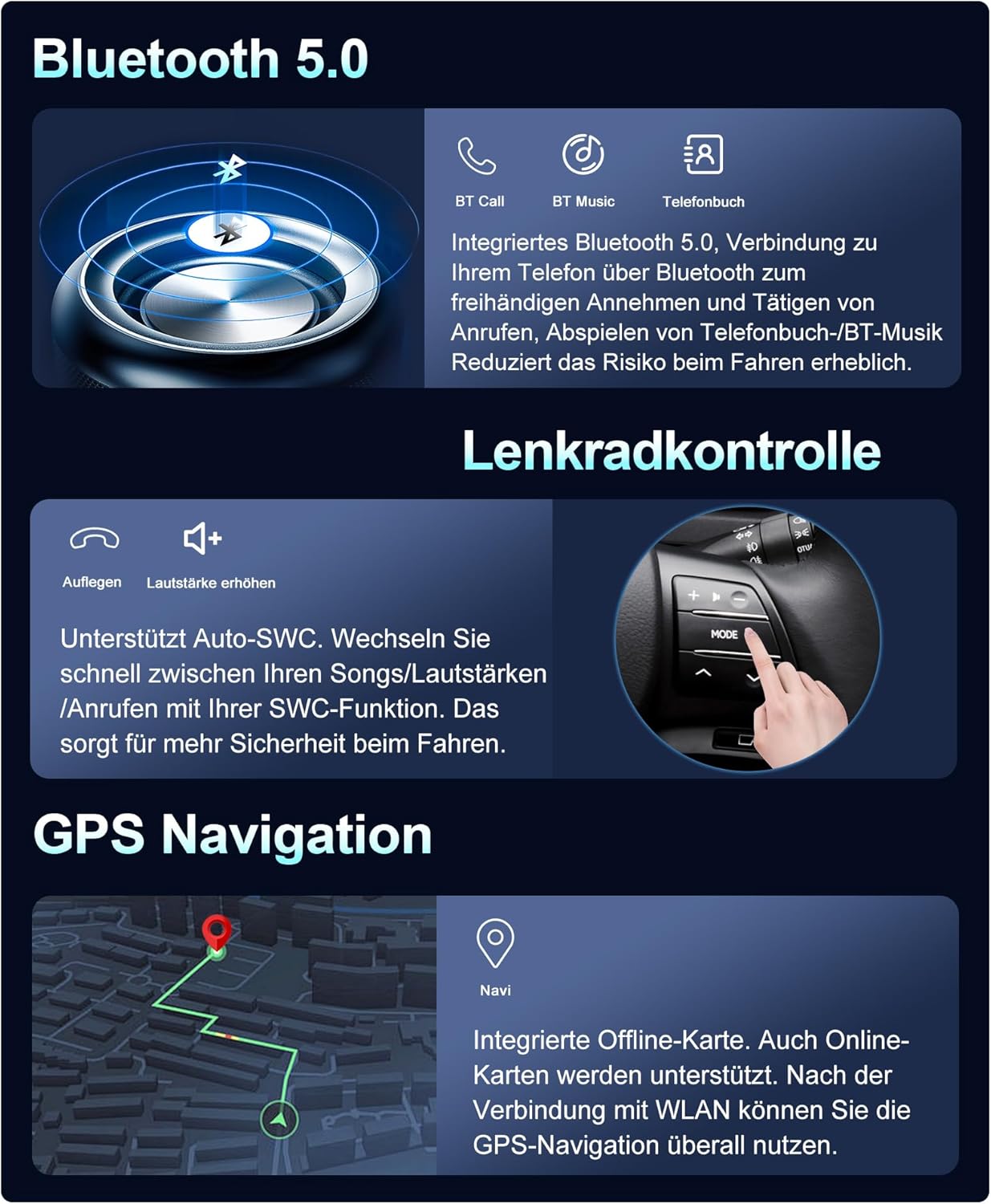
Image: Bluetooth 5.0 functionality icons for calls, music, and phonebook, emphasizing reduced risk during driving.
5.4 GPS Navigation
The car radio comes with pre-installed offline maps. Connect to Wi-Fi to use online maps, which provide real-time traffic updates and route optimization. The GPS antenna ensures accurate positioning.
Image: GPS navigation screen displaying a map and route, indicating support for both offline and online maps.
5.5 Steering Wheel Control (SWC)
The unit supports your vehicle's existing steering wheel controls, allowing you to manage audio playback, volume, and calls without taking your hands off the steering wheel. This feature enhances driving safety and convenience.
Image: Illustration of steering wheel control functionality, enabling quick adjustments to songs, volume, and calls.
5.6 Built-in Wi-Fi and 4G Support
Connect to the internet via a Wi-Fi hotspot for app downloads, online video streaming, and real-time navigation updates. The unit also supports integrated 4G connectivity (requires an optional external module) for constant internet access.

Image: Visuals for Built-in Wi-Fi, Integrated 4G, Split Screen, and Mirror Link functionalities.
5.7 DSP 64 Equalizer
The integrated Digital Sound Processor (DSP) with a 64-band equalizer allows for precise audio customization. Optimize sound quality and adapt it to your vehicle's acoustics and personal preferences.
Image: DSP 64 Equalizer interface, demonstrating sound optimization capabilities.
5.8 Split Screen and Mirror Link
- Split Screen: Run two applications simultaneously on the screen, such as navigation and music playback.
- Mirror Link: For Android phones, achieve two-way control between your phone and the car stereo system, mirroring your phone's display.
5.9 Radio Functions
The unit supports VHF, MW, and RDS radio reception. Enjoy FM radio with 18 preset stations. For enhanced digital audio broadcasting, an optional external DAB+ module can be connected.
Image: DAB+ (Optional) interface displaying digital radio stations, offering high-quality audio broadcasts.
5.10 Optional Functions (External Purchase Required)
- DVR: Connect an external Digital Video Recorder for driving safety.
- OBD: Connect an external On-Board Diagnostics device to monitor vehicle data.
- 360 Panoramic Car Camera: Integrate a surround view 1080P AHD camera system (front, rear, left, right) for comprehensive parking assistance and dynamic 3D road status display.
- DAB+: Connect an external DAB (Digital Audio Broadcasting) module for high-quality digital audio transmissions.
Image: 360 Camera (Optional) display, showing a multi-angle view for enhanced parking and situational awareness.
6. Maintenance
To ensure the longevity and optimal performance of your MISONDA car radio, follow these maintenance guidelines:
- Cleaning: Use a soft, dry cloth to clean the screen and exterior. Avoid abrasive cleaners or solvents.
- Software Updates: Periodically check for and install system software updates to ensure optimal performance and access to new features.
- Temperature: Avoid exposing the unit to extreme temperatures, direct sunlight for prolonged periods, or high humidity.
- Connections: Ensure all cables are securely connected. Loose connections can lead to intermittent issues.
7. Troubleshooting
If you encounter issues with your car radio, refer to the following common problems and solutions:
| Problem | Possible Cause | Solution |
|---|---|---|
| Unit does not power on | Loose power connection, blown fuse, vehicle battery issue | Check all power cables and connections. Inspect vehicle fuses. Ensure vehicle battery is charged. |
| No sound | Volume too low, incorrect audio source, loose speaker wires | Increase volume. Select correct audio source. Check speaker wire connections. |
| GPS signal lost or inaccurate | GPS antenna not properly connected or obstructed | Ensure GPS antenna is securely connected and has a clear view of the sky. |
| Bluetooth not connecting | Bluetooth off on phone/unit, pairing issue | Ensure Bluetooth is enabled on both devices. Delete previous pairings and re-pair. |
| Touchscreen unresponsive | System freeze, temporary software glitch | Restart the unit (refer to your vehicle's manual for power cycle instructions or press and hold the power button). |
If the problem persists after attempting these solutions, please contact customer support.
8. Specifications
Detailed technical specifications for the MISONDA 9-inch Android 14 Car Radio.
| Feature | Specification |
|---|---|
| Model Number | BX-514-D05-128G |
| Operating System | Android 14 |
| Processor | 8 Core Cortex A53 2.5GHz |
| RAM | 6GB (LPDDR4) |
| ROM | 128GB (UFS 3.0) |
| Screen Size | 9 Inches |
| Display Type | IPS Touch Screen, LED Color Screen |
| Screen Resolution | 1080 x 680 (Product Description) / 1024*600 (Specifications) |
| Radio Chip | TDA7786 |
| Power Amplifier Chip | TDA7851 |
| Output Power | 4 x 45 W (RMS) / 180 Watts (Peak) |
| Working Temperature | -40°C to 80°C |
| Bluetooth Version | 5.0 (with A2DP) |
| Connectivity | Auxiliary, Bluetooth, USB, Wi-Fi, 4G (optional) |
| Special Features | Built-In Bluetooth, Touchscreen, GPS, WLAN, DSP, Wireless Carplay, Android Auto, Split Screen, Mirror Link, Steering Wheel Control |
| Compatible Vehicles | Honda CR-V CRV (2012-2016) |
9. Warranty and Support
For warranty information and technical support, please refer to the warranty card included in your package or contact your authorized MISONDA retailer. Keep your purchase receipt as proof of purchase for any warranty claims.