
1. Introduction
The GUOANVISION S200 is an advanced dual-lens PTZ (Pan-Tilt-Zoom) security camera designed for both outdoor and indoor surveillance. It features a fixed wide-angle lens and a rotatable lens, providing comprehensive coverage without blind spots. Equipped with AI human detection, automatic tracking, two-way audio, and multiple night vision modes, this camera offers reliable monitoring and enhanced security for your property.
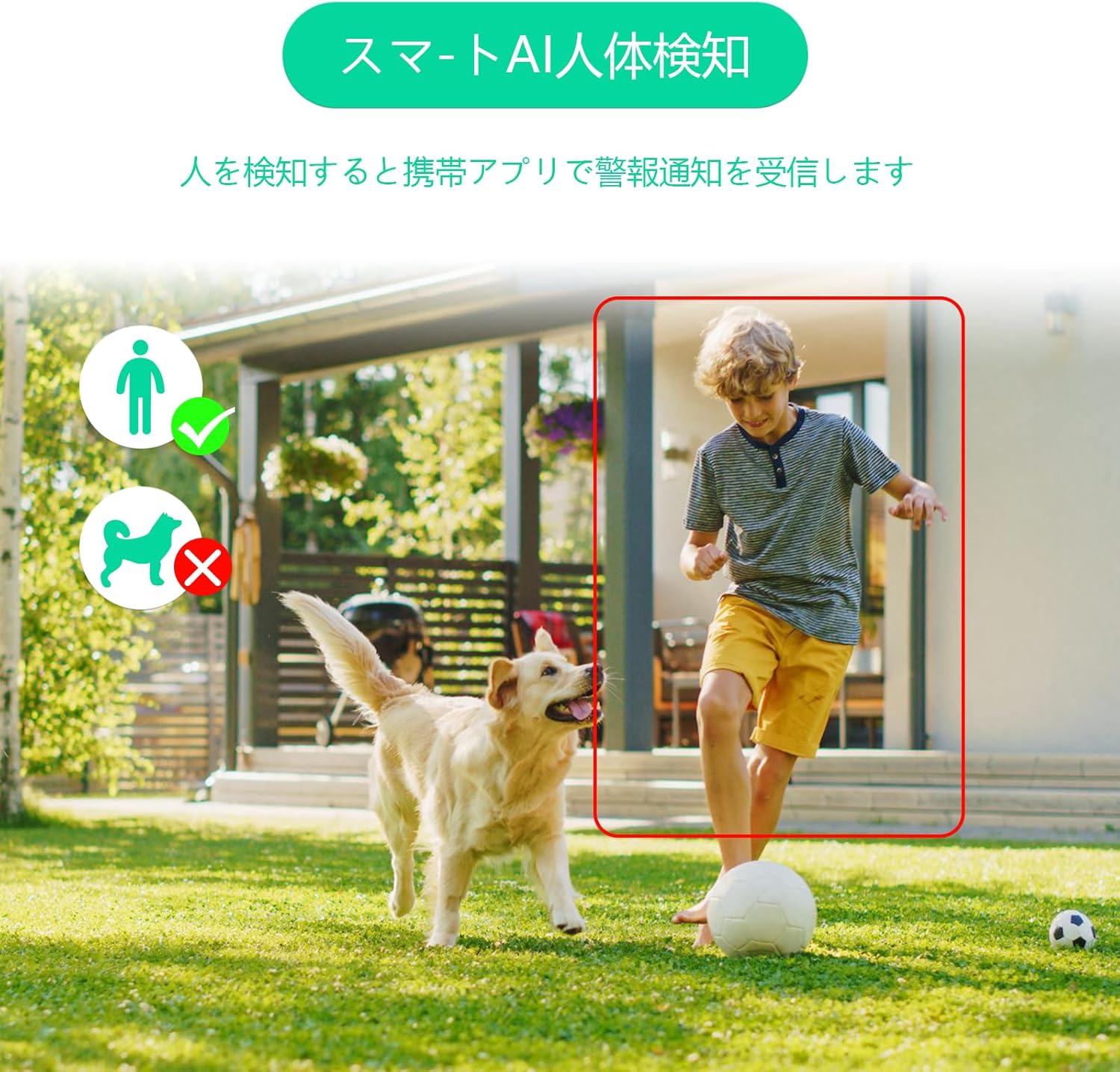
Image: The GUOANVISION S200 camera, showcasing its dual-lens design and two antennas.
2. Setup
2.1 Unboxing and Components
Carefully unpack the camera and verify all components are present. The package typically includes:
- GUOANVISION S200 Security Camera
- Mounting Part
- User Manual
- Waterproof Caps
- 3M Power Cord
Video: This video demonstrates the unboxing process of the GUOANVISION S200 camera, showing all included components and accessories.

Image: The GUOANVISION S200 camera with its power adapter, mounting bracket, and screws laid out.
2.2 App Installation and Camera Connection
To set up your camera, download the 'iCSee' app from your smartphone's app store (available for iOS and Android). Follow these steps:
- Turn on Bluetooth and connect to a 2.4GHz Wi-Fi network on your smartphone.
- Download the 'iCSee' app.
- Register an account within the app.
- Pair the camera via Bluetooth.
- Confirm successful connection.

Image: A visual guide showing the five steps to connect the camera using the iCSee app on a smartphone.
Video: This video demonstrates the process of installing the iCSee app and connecting the camera to a smartphone, including initial setup steps.
3. Operating the Camera
3.1 Dual-Lens Monitoring
The S200 features two lenses: a fixed wide-angle lens for overall surveillance and a rotatable PTZ lens for tracking. This combination eliminates blind spots, providing comprehensive coverage. The app displays both camera feeds simultaneously.

Image: A smartphone screen showing simultaneous feeds from two camera lenses, one fixed and one rotatable, providing a wide and detailed view.
3.2 PTZ Control
The rotatable lens offers a horizontal pan of 350° and a vertical tilt of 90°, allowing for 360° monitoring. You can control the camera's movement directly from your smartphone app.

Image: The GUOANVISION S200 camera mounted on a wall, illustrating its 350° horizontal pan and 90° vertical tilt capabilities.
3.3 AI Human Detection & Auto Tracking
Beyond standard motion detection, the camera features AI human detection and automatic tracking. When human movement is detected, the camera will automatically track the subject, ensuring important moments are recorded. This system is designed to minimize false alarms from animals or debris.

Image: An illustration showing the camera's AI human detection feature, correctly identifying a person while ignoring a dog.

Image: A sequence demonstrating the camera's automatic tracking feature, where the camera follows a person's movement.
3.4 Two-Way Audio
The camera supports two-way audio, allowing you to communicate with visitors or deter intruders directly through the app. This feature provides an additional layer of security and convenience.

Image: A woman using her smartphone to communicate with a delivery person at her doorstep via the camera's two-way audio feature.
3.5 Night Vision Modes
The S200 offers versatile night vision capabilities:
- Infrared Mode: Provides clear black and white images in complete darkness.
- Starlight Color Mode: Utilizes ambient light to produce color images even in low-light conditions.
- Dual Light Mode: Activates blue and red flashing lights upon detection of an intruder at night, serving as a deterrent.
Video: This video demonstrates the different night vision modes of the GUOANVISION S200 camera, including starlight color, infrared, and dual light modes.

Image: The camera displaying three different night vision scenarios: infrared mode (monochrome), starlight mode (color with ambient light), and dual light mode (flashing red and blue lights).
3.6 Recording and Storage
The camera supports both MicroSD card storage (up to 128GB) and cloud storage options. You can choose between 24-hour continuous recording or motion-triggered recording. Audio recording can be enabled or disabled.

Image: Icons representing MicroSD card storage and cloud storage options for the camera.
3.7 Video Quality
The camera provides high-definition video quality. The 600-megapixel resolution is achieved by combining two 300-megapixel lenses, offering clear and detailed images.

Image: A side-by-side comparison showing the difference in clarity between 600-megapixel and 300-megapixel video resolution.
4. Installation
The GUOANVISION S200 camera offers flexible installation options, supporting both wall mounting and ceiling suspension. Its IP66 waterproof and dustproof rating ensures durability and reliable operation in various outdoor weather conditions.
Image: The GUOANVISION S200 camera being sprayed with water, demonstrating its IP66 waterproof rating and resistance to extreme temperatures (-25°C to +65°C).
Video: This video demonstrates the physical installation process of the GUOANVISION S200 camera, including mounting the bracket and connecting cables.
5. Maintenance
5.1 General Care
To ensure optimal performance and longevity of your camera, regularly clean the lenses with a soft, dry cloth. Avoid using harsh chemicals or abrasive materials. Ensure all connections are secure and free from moisture.
5.2 SD Card Management
If using a MicroSD card, it is recommended to format it periodically through the app settings to maintain recording efficiency. The camera supports overwriting old footage when the card is full, ensuring continuous recording.
Video: This video demonstrates how to insert a MicroSD card into the camera for local storage.
6. Troubleshooting
6.1 Time Synchronization Issues
If you experience discrepancies between the camera's recorded time and your local time, check the time zone settings within the iCSee app. Ensure the camera is synchronized with your smartphone's time settings. If the issue persists, a factory reset and re-setup might be necessary.
6.2 Connectivity Problems
If the camera frequently disconnects or fails to connect, ensure it is within range of your 2.4GHz Wi-Fi router. Check for any obstructions that might interfere with the signal. Verify your Wi-Fi password is correctly entered in the app. If your internet connection is unstable, consider using the AP mode for direct connection to the camera.
Video: This video provides a detailed walkthrough of the iCSee app settings, including network configuration, alarm settings, and other customizable options.
7. Specifications
| Brand | GUOANVISION |
| Model Number | S200 |
| Recommended Use | Home Security |
| Connectivity Technology | Wired, Wi-Fi |
| Special Feature | HD Resolution |
| Indoor/Outdoor Use | Outdoor |
| Compatible Devices | Smartphone |
| Mounting Type | Window Mount (supports wall/ceiling) |
| Video Capture Resolution | 1920p (600MP via dual 300MP lenses) |
| Color | BLACK18 |
| Waterproof Rating | IP66 |
| Video Capture Format | MP4 |
8. Warranty and Support
The GUOANVISION S200 camera comes with a 2-year warranty. If you have any questions or encounter issues with your security camera, please do not hesitate to contact our support team. We are committed to providing accurate and timely assistance for all warranty services.
Contact Method:
- Go to 'Account Service' > 'Order History' > 'Seller' > 'Contact Us'.
- Email: support@guoanvision.net (24 hours)


