
1. Introduction
The JMDHKK K18+ is a versatile privacy protection tool designed to detect hidden cameras, bugging devices, and magnetic trackers. This comprehensive detector helps ensure your personal and professional spaces remain secure, offering peace of mind in various environments such as homes, offices, hotels, and vehicles. It is an essential device for anyone concerned about unauthorized surveillance and privacy breaches.
This manual provides detailed instructions on how to effectively use your K18+ detector, covering setup, operation, maintenance, and troubleshooting.
2. What's in the Box
Upon opening your JMDHKK K18+ package, please verify that all the following components are included:
- K18 Main Unit
- RF Antenna
- GS Probe (Magnetic Field Probe)
- Charging Cable
- User Manual

Image: The JMDHKK K18+ detector main unit with its RF antenna and GS probe attached, alongside the charging cable and a grey storage pouch.
3. Product Overview
The K18+ detector is designed for ease of use with intuitive controls and clear indicators. Familiarize yourself with the device's components and functions before operation.
3.1 Main Unit
The main unit houses the control panel, display, and internal circuitry. It features a central dial for sensitivity adjustment and mode selection buttons.
3.2 RF Antenna
The RF antenna is used for detecting wireless signals emitted by hidden cameras, listening devices, and other RF transmitters. It screws into the designated port on the top of the main unit.
3.3 GS Probe (Magnetic Field Probe)
The GS probe is a flexible attachment used for detecting magnetic fields, which are often associated with magnetic GPS trackers or other magnetically attached surveillance devices. It connects to a separate port on the side of the main unit.

Image: A hand holding the JMDHKK K18+ detector, illustrating its multi-functional capabilities for detecting various hidden devices.
4. Setup
4.1 Charging the Device
Before first use, fully charge the K18+ detector. Connect the provided charging cable to the charging port on the device and plug the other end into a standard USB power adapter (not included) or a computer USB port. The charging indicator will show the charging status and turn off when fully charged.
4.2 Attaching Accessories
- RF Antenna: Screw the RF antenna clockwise into the antenna port on the top of the main unit until secure.
- GS Probe: Insert the connector of the GS probe into its dedicated port on the side of the main unit.
Ensure all connections are firm to guarantee optimal performance.
5. Operating Instructions
The K18+ offers multiple detection modes to address various privacy concerns. Use the mode selection buttons to switch between functions and the sensitivity dial to adjust detection range.
5.1 Hidden Camera Detection (RF Mode)
This mode is used to detect wireless hidden cameras by identifying their radio frequency (RF) signals.
- Turn on the device and select the RF detection mode.
- Adjust the sensitivity dial. Start with a lower sensitivity and gradually increase it as you scan the area.
- Slowly sweep the device around the room, paying close attention to common hiding spots such as smoke detectors, air vents, power outlets, and decorative items.
- The LED signal strength indicator will illuminate, and the device will emit an audible alert or vibrate (depending on your alert settings) when an RF signal is detected.
- As you get closer to the source, the signal strength will increase. Pinpoint the exact location by narrowing down the area with reduced sensitivity.
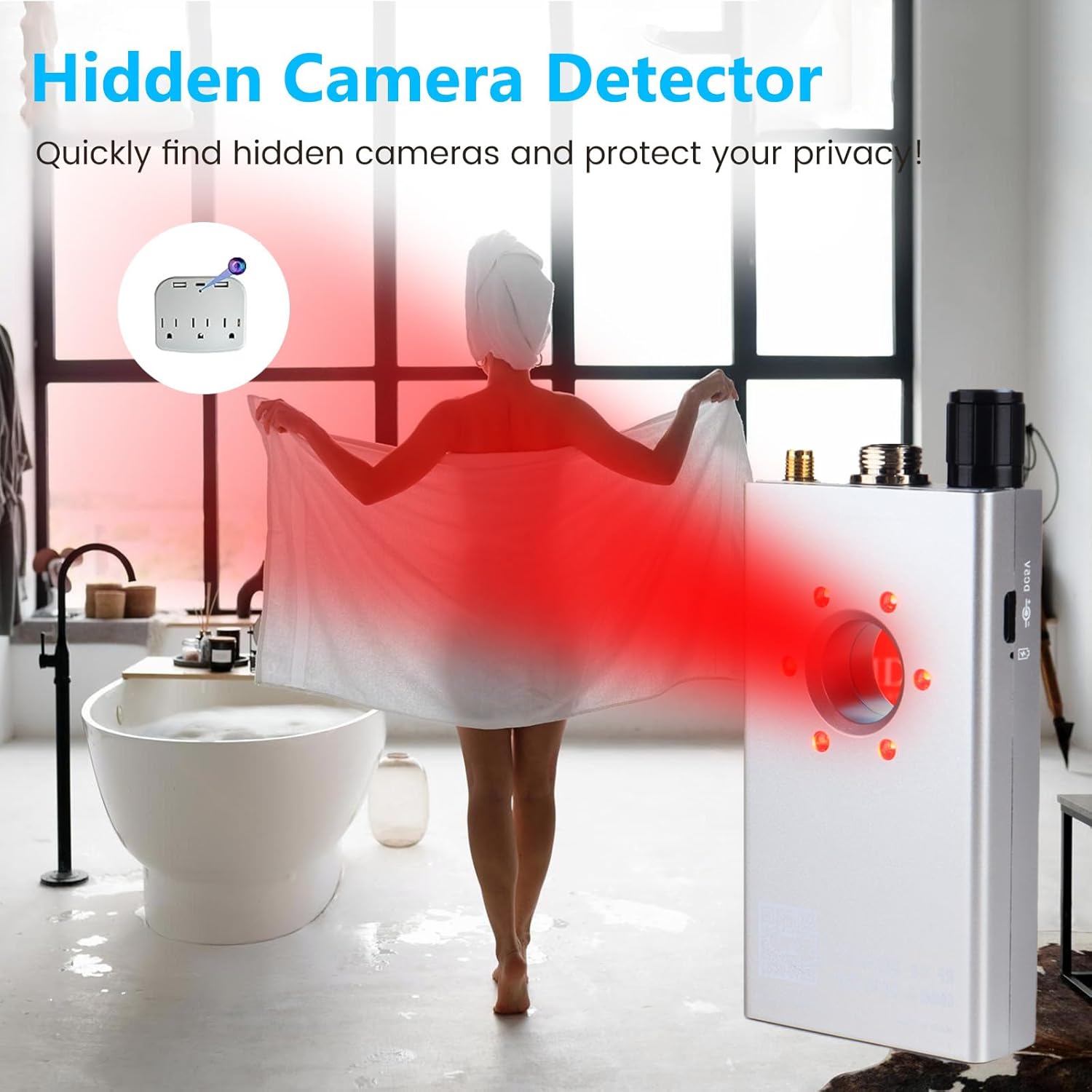
Image: The K18+ detector in use, demonstrating its ability to detect hidden cameras by reflecting light off their lenses, often revealing them in unexpected places like bathrooms.
5.2 Bugging Device Detection (RF Mode)
Similar to hidden camera detection, this mode identifies wireless listening devices and other RF transmitters.
- Ensure the RF antenna is attached and the device is in RF detection mode.
- Scan areas where listening devices might be hidden, such as under tables, in furniture, behind wall decorations, or within electronic devices.
- Follow the signal strength indicator and alerts to locate the source of the transmission.
- In sensitive environments like business meetings, use the vibration alert mode for discreet detection.

Image: The K18+ detector being used in an office environment, illustrating its capability to detect hidden wireless transmitters or bugging devices during confidential discussions.
5.3 Magnetic Field Detection (GS Probe Mode)
This mode is specifically designed to find magnetic GPS trackers or other devices attached with strong magnets.
- Attach the GS probe to the main unit.
- Select the magnetic field detection mode.
- Slowly move the GS probe along surfaces where magnetic devices might be hidden, particularly under vehicles (chassis, wheel wells), inside car interiors, or on metal furniture.
- The device will alert you when a magnetic field is detected. The closer the probe is to the magnetic object, the stronger the signal indication.

Image: The K18+ detector demonstrating its magnetic field detection capability, showing the GS probe near a car's underside, indicating the presence of a magnetic GPS tracker.
5.4 General Operation Tips
- Sensitivity Adjustment: Use the dial to fine-tune sensitivity. High sensitivity is good for initial sweeps, while lower sensitivity helps pinpoint exact locations.
- Alert Modes: Switch between sound and vibration alerts based on your environment and need for discretion.
- Scan Method: Always scan slowly and methodically. Rapid movements can cause you to miss signals.
- Environmental Factors: Be aware that strong legitimate RF signals (e.g., Wi-Fi routers, cell phones) can trigger alerts. Distinguish these from suspicious signals by moving away from known sources.

Image: The K18+ detector depicted in various practical settings, including a conference room, hotel room, fitting room, and inside a car, highlighting its portability and versatility for privacy protection.
6. Maintenance
Proper care and maintenance will extend the lifespan of your JMDHKK K18+ detector.
- Cleaning: Wipe the device with a soft, dry cloth. Do not use abrasive cleaners or solvents.
- Storage: Store the detector in a cool, dry place away from direct sunlight and extreme temperatures. Use the provided storage pouch to protect it from dust and scratches.
- Battery Care: For optimal battery life, avoid fully discharging the device frequently. Charge it regularly, even if not in constant use. If storing for an extended period, charge it to about 50% every few months.
- Handle with Care: Avoid dropping the device or subjecting it to strong impacts, as this can damage internal components.
7. Troubleshooting
If you encounter issues with your K18+ detector, refer to the following common problems and solutions:
| Problem | Possible Cause | Solution |
|---|---|---|
| Device does not turn on. | Low battery or no charge. | Charge the device fully using the provided charging cable. |
| No signal detected when scanning. | Sensitivity too low; device too far from source; no active signals. | Increase sensitivity. Move closer to suspected areas. Ensure the target device is actively transmitting. |
| Constant false alarms/high signal. | Sensitivity too high; interference from legitimate devices (Wi-Fi, cell phones). | Decrease sensitivity. Move away from known signal sources. |
| Magnetic probe not working. | Probe not properly connected; incorrect mode selected. | Ensure the GS probe is securely connected. Select the magnetic field detection mode. |
If the problem persists after trying these solutions, please contact JMDHKK customer support for further assistance.
8. Specifications
| Feature | Detail |
|---|---|
| Model Name | K18+ Hidden camera detector |
| Dimensions (L x W x H) | 3.94 x 2.17 x 0.79 inches |
| Item Weight | 4.8 ounces (0.3 Pounds) |
| Color | Silver |
| Material | Plastic |
| Power Source | Battery Powered (1 Lithium Ion battery included) |
| Voltage | 3.7 Volts |
| Wattage | 4.07 Watt-hours |
| Connectivity Technology | Wireless |
| Included Components | K18 Main Unit, RF Antenna, GS Probe, Charging Cable, User Manual |
| Manufacturer | Shenzhen Xinxin Zhilian Technology Co., Ltd. |
| UPC | 635401973068 |
9. Warranty and Support
JMDHKK stands behind the quality of its products. For specific warranty details, please refer to the warranty card included with your product or visit the official JMDHKK website. Keep your purchase receipt as proof of purchase for warranty claims.
For technical support, product inquiries, or warranty service, please contact JMDHKK customer support through their official channels.
Visit the official JMDHKK Store for more information and products: JMDHKK Store


