
1. Introduction
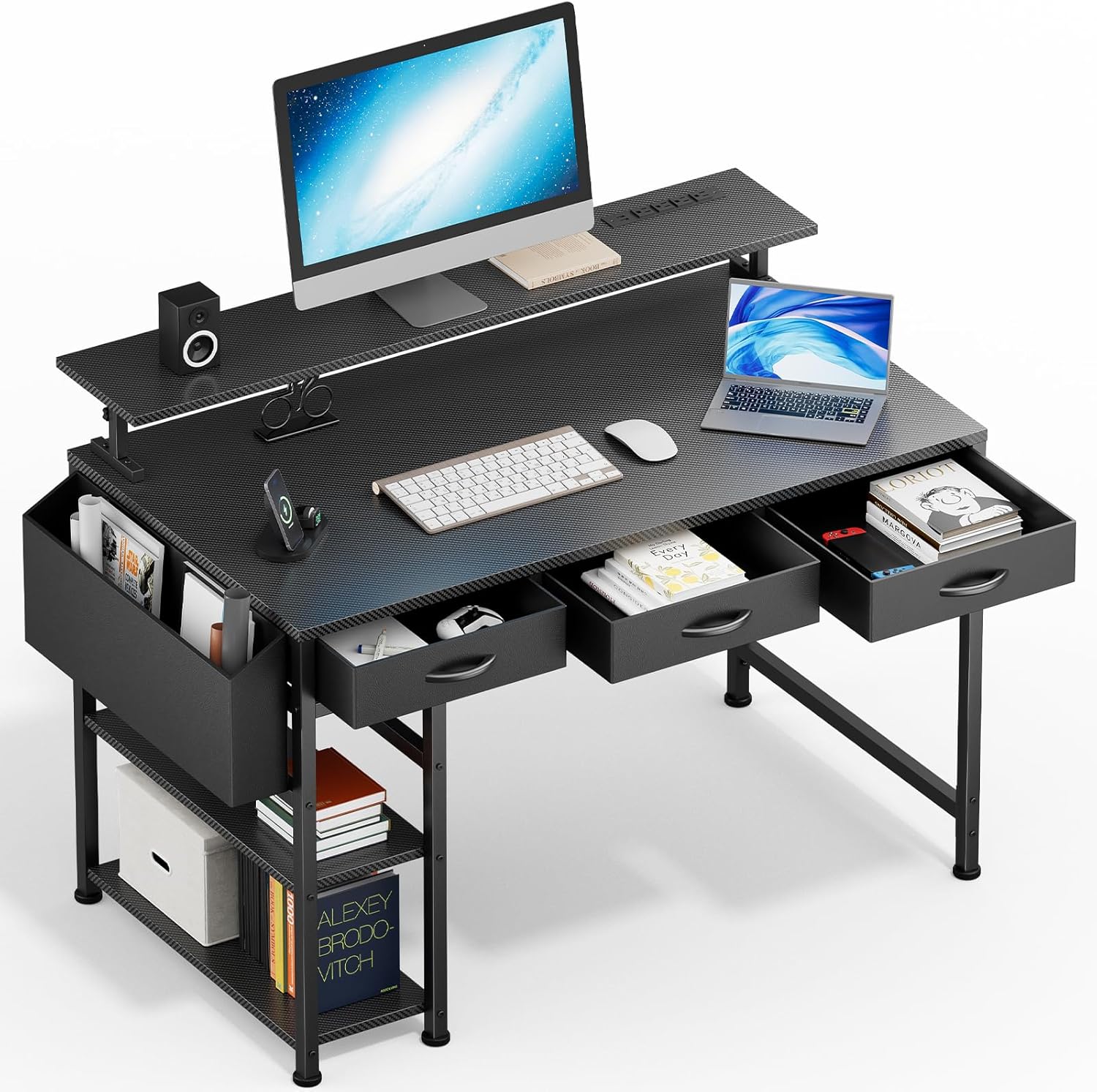
Thank you for choosing the DOMICON 47-Inch Black Gaming Desk. This desk is designed to enhance your workspace with features such as integrated LED lighting, convenient power outlets, USB charging ports, an adjustable monitor stand, and ample storage. This manual provides detailed instructions for assembly, operation, maintenance, and troubleshooting to ensure optimal use of your new desk.
2. Safety Information
Please read and understand all safety instructions before assembly and use. Failure to follow these instructions may result in injury or damage to the product.
- Always ensure the desk is properly assembled and stable before use.
- Do not overload the desk, especially the adjustable monitor stand, with items exceeding its weight capacity.
- Exercise caution when using the integrated electrical outlets and USB ports to prevent electrical hazards. Ensure all devices are compatible with the power specifications.
- Keep liquids away from electrical components.
- Regularly check all fasteners to ensure they remain tight.
3. Package Contents
Verify that all components are present before beginning assembly. If any parts are missing or damaged, please contact customer support.
- Desk tabletop (carbon-textured)
- Metal frame components
- Adjustable monitor stand components
- 3 fabric drawers with metal supports
- Side fabric organizer
- LED light strip with remote control
- Power strip with 4 AC outlets and 2 USB ports
- Assembly hardware (screws, bolts, etc.)
- Assembly tools
- Instruction manual
4. Assembly Instructions
A detailed instruction manual and all necessary tools are provided for quick and easy assembly. It is recommended to assemble the desk in the room where it will be used.
- Unpack all components and verify against the package contents list.
- Begin by assembling the main metal frame according to the diagrams in the included manual. Ensure all bolts are securely tightened.
- Attach the tabletop to the assembled frame.
- Install the adjustable monitor stand. Refer to the manual for specific attachment points and height adjustment mechanisms.
- Insert the fabric drawers into their designated slots, ensuring the metal supports are correctly positioned.
- Attach the side fabric organizer to the desk frame.
- Mount the LED light strip to the underside of the monitor stand or desired location, ensuring the adhesive is firm. Connect it to the power source.
- Integrate the power strip with AC outlets and USB ports into its designated slot on the monitor stand.
- Once assembled, gently move the desk to its final position.

5. Operating Instructions
5.1. LED Lighting System
The integrated RGB LED light strip provides customizable ambient lighting for your workspace.
- Power On/Off: Use the remote control to switch the LED lights on or off.
- Scene Modes: Select from 12 pre-programmed scene modes to suit your mood or activity.
- Color Selection: Choose from over 6,000 colors using the remote control's color palette.
- Brightness Adjustment: Adjust the brightness level to your preference.
- Music/Mic Mode: Some models may feature sound-reactive modes. Refer to the LED remote's specific instructions for these functions.
- Timing Mode: Set a timer for the lights to automatically turn off.

5.2. Power Outlets and USB Ports
The desk includes a built-in charging station with 4 AC outlets and 2 USB ports for convenient power access.
- Plug your devices directly into the AC outlets for power.
- Use the USB-A ports to charge compatible devices such as smartphones, tablets, or gaming accessories.
- Ensure the desk's power cord is securely plugged into a wall outlet.
5.3. Adjustable Monitor Stand
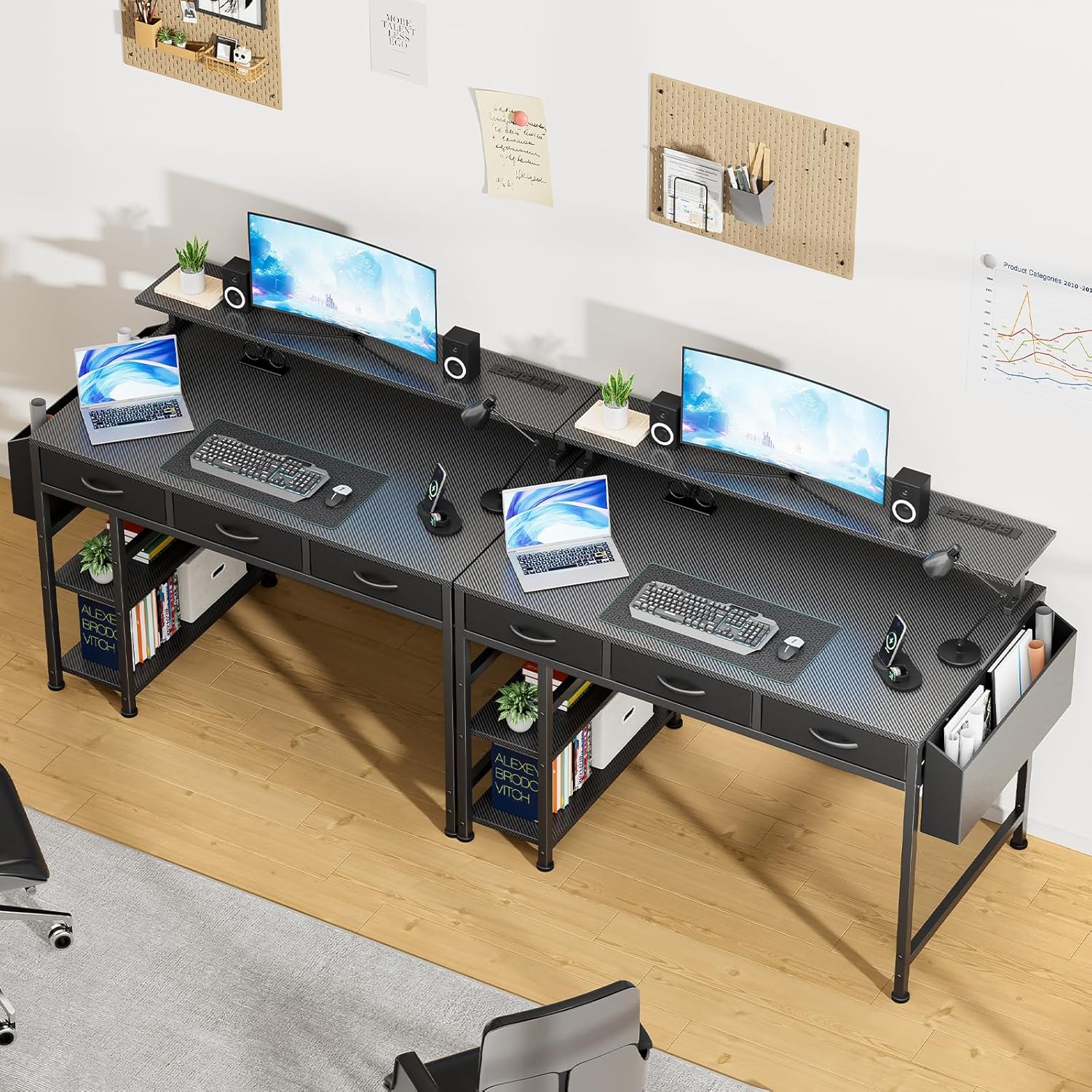
The monitor stand is adjustable to three different heights to provide ergonomic viewing and optimize desk space.
- To adjust the height, loosen the locking mechanisms on the stand supports.
- Carefully raise or lower the monitor stand to one of the three preset heights: 7.3 inches, 5.5 inches, or 5 inches.
- Securely tighten the locking mechanisms once the desired height is achieved.
5.4. Storage Features
The desk includes three reinforced fabric drawers and two open shelves, along with a side fabric organizer, for efficient storage.
- Use the fabric drawers for storing documents, accessories, or personal items. The drawers are supported by a metal frame for durability.
- The open shelves provide space for books, decorative items, or small electronic devices.
- The side fabric organizer is suitable for holding magazines, notebooks, or other frequently accessed items.

6. Maintenance and Care
Proper care will extend the life and appearance of your DOMICON gaming desk.
- Cleaning: Wipe the carbon-textured tabletop and metal frame with a soft, damp cloth. Avoid harsh chemicals or abrasive cleaners. The tabletop is scratch and heat-resistant.
- Fabric Components: For fabric drawers and organizers, spot clean with a mild detergent and allow to air dry.
- Electrical Components: Ensure the power outlets and USB ports are kept dry and free from dust. Do not attempt to clean them with liquids.
- Fasteners: Periodically check all screws and bolts to ensure they are tight. Retighten as necessary to maintain stability.
7. Troubleshooting
This section addresses common issues you might encounter.
| Problem | Possible Cause | Solution |
|---|---|---|
| LED lights do not turn on or stay on. | Loose connection; remote control battery low; LED strip not properly adhered. | Check all cable connections. Replace remote control battery. Ensure LED strip is firmly attached to the surface. |
| Power outlets/USB ports are not working. | Desk power cord unplugged; circuit breaker tripped; faulty device. | Ensure the desk's main power cord is securely plugged into a functional wall outlet. Check your home's circuit breaker. Test with a different device. |
| Desk feels unstable or wobbly. | Loose assembly fasteners; uneven floor. | Retighten all assembly screws and bolts. Adjust the desk's leveling feet (if applicable) or place shims under legs on uneven surfaces. |
| Monitor stand cannot be adjusted. | Locking mechanisms not fully disengaged; obstruction. | Ensure all locking mechanisms are fully loosened before attempting to adjust. Check for any obstructions preventing movement. |
| Missing parts during assembly. | Packaging error. | Contact DOMICON customer service immediately with your purchase details. |
8. Specifications
| Feature | Detail |
|---|---|
| Brand | DOMICON |
| Model Number | MK-25 |
| Product Dimensions | 47"W x 19.7"D x 29.5"H (Desk Height) |
| Color | Black |
| Top Material Type | Wood (Carbon-textured, scratch/heat-resistant) |
| Base Material | Alloy Steel |
| Monitor Stand Heights | 7.3", 5.5", 5" (Adjustable) |
| Power Outlets | 4 AC outlets |
| USB Ports | 2 USB-A ports |
| Drawers | 3 fabric drawers with metal support |
| Shelves | 2 open shelves |
| Special Features | RGB LED Lights, Built-In USB Outlet, Monitor Stand, Scratch Resistant |
| Assembly Required | Yes (Tools included) |
| Item Weight | 30 Pounds |
9. Warranty and Customer Support
DOMICON provides a limited warranty for this product. Please retain your proof of purchase for warranty claims.
- For detailed warranty information, refer to the documentation included with your purchase.
- If you encounter any quality problems, missing parts, or require assistance with assembly or operation, please contact DOMICON professional customer service.
- Contact information for customer service can typically be found on the product packaging or the DOMICON official website.