
Introduction
This manual provides detailed instructions for the ZWP V2 Pro Replacement Voice Remote Control. Please read this guide carefully to ensure proper setup and operation of your new remote control. This remote is designed to offer a versatile control solution for various Box models.
Compatibility
The ZWP V2 Pro Replacement Voice Remote Control is compatible with the following models:
- vSeeBox V1 Pro
- vSeeBox V2 Pro
- vSeeBox Elite
- vSeeBox V1 Max
- OctaStream Elite Max Android TV Box Elite-3

The ZWP V2 Pro remote is compatible with vSeeBox V2 Pro, Elite, V1 Pro, V1 Max, and OctaStream Elite Max Android TV Box Elite-3.
Key Features
- Premium Performance: Offers stable connectivity and quick response times.
- Durable Construction: Made of ABS material for enhanced durability and drop resistance.
- Energy Efficient: Features ultra-low power consumption, allowing for approximately 6 months of standby time.
- Precise Control: Effective control distance up to 40 feet.
- Voice Control: Integrated voice function for convenient command input.
- Shortcut Buttons: Dedicated buttons for quick access to popular applications.

Constructed from durable ABS material, the remote is designed for longevity and resistance to drops.
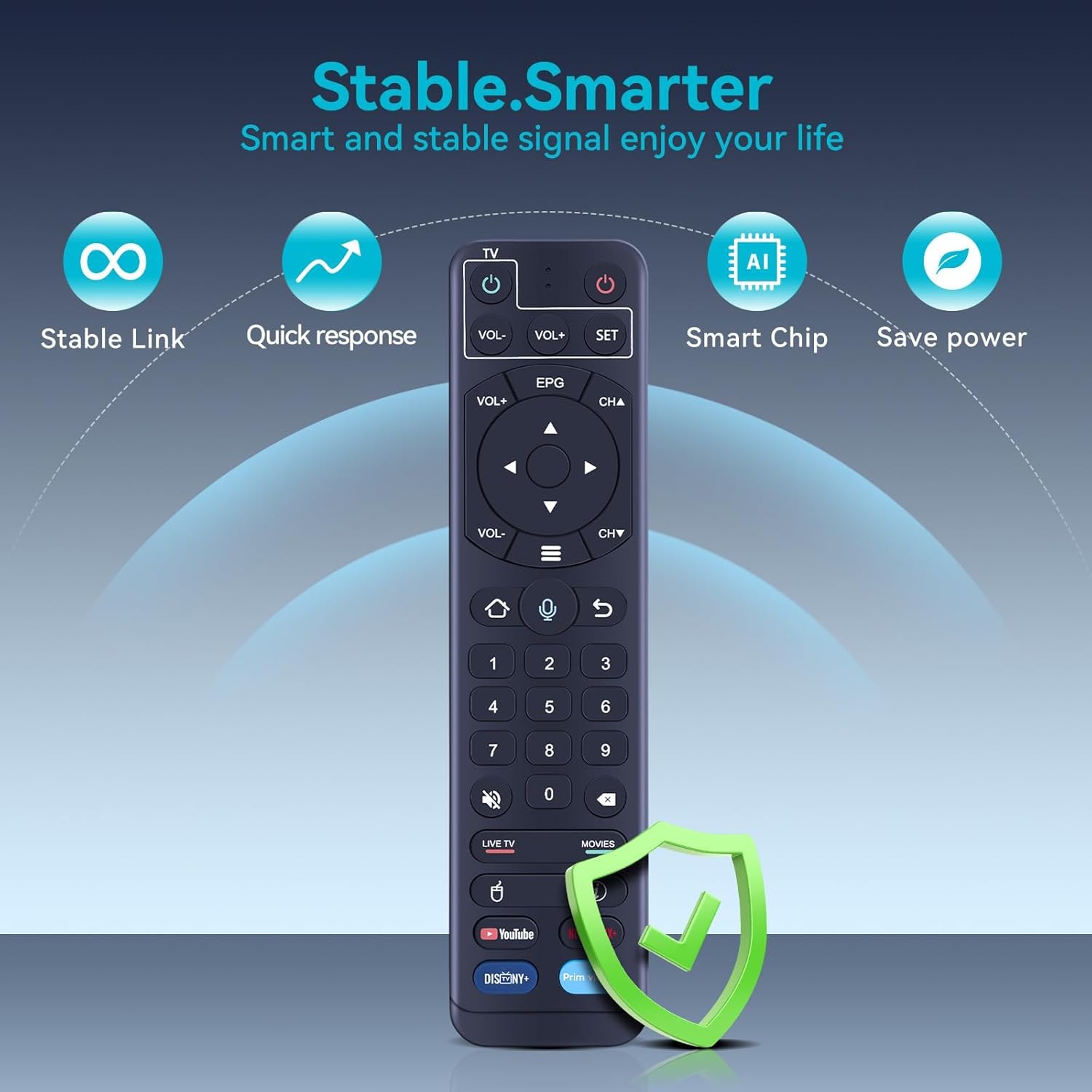
The remote offers stable connectivity, quick response times, smart chip technology for efficient operation, and ultra-low power consumption.
Setup
1. Battery Installation
The remote control requires two AAA batteries (not included). Ensure correct polarity when inserting the batteries.

The remote requires two AAA batteries (not included). Insert them into the compartment as shown, observing polarity.
2. Pairing the Remote (for Voice Function)
Pairing is required to enable the voice function. Follow these steps:
- Hold down the [OK] button and the [VOL-] button simultaneously.
- Continue holding until the red indicator light on the remote flashes.
- On your TV screen, a message should appear stating "Remote control connected successfully".

Visual guide for pairing the remote: 1. Initial connection attempt. 2. Remote control detected. 3. Connection successful.
Operating Instructions
1. IR Learning Procedure (for TV Control)
This remote can learn functions from your existing TV remote. This allows you to control basic TV functions (like Power, Volume) with the ZWP V2 Pro remote.
- Press and hold the "SET" key on the ZWP V2 Pro remote for 3 seconds. The red indicator light will turn on.
- Within 10 seconds, press the "Power" key in the TV CONTROL area of the ZWP V2 Pro remote. The red light will flash.
- Position your TV remote and the ZWP V2 Pro remote face-to-face, with their IR emitters approximately 3cm apart.
- Press the "Power" key on your TV remote. The red light on the ZWP V2 Pro remote will flash 3 times and then remain lit, indicating successful learning.
- Repeat steps 2 and 3 to learn other keys (e.g., Volume Up, Volume Down) if desired.
- Press the "SET" key again to exit the learning status.

To program TV control functions, align the infrared emitters of both remotes as shown and follow the learning procedure.
2. Voice Control and Shortcut Buttons
Once paired, you can use the voice control feature by pressing the microphone button and speaking your commands. The remote also includes dedicated shortcut buttons for quick access to popular streaming applications like YouTube, Netflix, Disney+, and Prime Video.

The remote features a voice control button for commands and dedicated shortcut buttons for quick access to popular streaming applications.
Maintenance
Battery Replacement
When the remote control's performance degrades or the indicator light does not respond, it is time to replace the batteries. Always use two new AAA batteries and ensure they are inserted with the correct polarity.
Cleaning
To clean the remote control, use a soft, dry cloth. Do not use liquid cleaners or abrasive materials, as these may damage the remote's surface or internal components.
Troubleshooting
Remote Not Responding or "No recognition result matched"
If the remote control does not recognize any commands or displays a "No recognition result matched" message, try the following steps:
- Check Batteries: Ensure the batteries are correctly installed and have sufficient charge. Replace them if necessary.
- Re-pair the Remote: Disconnect the remote from your device and then repeat the pairing procedure described in the "Setup" section. This often resolves connectivity issues.
- Clear Obstructions: Ensure there are no physical obstructions between the remote and your device.
Specifications
| Feature | Detail |
|---|---|
| Brand | ZWP |
| Model Name | V2 Pro |
| Special Feature | Voice Search |
| Color | Black |
| Max Number of Supported Devices | 1 |
| Compatible Devices | Set Top Box |
| Connectivity Technology | Infrared |
| Button Quantity | 160 |
| Maximum Range | 10 Meters (approx. 40 feet) |
| Battery Type | 2 x AAA (Alkaline or Rechargeable) |
| Item Weight | 0.09 Kilograms |
Warranty and Support
After-Sales Service
We provide up to 1 year of after-sales service for this remote control. Your satisfaction and product quality are our basic principles. If you encounter any issues or have any dissatisfaction with the remote control, please contact us at any time. We are committed to resolving your concerns.
Package Contents
- 1 x Replacement Remote Control (batteries not included)