
Odokee UE-268S-Black
Odokee Sound Machine Alarm Clock
Model: UE-268S-Black
Introduction
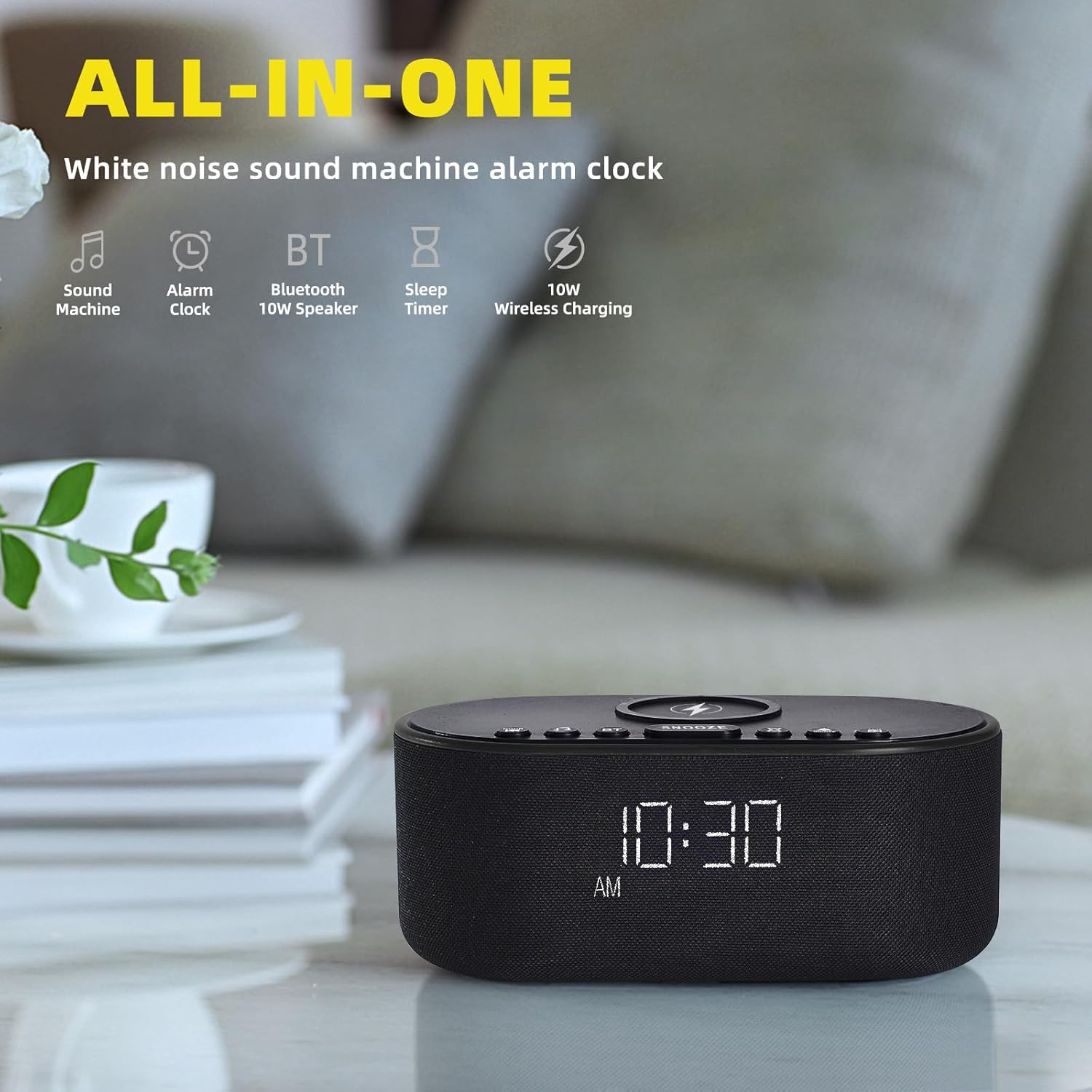
Thank you for choosing the Odokee Sound Machine Alarm Clock. This multi-functional device combines a white noise machine, alarm clock, Bluetooth speaker, and wireless charger, designed to enhance your sleep environment and daily routine. Please read this manual carefully to ensure proper use and optimal performance.

Safety Information
- Do not expose the device to water or excessive moisture.
- Avoid extreme temperatures and direct sunlight.
- Do not disassemble or attempt to repair the device yourself. Refer to qualified service personnel.
- Keep out of reach of children.
- Use only the provided power adapter.
Package Contents
- Odokee Sound Machine Alarm Clock
- Power Adapter
- User Manual
Product Overview
Familiarize yourself with the various components and controls of your Odokee Sound Machine Alarm Clock.

Controls and Ports:
- Wireless Charging Pad: Located on top for compatible devices.
- Snooze Button: Activates snooze function for alarms.
- Sound Buttons: Select and cycle through soothing sounds.
- Alarm Buttons: Set and manage alarms.
- Time Set Button: Adjust time and date.
- Display Dimmer: Adjusts screen brightness.
- Bluetooth (BT) Button: Activates Bluetooth pairing mode.
- USB Charging Port: For charging other devices.
- DC 9V Input: Power connection.
- Volume Control: Adjusts sound output.
Setup
1. Power Connection
Connect the provided power adapter to the DC 9V input port on the back of the alarm clock and plug it into a wall outlet. The display will light up.
2. Initial Time Setting
- Press and hold the TIME SET button. The hour display will start flashing.
- Use the +/- buttons to adjust the hour.
- Press TIME SET again to confirm the hour and move to minutes.
- Use the +/- buttons to adjust the minutes.
- Press TIME SET to confirm and exit time setting mode.
- To switch between 12/24-hour format, press the 12/24H button.
- To enable/disable Daylight Saving Time (DST), press the DST ON/OFF button.
3. Wireless Charging
Place your Qi-compatible smartphone centrally on the wireless charging pad located on top of the device. Ensure there are no metal objects or thick cases (over 3mm) between your phone and the charging pad. The charging indicator on your phone will confirm charging. This device supports 10W for Samsung and 7.5W for iPhone.


4. USB Charging
The built-in USB charging port on the back allows you to conveniently charge other electronic devices, such as smartwatches or earbuds, using their respective USB cables.

Operating Instructions
1. Alarm Clock Functions
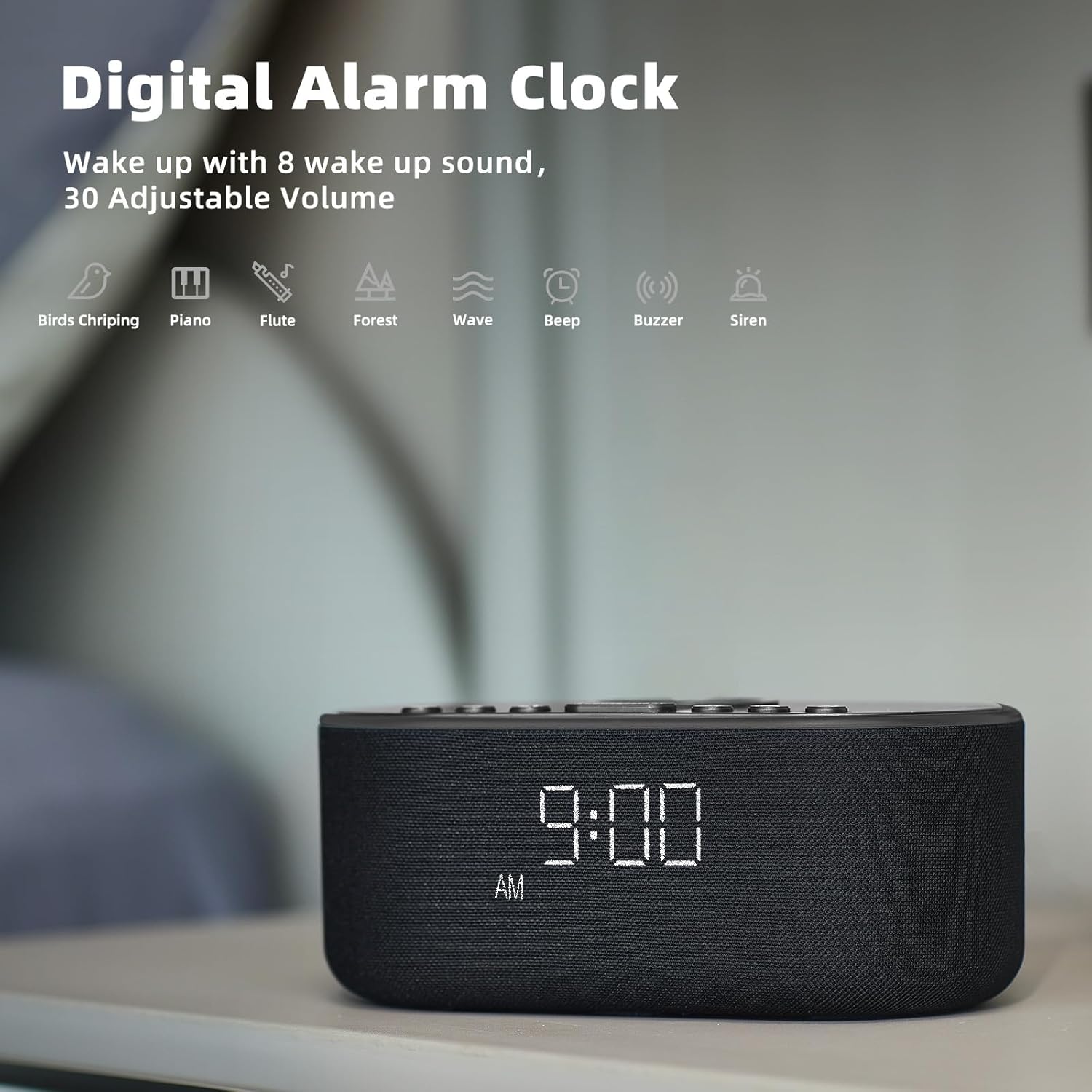
The alarm clock features 8 custom alarm sounds and a 9-minute snooze function.
- Setting an Alarm: Press the ALARM SET button. The alarm time will flash. Use the +/- buttons to set the desired alarm time. Press ALARM SET again to confirm.
- Selecting Alarm Sound: After setting the alarm time, use the Sound buttons to cycle through the 8 available alarm sounds (Beep, Birds Chirping, Wave, Piano, Flute, Forest, Buzzer, Siren).
- Activating/Deactivating Alarm: Press the ALARM ON/OFF button to toggle the alarm on or off. An alarm icon will appear on the display when active.
- Snooze Function: When the alarm sounds, press the SNOOZE button to temporarily silence it for 9 minutes.

2. Sound Machine Functions
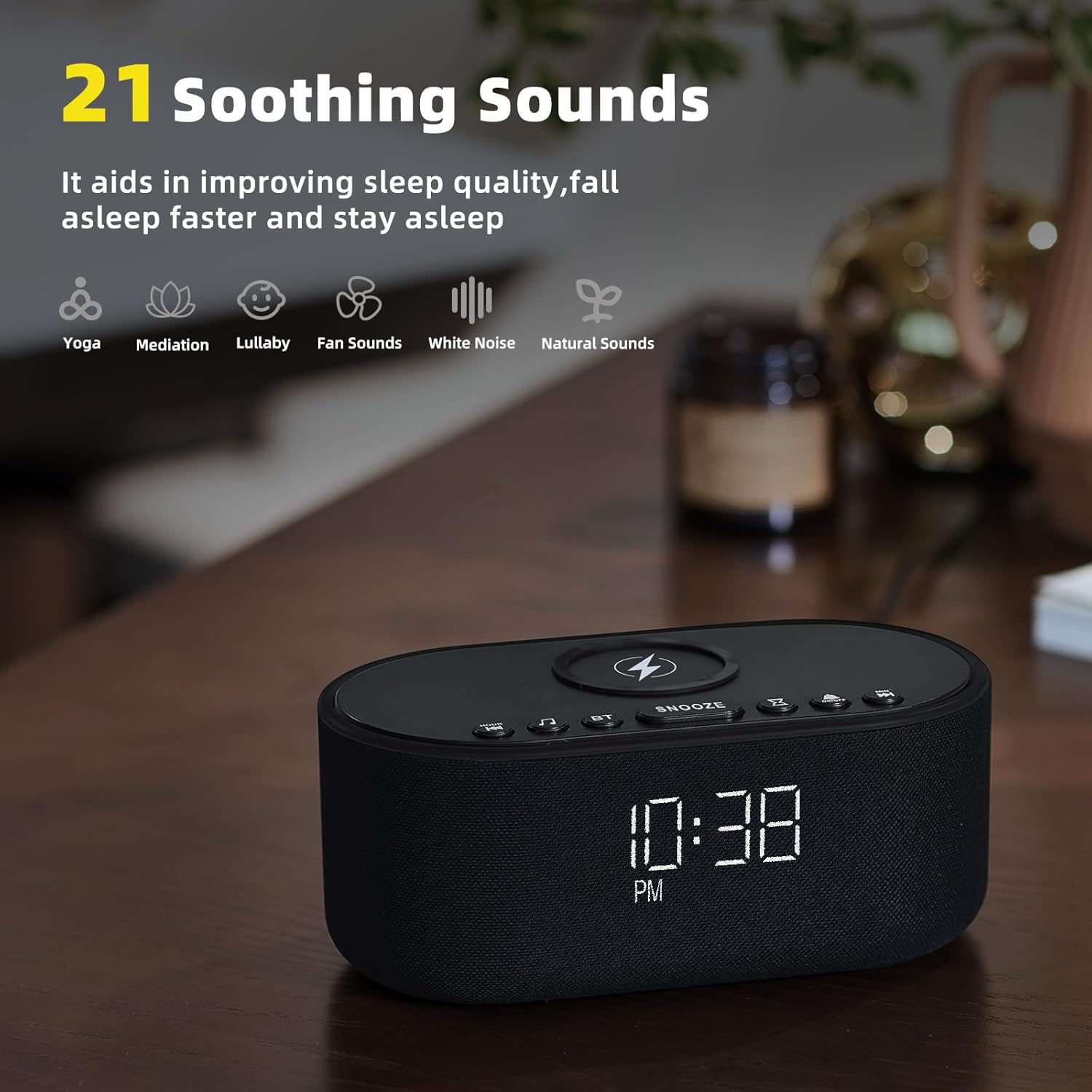
The device offers 21 soothing sounds to aid in sleep and relaxation.
- Selecting Sounds: Press the Sound buttons to cycle through the 21 available sounds, including 5 white noise variations (Pink and Brown noise included), 4 fan sounds, 6 nature sounds (waves, rains, thunderstorms, brook, birds chirping, wind), 2 lullabies, Heart Beat, Sh Sound, Yoga, and Meditation.
- Adjusting Volume: Use the Volume HIGH/LOW switch on the back of the unit to adjust the sound output level.
3. Bluetooth Speaker Pairing
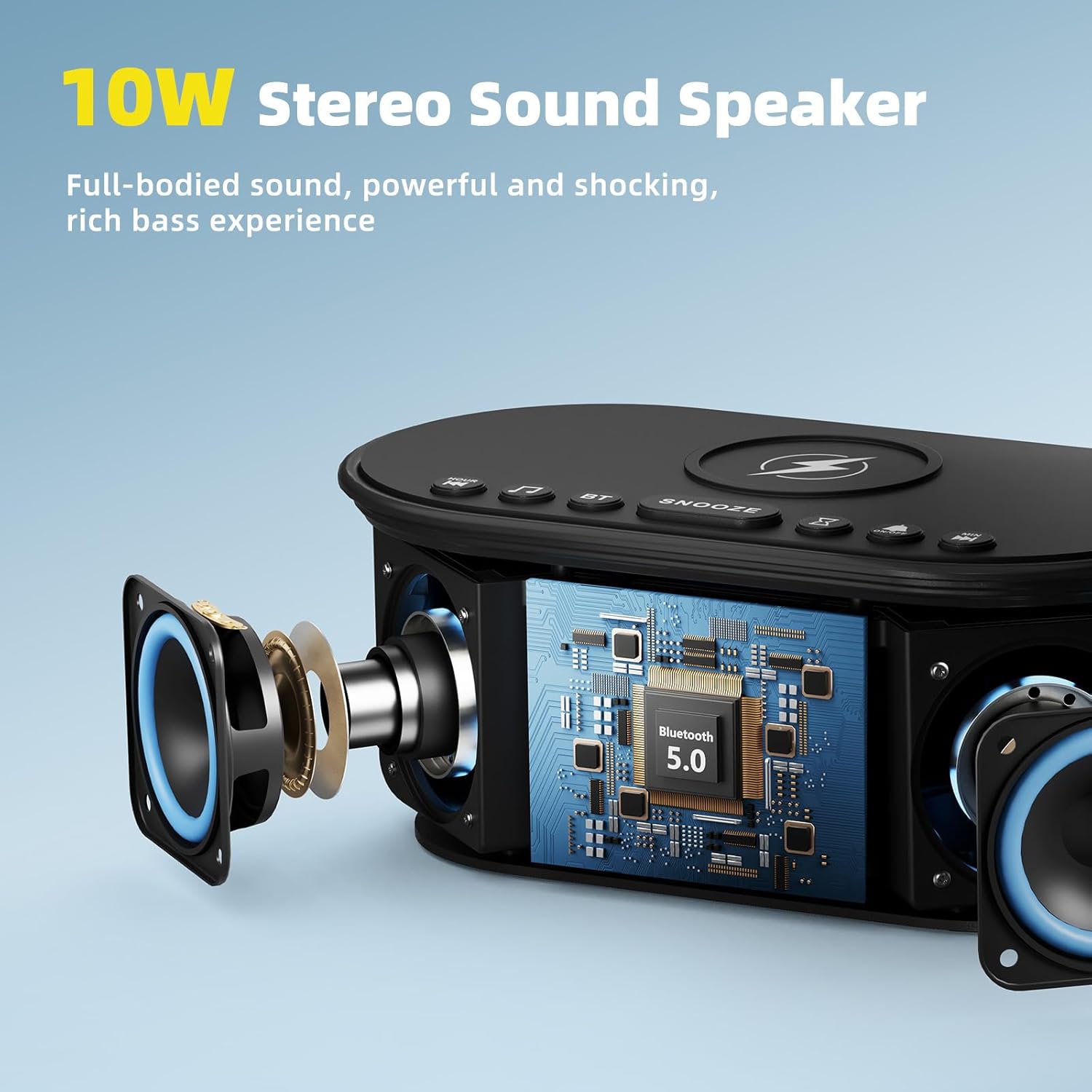
The 10W stereo Bluetooth 5.0 speaker provides high-quality audio for music playback.
- Press the BT button on the top of the device. The Bluetooth indicator on the display will flash, indicating pairing mode.
- On your smartphone or other Bluetooth-enabled device, go to Bluetooth settings and select "Odokee Sound Machine" from the list of available devices.
- Once connected, the Bluetooth indicator will stop flashing and remain solid. You can now play audio through the speaker.

4. Display Dimmer
Adjust the display brightness from 0% to 100% to suit your preference and ambient lighting conditions.
- Press the Display Dimmer button repeatedly to cycle through brightness levels.
- The display will adjust instantly.

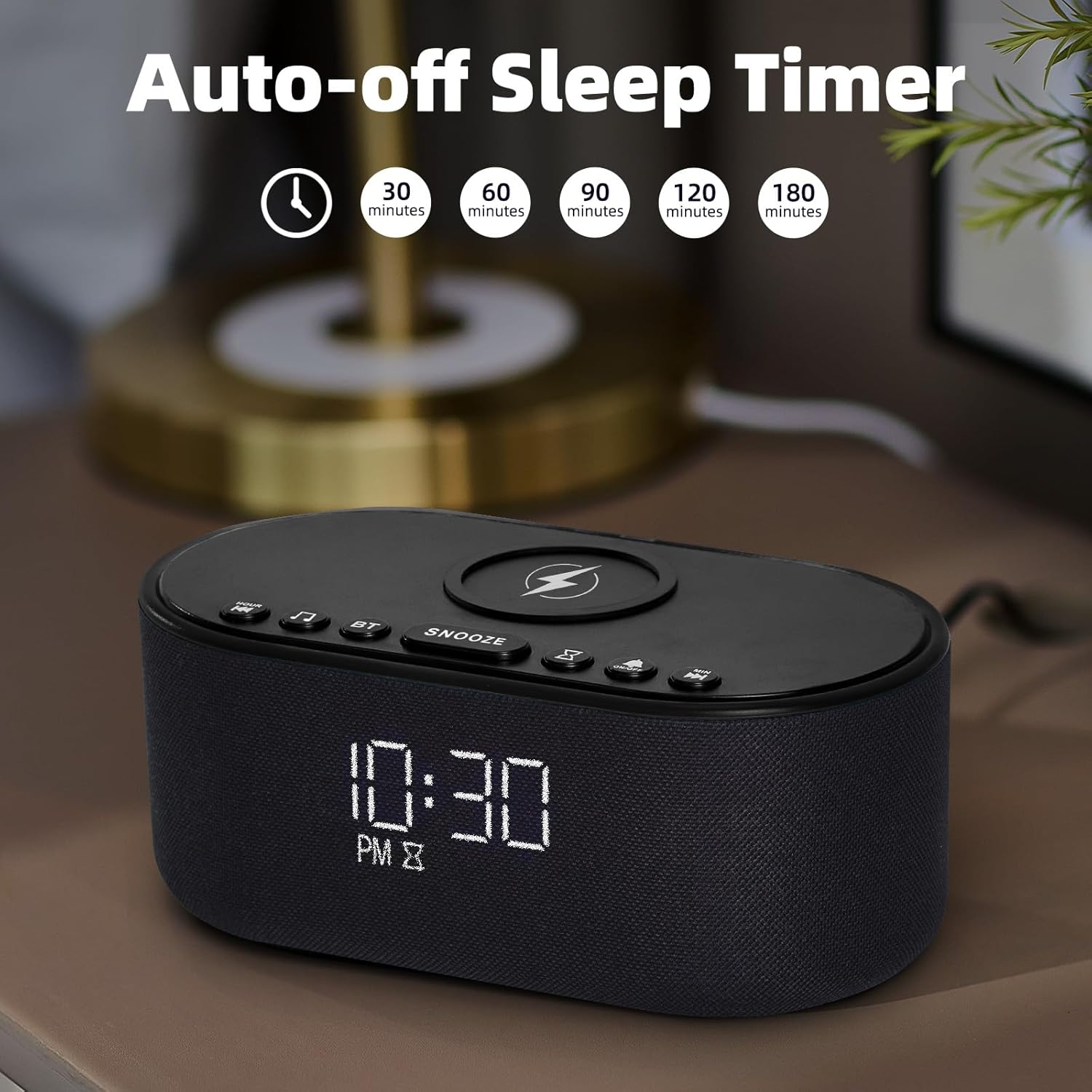
5. Sleep Timer
The sleep timer allows you to set the sound machine to automatically turn off after a specified duration.
- While a soothing sound is playing, press the Sleep Timer button.
- Each press will cycle through available timer options: 30, 60, 90, 120, 180 minutes, or OFF.
- The selected timer duration will be displayed. The sound will automatically turn off after the set time.
Maintenance
- Clean the device with a soft, dry cloth. Do not use abrasive cleaners or solvents.
- Keep the wireless charging pad free of dust and debris to ensure efficient charging.
- Store the device in a cool, dry place when not in use for extended periods.
Troubleshooting
| Problem | Possible Cause | Solution |
|---|---|---|
| Device does not power on. | Power adapter not connected or faulty outlet. | Ensure power adapter is securely connected and try a different power outlet. |
| Wireless charging not working. | Phone not Qi-compatible, not centered, or thick case/metal objects. | Ensure phone supports Qi wireless charging. Reposition phone centrally. Remove thick cases or metal objects. |
| Bluetooth pairing failed. | Device not in pairing mode, or too far from source. | Press the BT button to enter pairing mode. Ensure device is within 10 meters of the source. Forget device on your phone and re-pair. |
| No sound from speaker. | Volume too low or muted. | Adjust the volume switch on the back of the unit. Check volume on connected Bluetooth device. |
| Alarm not sounding. | Alarm not activated or volume too low. | Ensure alarm is set and activated (alarm icon visible). Increase alarm volume. |
Specifications
- Model Name: UE-268S-Black
- Brand: Odokee
- Material: Plastic
- Package Dimensions: 9.57 x 5.12 x 4.09 inches
- Item Weight: 1.16 pounds
- Power Input: DC 9V
- Wireless Charging Output: 10W (Max)
- Bluetooth Version: 5.0
- Speaker Output: 10W Stereo Sound
- Soothing Sounds: 21 (White Noise, Fan, Nature, Lullabies, etc.)
- Alarm Sounds: 8
- Display Dimmer: 0-100%
- Batteries Required: No
Warranty and Support
Odokee products are designed and manufactured to the highest quality standards. This product comes with a standard manufacturer's warranty. For detailed warranty information, please refer to the warranty card included in your package or visit the official Odokee website. If you encounter any issues or have questions regarding your device, please contact Odokee customer support for assistance. Please have your model number (UE-268S-Black) and purchase information ready when contacting support.
Online Support: Visit the Odokee Store on Amazon for FAQs and additional product information.
Related documentsUE-268S-Black


Ask a question about this manual
Ask about setup, troubleshooting, compatibility, parts, safety, or missing instructions. Manuals+ will review the question and use this page’s manual context to help answer it.