
1. Product Overview
The HAKINAKU HD11 is a versatile 4-in-1 detector designed to enhance safety in your home, travel, or indoor environments. It integrates multiple sensors to monitor critical environmental factors:
- Smoke Detection: Alerts to the presence of smoke, indicating potential fire hazards.
- Carbon Monoxide (CO) Detection: Monitors CO levels, a colorless, odorless, and toxic gas.
- Temperature Sensor: Displays the ambient temperature.
- Humidity Sensor: Shows the current humidity level.
This device features a convenient plug-in design compatible with US 110V to 220V AC outlets and includes a built-in 2000 mAh backup battery for continuous operation during power outages. The 2.1-inch HD screen provides clear, real-time data readings.

Figure 1: HAKINAKU HD11 4-in-1 Plug-in Smoke & Carbon Monoxide Detector.
2. Safety Information
Please read and understand all safety instructions before using this product. Failure to follow these instructions may result in property damage, injury, or death.
- This device is intended for indoor use only.
- Do not paint over the detector. Paint may clog the sensor openings and interfere with the unit's ability to detect smoke or carbon monoxide.
- Do not block the ventilation openings on the device.
- Test the detector regularly as described in the operating instructions.
- Carbon monoxide is an invisible, odorless, and tasteless gas. It is crucial to have working CO detectors in your home.
- Smoke detectors are not a substitute for property insurance.
3. Setup and Installation
3.1 Unboxing
Upon opening the package, you will find the HAKINAKU HD11 detector, a user manual, and a magnetic attachment for alternative mounting.
3.2 Powering On and Initial Setup
- Plug-in Installation: Insert the detector directly into a standard US 110V-220V AC wall outlet. Ensure it is securely seated. The device will automatically power on and begin monitoring.
- Magnetic Mounting (Optional): If you prefer not to use an outlet, the device can be powered by its internal 2000 mAh backup battery. Attach the magnetic disc to the back of the detector and mount it on a suitable metallic surface. Ensure the device is fully charged before relying solely on battery power.

Figure 2: The device features a plug-in design and a 2000 mAh backup battery.
3.3 Placement Recommendations
For optimal performance, place the detector in areas where smoke or carbon monoxide are likely to be detected first, such as near sleeping areas, living rooms, and kitchens. Avoid placing it near windows, doors, or vents where drafts could interfere with sensor readings.
Video 1: Demonstration of the HD11-CS Plug-in 4-in-1 CO & Smoke Detector combination, showing its features and operation.
4. Operating Instructions
4.1 HD Screen Display
The 2.1-inch HD screen provides real-time information with large, easy-to-read icons:
- CO PPM: Displays the concentration of carbon monoxide in parts per million.
- Smoke Indicator: Shows the presence of smoke.
- Temperature: Current ambient temperature (can be switched between Fahrenheit and Celsius).
- Humidity: Current ambient humidity percentage.
- Battery Indicator: Shows the remaining battery life.
- Alarm Status: Indicates if an alarm is active.

Figure 3: High-definition color screen display for clear readings.
4.2 Button Functions
- Power Button (Center): Short press to perform a self-test. Long press to power on/off.
- Light Button (Left): Short press to adjust screen brightness levels (off, low, high).
- Sound Button (Right): Short press to turn the alarm sound on or off.
4.3 Self-Test
To ensure the detector is functioning correctly, perform a self-test weekly:
- Press the Power Button (center button) briefly.
- The device will emit an audible alarm and flash visual indicators, confirming its operational status.
4.4 Alarm Indications
When smoke or carbon monoxide levels exceed safe thresholds, the device will activate both audible and visual alarms:
- Audible Alarm: An 85 dB siren will sound.
- Visual Alarm: The HD screen will display critical readings and relevant icons will flash red.
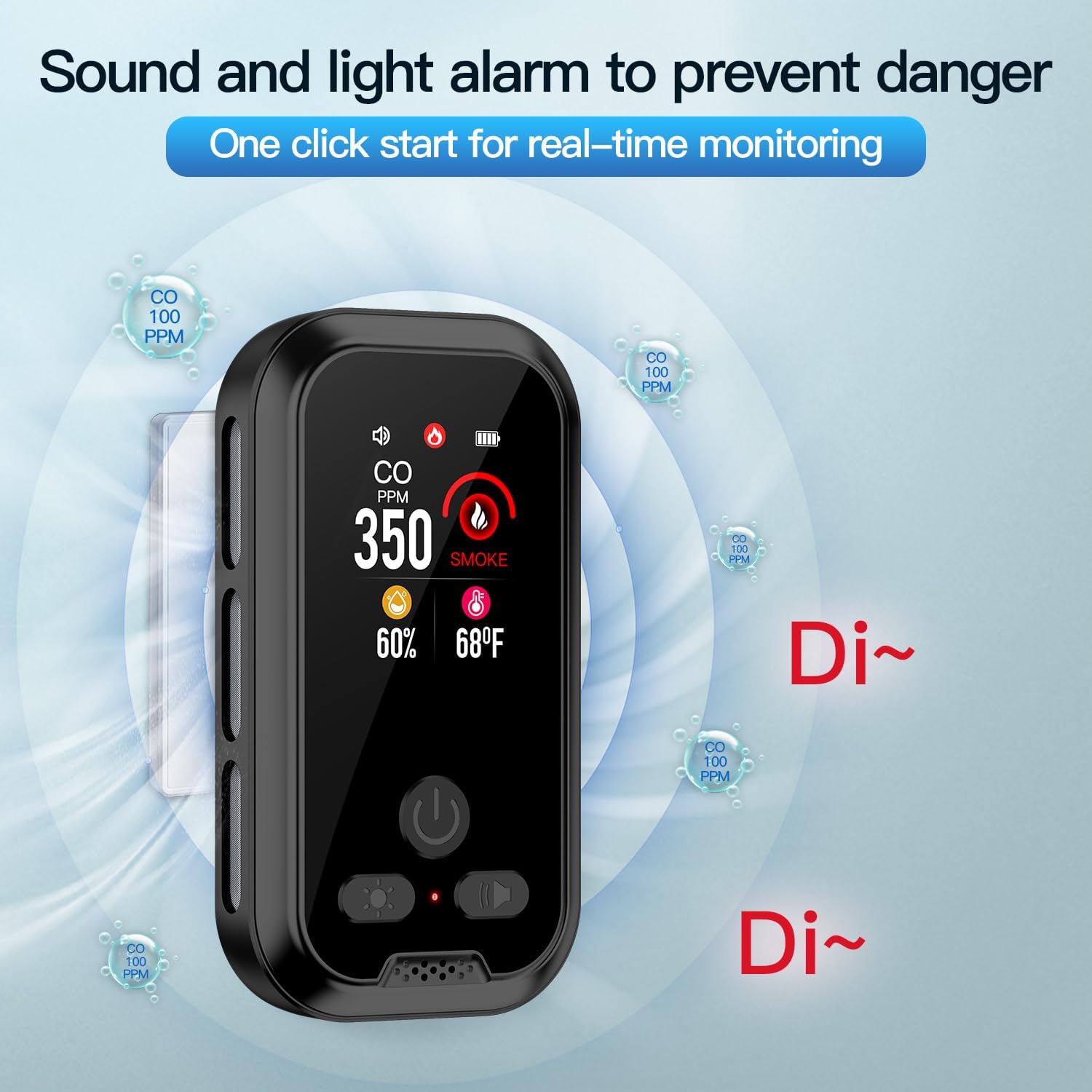
Figure 4: Sound and light alarm to prevent danger.
5. Maintenance
5.1 Cleaning
To maintain optimal performance, clean your detector regularly:
- Use a soft, damp cloth to wipe the exterior of the device.
- Do not use cleaning sprays or solvents, as these can damage the sensors.
- Gently vacuum around the sensor openings to remove dust and debris.
5.2 Battery Information
The device includes a built-in 2000 mAh Lithium Polymer backup battery. When plugged into an AC outlet, the battery charges and remains ready for use during power interruptions. A fully charged battery provides approximately 120 hours of operation.

Figure 5: High precision electrochemical photoelectric sensors and internal battery.
6. Troubleshooting
| Problem | Possible Cause | Solution |
|---|---|---|
| No display/Device not turning on | No power from outlet; Battery depleted | Check outlet, ensure power is available. Charge the device by plugging it in for several hours. |
| False alarms | Dust/debris in sensor; High humidity/steam; Cooking fumes | Clean the detector. Relocate away from sources of steam or cooking fumes. |
| Alarm sounds intermittently | Low battery; Sensor fault | Ensure device is plugged in and charging. If issue persists, contact support. |
| Screen is dim/off | Screen brightness setting; Power saving mode | Press the Light Button to adjust brightness. The screen may dim automatically to save power. |
7. Specifications
| Feature | Detail |
|---|---|
| Brand | HAKINAKU |
| Model | HD11 |
| Power Source | AC + Built-in 2000 mAh Lithium Polymer Battery |
| Battery Life (Backup) | Up to 120 hours |
| Sensor Types | Ionization (Smoke), Electrochemical (CO), Temperature, Humidity |
| Alarm Volume | 85 dB |
| Display | 2.1-inch HD Screen |
| Product Dimensions | 4.6"D x 1.1"W x 2.7"H |
| Item Weight | 9.6 ounces |
| Material | ABS |
| Usage | Indoor |
| UPC | 758321301886 |
8. Warranty & Support
HAKINAKU offers a 5-Year Free Exchange for any quality issues with your HD11 detector. For support or warranty claims, please refer to the contact information provided in your product packaging or visit the official HAKINAKU store.