
1. Introduction
Thank you for purchasing the FZF H13-1 Portable Dehumidifier. This manual provides important information regarding the safe operation, installation, maintenance, and troubleshooting of your new appliance. Please read this manual thoroughly before use and retain it for future reference.
The FZF H13-1 dehumidifier utilizes advanced semiconductor condensation technology to efficiently reduce humidity in small spaces. It features low noise operation, a compact design, and energy-saving capabilities, making it suitable for bedrooms, bathrooms, RVs, closets, and basements.
2. Safety Instructions
To ensure safe operation, always follow these basic precautions:
- Read all instructions before using the appliance.
- Do not operate the dehumidifier with a damaged cord or plug.
- Ensure the power outlet voltage matches the appliance's requirements.
- Keep the dehumidifier on a stable, level surface to prevent tipping and water spillage.
- Do not block the air inlet or outlet. Maintain at least 10 cm (4 inches) clearance around the unit.
- Unplug the unit before cleaning or performing any maintenance.
- Do not immerse the unit, power cord, or plug in water or other liquids.
- This appliance is for residential use only. Do not use it for commercial or industrial purposes.
- Keep out of reach of children and pets.
- Do not use in areas where flammable liquids or gases are stored.
3. Product Overview
Familiarize yourself with the components of your FZF H13-1 Dehumidifier.

Image 1: This image displays the FZF H13-1 Portable Dehumidifier from the front, highlighting its compact design, transparent water collection tank, and the top-mounted control panel. The included drain hose is visible in the foreground.

Image 2: A detailed view of the dehumidifier's control panel, showing the power button, color change button, and sleep mode button. The image also illustrates the unit's 7-color LED ambient lighting feature in a bedroom setting.
Key Components:
- Air Inlet/Outlet: Where air enters and exits the unit.
- Control Panel: Buttons for power, mode selection, and LED light control.
- Water Tank: Collects condensed moisture.
- Drainage Port: For connecting the continuous drain hose.
- Power Cord: Connects the unit to an electrical outlet.
4. Setup
- Unpacking: Carefully remove the dehumidifier from its packaging. Retain packaging materials for future storage or transport.
- Placement: Place the dehumidifier on a firm, level surface in the desired location. Ensure there is at least 10 cm (4 inches) of space around all sides for proper airflow. Avoid placing it near heat sources or in direct sunlight.
- Power Connection: Plug the power cord into a suitable electrical outlet. Ensure the outlet voltage matches the specifications of the dehumidifier.
- Initial Operation: For optimal performance, allow the unit to stand upright for at least 2 hours before initial use if it has been transported horizontally.
5. Operating Instructions
Power On/Off:
- Press the Power Button on the control panel to turn the unit on or off.
- When powered on, the unit will begin dehumidifying in its default mode.
Operating Modes:
The dehumidifier offers two operating modes:
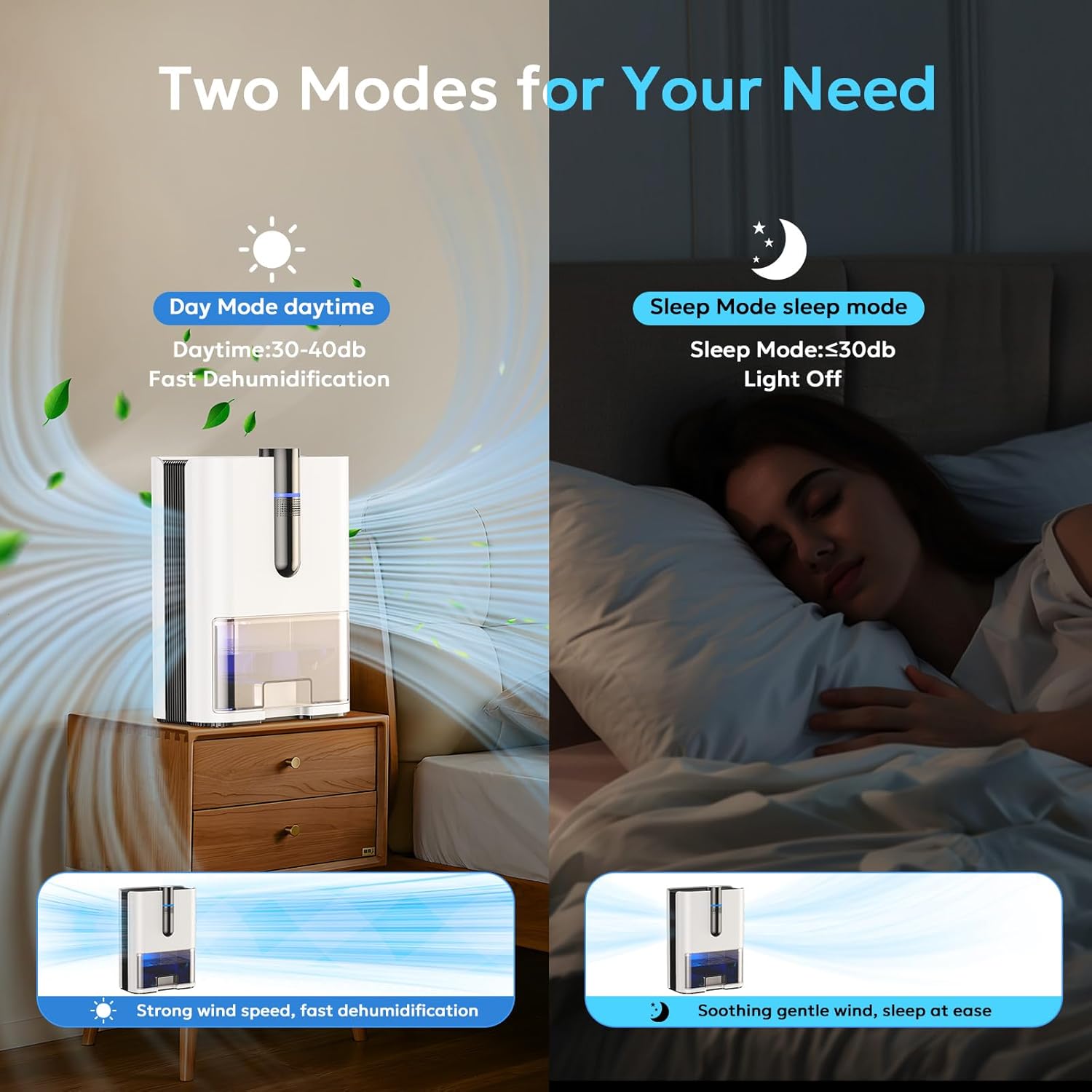
Image 3: This image illustrates the two operational modes of the dehumidifier: Day Mode, characterized by efficient dehumidification and a noise level of 30-40dB, and Sleep Mode, which provides quieter operation (below 30dB) with lights off for an undisturbed environment.
- Day Mode: Operates at a noise level of 30-40 dB, providing efficient dehumidification.
- Sleep Mode: Reduces noise to below 30 dB and turns off the LED lights for an undisturbed sleeping environment. Press the Sleep Mode Button to activate or deactivate Sleep Mode.
7-Color LED Light Function:
The dehumidifier features a 7-color ambient LED light. Press the Color Change Button to cycle through the colors or to lock on a preferred color. The lights are automatically turned off in Sleep Mode.
6. Drainage Options
Your FZF H13-1 dehumidifier offers two methods for water drainage:

Image 4: An illustration demonstrating the two drainage solutions for the dehumidifier: manual drainage by emptying the water tank, and automatic drainage via the included 3.8-foot hose connected to a suitable drain.
6.1. Manual Drainage (Water Tank)
- When the water tank is full, the dehumidifier will automatically shut off, and the indicator light will turn red.
- Carefully pull out the water tank from the front of the unit.
- Empty the collected water into a sink or drain.
- Slide the empty water tank back into the unit until it clicks into place. The dehumidifier will resume operation automatically.
6.2. Continuous Drainage (Drain Hose)
- For continuous operation without manual emptying, attach the included drain hose to the drainage port at the back of the unit.
- Ensure the hose is securely connected and positioned to drain downwards into a suitable outlet (e.g., a floor drain, large bucket, or sink).
- Verify that the hose is not kinked or blocked, as this can prevent proper drainage and cause water backup.
7. Maintenance
Regular maintenance ensures optimal performance and extends the lifespan of your dehumidifier.
7.1. Cleaning the Water Tank
- Empty the water tank as described in the "Manual Drainage" section.
- Rinse the tank with clean water. For stubborn residue, use a mild detergent and a soft cloth.
- Ensure the tank is thoroughly dry before reinserting it into the unit.
- Clean the water tank every few weeks or as needed to prevent mold and mildew growth.
7.2. Cleaning the Air Filter (if applicable)
While this model primarily uses semiconductor technology, ensuring clear airflow is crucial. Periodically inspect the air inlet and outlet grilles for dust accumulation. Use a soft brush or vacuum cleaner to gently remove any dust.
7.3. External Cleaning
- Wipe the exterior of the dehumidifier with a soft, damp cloth.
- Do not use abrasive cleaners, solvents, or harsh chemicals, as these can damage the surface.
- Ensure the unit is unplugged before cleaning.
8. Troubleshooting
Before contacting customer support, please refer to the following troubleshooting guide for common issues.
| Problem | Possible Cause | Solution |
|---|---|---|
| Dehumidifier does not turn on. |
|
|
| No water collected or low dehumidification. |
|
|
| Unit is noisy. |
|
|
| Water leaks from the unit. |
|
|
9. Specifications
| Feature | Specification |
|---|---|
| Brand | FZF |
| Model Name | H13-1 |
| Coverage Area | Up to 1000 Square Feet |
| Color | White |
| Water Tank Capacity | 2 Liters (67 Fluid Ounces) |
| Dehumidification Capacity | 1 Liter per Day (at 86°F, 80% RH) |
| Product Dimensions (D x W x H) | 5.39" x 9.17" x 12.6" |
| Item Weight | 5.84 Pounds |
| Operation Mode | Automatic |
| Special Features | Anti-Spill, Automatic Shutoff, Portable, Self Draining, Sleep Mode, 7-Color LED Light |
| Included Components | Drain Hose |
| Recommended Use | Residential |
10. Warranty and Support
For warranty information or technical support, please refer to the documentation included with your purchase or contact FZF customer service. Details regarding warranty periods and claims procedures are typically provided on the manufacturer's website or in the product packaging.
Please have your model number (H13-1) and purchase date available when contacting support.