
EZON S7
EZON S7 Smart Watch for Kids - User Manual
Model: S7 | Brand: EZON
1. Introduction
This manual provides essential information for the setup, operation, and maintenance of your EZON S7 Smart Watch. Please read it thoroughly to ensure proper use and to maximize the watch's features.
2. Package Contents
Verify that all items are present in the package:
- EZON S7 Smart Watch (with pre-attached watch band)
- USB Charging Cable
- User Manual

Figure 2.1: EZON S7 Smart Watch (Black)
3. Initial Setup
3.1 Charging the Device
Before first use, fully charge your EZON S7 Smart Watch. Connect the magnetic charging cable to the charging points on the back of the watch and plug the USB end into a compatible power source (e.g., computer USB port, USB wall adapter).
- Charging Time: Approximately 2 hours for a full charge.
- Battery Life: 5-7 days of average usage, up to 30 days standby.

Figure 3.1: Charging the EZON S7 Smart Watch
3.2 Pairing with Your Smartphone
To access all features and synchronize data, pair your watch with the companion app. The app is compatible with Android (5.0+) and iOS (9.0+) devices.
- Download the App: Scan the QR code in the manual or search for "Da Fit" in your smartphone's app store.
- Enable Bluetooth: Ensure Bluetooth is enabled on your smartphone.
- Open App & Pair: Open the "Da Fit" app, create an account if prompted, and follow the on-screen instructions to search for and connect to your EZON S7 Smart Watch.
- Grant Permissions: Allow necessary permissions for the app to function correctly (e.g., notifications, location, health data).
4. Operating Instructions
4.1 Basic Navigation
- Power On/Off: Press and hold the side button.
- Wake Screen: Press the side button or raise your wrist.
- Swipe Up/Down: Scroll through menus and notifications.
- Swipe Left/Right: Access quick functions or different watch faces.
- Tap: Select an option or open an application.
4.2 Bluetooth Calling & Smart Alerts
Once paired with your smartphone, the watch supports Bluetooth calling and smart notifications.
- Make/Receive Calls: Use the watch interface to dial numbers or answer incoming calls directly from your wrist.
- Notifications: Receive alerts for calls, messages, and app notifications from your paired smartphone.

Figure 4.1: Bluetooth Calling Feature
4.3 Games
The watch includes several pre-installed puzzle games for entertainment.

Figure 4.2: Built-in Games
5. Health Monitoring
The EZON S7 Smart Watch provides 24/7 health monitoring features to help users track their well-being.
- Heart Rate Monitor: Tracks heart rate throughout the day.
- SpO2 Monitor: Measures blood oxygen saturation levels.
- Sleep Monitor: Analyzes sleep patterns, including deep sleep, light sleep, and REM.
- Stress Monitor: Provides insights into stress levels.
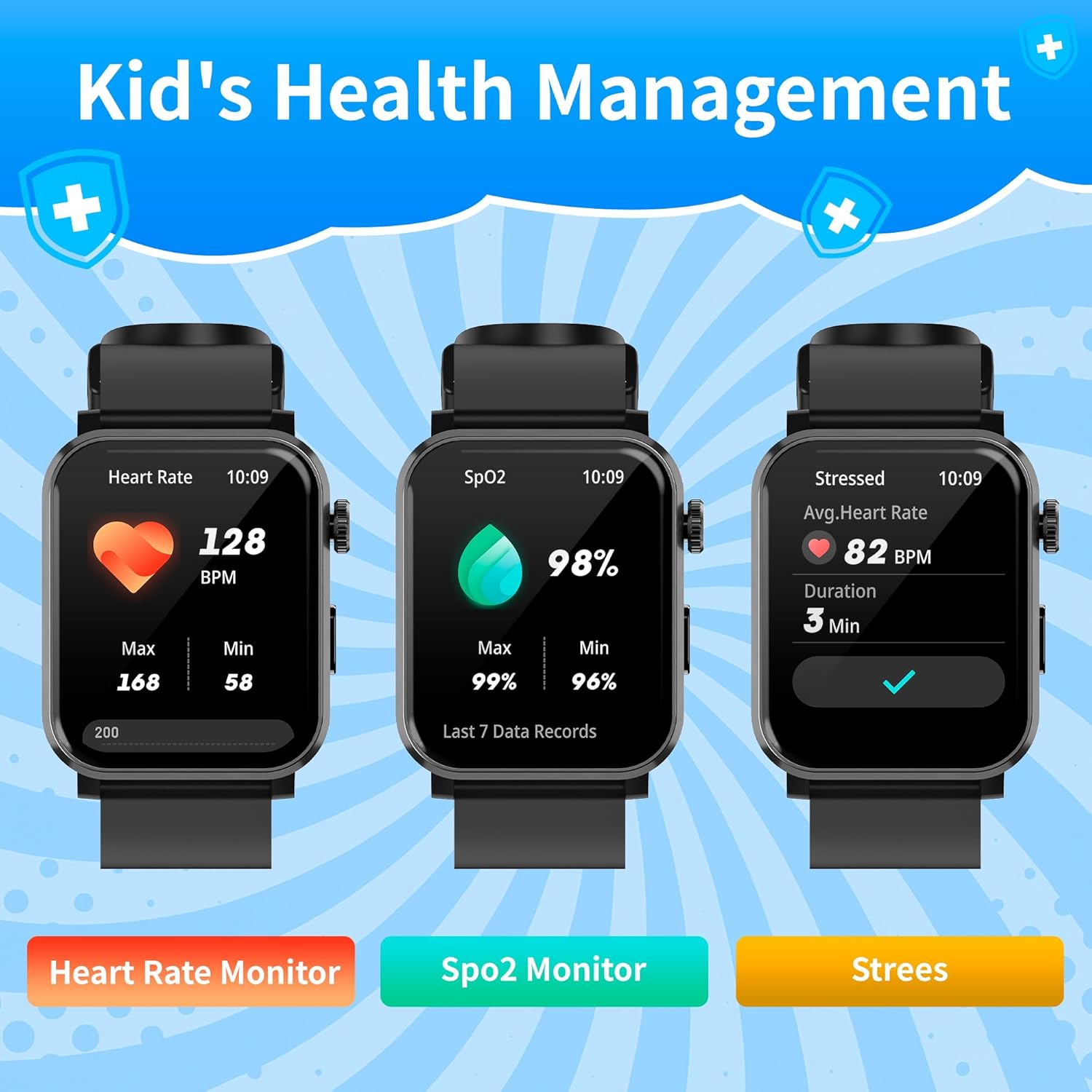
Figure 5.1: Health Monitoring Features
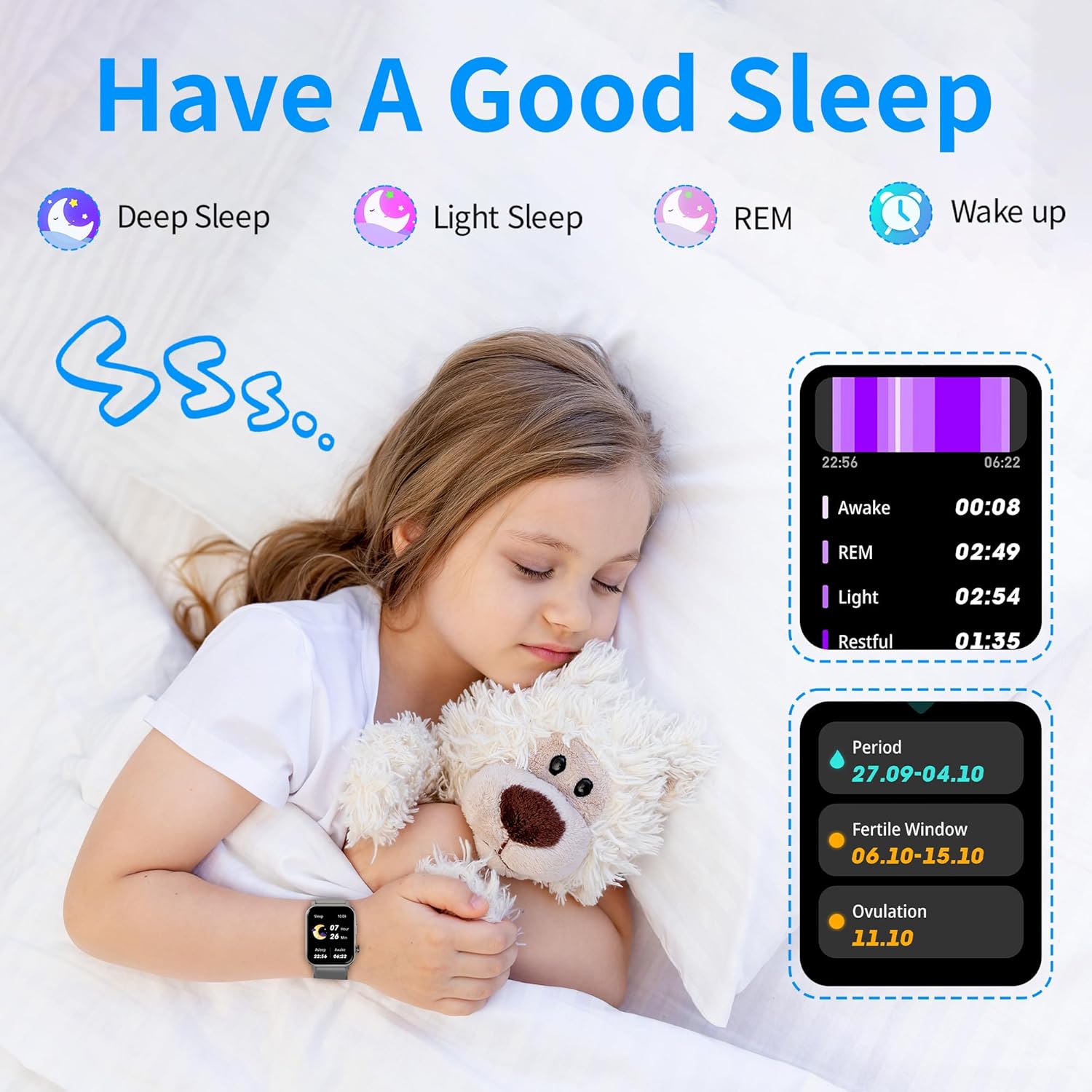
Figure 5.2: Sleep Tracking
6. Activity Tracking
The watch tracks daily activity and supports over 120 sports modes.
- All-Day Tracking: Records steps, calories burned, distance traveled, and active time.
- Sports Modes: Select from over 120 sports modes to track specific workouts (e.g., running, cycling, swimming).
- Reminders: Set reminders for hydration or stretching to maintain healthy habits.
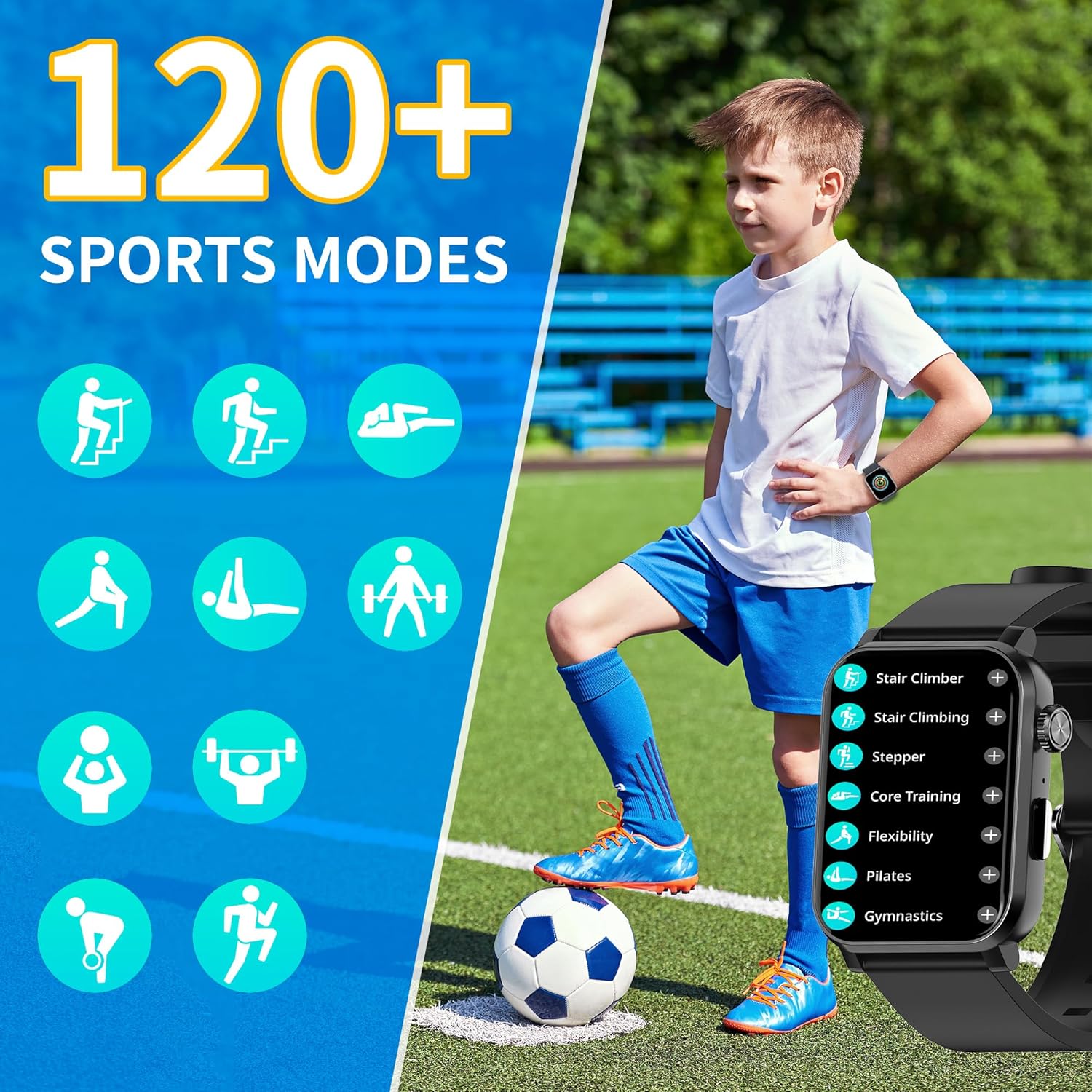
Figure 6.1: 120+ Sports Modes
7. Watch Face Customization
Personalize your watch with customizable watch faces.
- Pre-set Faces: Choose from over 100 pre-designed watch faces.
- DIY Watch Faces: Upload your favorite photos via the "Da Fit" app to create unique watch faces.
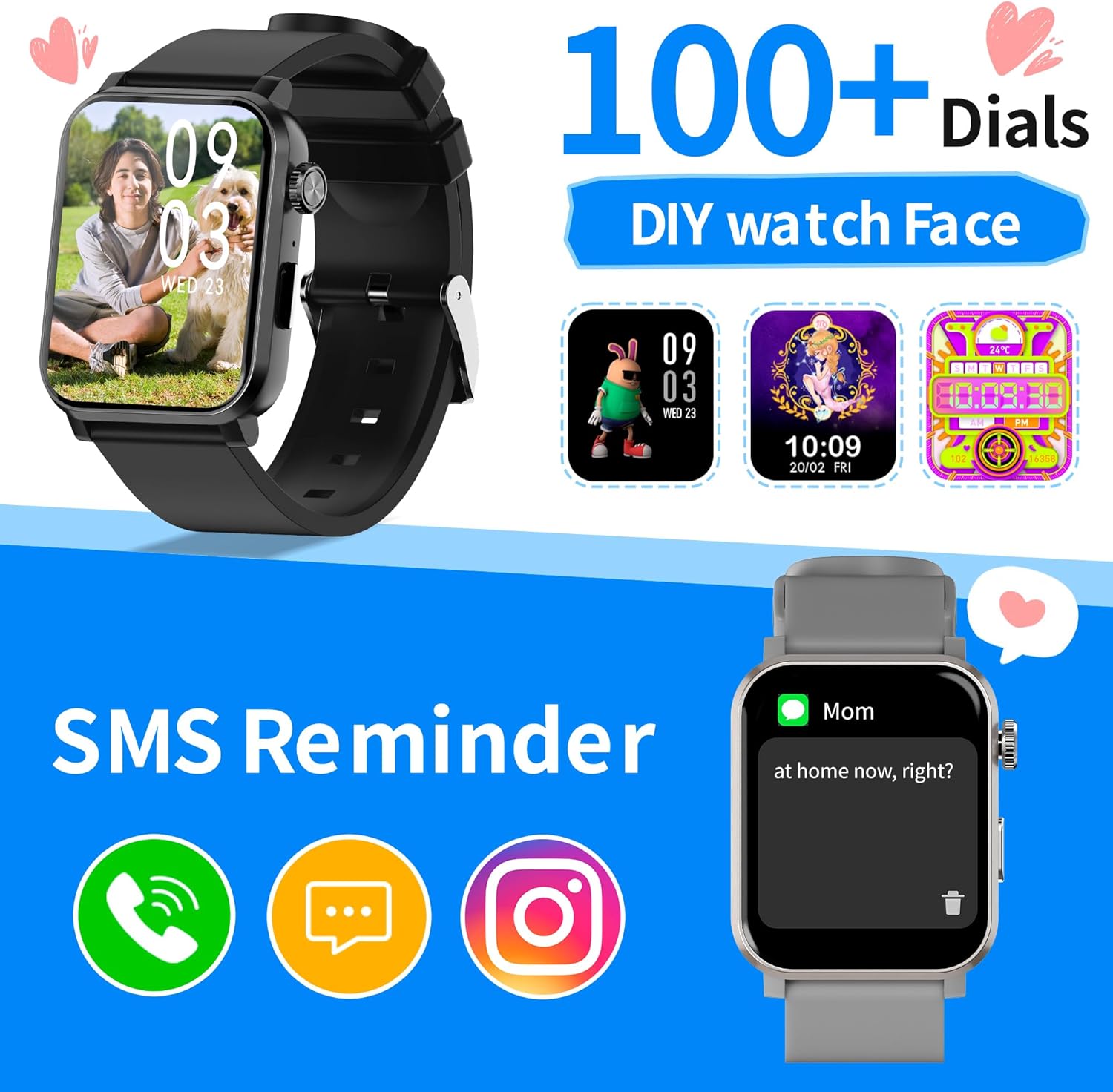
Figure 7.1: Customizable Watch Faces
8. Specifications
| Feature | Detail |
|---|---|
| Model Number | S7 |
| Screen Size | 1.83 Inches HD Color Screen |
| Product Dimensions | 1.77 x 1.46 x 0.39 inches |
| Item Weight | 5.3 ounces |
| Water Resistance | IP68 (rain, handwashing, splashes) |
| Battery Life | 5-7 days (average usage), up to 30 days (standby) |
| Charging Time | Approximately 2 hours |
| Connectivity | Bluetooth |
| Operating System | RTOS |
| Compatibility | Android 5.0+ / iOS 9.0+ |
| Special Features | Bluetooth Call, Health Monitoring (HR, SpO2, Sleep, Stress), Activity Tracking, Games, Customizable Watch Faces |
9. Care and Maintenance
- Cleaning: Wipe the watch and band regularly with a soft, damp cloth. Avoid harsh chemicals.
- Water Resistance: The watch is IP68 rated, meaning it is resistant to dust and can withstand immersion in water up to 1.5 meters for 30 minutes. It is suitable for handwashing, rain, and shallow swimming, but not for hot showers, diving, or high-pressure water activities.
- Storage: Store the watch in a cool, dry place when not in use.
10. Troubleshooting
- Watch Not Turning On: Ensure the watch is fully charged. Connect it to the charger and wait a few minutes before attempting to power it on again.
- Cannot Pair with Phone: Make sure Bluetooth is enabled on your phone and the watch is within range. Restart both devices and try pairing again through the "Da Fit" app.
- Inaccurate Health Readings: Ensure the watch is worn snugly on the wrist, not too tight or too loose. Avoid excessive movement during measurements. Note that smartwatches are not medical devices and readings are for reference only.
- Notifications Not Appearing: Check app permissions on your phone to ensure the "Da Fit" app has access to notifications. Also, verify that notifications are enabled within the app settings.
11. Official Product Videos
11.1 The Watch that Moves with You : EZON S7
This video provides a brief overview of the EZON S7 Smart Watch, highlighting its dynamic features and design. It showcases the watch in various active scenarios.
11.2 Smart Watch S7
This video offers a detailed look at the EZON S7 Smart Watch, demonstrating its various functions and user interface. It covers aspects like navigation, app integration, and key features.
12. Warranty and Support
EZON is committed to providing quality products and customer satisfaction.
- Warranty: Enjoy a 1-Year Free Replacement for manufacturing defects.
- Returns: A 30-Day Return Policy is available for eligible purchases.
- Customer Support: Benefit from Lifetime Support and a 24-Hour Response time for inquiries.
- Contact: For further assistance, please visit the EZON Official Store or refer to the contact information provided in your product packaging.
Related documentsS7

Ask a question about this manual
Ask about setup, troubleshooting, compatibility, parts, safety, or missing instructions. Manuals+ will review the question and use this page’s manual context to help answer it.