
W-KING BT226
W-KING BT226 Portable Bluetooth Speaker User Manual
Model: BT226 | Brand: W-KING
1. Introduction
Thank you for choosing the W-KING BT226 Portable Bluetooth Speaker. This manual provides essential information for setting up, operating, and maintaining your speaker to ensure optimal performance and longevity. The W-KING BT226 delivers powerful 36W sound with 360° surround audio, Hi-Fi quality, and robust IPX6 waterproofing, making it ideal for various environments, from outdoor adventures to home use.

Figure 1: W-KING BT226 Portable Bluetooth Speaker
2. What's in the Box
Please check the package contents to ensure all items are present:
- W-KING BT226 Speaker
- Type-C to Type-C Charging Cable
- 3.5 mm Audio Cable
- Carrying Strap
- User's Manual (this document)
3. Setup
3.1 Charging the Speaker
Before first use, fully charge the speaker. Connect the provided Type-C charging cable to the speaker's Type-C port and the other end to a compatible USB power adapter (not included). The LED indicator will show charging status.
3.2 Power On/Off
- To Power On: Press and hold the Power button for 2 seconds.
- To Power Off: Press and hold the Power button for 2 seconds.
3.3 Bluetooth Pairing
The W-KING BT226 uses Bluetooth 5.4 for stable connections.
- Ensure the speaker is powered on and in pairing mode (LED indicator will flash).
- On your device (smartphone, tablet, laptop), enable Bluetooth.
- Search for "W-KING BT226" in the list of available devices and select it to connect.
- Once connected, the LED indicator will become solid.

Figure 2: Bluetooth 5.4 Connectivity and Ports
4. Operating Instructions
4.1 Basic Controls
The speaker features intuitive buttons for easy control:
- Power Button: Press and hold to power on/off.
- Play/Pause Button: Press once to play or pause music.
- Volume Up (+): Press once to increase volume. Press and hold for next track.
- Volume Down (-): Press once to decrease volume. Press and hold for previous track.
- EQ Button: Double-press to cycle through EQ modes (Popular, Deep Bass).
- TWS Button: Double-press to initiate True Wireless Stereo pairing.

Figure 3: Speaker Button Functions
4.2 Sound Modes (EQ)
Customize your audio experience with two EQ modes:
- Popular Mode: Balanced sound profile suitable for most music genres.
- Deep Bass Mode: Enhances low frequencies for a richer, more impactful bass experience.

Figure 4: EQ Modes for Customized Sound
4.3 True Wireless Stereo (TWS) Pairing
Pair two W-KING BT226 speakers for an immersive 72W stereo sound experience.
- Ensure both speakers are powered on and not connected to any other Bluetooth device.
- Double-press the TWS button on one speaker. It will enter TWS pairing mode.
- The two speakers will automatically connect to each other. A confirmation tone will sound.
- Once paired, connect your device to one of the speakers via Bluetooth. Both speakers will now play audio in stereo.

Figure 5: True Wireless Stereo Setup
4.4 Hands-Free Calling
The built-in microphone allows for clear hands-free calls when connected via Bluetooth.
- Answer Call: Press the Play/Pause button once.
- End Call: Press the Play/Pause button once during a call.
- Reject Call: Press and hold the Play/Pause button for 2 seconds.

Figure 6: Hands-Free Call Functionality
5. Maintenance
5.1 Water Resistance (IPX6)
The W-KING BT226 is IPX6 waterproof, meaning it can withstand powerful water jets and splashes. It is suitable for use in rainy conditions or near water bodies. However, it is not designed for prolonged submersion.
- Ensure the charging port cover is securely closed before exposing the speaker to water.
- Do not submerge the speaker for extended periods.
- After exposure to water, wipe the speaker dry with a soft cloth.
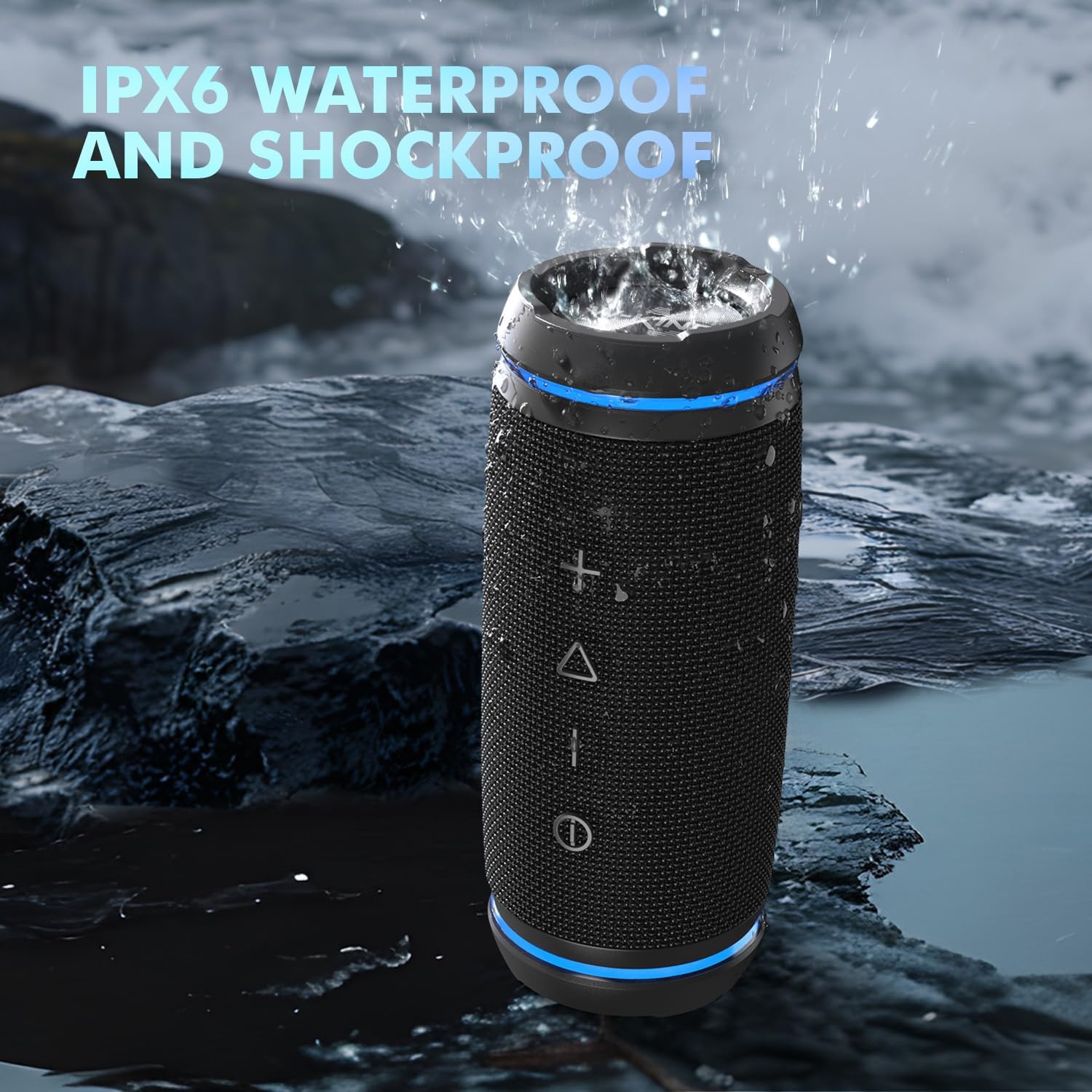
Figure 7: IPX6 Waterproof Design
5.2 Cleaning and Storage
- Clean the speaker with a soft, damp cloth. Do not use harsh chemicals or abrasive cleaners.
- Store the speaker in a cool, dry place away from direct sunlight and extreme temperatures.
- If storing for an extended period, charge the battery to approximately 50% every few months to preserve battery life.
6. Troubleshooting
| Problem | Possible Cause | Solution |
|---|---|---|
| Speaker does not power on. | Low battery. | Charge the speaker fully. |
| Cannot pair via Bluetooth. | Speaker not in pairing mode; device Bluetooth off; too far from speaker. | Ensure speaker is in pairing mode. Turn device Bluetooth on/off. Move device closer to speaker (within 10 meters). |
| No sound. | Volume too low; device not connected; incorrect input mode. | Increase volume on speaker and device. Re-pair Bluetooth. Check AUX cable connection if using AUX input. |
| Poor sound quality. | Low battery; interference; source audio quality. | Charge the speaker. Move away from other electronic devices. Try a different audio source. |
| TWS pairing failed. | Speakers too far apart; already connected to another device. | Ensure speakers are close to each other. Disconnect speakers from other devices before TWS pairing. |
7. Specifications
| Feature | Detail |
|---|---|
| Model Name | BT226 |
| Speaker Type | Portable Bluetooth Speaker |
| Output Power | 36W Peak |
| Bluetooth Version | 5.4 |
| Bluetooth Range | Up to 10 meters (33 feet) |
| Battery Life | Up to 30 hours (varies by volume and content) |
| Water Resistance | IPX6 |
| Connectivity | Bluetooth, AUX-in (3.5mm) |
| Dimensions (D x W x H) | 3" x 3" x 7.3" |
| Weight | 1.37 Pounds |
| Material | Acrylonitrile Butadiene Styrene (ABS) |
8. Warranty and Support
The W-KING BT226 Portable Bluetooth Speaker comes with a limited warranty. For detailed warranty information, product support, or technical assistance, please refer to the official W-KING website or contact their customer service. Keep your purchase receipt for warranty claims.
For further assistance, please visit: W-KING Official Store
Related documentsBT226


Ask a question about this manual
Ask about setup, troubleshooting, compatibility, parts, safety, or missing instructions. Manuals+ will review the question and use this page’s manual context to help answer it.