
MageGee LIGHT100
MageGee LIGHT100 Wireless Mechanical Keyboard User Manual
Model: LIGHT100
Product Overview
The MageGee LIGHT100 is a versatile mechanical keyboard designed for various computing environments, offering multiple connectivity options and customizable features. It features a compact 96% layout, durable PBT keycaps, and a gasket-mounted structure for enhanced typing comfort and sound dampening.
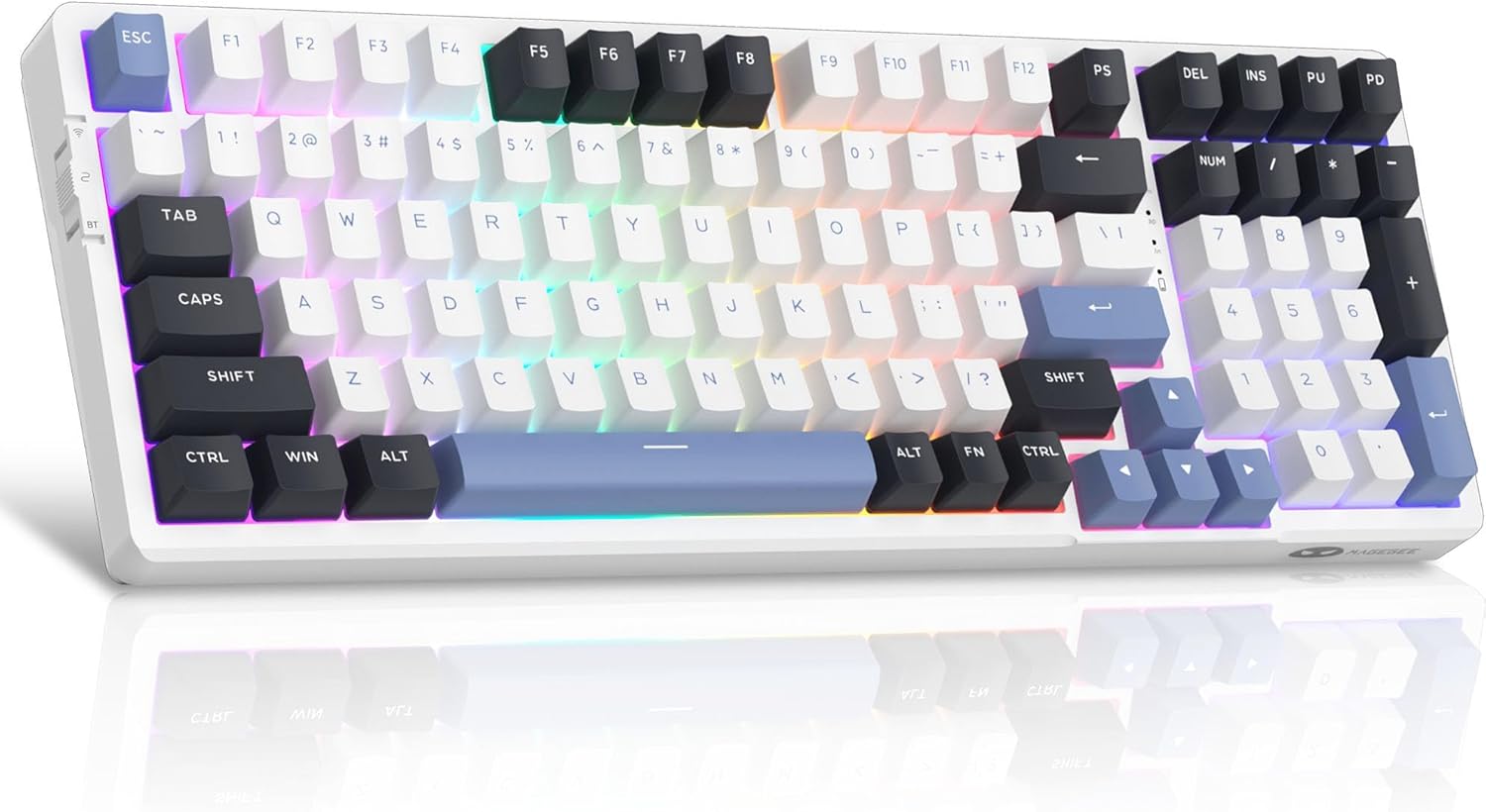
Figure 1: MageGee LIGHT100 Wireless Mechanical Keyboard with RGB backlighting.
Key Features:
- Tri-Mode Connectivity: Supports Bluetooth 5.0, 2.4GHz wireless, and USB-C wired connections for broad compatibility across devices.
- Gasket-Mounted Structure: Incorporates a gasket design with five layers of sound-absorbing foam to reduce noise and provide a softer, more comfortable typing experience.
- Hot-Swappable Switches: Equipped with quiet linear ivory white switches that are hot-swappable, allowing for easy replacement of 3-pin or 5-pin switches without soldering.
- Dynamic RGB Backlight: Features 16.8 million customizable RGB colors with various static and dynamic lighting effects.
- Long-Lasting Battery: Built-in 8000mAh battery provides extended usage, supporting both RGB-on and RGB-off modes.
- Durable PBT Keycaps: Comes with high-quality PBT keycaps for enhanced durability and a premium feel.
- 96% Compact Layout: Offers a space-saving design while retaining essential function and arrow keys.
Setup Guide
Package Contents:
Before setup, ensure all components are present:
- MageGee LIGHT100 Wireless Mechanical Keyboard
- USB-C Cable
- Keycap Puller
- Switch Puller
- Spare Switches (Ivory White Linear)
- User Guide (this manual)

Figure 2: Included components with the MageGee LIGHT100 keyboard.
Connecting Your Keyboard:
The LIGHT100 keyboard offers three connection methods:
- USB-C Wired Mode:
Connect the provided USB-C cable to the keyboard's port and the other end to your computer's USB port. The keyboard will automatically be recognized and ready for use. This mode also charges the keyboard's internal battery.

Figure 3: Keyboard connected via USB-C cable, illustrating wired connection.
- 2.4GHz Wireless Mode:
Locate the 2.4GHz USB receiver (dongle) usually stored in a compartment on the keyboard. Plug the receiver into an available USB port on your computer. On the keyboard, toggle the switch to the "2.4G" position (often indicated by a wireless icon). The keyboard should connect automatically. If not, press Fn + 4 to initiate pairing.
- Bluetooth 5.0 Mode:
The keyboard can connect to up to three different Bluetooth devices. Toggle the switch on the keyboard to the "BT" position. To pair with a device, press Fn + 1, Fn + 2, or Fn + 3 to select a Bluetooth channel. The indicator light for the selected channel will blink, indicating pairing mode. On your device (PC, laptop, tablet, smartphone), search for Bluetooth devices and select "MageGee LIGHT100" to connect. Once connected, the indicator light will become solid. Repeat for other channels to pair additional devices.
Video 1: Official product video demonstrating the MageGee LIGHT100 Wireless Gasket Creamy Keyboard features, including tri-mode connectivity and RGB lighting.
Operating Instructions
RGB Backlight Control:
The LIGHT100 keyboard features extensive RGB customization:
- Toggle Backlight Modes: Press Fn + Enter to cycle through approximately 20 different backlight modes (static and dynamic).
- Adjust Backlight Colors: Press Fn + ← or Fn + → to change the backlight colors within certain modes.
- Adjust Backlight Brightness: Press Fn + ↑ to increase brightness and Fn + ↓ to decrease brightness.
- Adjust Backlight Speed: Press Fn + =+ to increase animation speed and Fn + _- to decrease animation speed.

Figure 4: RGB backlight control functions on the keyboard.
Keycap and Switch Replacement:
The LIGHT100 keyboard supports hot-swappable switches, allowing for easy customization:
- Removing Keycaps: Use the provided keycap puller to gently pull keycaps straight up.
- Removing Switches: Use the provided switch puller to carefully grip the switch and pull it straight up. Ensure the switch is aligned correctly when re-inserting.
- Installing Switches: Align the pins of the new 3-pin or 5-pin switch with the holes on the PCB and press down firmly until it clicks into place. Do not force the switch if it doesn't align easily to avoid bending pins.

Figure 5: Hot-swappable switch mechanism for easy customization.
Maintenance
- Cleaning: Use a soft, dry cloth to wipe the keyboard surface. For deeper cleaning, remove keycaps and use compressed air to clear debris from between switches.
- Battery Care: To prolong battery life, avoid fully discharging the keyboard frequently. Charge it regularly using the provided USB-C cable.
- Storage: Store the keyboard in a cool, dry place away from direct sunlight and extreme temperatures.
- Liquid Exposure: Avoid exposing the keyboard to liquids. In case of spills, immediately disconnect the keyboard and allow it to dry completely before re-use.
Troubleshooting
| Problem | Solution |
|---|---|
| Keyboard not responding in wireless mode. | Ensure the keyboard is switched to the correct wireless mode (2.4GHz or BT). For 2.4GHz, check if the USB receiver is properly plugged in. For Bluetooth, ensure the correct channel (Fn+1/2/3) is selected and the device's Bluetooth is enabled and paired. Try re-pairing if necessary. |
| Backlight not working or stuck. | Press Fn + Enter to cycle through backlight modes. Check brightness settings using Fn + ↑/↓. Ensure the keyboard battery has sufficient charge. |
| Keys not registering or double-typing. | This might indicate a loose or faulty switch. Use the switch puller to remove the affected switch and re-insert it firmly. If the issue persists, replace the switch with a spare one. |
| Bluetooth connection unstable. | Ensure the keyboard is within range of the device. Minimize interference from other wireless devices. Try forgetting the keyboard on your device and re-pairing. |
| Keyboard not charging. | Verify the USB-C cable is securely connected to both the keyboard and a power source/computer. Try a different USB port or cable. |
Specifications
| Feature | Detail |
|---|---|
| Model | LIGHT100 |
| Brand | MageGee |
| Connectivity | Bluetooth 5.0, 2.4GHz Wireless, USB-C Wired |
| Layout | 96% (99 Keys) |
| Keycaps | PBT |
| Switches | Hot-Swappable Linear Ivory White |
| Backlight | 16.8 Million RGB |
| Battery Capacity | 8000mAh |
| Compatible OS | Windows, macOS, PC, Laptops, Tablets, Smartphones |
| Item Weight | 2.97 pounds (approx. 1.35 kg) |
| Dimensions | 17.76 x 7.68 x 2.52 inches |
Warranty and Support
For warranty information, technical support, or further assistance, please refer to the official MageGee website or contact their customer service directly. Keep your purchase receipt for warranty claims.
You can visit the MageGee Store on Amazon for more product information and support resources.
Related documentsLIGHT100

Ask a question about this manual
Ask about setup, troubleshooting, compatibility, parts, safety, or missing instructions. Manuals+ will review the question and use this page’s manual context to help answer it.