
1. Introduction
This manual provides essential information for the proper use and care of your KOOFORWAY BP8 8-Inch 2-in-1 Mini Laptop. Please read this manual thoroughly before operating the device to ensure optimal performance and longevity.
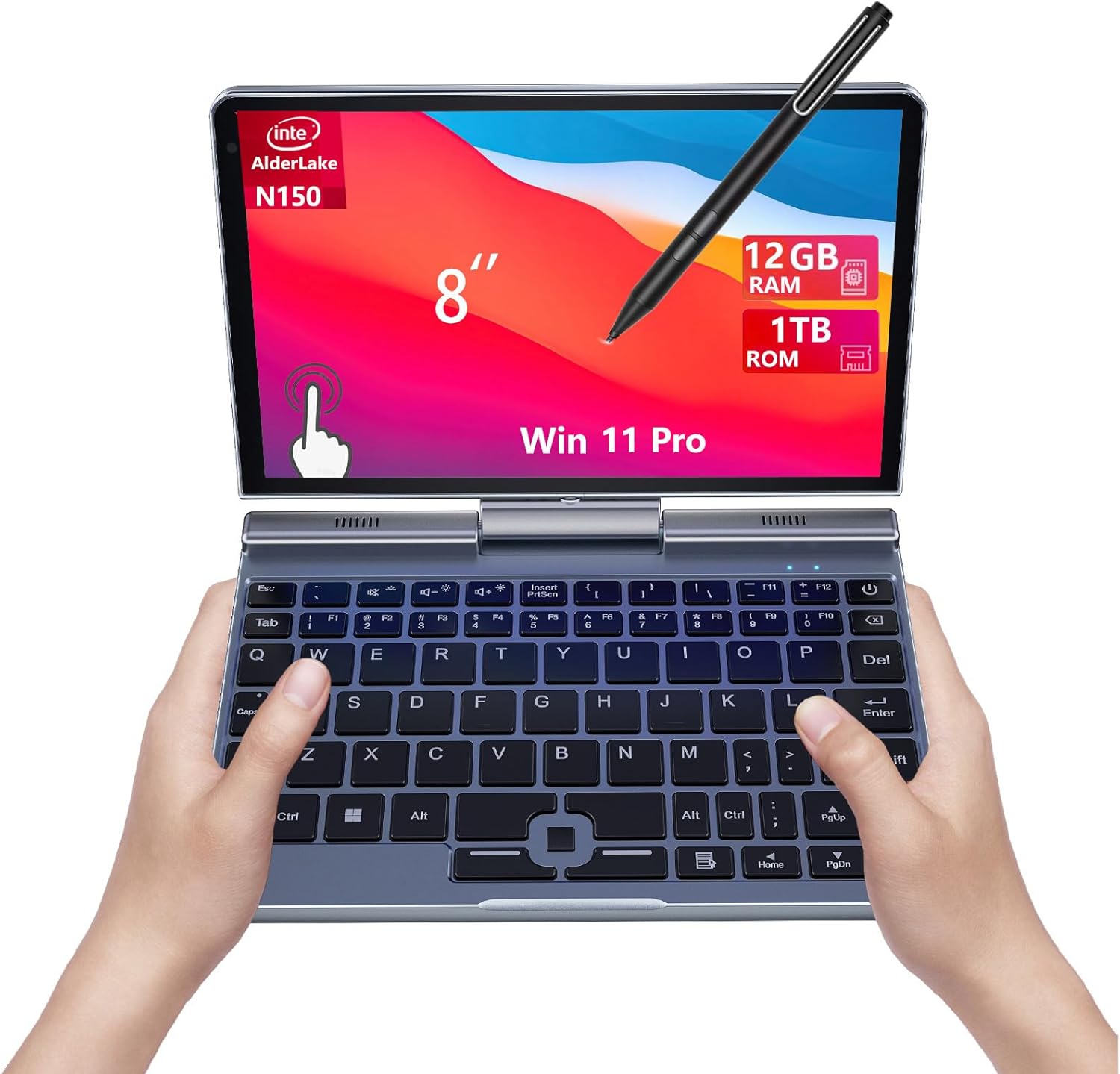
Figure 1.1: KOOFORWAY BP8 8-Inch 2-in-1 Mini Laptop in laptop mode.
2. What's in the Box
Verify that all items are present in the package:
- Mini Laptop
- Charger
- Manuals
- Stylus
3. Product Features
The KOOFORWAY BP8 is an 8-inch 2-in-1 mini laptop designed for portability and versatility. Key features include:
- Ultra-Compact and Portable Design: Weighing only 0.78 kg, this mini laptop is easy to carry for students, professionals, and travelers.
- Seamless 2-in-1 Functionality: Features a 180° rotatable touchscreen, allowing instant transformation into a tablet for flexible use.
- Powerful Performance: Equipped with an Intel N150 processor, 12GB LPDDR5 memory, 1TB SSD, and Intel UHD Graphics for efficient multitasking.
- Enhanced Connectivity: Supports Wi-Fi 6 and Bluetooth 5.2, with multiple ports including USB-C, USB 3.0, HDMI, and RJ45.
- Durable Metal Body: A premium metal body enhances durability, improves heat dissipation, and provides a sleek design.
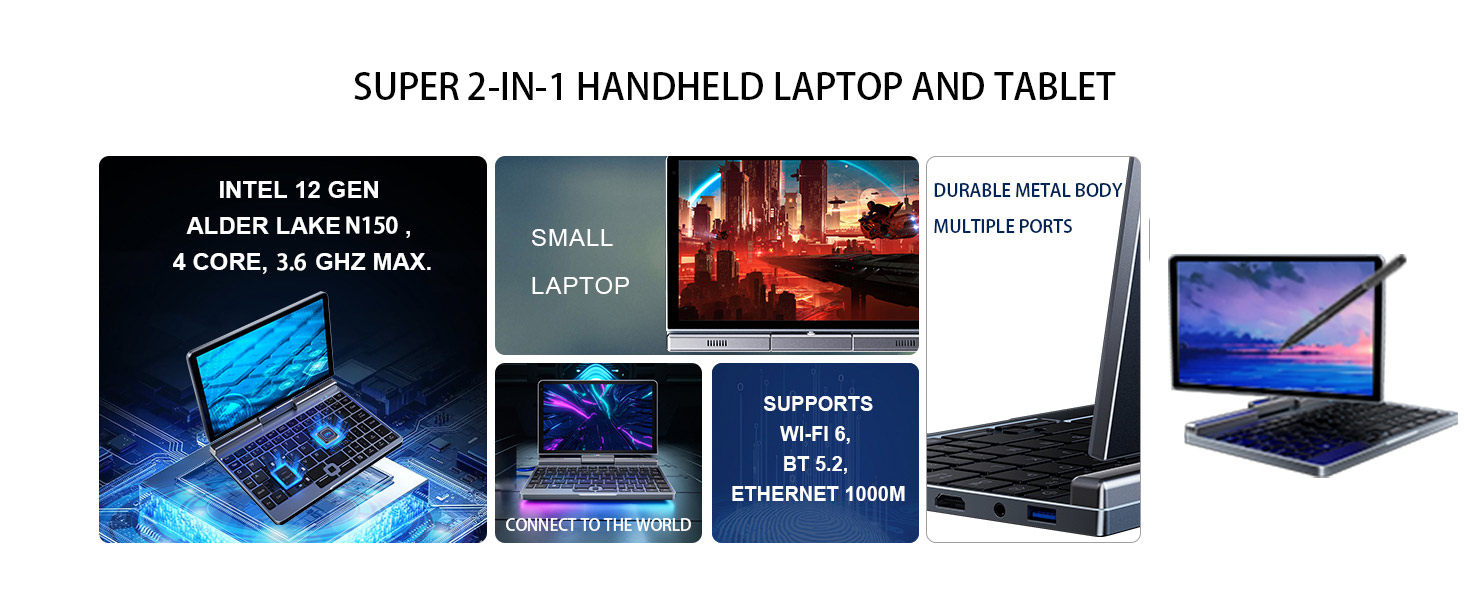
Figure 3.1: Overview of the KOOFORWAY BP8's core specifications including Intel N150 CPU, 12GB LPDDR5 RAM, 0.78KG weight, 2MP camera, and 8-inch HD screen.

Figure 3.2: The KOOFORWAY BP8 supports various activities such as drawing, learning, gaming, note-taking, and is highly portable.
4. Setup
4.1 Initial Power On
- Unpack the mini laptop and all accessories from the box.
- Connect the charger to the USB-C port on the device and plug it into a power outlet.
- Press and hold the power button located on the side of the device until the screen illuminates.
- Follow the on-screen instructions to complete the Windows 11 Pro setup, including language, region, and network settings.

Figure 4.1: The mini laptop powered on, showing the Windows 11 setup interface.
4.2 Video Guide: Initial Setup and Features
Video 4.1: This video demonstrates the initial setup process and highlights key features of the 8-inch 2-in-1 Mini Laptop, including its compact design, rotatable screen, and stylus support.
5. Operating Instructions
5.1 2-in-1 Functionality (Screen Rotation)
The KOOFORWAY BP8 features a 180° rotatable touchscreen, allowing it to function as both a laptop and a tablet. To switch modes:
- Laptop Mode: The screen is positioned upright, with the keyboard accessible for typing.
- Tablet Mode: Gently rotate the screen 180 degrees and fold it back against the keyboard. The device will automatically detect the change and switch to tablet interface mode.

Figure 5.1: The screen of the mini laptop rotating to transition between laptop and tablet modes.

Figure 5.2: The 180-degree rotatable screen allows for multiple configurations, including traditional laptop, tent, and tablet modes.
5.2 Touchscreen and Stylus Usage
The 8-inch HD touchscreen supports multi-touch gestures and stylus input for enhanced interaction.
- Touch Gestures: Use standard Windows touch gestures for navigation, zooming, and scrolling.
- Stylus: The included stylus can be used for precise input, handwriting, drawing, and note-taking directly on the screen.

Figure 5.3: A hand demonstrating the use of the stylus for precise input on the touchscreen.
5.3 Keyboard and Trackpad
The integrated keyboard provides a comfortable typing experience for its compact size. The trackpad allows for cursor control and multi-touch gestures.
- Typing: Use the QWERTY keyboard for text input.
- Trackpad: Navigate the cursor, click, and use two-finger scroll gestures.
5.4 Connectivity
The BP8 offers various connectivity options:
- Wi-Fi 6: Connect to wireless networks for internet access.
- Bluetooth 5.2: Pair with Bluetooth-enabled devices such as headphones, mice, or keyboards.
- Ports: Utilize the USB-C, USB 3.0, HDMI, and RJ45 Ethernet ports for connecting external devices, displays, and wired networks.

Figure 5.4: The side of the mini laptop displaying its various connectivity ports, including USB-C, USB 3.0, HDMI, and RJ45.

Figure 5.5: Icons representing the high-speed network capabilities of the mini laptop: Wi-Fi 6, Bluetooth 5.2, and 1000M Ethernet.
6. Maintenance
6.1 Cleaning
- Use a soft, lint-free cloth to clean the screen and exterior surfaces.
- For stubborn smudges, lightly dampen the cloth with water or a screen-safe cleaning solution.
- Avoid using harsh chemicals, abrasives, or aerosol sprays directly on the device.
6.2 Battery Care
- To prolong battery life, avoid fully discharging the battery frequently.
- Store the device in a cool, dry place when not in use for extended periods.
- Use only the provided charger or a compatible USB-C power adapter.
7. Troubleshooting
7.1 Device Not Powering On
- Ensure the device is charged. Connect the charger and wait a few minutes before attempting to power on again.
- Try a different power outlet or USB-C charger to rule out power supply issues.
- Perform a hard reset by holding the power button for 10-15 seconds.
7.2 Wi-Fi Connectivity Issues
- Check if Wi-Fi is enabled in Windows settings.
- Restart your router and the mini laptop.
- Ensure you are within range of the Wi-Fi network and have the correct password.
7.3 Touchscreen Unresponsive
- Restart the device.
- Ensure the screen is clean and free of debris.
- If using a stylus, ensure it is charged (if applicable) and functioning correctly.
8. Specifications
| Feature | Specification |
|---|---|
| Brand | KOOFORWAY |
| Model Name | BP8 |
| Screen Size | 8 Inches |
| Resolution | 1280x800 |
| CPU Model | Intel N150 (12th Gen Alder Lake, 4 Cores, up to 3.6 GHz) |
| RAM Memory Installed Size | 12 GB LPDDR5 (4800 MHz) |
| Hard Disk Size | 1 TB SSD |
| Operating System | Windows 11 Pro |
| Graphics Coprocessor | Intel UHD Graphics |
| Special Feature | Support Stylus, 180° Rotatable Touch Screen |
| Connectivity Technology | Bluetooth 5.2, Ethernet (RJ45), HDMI, USB, Wi-Fi 6 |
| Total USB Ports | 2 (including USB-C) |
| Camera Description | Front (2 MP) |
| Item Weight | 1.7 Pounds (0.78 kg) |
| Battery Life | 5 Hours (average use) |
| Item Dimensions L x W x Thickness | 8"L x 5.5"W x 0.8"Th |
9. Warranty and Support
Your KOOFORWAY BP8 Mini Laptop comes with a 1-year warranty from the date of purchase. This warranty covers manufacturing defects and workmanship under normal use. For warranty claims or technical support, please contact KOOFORWAY customer service through the retailer where the product was purchased or visit the official KOOFORWAY store online.
For additional information and products, visit the KOOFORWAY Store.