
1. Introduction
Thank you for choosing the Hulkman Mega 576Wh Portable Power Station. This manual provides essential information for the safe and efficient operation of your device. Please read it thoroughly before use and retain it for future reference.
The Hulkman Mega is a versatile power solution designed for various applications, from outdoor adventures to emergency home backup. It features a 576Wh ternary lithium battery, multiple output ports, and rapid charging capabilities, ensuring reliable power wherever you need it.
2. Safety Information
Always observe the following safety precautions to prevent injury or damage to the device:
- Do not disassemble, repair, or modify the unit. Incorrect reassembly may cause fire or electric shock.
- Do not expose the unit to fire or extreme temperatures (above 140°F / 60°C).
- Do not use or store the unit in bathrooms or areas exposed to water or moisture.
- Keep the unit away from children and pets.
- Ensure proper ventilation during use and charging to prevent overheating.
- Use only approved accessories and charging cables.
- In case of fire, use a dry powder fire extinguisher. Water may cause electric shock.
- Avoid dropping or subjecting the unit to strong impacts.
3. Package Contents
Verify that all items are present in your package:
- Hulkman Mega 576Wh Portable Power Station
- AC Wall Charging Cable
- Car Cigarette Lighter Plug Charging Cable
- User Manual
4. Product Features and Overview
The Hulkman Mega features a robust design with multiple input and output options. Familiarize yourself with the various components:

4.1 Output Ports


- AC Outlets (x3): 600W (1200W Peak) 120V, 60Hz Pure Sine Wave.
- USB-C Ports (x2): PD100W and PD65W for fast charging compatible devices.
- USB-A Ports (x2): QC18W and QC12W for standard USB charging.
- DC Car Output (x1): 13.6V, 10A, 136W Max.
- DC 5521 Output (x2): 13.6V, 3A.
4.2 Input Ports

- AC Charging Input: 600W for rapid wall charging.
- Solar/Car Charging Input (XT60): Supports up to 400W solar input (MPPT) or 24V car input.
4.3 Display and Controls

- LED Display: Shows battery level, input/output wattage, remaining runtime, and error indicators.
- Dual-Button Control: Simple interface for power management.
- LED Light Strip: Integrated light with touch-adjustable dimming and SOS function.
4.4 Safety Features


- Smart Safety Switch: Automatically cuts power during overload and restores without manual reset.
- Dustproof Covers: Protects ports from dirt and moisture.
- Temperature Alerts: Visual and sound cues for high/low temperature conditions.
5. Setup
5.1 Initial Charging
Before first use, fully charge your Hulkman Mega Power Station. This ensures optimal battery performance and calibration.
- Connect the AC Wall Charging Cable to the AC input port on the power station.
- Plug the other end into a standard wall outlet.
- The LED display will show the charging status. The unit is fully charged when the display indicates 100%.
5.2 Powering On/Off
- To power on the unit, press and hold the main power button for a few seconds until the display illuminates.
- To power off, press and hold the main power button again until the display turns off.
6. Operating Instructions
6.1 Using AC Outlets
The AC outlets provide 120V 60Hz pure sine wave power, suitable for sensitive electronics.
- Ensure the power station is turned on.
- Press the AC power button to activate the AC outlets. The AC indicator on the display will light up.
- Plug your device into one of the AC outlets.
- To turn off AC power, press the AC power button again.
6.2 Using DC and USB Ports
The DC and USB ports are always active when the power station is on.
- Ensure the power station is turned on.
- Plug your USB or DC device into the appropriate port.
- The display will show the output wattage.
6.3 UPS Mode
The Hulkman Mega features an Uninterruptible Power Supply (UPS) function with a 15ms switchover time, protecting connected devices from power interruptions.
- Connect the power station to a wall outlet using the AC Wall Charging Cable.
- Plug your critical devices (e.g., computers, NAS) into the AC outlets of the power station.
- In case of a power outage, the power station will automatically switch to battery power within 15ms, providing continuous power to your devices.
6.4 Cold Weather Performance


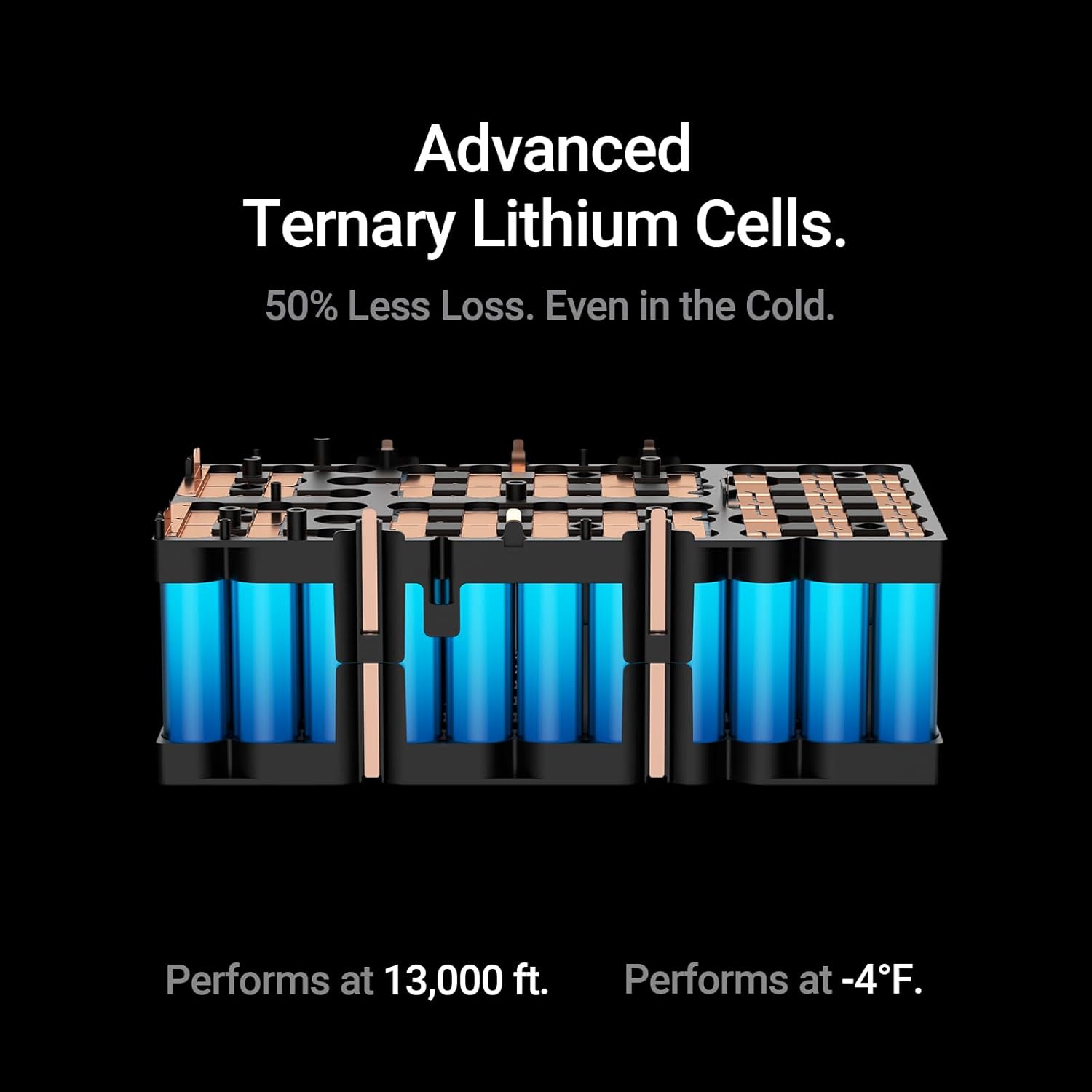
The Hulkman Mega is engineered with EV-grade ternary lithium cells, allowing it to deliver stable output even at temperatures as low as -4°F (-20°C) and altitudes up to 13,000 ft (4000m). This design minimizes power loss in cold conditions, ensuring your devices remain powered.
7. Charging the Power Station
The Hulkman Mega offers multiple charging methods:

7.1 AC Wall Charging
Use the included AC Wall Charging Cable for the fastest recharge.
- Connect the AC cable to the power station's AC input and a wall outlet.
- The power station can reach 80% charge in approximately 1 hour.
7.2 Solar Charging
The power station can be charged using compatible solar panels (sold separately) via the XT60 input port.
- Connect your solar panel (up to 400W MPPT) to the XT60 input port.
- Ensure the solar panels are placed in direct sunlight for optimal charging efficiency.
7.3 Car Charging
Charge your power station on the go using your vehicle's 24V cigarette lighter outlet.
- Connect the Car Cigarette Lighter Plug Charging Cable to the XT60 input port on the power station.
- Plug the other end into your vehicle's 24V cigarette lighter socket.
8. App Control
Manage your Hulkman Mega Power Station remotely using the dedicated mobile application (available for Wi-Fi and Bluetooth connectivity).

- Download the Hulkman app from your device's app store.
- Follow the in-app instructions to connect your power station via Wi-Fi or Bluetooth.
- The app allows you to monitor battery status, control output ports, adjust settings, and view real-time power data.
9. Maintenance
9.1 Cleaning
- Use a dry, soft cloth to wipe the exterior of the power station.
- Do not use abrasive cleaners or immerse the unit in water.
9.2 Storage
- Store the power station in a cool, dry place, away from direct sunlight and extreme temperatures.
- For long-term storage, charge the unit to 50-80% every 3-6 months to maintain battery health.
10. Troubleshooting
If you encounter issues with your Hulkman Mega Power Station, refer to the following common problems and solutions:
| Problem | Possible Cause | Solution |
|---|---|---|
| Unit does not power on | Battery is depleted; Power button not held long enough. | Charge the unit; Press and hold the power button for 3-5 seconds. |
| AC outlets not working | AC output not activated; Overload protection triggered. | Press the AC power button; Reduce load, unit will reset automatically. |
| Slow charging via solar | Insufficient sunlight; Incorrect panel connection; Panel not compatible. | Ensure direct sunlight; Check connections; Use compatible solar panels. |
| Error code on display | Internal fault; Over-temperature/Under-temperature. | Refer to the app for specific error details or contact support. Move to a suitable temperature environment. |
If the problem persists, please contact Hulkman customer support.
11. Specifications
| Feature | Specification |
|---|---|
| Model Name | Mega |
| Model Number | H01 |
| Battery Capacity | 576 Watt-hours |
| Battery Type | Ternary Lithium Cells |
| AC Output | 600W (1200W Peak), 120V, 60Hz, Pure Sine Wave |
| USB-C Output | PD100W (5V/3A, 9V/3A, 12V/3A, 15V/3A, 20V/5A), PD65W (5V/3A, 9V/3A, 12V/3A, 15V/3A, 20V/3.5A) |
| USB-A Output | QC18W, QC12W |
| DC Car Output | 13.6V, 10A, 136W Max |
| DC 5521 Output | 13.6V, 3A |
| AC Input | 600W Fast Charging |
| Solar Input | 400W Max (MPPT) |
| Car Input | 24V |
| UPS Switchover Time | 15ms |
| Operating Temperature | -4°F to 104°F (-20°C to 40°C) |
| Dimensions (L x W x H) | 12.17" x 7.68" x 9.61" (30.9cm x 19.5cm x 24.4cm) |
| Weight | 19.13 lbs (8.68 kg) |
| Connectivity | Wi-Fi & Bluetooth App Control |
12. Warranty and Support
12.1 Warranty Information
The Hulkman Mega 576Wh Portable Power Station comes with a 5-year guarantee from the date of purchase. This warranty covers defects in materials and workmanship under normal use. It does not cover damage caused by misuse, accidents, unauthorized modifications, or natural disasters.
Please retain your proof of purchase for warranty claims.
12.2 Customer Support
For technical assistance, troubleshooting, or warranty inquiries, please contact Hulkman customer support through the official website or the contact information provided in your product packaging.
13. Official Product Videos
Watch these official videos for a visual guide on using and understanding your Hulkman Mega Power Station.
Video 13.1: Mega & Solva: Power Your Adventure Without Limits. This video provides an overview of the Hulkman Mega and its compatibility with Solva solar panels, demonstrating its use in various scenarios.
Video 13.2: Mega: Experience the Premium Build & Design in All 4 Colors. This video showcases the design and build quality of the Hulkman Mega, including its available color options.
Video 13.3: Mega's Pure Sine Wave: Safely Power Your Precision Devices. Learn about the pure sine wave output of the Hulkman Mega and how it safely powers sensitive electronics.
Video 13.4: Every Port You Need - Power Up Anytime, Anywhere. This video highlights the comprehensive array of output ports available on the Hulkman Mega, demonstrating its versatility.