
1. Introduction
This manual provides detailed instructions for the setup, operation, and maintenance of your CNBRO BY16 Wireless Smart Touch Screen Earbuds. Please read this manual thoroughly before use to ensure proper functionality and to maximize your user experience.
2. What's in the Box
- 1 Pair of CNBRO BY16 Wireless Smart Touch Screen Earbuds
- 1 Charging Case with Touch Screen
- 1 USB Type-C Charging Cable
- 1 User Manual (this document)
- Exquisite Packaging Box
3. Product Overview
The CNBRO BY16 earbuds feature a smart touch screen on the charging case, offering intuitive control over various functions. They are designed for comfort and deliver immersive audio with advanced noise cancellation.

Figure 3.1: CNBRO BY16 Earbuds and Charging Case with Touch Screen Interface.
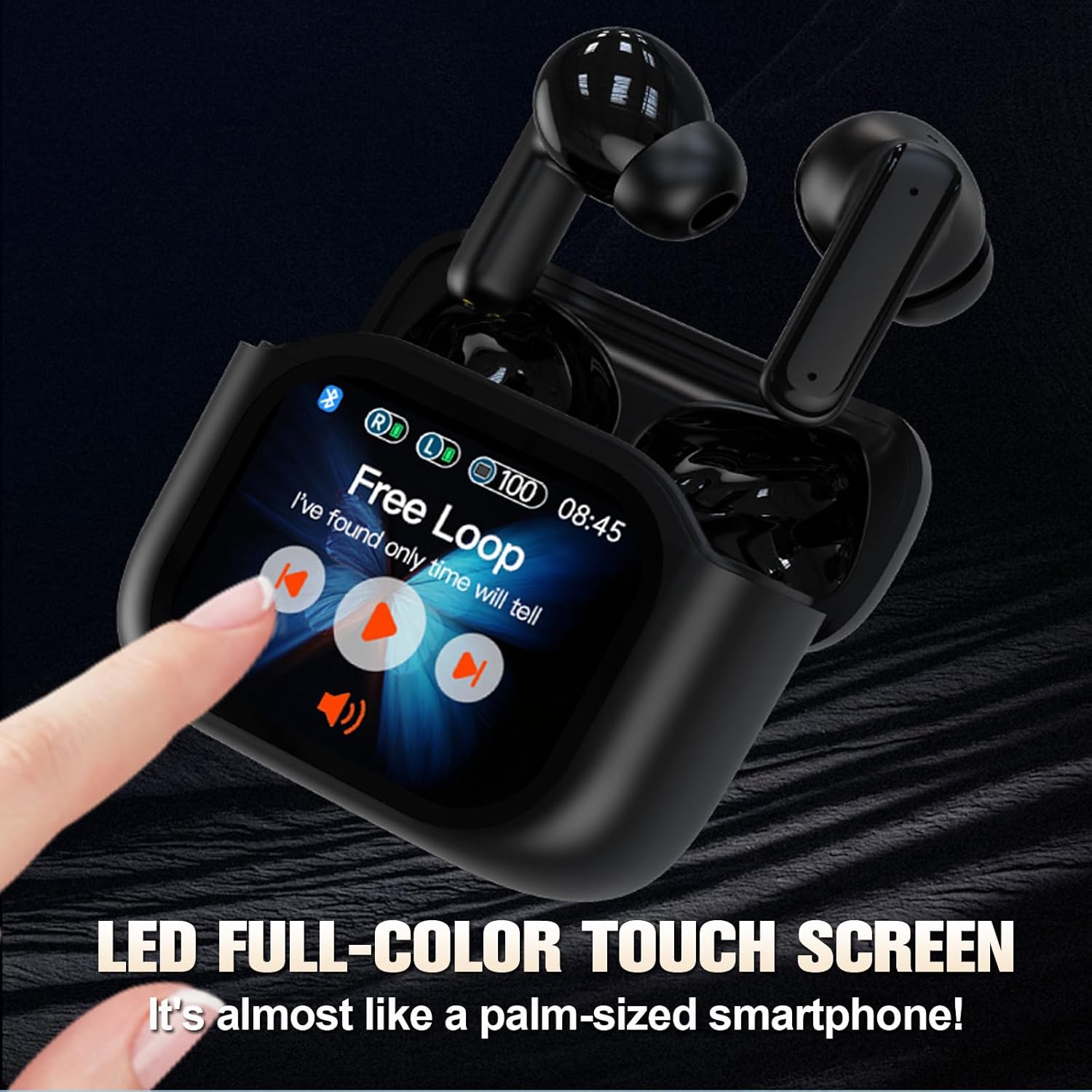
Figure 3.2: The LED full-color touch screen on the charging case provides direct control over functions like music playback.

Figure 3.3: Internal components of the earbud, designed for immersive audio delivery.
4. Setup
4.1 Charging the Earbuds and Case
- Place the earbuds into the charging case. Ensure they are correctly seated in their respective slots.
- Connect the USB Type-C cable to the charging port on the case and plug the other end into a compatible USB power source (e.g., wall adapter, computer USB port).
- The screen on the charging case will indicate the charging status. A full charge for the case and earbuds typically takes approximately 1.5 hours.
4.2 Bluetooth Pairing
- Ensure the earbuds are charged and placed inside the charging case.
- Open the charging case lid. The earbuds will automatically enter pairing mode.
- On your device (smartphone, tablet, laptop), navigate to the Bluetooth settings.
- Search for available Bluetooth devices. Select "CNBRO BY16" (or similar name) from the list.
- Once connected, the screen on the charging case may display a connection indicator, and your device will confirm successful pairing.
- The earbuds will automatically reconnect to the last paired device when removed from the case, if Bluetooth is enabled on the device.
5. Operating Instructions
5.1 Touch Controls (Earbuds)
The earbuds feature touch-sensitive surfaces for controlling audio playback, calls, and voice assistants. Specific touch gestures may vary; refer to the on-screen prompts on the charging case or experiment with common gestures:
- Single Tap: Play/Pause music, Answer/End call.
- Double Tap: Next track (Right earbud), Previous track (Left earbud).
- Triple Tap: Activate voice assistant.
- Long Press: Reject call, Switch between Noise Cancellation modes (ANC/Transparency/Normal).
5.2 Charging Case Touch Screen Functions
The full-color touch screen on the charging case provides direct access to various features. Swipe left or right to navigate through the menu options.

Figure 5.1: Multiple practical functions accessible via the charging case touch screen.
- Music Playback: Control play/pause, skip tracks, and adjust volume directly from the screen.
- Call Management: Answer or end calls.
- Noise Cancellation Modes: Switch between Active Noise Cancellation (ANC), Transparency Mode, and Normal Mode.
- Language Switch: Change the system language of the device.
- Search Earphones: Locate misplaced earbuds by triggering an audible alert.
- Remote Photography: Use the charging case as a remote shutter for your smartphone camera.
- EQ Modes: Select from various equalizer presets to customize your audio experience.
- Flashlight: Activate a small flashlight function on the case.
- Power Off: Safely power off the earbuds and case.
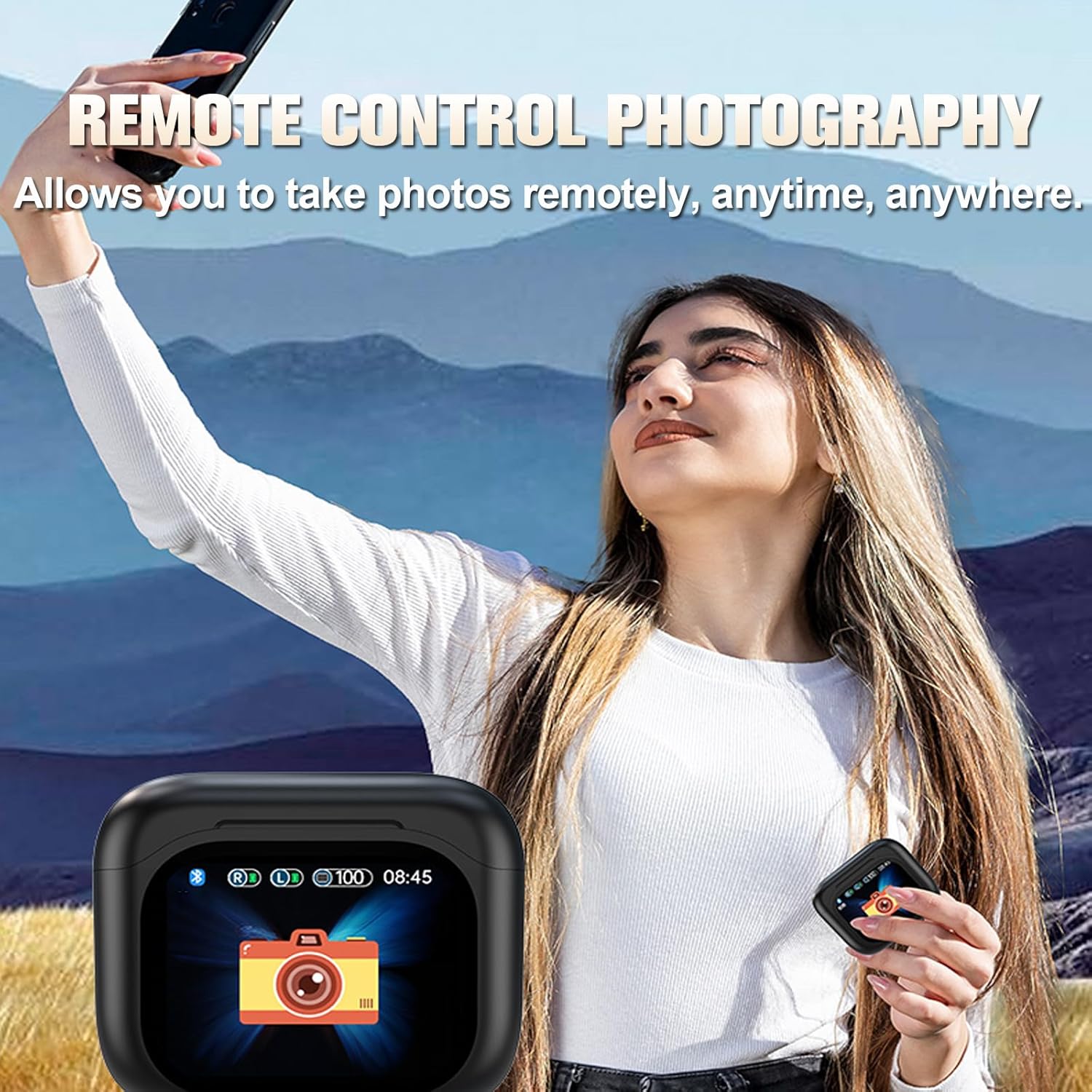
Figure 5.2: Remote control photography function using the charging case.
5.3 Active Noise Cancellation (ANC) and Transparency Mode
The earbuds feature ANC and ENC (Environmental Noise Cancellation) technology to reduce ambient noise during audio playback and calls. Transparency Mode allows you to hear your surroundings without removing the earbuds.

Figure 5.3: Visual representation of ANC and ENC noise cancellation effectiveness.
- ANC: Blocks out external noise for an immersive listening experience.
- Transparency Mode: Allows ambient sounds to pass through, enhancing situational awareness.
- ENC: Focuses on clear voice pickup during calls by reducing background noise.
Switch between these modes using the touch controls on the earbuds or via the charging case screen.
6. Maintenance
6.1 Cleaning
- Regularly clean the earbuds and charging case with a soft, dry, lint-free cloth.
- Do not use abrasive materials, solvents, or aerosol sprays.
- Gently remove any earwax or debris from the earbud tips and speaker grilles using a small, soft brush or cotton swab.
6.2 Water Resistance
The earbuds are rated IPX5 water-resistant, meaning they can withstand a sustained, low-pressure water jet spray. They are suitable for exercise and light rain but should not be submerged in water or exposed to high-pressure water.
6.3 Storage
- When not in use, store the earbuds in their charging case to protect them and keep them charged.
- Store the device in a cool, dry place, away from extreme temperatures and direct sunlight.
7. Troubleshooting
If you encounter issues with your CNBRO BY16 earbuds, refer to the following common solutions:
| Problem | Possible Solution |
|---|---|
| Earbuds not pairing |
|
| No sound or low volume |
|
| Charging issues |
|
| Touch screen unresponsive |
|
If the problem persists after attempting these solutions, please contact customer support.
8. Specifications
| Feature | Specification |
|---|---|
| Model Name | BY16 |
| Bluetooth Version | 5.3 |
| Headphone Battery Capacity | 30mAh |
| Charging Case Battery Capacity | 200mAh |
| Single Playtime | 5-6 hours |
| Total Playtime (with case) | Up to 20 hours |
| Charging Time | Approx. 1.5 hours |
| Transmission Distance | Up to 10 meters (33 feet) |
| Waterproof Level | IPX5 |
| Control Method | Touch |
| Noise Control | Active Noise Cancellation (ANC), Environmental Noise Cancellation (ENC) |
| Compatible Devices | Smartphones, Tablets, Laptops, Desktops, Bluetooth-enabled Devices |
| Material | Plastic |
| Item Weight | 0.64 ounces (earbuds) |
| Product Dimensions | 1 x 1 x 1 inches (approximate) |
9. Warranty and Support
For warranty information and customer support, please refer to the documentation provided with your purchase or contact the retailer. If you have any questions or encounter issues not covered in this manual, please reach out to the manufacturer's customer service for assistance.