
Cellularline PBSOLAR10000O
Cellularline Power Bank Solar User Manual
Model: PBSOLAR10000O
1. Product Overview
The Cellularline Power Bank Solar is a portable charger designed for outdoor enthusiasts and everyday users. It features a high-capacity 10000 mAh battery and an integrated 1.5W ETFE solar panel, offering an alternative charging method using direct sunlight. Its robust design provides resistance against water and dust, making it suitable for various environments. The power bank is equipped with both USB-C Power Delivery 20W and USB 18W QC ports, allowing for simultaneous charging of two devices.
- Integrated 1.5W ETFE solar panel for efficient solar energy absorption.
- 10000 mAh capacity for extended device charging.
- IP54 certified: resistant to water and dust.
- Dual charging capability with USB-C Power Delivery 20W and USB 18W QC ports.

Figure 1: Cellularline Power Bank Solar - Front View
This image displays the Cellularline Power Bank Solar in its orange color, highlighting the textured solar panel on the front and the various ports on the side, including the USB-C and USB-A outputs, protected by a flap.
2. Package Contents
Please check the package contents upon unboxing to ensure all items are present:
- 1 x Cellularline Power Bank Solar (Portable Charger)
- 1 x USB-C to USB-C Cable
- 1 x Instruction Manual
3. Safety Information
To ensure safe operation and prolong the life of your Power Bank Solar, please adhere to the following safety guidelines:
- Do not expose the power bank to extreme temperatures (above 45°C or below 0°C).
- Avoid dropping, disassembling, or attempting to repair the device yourself.
- Keep away from fire, water, and corrosive materials.
- Ensure proper ventilation when charging or discharging.
- Do not use if the device is damaged or swollen.
- Keep out of reach of children.
- Dispose of the product responsibly according to local regulations.
4. Setup
Before first use, it is recommended to fully charge the power bank using a wall charger and the provided USB-C cable. This ensures the internal battery is calibrated and ready for optimal performance.
- Unpack the Power Bank Solar and all accessories from the box.
- Connect the provided USB-C to USB-C cable to the USB-C port on the power bank.
- Connect the other end of the USB-C cable to a compatible USB-C wall charger (not included).
- Allow the power bank to charge until all indicator lights are solid, indicating a full charge.
5. Charging the Power Bank
5.1. Charging via Cable (Recommended for Fast Charging)
For the fastest and most efficient charging of your power bank, use the included USB-C to USB-C cable with a compatible wall adapter.
- Connect the USB-C cable to the power bank's USB-C input port.
- Plug the other end of the cable into a USB-C wall charger.
- The LED indicators will illuminate to show the charging progress.

Figure 2: Power Bank Charging via Cable
This image shows the Cellularline Power Bank Solar connected to a charging cable, illustrating the standard method of recharging the power bank's internal battery.
5.2. Charging via Solar Panel
The integrated ETFE solar panel provides an emergency charging option and can extend the battery life when outdoors. Solar charging is slower than cable charging and is highly dependent on direct sunlight intensity.
- Place the power bank in direct sunlight with the solar panel facing upwards.
- Ensure there are no obstructions blocking the solar panel.
- A dedicated solar charging indicator (if present) or the main battery indicators will show activity when solar charging is active.
- For optimal solar charging, avoid placing the device behind glass or in shaded areas.

Figure 3: Solar Panel Detail
This image provides a clear top-down view of the Cellularline Power Bank Solar, emphasizing the large, efficient ETFE solar panel designed for absorbing sunlight.
6. Charging Devices
The Power Bank Solar can charge two devices simultaneously using its USB-C Power Delivery (PD) and USB Quick Charge (QC) ports.
- Connect your device's charging cable to the appropriate port on the power bank (USB-C or USB-A).
- Connect the other end of the cable to your device.
- The power bank will automatically begin charging your device.
- Monitor your device's screen for charging indication.

Figure 4: Charging a Device Outdoors
This image depicts a user holding the Cellularline Power Bank Solar, which is actively charging a smartphone, demonstrating its portability and utility for on-the-go power needs.
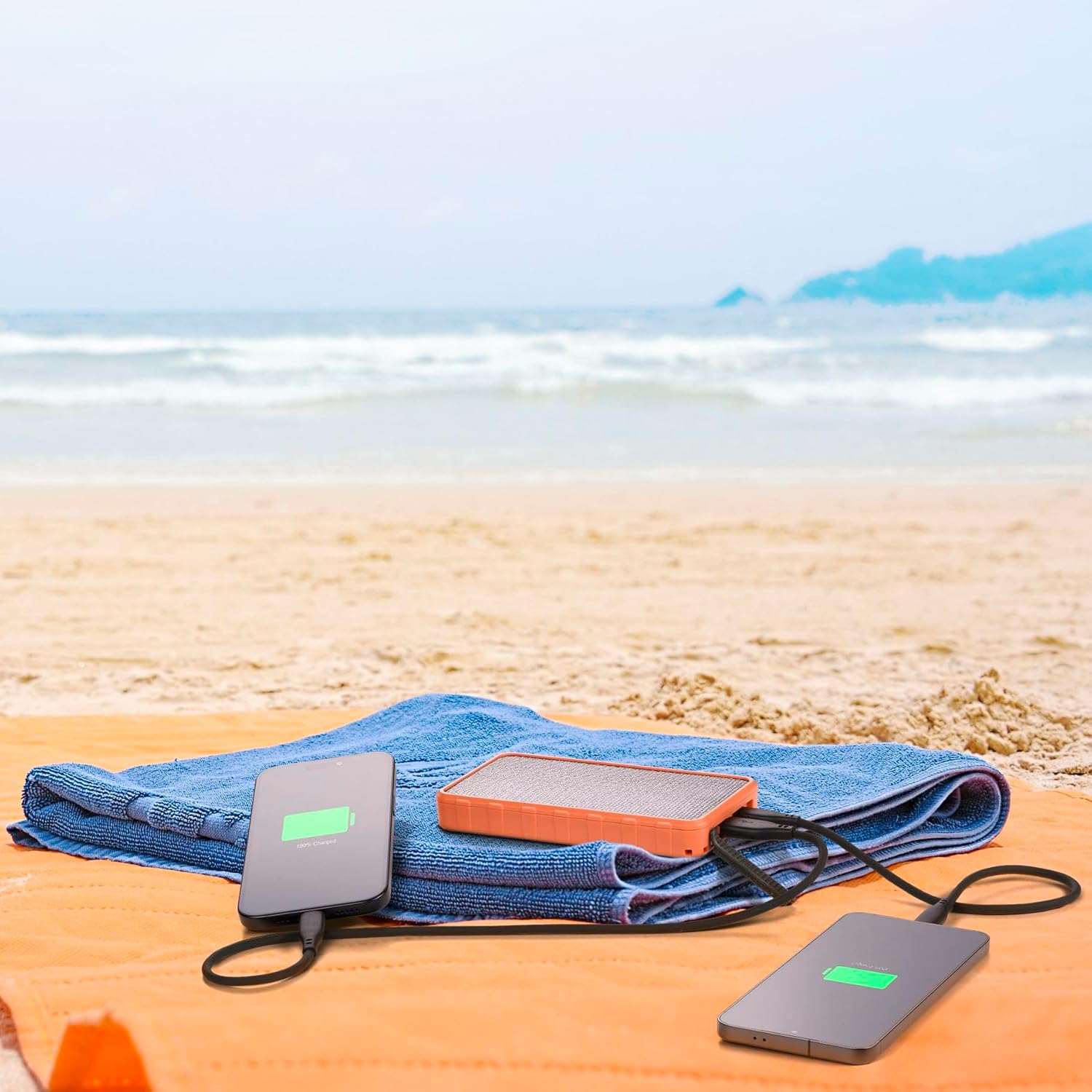
Figure 5: Dual Device Charging
This image illustrates the power bank's ability to charge two devices simultaneously, with both a smartphone and another portable device connected and showing charging indicators, set against a beach backdrop.
7. Features and Functions
7.1. ETFE Solar Panel
The 1.5W ETFE (Ethylene Tetrafluoroethylene) solar panel offers enhanced durability and efficiency compared to traditional solar panels. ETFE material provides superior light transmittance, better resistance to high temperatures, and is more resistant to corrosion and dirt buildup, ensuring a longer lifespan and more consistent solar charging performance.
7.2. IP54 Water and Dust Resistance
With an IP54 rating, the Power Bank Solar is protected against dust ingress that could harm the equipment and against splashing water from any direction. This makes it suitable for outdoor use in various weather conditions, though it is not designed for submersion in water.
7.3. Power Delivery (PD) and Quick Charge (QC)
The power bank supports modern fast-charging standards:
- USB-C Power Delivery 20W: Delivers up to 20W of power through the USB-C port, ideal for rapidly charging compatible smartphones, tablets, and other USB-C devices.
- USB 18W QC: Provides up to 18W of power through the USB-A port, compatible with devices supporting Qualcomm Quick Charge technology for faster charging.
8. Maintenance
- Cleaning: Use a soft, dry cloth to clean the power bank. Do not use harsh chemicals or abrasive cleaners.
- Storage: Store the power bank in a cool, dry place away from direct sunlight and extreme temperatures when not in use for extended periods.
- Battery Care: To maintain battery health, fully charge and discharge the power bank at least once every three months if it's not used regularly.
- Port Protection: Ensure the port cover is securely closed when not in use to maintain IP54 water and dust resistance.
9. Troubleshooting
| Problem | Possible Cause | Solution |
|---|---|---|
| Power bank not charging | Cable or adapter issue; power bank fully charged; faulty port. | Try a different cable or wall adapter. Ensure the power bank is not already full. Check for debris in ports. |
| Device not charging from power bank | Power bank low on charge; incorrect cable; device not compatible; faulty port. | Recharge the power bank. Use the correct charging cable for your device. Ensure device is compatible with USB-C PD or USB QC. Try a different port. |
| Solar charging is slow or not working | Insufficient direct sunlight; solar panel obstructed or dirty; cloudy weather. | Place the power bank in direct, unobstructed sunlight. Clean the solar panel. Note that solar charging is supplementary and slower than wall charging. |
| Power bank gets warm during use | Normal operation during charging/discharging; excessive load. | Slight warmth is normal. If it becomes excessively hot, disconnect devices and allow it to cool down. Avoid charging in direct sunlight or enclosed spaces. |
10. Specifications
| Feature | Detail |
|---|---|
| Brand | Cellularline |
| Model Name | PBSOLAR10000O |
| Battery Capacity | 10000 mAh |
| Battery Composition | Lithium Ion |
| Solar Panel | 1.5W ETFE |
| USB-C Output | Power Delivery 20W |
| USB-A Output | Quick Charge 18W |
| Number of Ports | 2 (1x USB-C, 1x USB-A) |
| Water & Dust Resistance | IP54 Certified |
| Dimensions | 14.5 cm (L) x 7.8 cm (W) x 1.9 cm (Thickness) |
| Weight | 390 g |
| Compatible Devices | Smartphone, Tablet, other USB-powered devices |
11. Warranty and Support
Cellularline products are designed and manufactured to the highest quality standards. For information regarding warranty coverage, please refer to the warranty card included in your product packaging or visit the official Cellularline website. If you encounter any issues or require technical assistance, please contact Cellularline customer support through their official channels.
Official Website: www.cellularline.com
Related documentsPBSOLAR10000O


Ask a question about this manual
Ask about setup, troubleshooting, compatibility, parts, safety, or missing instructions. Manuals+ will review the question and use this page’s manual context to help answer it.