
Spade & Co Health Smartwatch 4

Spade & Co Health Smartwatch 4 User Manual
Model: Health Smartwatch 4
Brand: Spade & Co
Introduction
This manual provides detailed instructions for the setup, operation, and maintenance of your Spade & Co Health Smartwatch 4. Please read this manual thoroughly to ensure proper use and to maximize the benefits of your device. The Health Smartwatch 4 is designed to assist you in monitoring various health metrics and tracking your fitness activities.
Package Contents
Upon opening the package, verify that all items are present:
- Spade & Co Health Smartwatch 4 (with pre-installed band)
- Charging Cable
- User Manual (this document)
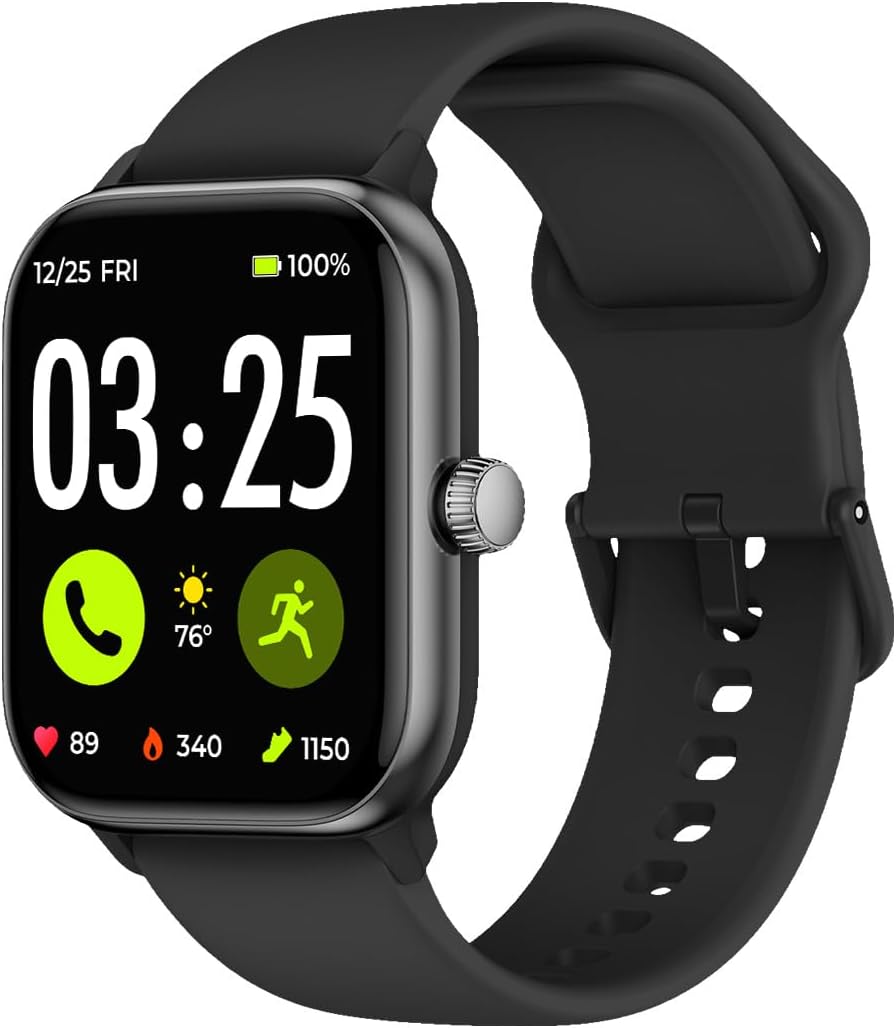
Image: The Spade & Co Health Smartwatch 4, featuring a rectangular black display and a black silicone strap. The screen shows the time 03:25, date 12/25 FRI, 100% battery, and icons for calls, weather (76 degrees), and activity tracking (89 heartbeats, 340 calories, 1150 steps).
Setup Guide
1. Charging the Smartwatch
Before initial use, fully charge your smartwatch. Connect the charging cable to the charging port on the back of the watch and plug the USB end into a power adapter (not included) or a computer's USB port. A full charge typically takes approximately 2 hours.

Image: The smartwatch screen showing a large "100%" battery icon, signifying that the device is fully charged.
2. App Installation and Pairing
To unlock the full functionality of your smartwatch, you must pair it with your smartphone using the dedicated application. The app is compatible with both iOS and Android devices.
- Download the App: Search for "VeryFit" (or the specified app name in your quick start guide) in the Apple App Store (for iOS) or Google Play Store (for Android).
- Create an Account: Open the app and follow the on-screen instructions to create a new user account or log in if you already have one.
- Pair the Device:
- Ensure your phone's Bluetooth is enabled.
- Open the app and navigate to the "Device" or "Add Device" section.
- Select your "Spade & Co Health Smartwatch 4" from the list of available devices.
- Confirm the pairing request on both your phone and the smartwatch.
- Initial Sync: Once paired, the app will guide you through an initial data synchronization and profile setup.

Image: A smartphone displaying a "Device paired with phone, binding..." message, illustrating the Bluetooth pairing process between the smartwatch and a mobile device.
Operating Instructions
Basic Navigation
- Touchscreen: Swipe left, right, up, or down to navigate through menus and screens. Tap to select an option.
- Side Button/Digital Crown: Press the side button to return to the home screen or wake the device. Rotate the digital crown (if applicable) to scroll through lists or adjust settings.
Health Monitoring Features
The Health Smartwatch 4 provides continuous monitoring of key health metrics.
- Heart Rate Monitoring: The watch continuously tracks your heart rate. View real-time data on the watch face or detailed historical data in the app.
- Blood Oxygen (SpO2) Monitoring: Measure your blood oxygen saturation levels. Ensure the watch is snug on your wrist for accurate readings.
- Sleep Tracking: The watch automatically monitors your sleep patterns, including deep sleep, light sleep, and awake times. Review your sleep score and analysis in the app.
- Stress Monitoring: The device can estimate your stress levels throughout the day.
- Ambient Volume Monitoring: Measures surrounding noise levels.
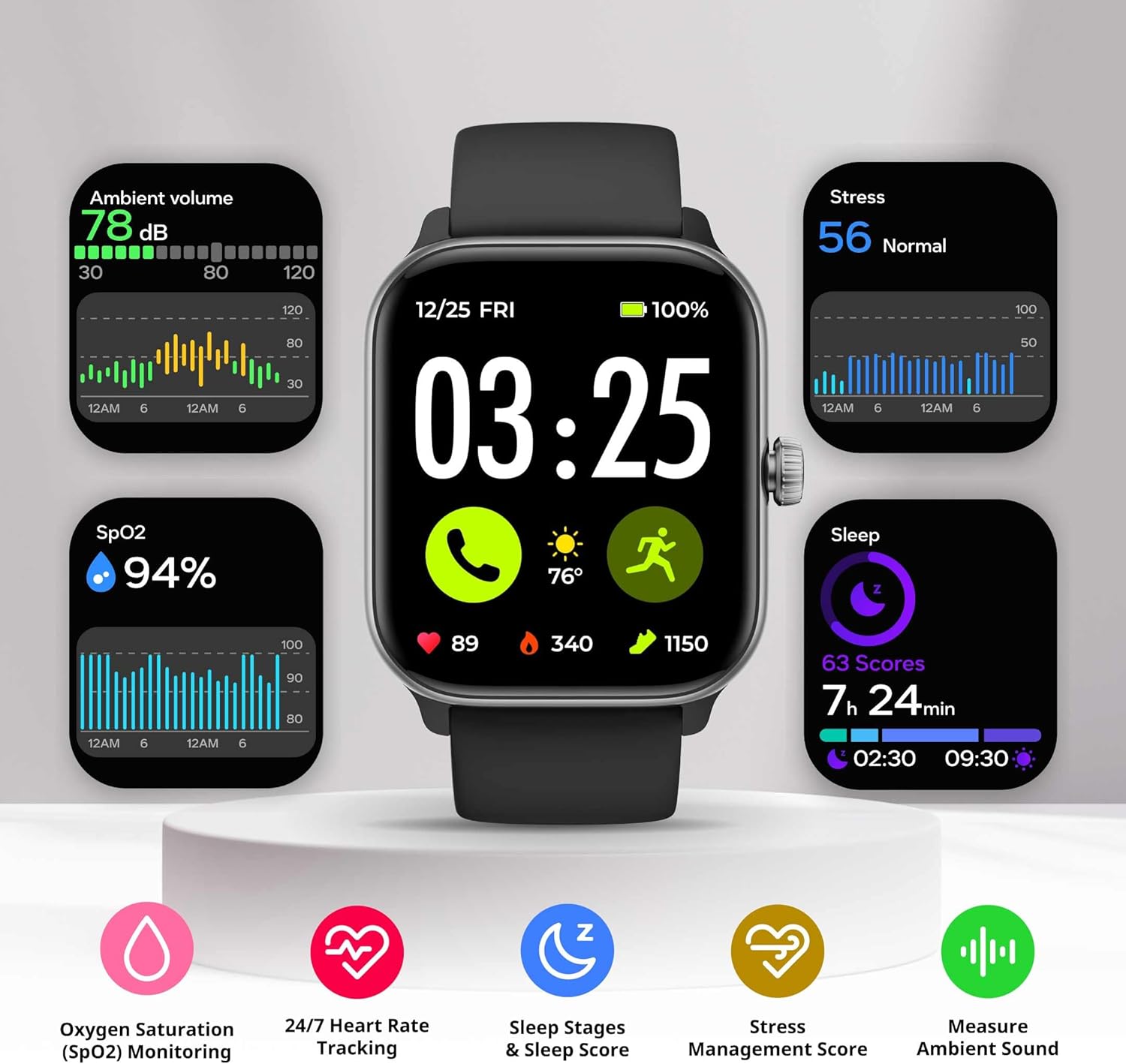
Image: The smartwatch screen surrounded by graphical representations of health data: Ambient volume (78 dB), Stress (56 Normal), SpO2 (94%), and Sleep (7h 24min, 63 Scores). Icons below indicate Oxygen Saturation, 24/7 Heart Rate Tracking, Sleep Stages & Sleep Score, Stress Management Score, and Measure Ambient Sound.
Fitness Tracking
Track your daily activity and specific workouts.
- Pedometer: Counts your daily steps, distance, and calories burned.
- Workout Modes: Select from over 100 workout modes (e.g., running, cycling, swimming, yoga) to track specific activities. The watch records duration, heart rate, calories, and other relevant metrics.
- GPS via Smartphone: For outdoor activities, the watch can use your phone's GPS to map your route and provide more accurate distance data.
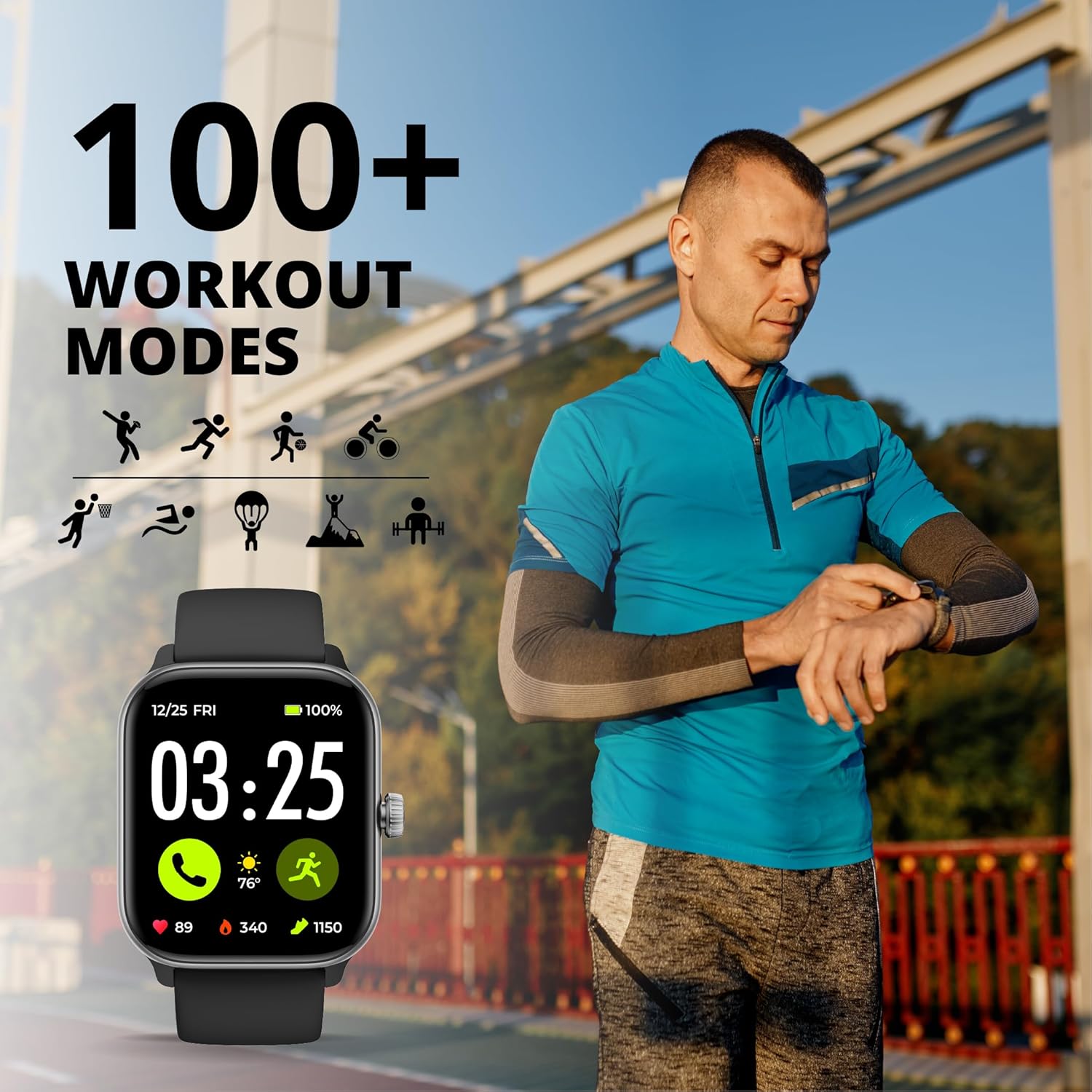
Image: A man in athletic wear looking at his smartwatch during an outdoor run, with an overlay indicating "100+ WORKOUT MODES" and various sport icons.

Image: Three smartphone screens showing the companion app's interface. One screen displays pool swim data (distance, stroke frequency), another shows sports records (swim, high-intensity interval training), and the third illustrates detailed sleep analysis (duration, heart rate, respiratory rate, sleep quality score).
Calls and Notifications
Once paired with your smartphone, the smartwatch can receive notifications and manage calls.
- Receive Notifications: Get alerts for incoming calls, text messages, and app notifications directly on your wrist.
- Answer/Make Calls: Use the built-in microphone and speaker to answer incoming calls or initiate calls from your watch.
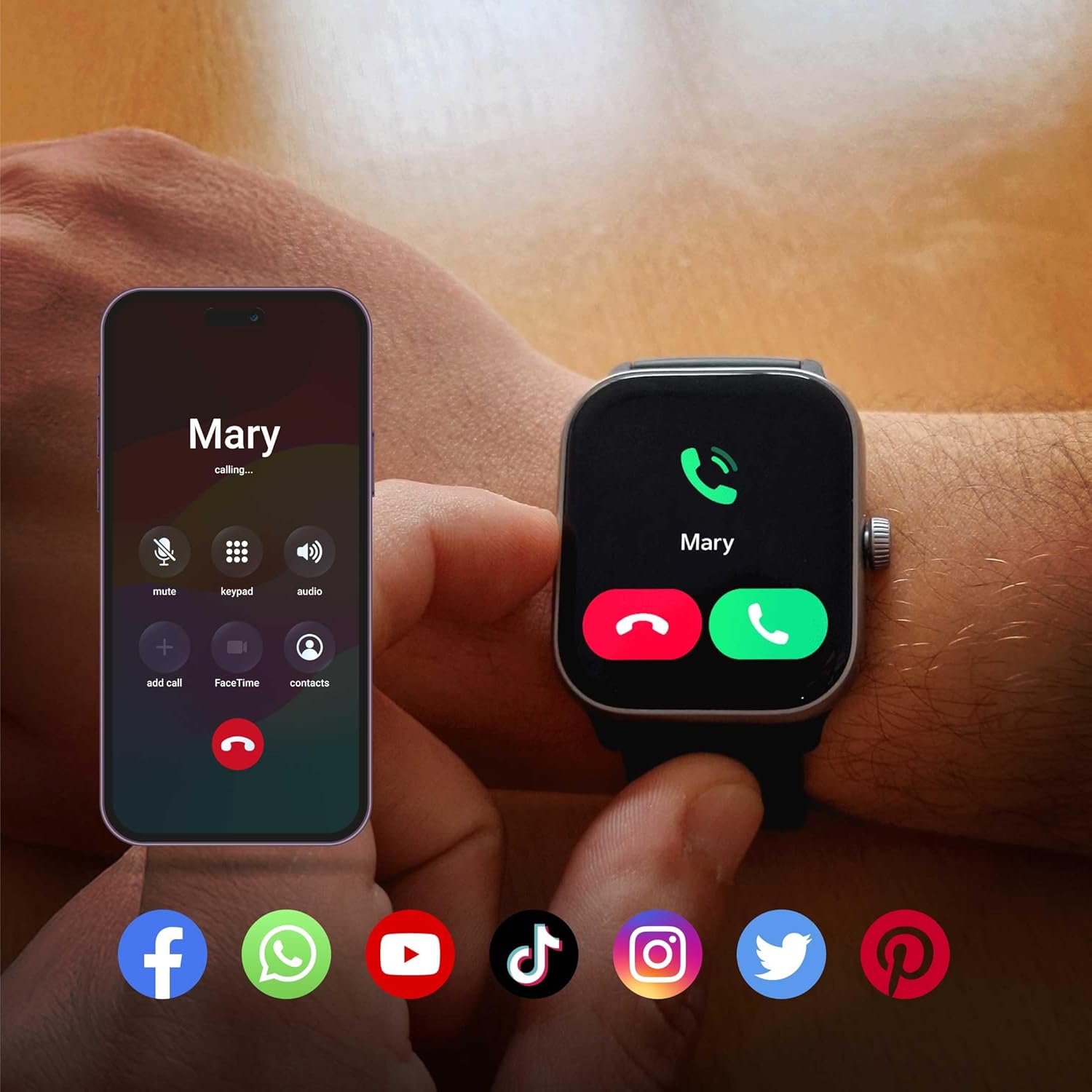
Image: A smartwatch screen showing an incoming call from "Mary" with options to answer or decline, positioned next to a smartphone displaying a similar call interface with additional options like mute, keypad, and audio. Below are icons for various social media and communication apps.
Customization
- Watch Faces: Personalize your smartwatch with various pre-installed or downloadable watch faces through the app.

Image: Five smartwatches arranged in a row, each displaying a unique watch face, demonstrating the customization options available for the device's display.
Maintenance
Cleaning Your Smartwatch
Regular cleaning helps maintain the device's performance and appearance.
- Wipe the screen and body with a soft, lint-free cloth.
- For stubborn marks, slightly dampen the cloth with water. Avoid harsh chemicals or abrasive materials.
- Clean the sensor area on the back of the watch regularly to ensure accurate readings.
Water Resistance (IP68)
The Spade & Co Health Smartwatch 4 is IP68 waterproof, meaning it is resistant to dust and can withstand immersion in water up to 1.5 meters for 30 minutes. It is suitable for swimming and showering, but not for diving or high-pressure water activities.
- Rinse the watch with fresh water after exposure to saltwater or chlorinated water.
- Dry the watch thoroughly before charging to prevent corrosion.

Image: The smartwatch partially submerged in water, with water droplets on its screen, emphasizing its IP68 waterproof capability. Text on the image states "Waterproof (IP68) Durable and resistant so you can wear your smartwatch anywhere."
Battery Care
- Avoid extreme temperatures, which can affect battery life.
- Charge the device regularly, even if not in constant use, to maintain battery health.
- The smartwatch offers an extended battery life of 7 days or more on a single charge.
Troubleshooting
If you encounter issues with your Spade & Co Health Smartwatch 4, refer to the following common solutions:
Device Not Turning On or Charging
- Ensure the charging cable is securely connected to both the watch and the power source.
- Try a different USB port or power adapter.
- Clean the charging contacts on the watch and cable.
- Allow the watch to charge for at least 30 minutes before attempting to turn it on.
Pairing Issues with Smartphone
- Make sure Bluetooth is enabled on your smartphone.
- Ensure the smartwatch is within Bluetooth range of your phone.
- Restart both your smartphone and the smartwatch.
- Clear the Bluetooth cache on your phone (Android) or forget the device and re-pair (iOS/Android).
- Verify that the correct app is installed and updated to the latest version.
Inaccurate Health Data
- Ensure the watch is worn snugly on your wrist, but not too tight.
- Clean the optical sensors on the back of the watch.
- Avoid excessive movement during measurements (e.g., SpO2).
- Environmental factors and skin conditions can affect sensor accuracy.
Notifications Not Appearing
- Check app notification settings on your smartphone to ensure permissions are granted for the smartwatch app.
- Verify that notifications are enabled within the smartwatch app itself.
- Ensure the watch is connected via Bluetooth.
- Disable "Do Not Disturb" mode on both your phone and watch.
Specifications
| Feature | Detail |
|---|---|
| Model Number | Health Smartwatch 4 |
| Brand | Spade & Co |
| Screen Size | 1.85 Inches (Visible screen diagonal: 2" / 5 cm) |
| Operating System | iOS (Compatible with Android) |
| Connectivity | Bluetooth |
| Water Resistance | IP68 |
| Battery Life | 7+ days (typical use) |
| Health Monitoring | Heart Rate, SpO2, Sleep, Stress, Ambient Volume |
| Fitness Tracking | Pedometer, 100+ Workout Modes, GPS via Smartphone |
| Memory Storage Capacity | 16 GB |
| Item Weight | 5 ounces |
| Dimensions | 5.43 x 3.31 x 1.34 inches (Package) |
Safety Information
- Consult your physician before starting any new exercise regimen or if you have pre-existing health conditions.
- The smartwatch is not a medical device and is not intended to diagnose, treat, cure, or prevent any disease. All health data is for reference only.
- Keep the device and accessories out of reach of children.
- Do not attempt to disassemble or modify the device.
- Avoid exposing the device to extreme temperatures, direct sunlight, or strong magnetic fields.
- If you experience skin irritation, discontinue use and consult a doctor.
Warranty and Support
For warranty information or technical support, please refer to the official Spade & Co website or contact their customer service directly. Contact details are typically provided on the product packaging or the official brand website.
Spade & Co customer service is known for quick email responses, as noted in customer feedback.
Ask a question about this manual
Ask about setup, troubleshooting, compatibility, parts, safety, or missing instructions. Manuals+ will review the question and use this page’s manual context to help answer it.