
1. Introduction
This manual provides essential information for the safe and efficient operation of your Yinleader 800A Power Inverter. Please read it thoroughly before use and retain it for future reference. This device converts 12V DC power from a battery into 230V AC power, suitable for various electronic devices.
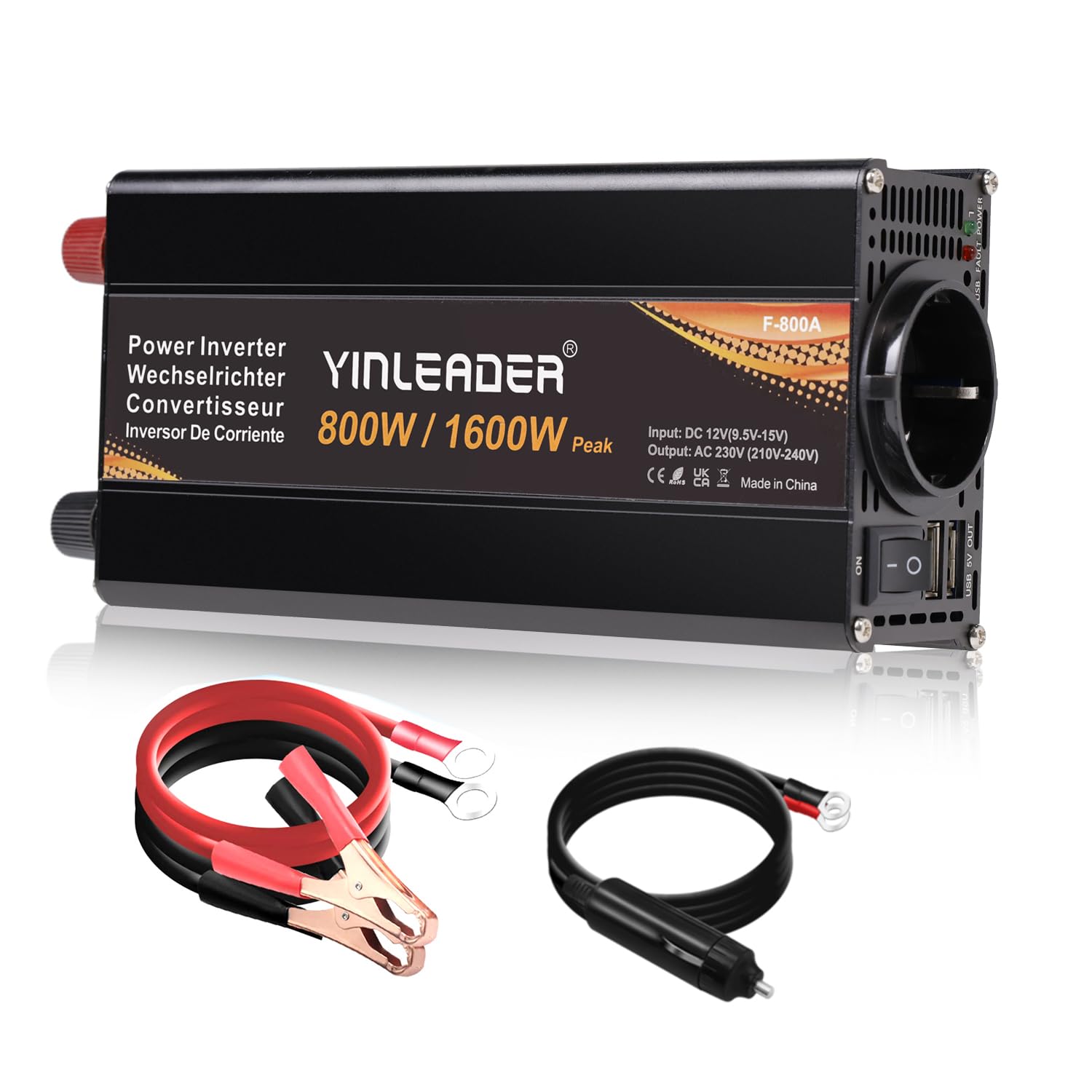
The Yinleader 800A Power Inverter, ready for connection.

The inverter provides power for various scenarios including outdoor work, camping, RV use, and emergency situations.
2. Safety Information
Always observe the following safety precautions to prevent injury or damage to the inverter and connected devices:
- Proper Ventilation: Ensure the inverter is placed in a well-ventilated area to prevent overheating.
- Avoid Water: Do not expose the inverter to water, rain, or moisture.
- Correct Polarity: Always connect the cables with correct polarity (red to positive, black to negative) to avoid damage.
- Load Limits: Do not exceed the continuous power rating of 800W or the peak power rating of 1600W.
- Inductive Loads: This modified sine wave inverter is not suitable for certain inductive loads such as microwaves, refrigerators, water pumps, and coffee makers. Using it with these devices may cause damage to the inverter or the appliance.

The inverter features multiple protection mechanisms for safe operation.
This video demonstrates the security protection features of the inverter, including reverse polarity, short circuit, high temperature, high voltage, low voltage, overload, and overcurrent protection.
3. Package Contents
The package includes the following items:
- Yinleader 800A Power Inverter
- Two crimping cables (red and black)
- Cigarette lighter power cable
- User Manual
4. Product Features
- High-Performance DC-AC Converter: Provides 800W continuous power and 1600W peak power with over 90% efficiency. It produces a modified sine wave output suitable for most common electronic devices.
- Multiple Protections: Equipped with 6 safety protections including overload, short circuit, overheating, reverse polarity, undervoltage, and overvoltage.
- User-Friendly Design: Features one EU standard AC outlet and two USB ports for versatile connectivity. The integrated LCD screen displays real-time voltage information.
- Compact and Portable: With dimensions of 220 mm × 97 mm × 57 mm and a weight of 650g, it is designed for easy transport and use.
- Intelligent Cooling Fan: The fan operates automatically when a certain load or temperature is reached, ensuring optimal performance and low noise levels.

The intelligent cooling fan ensures efficient heat dissipation during operation.
5. Setup and Connection
The inverter offers two primary connection methods:
5.1. Connecting via Car Cigarette Lighter (Max 150W)
For loads under 150W, you can use the provided cigarette lighter cable. This method is convenient for charging smaller devices like smartphones and tablets.
- Ensure the inverter is switched OFF.
- Plug the cigarette lighter cable into the inverter's DC input port.
- Insert the cigarette lighter plug into your vehicle's 12V cigarette lighter socket.
- Connect your devices to the inverter's AC outlet or USB ports.
- Switch the inverter ON.
5.2. Connecting Directly to a 12V Battery (Max 800W)
For loads up to 800W, direct connection to a 12V battery using the crimping cables is required. This method provides a more stable power supply for higher-wattage devices.
- Ensure the inverter is switched OFF.
- Connect the red crimping cable to the positive (+) terminal of the inverter and the positive (+) terminal of the 12V battery.
- Connect the black crimping cable to the negative (-) terminal of the inverter and the negative (-) terminal of the 12V battery.
- Ensure all connections are secure and tight.
- Connect your devices to the inverter's AC outlet or USB ports.
- Switch the inverter ON.

Illustration of connecting the inverter via car cigarette lighter or directly to a 12V battery.
5.3. Solar Panel Connection
The inverter can be integrated into a solar power system. Ensure your solar panel setup includes a charge controller and a 12V battery for optimal performance.

Example diagram for connecting the inverter within a solar energy system.
6. Operating Instructions
6.1. Powering On/Off
After making the necessary connections, press the ON/OFF switch on the inverter to power it on. The LCD display will illuminate, showing voltage readings. To power off, press the switch again.
6.2. Understanding the LCD Display
The LCD display provides real-time information about the inverter's operation, including input voltage (DC) and output voltage (AC). Monitor these readings to ensure stable power delivery.
6.3. Connecting Devices
Plug your 230V AC devices into the EU outlet and your USB-powered devices into the USB ports. Ensure the total power consumption of all connected devices does not exceed 800W continuously.

The inverter can power various devices such as laptops, hair straighteners, electric shavers, fans, and emergency lights.

Charge your smartphones and tablets via USB, and power other appliances through the EU plug in your vehicle.
6.4. Incompatible Devices
Due to its modified sine wave output, this inverter is not suitable for all types of electronic devices. Avoid connecting the following appliances:
- Microwave ovens
- Refrigerators
- Water pumps
- Coffee makers
These devices typically require a pure sine wave inverter for proper and safe operation.
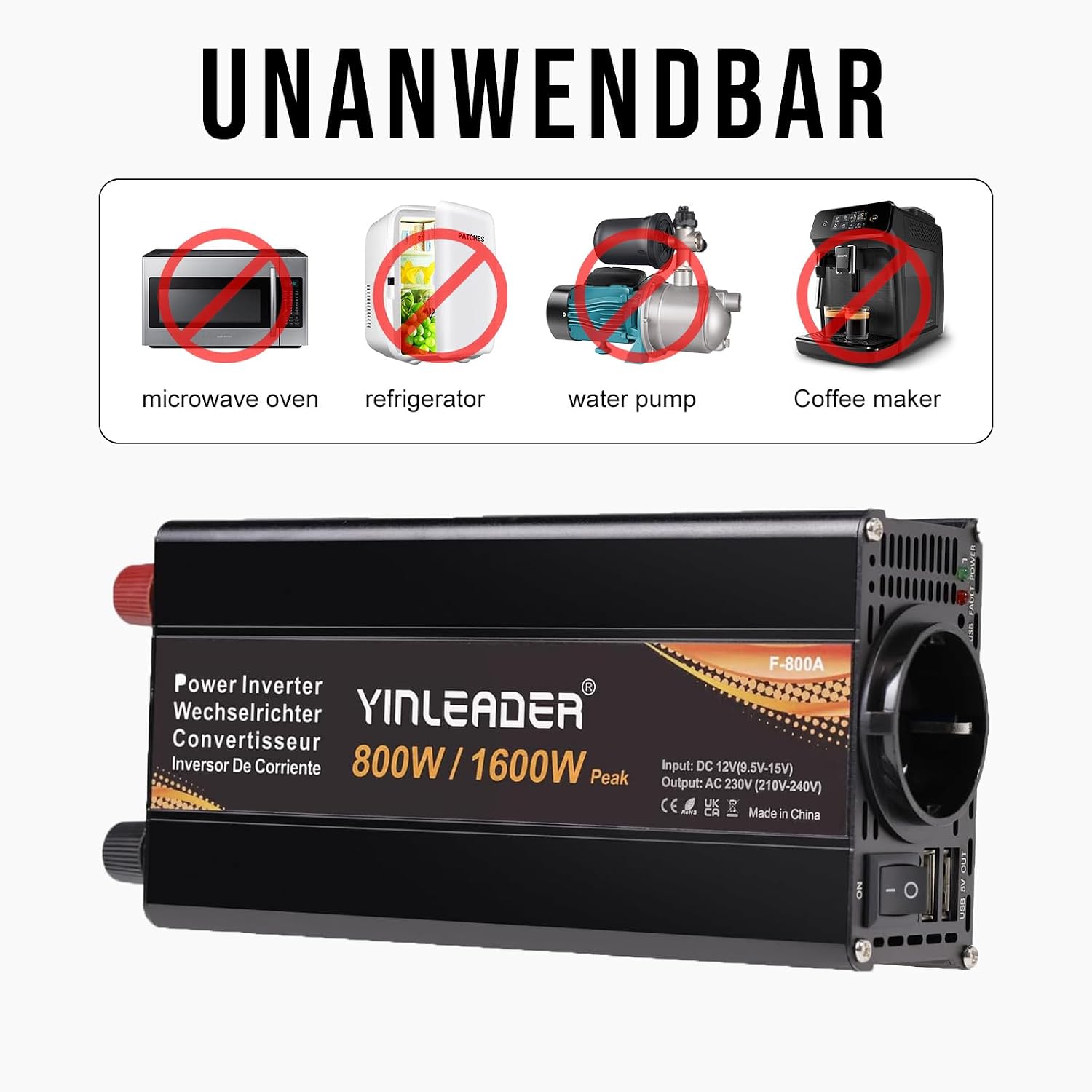
Devices not compatible with this modified sine wave inverter.
7. Maintenance
- Keep the inverter clean and dry. Avoid dust and moisture.
- Ensure the ventilation openings are clear and not obstructed to allow proper airflow for the cooling fan.
- Regularly check all cable connections to ensure they are secure and free from corrosion.
- Store the inverter in a cool, dry place when not in use.
8. Troubleshooting
If you encounter issues with your inverter, refer to the following common problems and solutions:
| Problem | Possible Cause | Solution |
|---|---|---|
| No power output / Inverter shuts down | Low battery voltage, Overload, Short circuit, Overheating, Incorrect polarity. | Check battery voltage. Reduce connected load. Check for short circuits in wiring/devices. Allow inverter to cool down. Verify correct cable connections. |
| LCD display shows error code | Specific protection activated (e.g., overvoltage, undervoltage, overload). | Refer to the inverter's specific error code meanings (if provided in a separate guide) and address the underlying issue. Disconnect and reconnect the inverter. |
| Fan not running | Normal operation (fan activates only when needed), Fan malfunction. | The fan is intelligent and only runs when the inverter reaches a certain temperature or load. If the inverter is hot and the fan is still not running, contact support. |
If the problem persists after attempting these solutions, please contact customer support.
9. Specifications
| Feature | Specification |
|---|---|
| Brand | Yinleader |
| Model Name | 800A |
| Input Voltage | 12 Volts (DC) |
| Output Voltage | 220 Volts (AC) |
| Continuous Power | 800 Watts |
| Peak Power | 1600 Watts |
| Output Waveform | Modified Sine Wave |
| Efficiency | > 90% |
| Dimensions (LxWxH) | 22 cm x 9.7 cm x 5.7 cm |
| Weight | 650 Grams |
| Certifications | CE |

Detailed dimensions of the Yinleader 800A Power Inverter.
10. Warranty and Support
Your Yinleader 800A Power Inverter comes with an 18-month warranty. For after-sales support or issues not caused by misuse, the seller offers a no-questions-asked refund guarantee without requiring product return.
For further assistance, please refer to your purchase documentation or contact the seller directly through the platform where the product was purchased.
An overview video of the Yinleader Inverter, demonstrating its features and use.

