
1. Introduction
Thank you for choosing the MASHI 8.4'' Large Digital Wall Clock. This versatile LED clock is designed to provide clear time display, date, temperature, and alarm functions, suitable for various home and office environments. Its large display and adjustable brightness ensure readability from a distance, making it ideal for all users, including the elderly.
2. Product Features
- 9.5-inch Large LED Display: Provides clear visibility from any angle and distance.
- Dual Alarms & Snooze Function: Set two independent alarms with a 5-minute snooze option. Weekday mode (Monday-Friday or Monday-Saturday) is also available.
- Automatic Daylight Saving Time (DST): Seamlessly adjusts for DST with a simple long press of the "-" button.
- 5-Level Adjustable Brightness & Auto-Dimming: Customize display brightness manually or let the built-in sensor adapt to ambient light.
- Multi-functional Placement: Can be wall-mounted using integrated hanging holes or placed on a desktop.
- Two Power Modes: Operates via 5V/1A power adapter (not included) for continuous display, or 3 AAA batteries (not included) for power-saving mode with voice-activated display.
- Integrated Temperature Display: Shows current temperature.
- Date and Day of Week Display: Keeps you informed at a glance.
3. Setup
3.1 Unboxing and Initial Inspection
Carefully remove the clock and all accessories from the packaging. Verify that all components are present:
- MASHI Digital Wall Clock
- USB Power Cable (approx. 11.5 feet / 3.5 meters)
- Mounting Nails (x2)
- Mounting Ruler/Template
- User Manual (this document)

Figure 3.1: Packaging Accessories. Includes the clock, USB cable, two nails, a ruler for mounting, and the instruction manual.
3.2 Powering the Clock
The clock supports two power modes:
- Continuous Display (Recommended): Connect the provided USB power cable to the DC 5V/1A input port on the back of the clock. Plug the other end into a compatible USB power adapter (not included) and then into a wall outlet. This mode keeps the display continuously on.
- Battery Powered (Power Saving Mode): Insert 3 AAA batteries (not included) into the battery compartment on the back of the clock. In this mode, the screen will automatically turn off after 10 seconds to conserve power. You can activate the display by making a sound (e.g., clapping, rapping on the table) or pressing any button.
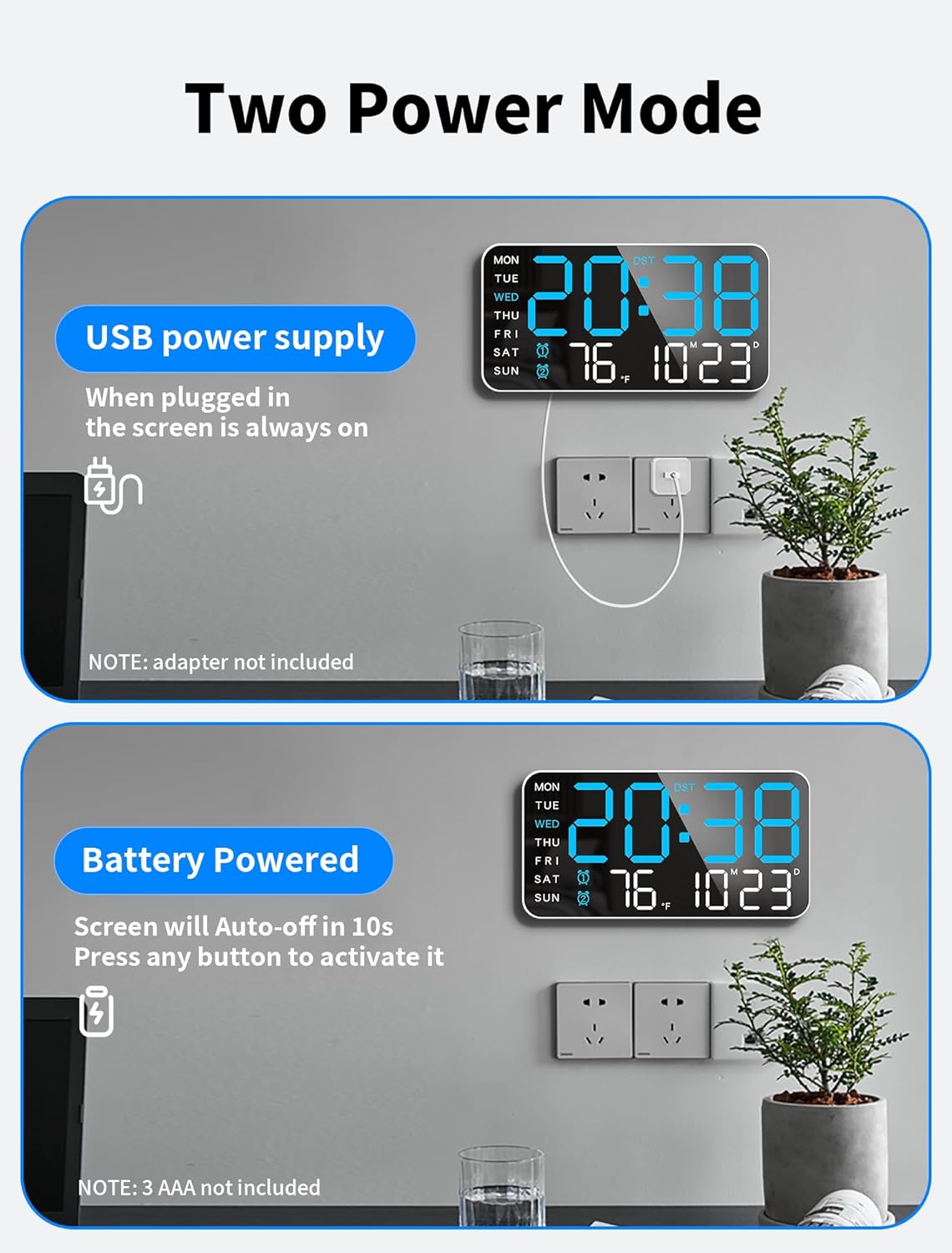
Figure 3.2: Two Power Modes. The clock can be powered by a USB cable for continuous display or by 3 AAA batteries for a power-saving, voice-activated display.
Video 3.1: MASHI Wall Clock 659. This video demonstrates the clock's features, including its large display, temperature detection, alarm clock, and power options. It also shows the ease of setup and the different display modes.
3.3 Placement Options
The MASHI Digital Clock offers flexible placement to suit your needs:
- Desktop Placement: The clock has a stable base allowing it to stand freely on any flat surface, such as a desk, nightstand, or shelf.
- Wall Mounting: Utilize the two hanging holes on the back of the clock. Use the provided mounting nails and ruler/template to mark the desired position on the wall for easy and accurate installation.

Figure 3.3: Two Ways of Placement. The clock can be placed on a desktop or easily mounted on a wall.
4. Operating Instructions
4.1 Setting Time and Date
The clock features intuitive buttons on the back for setting. Refer to the included manual for detailed step-by-step instructions for setting the time, date, and day of the week. The display shows time, temperature, date, and day of the week simultaneously.
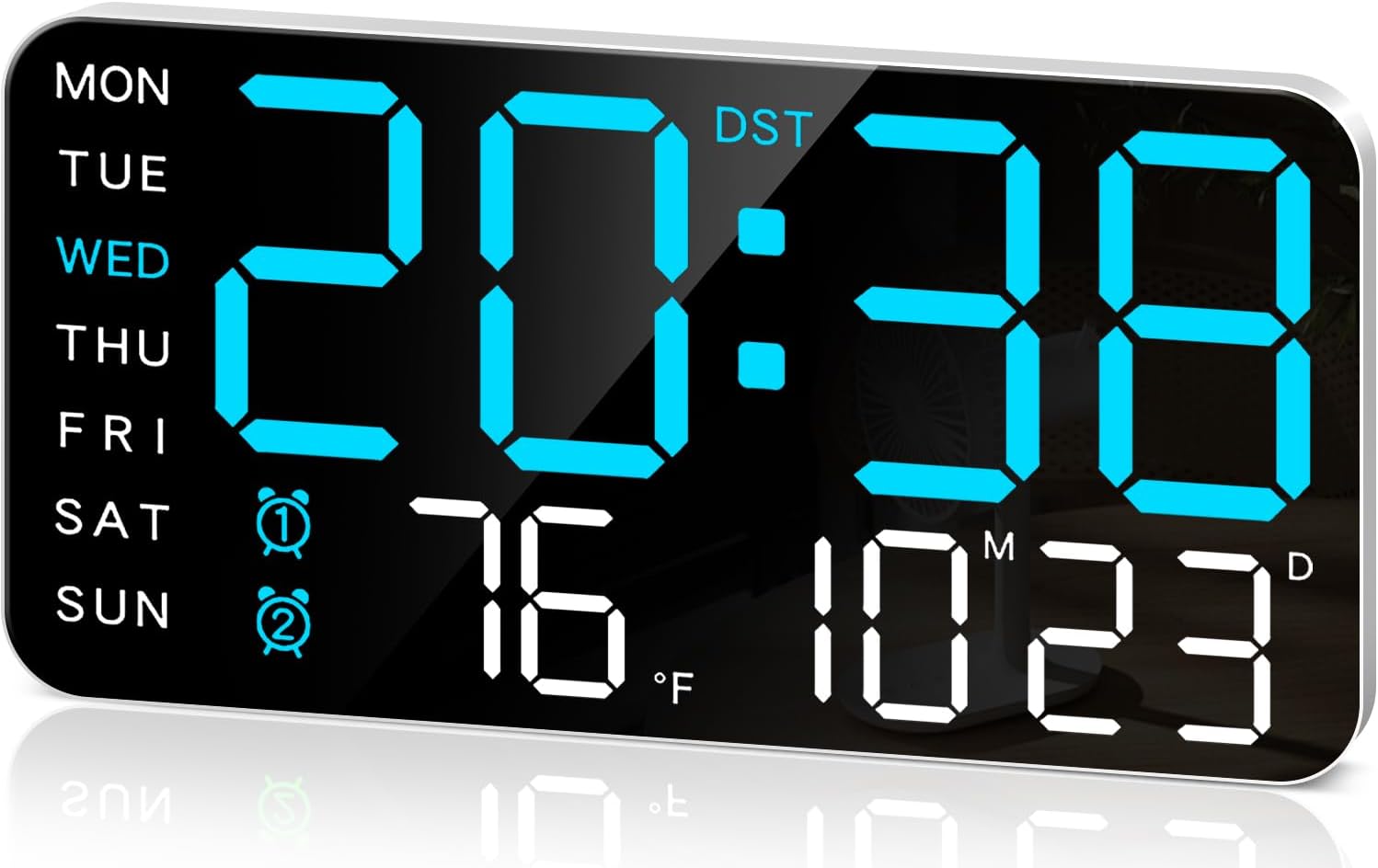
Figure 4.1: Key Information Clearly Visible. The clock displays time, day of the week, temperature, and date.
4.2 Adjusting Brightness
The clock offers 5 levels of brightness adjustment. You can cycle through these levels using the dedicated brightness button on the back or via the remote control (if included with your model). The built-in automatic dimming sensor intelligently adapts the brightness to ambient lighting conditions for optimal viewing day and night.

Figure 4.2: 5-Level Adjustable Brightness & Auto-Dimming. The display brightness can be manually adjusted or set to automatically adapt.
4.3 Setting Alarms
You can set up to two separate alarms. When an alarm rings, a long press (about 5 seconds) of any button will turn off the alarm and enter the next alarm state. A short press of any button will activate the 5-minute snooze function. The clock also supports a weekday mode, allowing alarms to ring only from Monday to Friday or Monday to Saturday.
4.4 Daylight Saving Time (DST) Adjustment
To adjust for Daylight Saving Time, simply long press the "-" button. The clock will automatically adjust its time, eliminating the need for manual changes during spring forward or fall back.
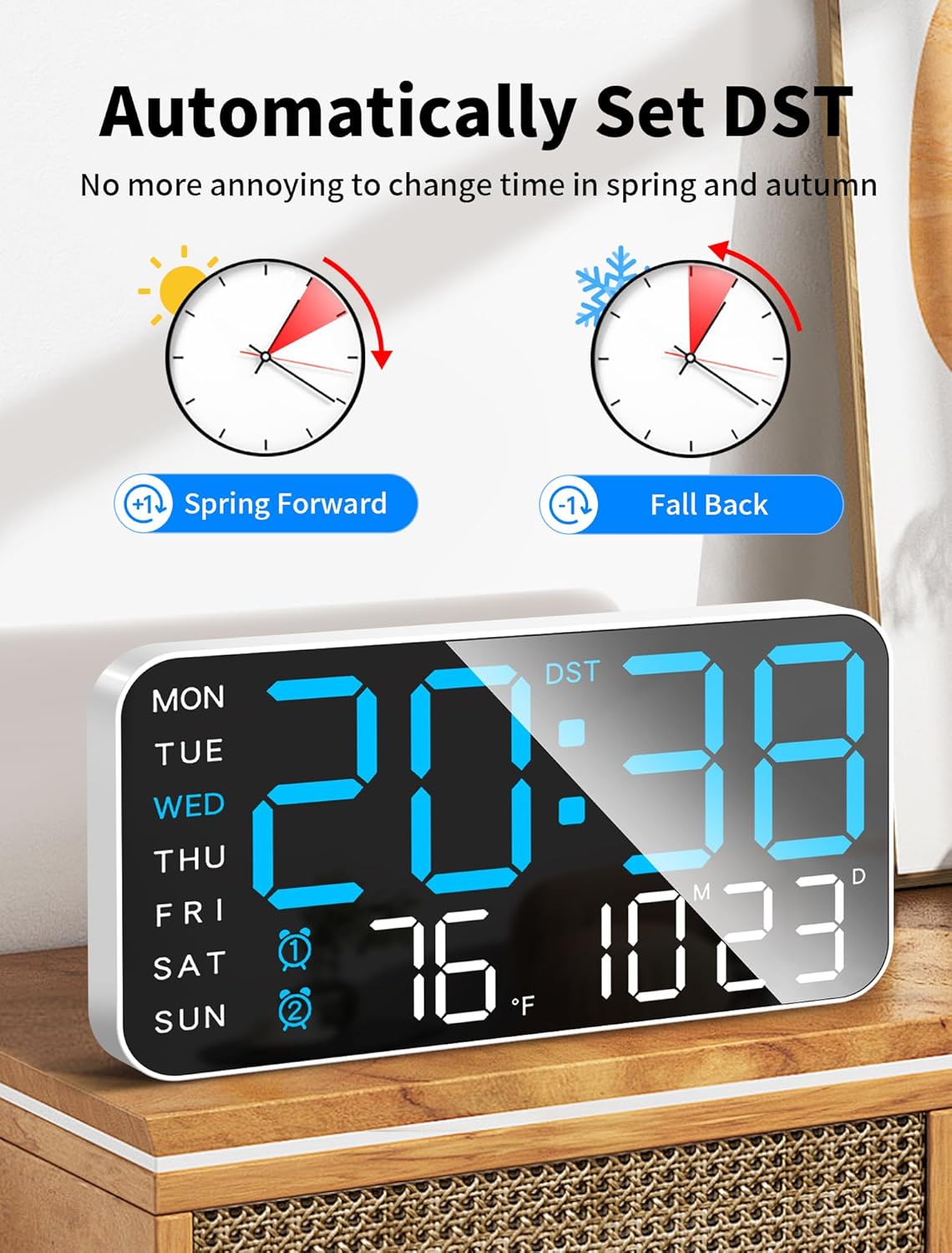
Figure 4.3: Automatically Set DST. The clock can automatically adjust for Daylight Saving Time.
4.5 12/24 Hour Time Format
The clock supports both 12-hour and 24-hour time formats. You can switch between these formats as per your preference.
5. Maintenance
- Cleaning: Use a soft, dry cloth to clean the display and casing. Avoid abrasive cleaners or solvents that may damage the surface.
- Power Source: Ensure the clock is connected to a stable 5V/1A power source when using the continuous display mode. If using batteries, replace them promptly when the display dims or becomes inconsistent.
- Environment: Keep the clock away from extreme temperatures, direct sunlight, and high humidity to ensure optimal performance and longevity.
6. Troubleshooting
| Problem | Possible Cause | Solution |
|---|---|---|
| Display is off or dim (battery mode) | Power-saving mode activated; low batteries. | Make a sound (e.g., clap) or press any button to activate. Replace AAA batteries if needed. |
| Display is off (plugged in) | No power supply; loose connection. | Ensure USB cable is securely connected and power adapter is plugged into a working outlet. |
| Time is inaccurate | Incorrect manual setting; power interruption. | Re-set the time manually. Ensure continuous power supply for consistent timekeeping. |
| Alarm not sounding | Alarm not set or volume too low. | Verify alarm settings and ensure alarm volume is audible. |
7. Specifications
| Feature | Detail |
|---|---|
| Brand | MASHI |
| Model Number | 6659 |
| Display Type | Digital LED |
| Product Dimensions | 8.46"W x 4.33"H |
| Power Source | Corded Electric (5V/1A adapter, not included) or 3 AAA Batteries (not included) |
| Brightness Levels | 5 levels + Auto-dimming |
| Special Features | Dual Alarms, Snooze, DST, Temperature Display, Date Display, Day of Week Display, Voice Activated (battery mode) |
| Mounting Type | Wall Mount, Desktop |
| Material | Plastic |
| Item Weight | 8 ounces |
8. Warranty and Support
For warranty information and customer support, please refer to the documentation included with your purchase or visit the official MASHI store on Amazon. You can find the MASHI Store at https://www.amazon.com/stores/MASHI/page/B88259C6-9E3C-4EFD-A90B-AD49D586A8E0.
If you encounter any issues not covered in this manual, please contact MASHI customer service for assistance.