1. Introduction
Thank you for choosing the Soundcore Boom 2 Plus Portable Bluetooth Speaker. This manual provides essential information for setting up, operating, and maintaining your speaker to ensure optimal performance and longevity. Please read it thoroughly before use.
2. What's in the Box
- Soundcore Boom 2 Plus Speaker
- USB-C Charging Cable
- Quick Start Guide
- Safety Sheet
3. Product Overview
The Soundcore Boom 2 Plus is a powerful outdoor speaker designed for robust sound and durability. It features a convenient carry handle, intuitive controls, and a rugged, waterproof design.

Figure 1: Front view of the Soundcore Boom 2 Plus speaker, highlighting its integrated handle and speaker grille.

Figure 2: Rear view showing the charging and power bank ports, protected by a waterproof cover.
4. Setup
4.1 Charging the Speaker
Before first use, fully charge your Soundcore Boom 2 Plus speaker. Connect the provided USB-C cable to the charging port on the rear of the speaker and a compatible 30W charger (not included). A full charge takes approximately 3 hours. The speaker also features a built-in 10W power bank to charge your devices on the go.
4.2 Bluetooth Pairing
- Press and hold the power button on the speaker to turn it on. You will hear a boot-up sound and see the LED lights activate.
- The Bluetooth indicator light will flash blue, indicating it's in pairing mode.
- On your mobile device, enable Bluetooth and select "Soundcore Boom 2 Plus" from the list of available devices.
- Once connected, the Bluetooth indicator light will turn solid blue, and you will hear a confirmation tone.
5. Operating Instructions
5.1 Basic Controls
- Power On/Off: Press and hold the power button.
- Volume Control: Use the '+' and '-' buttons to adjust the volume.
- Play/Pause: Press the play/pause button.
- Skip Track: Double-press the play/pause button for next track, triple-press for previous track.
5.2 BassUp 2.0 Technology
Experience enhanced bass with BassUp 2.0. This feature boosts the output from 100W to a staggering 140W max, providing 160% more bass than previous generations. Activate or deactivate BassUp using the dedicated button on the speaker's control panel or through the Soundcore app.

Figure 3: Internal view illustrating dual 50W woofers and dual 20W tweeters for powerful 140W sound.
5.3 RGB Lights and Customization
The speaker features dynamic RGB lights that sync with your music. You can customize light modes and colors using the Soundcore app, choosing from options like Flash, Flame, Energy, Wave, Lightning, Fireworks, and Color Flow. Adjust brightness to suit your environment.

Figure 4: The speaker's side panel displaying vibrant, beat-synced RGB lighting.
5.4 PartyCast 2.0
Amplify your audio experience by connecting up to 100+ Soundcore speakers using PartyCast 2.0. This feature allows for synchronized audio playback across multiple devices, creating an immersive sound environment for larger gatherings.
5.5 Power Bank Functionality
The Soundcore Boom 2 Plus includes a built-in power bank. Connect your mobile devices or other essentials to the USB-C port on the speaker's rear to charge them with 10W output, ensuring your devices stay powered during extended outdoor activities.
5.6 Waterproof and Floatable Design
With an IPX7 waterproof rating, the Soundcore Boom 2 Plus is designed to withstand submersion in water up to 1 meter for 30 minutes. Its floatable design ensures it stays on the surface, making it ideal for use by the pool, at the beach, or in rainy conditions. The speaker's robust construction protects internal components from water damage.
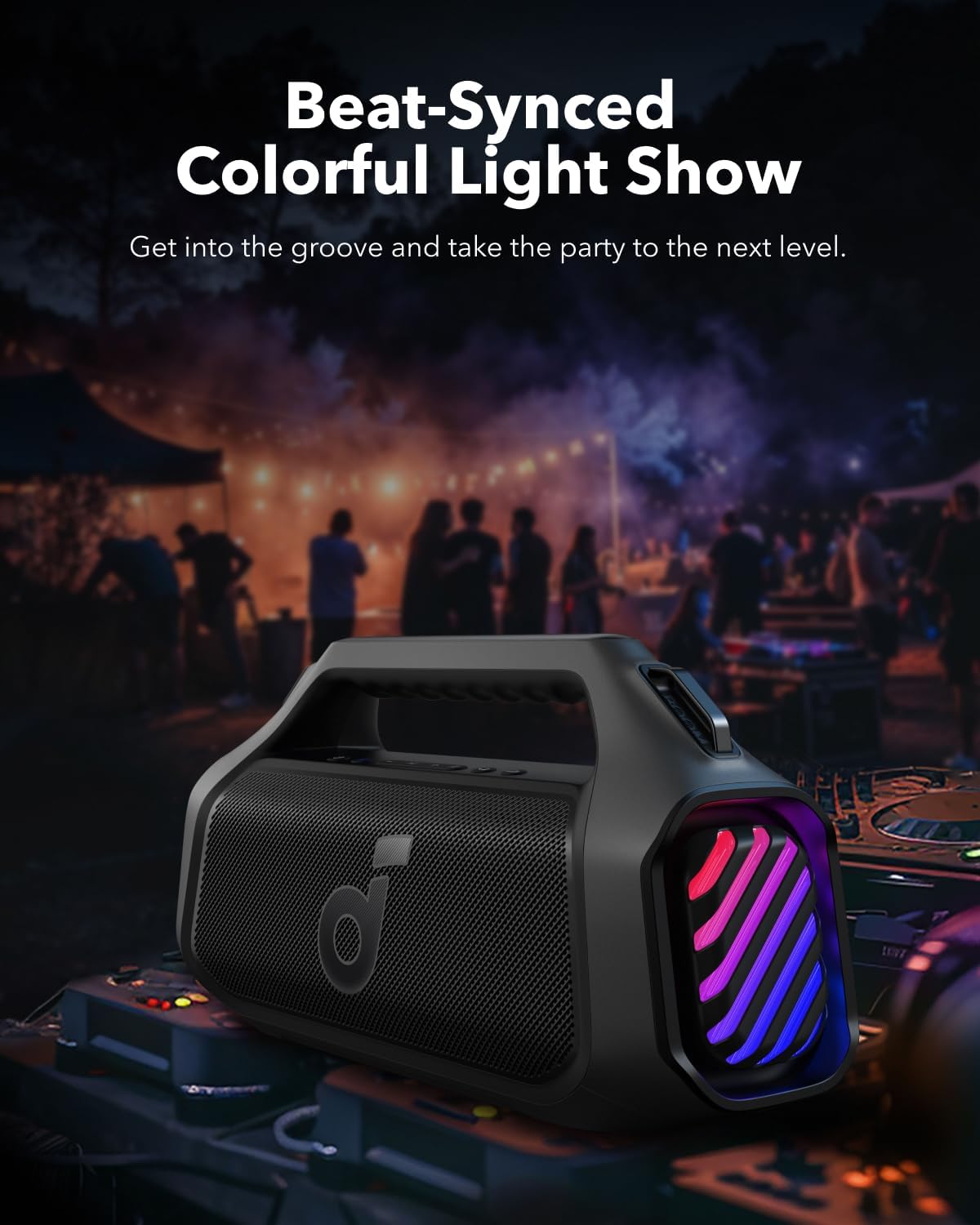
Figure 5: The speaker demonstrating its IPX7 waterproof and floatable capabilities in water.
6. Maintenance
6.1 Cleaning
To clean your speaker, use a soft, damp cloth. Avoid using harsh chemicals or abrasive cleaners, as these can damage the surface or internal components. Ensure all ports are dry before charging or connecting external devices.
6.2 Storage
Store the speaker in a cool, dry place away from extreme temperatures and direct sunlight. If storing for an extended period, charge the battery to approximately 50% to maintain battery health.
7. Troubleshooting
- Speaker not turning on: Ensure the battery is charged. Connect to a power source and try again.
- No sound: Check the volume levels on both the speaker and your connected device. Ensure Bluetooth is properly connected.
- Bluetooth connection issues: Disconnect and re-pair the speaker with your device. Ensure no other devices are interfering with the Bluetooth signal. Try resetting the speaker if issues persist.
- Poor sound quality: Adjust the equalizer settings via the Soundcore app. Ensure the speaker is placed on a stable surface and not obstructed.
8. Specifications
| Feature | Specification |
|---|---|
| Model Name | Boom 2 Plus |
| Speaker Type | Woofer, Outdoor |
| Max Output Power | 140W |
| Channels | 2+2 Stereo (Dual 50W woofers, Dual 20W tweeters) |
| Bass Technology | BassUp 2.0 |
| Playtime | Up to 20 hours |
| Charging Time | 3 Hours (with 30W charger) |
| Waterproof Rating | IPX7 |
| Connectivity | Bluetooth 5.3, USB-C |
| Power Bank Output | 10W |
| Additional Features | RGB Lights, PartyCast 2.0 (Link 100+ speakers), Customizable Pro EQ |
9. Warranty and Support
The Soundcore Boom 2 Plus comes with a limited warranty. For detailed warranty information, please refer to the safety sheet included in the box or visit the official Soundcore website.
For further assistance, troubleshooting, or to update your speaker's firmware, download the Soundcore app available on the App Store and Google Play. The app provides access to the user manual, personalized EQ settings, and light customization options.


