
Alphawolf L2S
Alphawolf Lpad2S Android 15 Tablet User Manual
Model: L2S | Brand: Alphawolf
1. Introduction
Welcome to the Alphawolf Lpad2S Android 15 Tablet user manual. This guide provides comprehensive instructions for setting up, operating, maintaining, and troubleshooting your new tablet. The Alphawolf Lpad2S is a high-performance 10-inch tablet designed for seamless multitasking, immersive entertainment, and enhanced productivity.
2. What's in the Box
Please verify that all items are present in your package:
- 1 x L2S Tablet
- 1 x User Manual
- 1 x USB cable
- 1 x Packaging box
- 1 x 5V2A charger
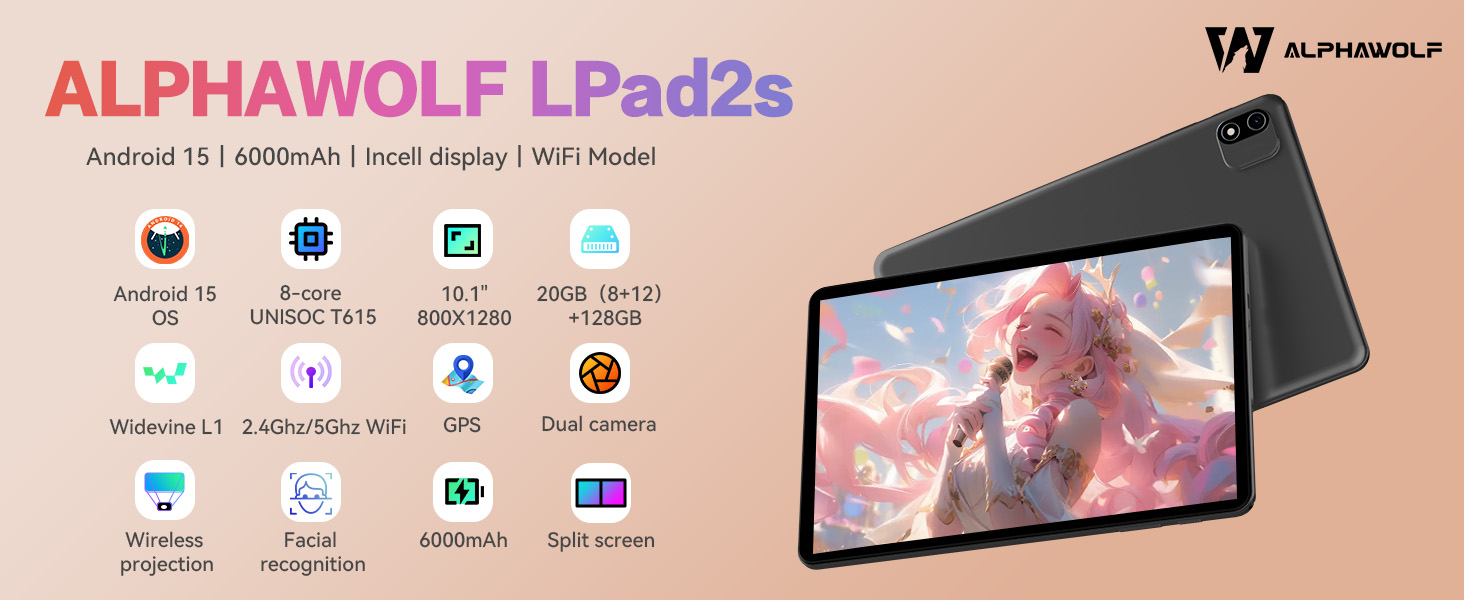
Image: Contents of the Alphawolf Lpad2S package, showing the tablet, user manual, USB cable, and charger.
3. Setup
3.1 Initial Charging
Before first use, fully charge your Alphawolf Lpad2S tablet. Connect the provided USB cable to the tablet's Type-C port and the 5V2A charger to a power outlet. The battery indicator on the screen will show charging progress.

Image: The Alphawolf Lpad2S tablet connected to its Type-C charger, indicating the charging process.
3.2 Power On/Off
To power on, press and hold the power button located on the side of the tablet until the Alphawolf logo appears. To power off, press and hold the power button, then select "Power off" from the options.

Image: A close-up of the Alphawolf Lpad2S tablet's side, highlighting the power and volume buttons.
3.3 Initial Setup Wizard
Upon first power-on, follow the on-screen instructions to complete the initial setup, including language selection, Wi-Fi connection, Google account sign-in, and security settings.
Video: An official Alphawolf video demonstrating the unboxing and initial power-on sequence of the Lpad2S tablet, showing the Alphawolf logo appearing on screen.
4. Operating Your Tablet
4.1 Display and Visuals
The Alphawolf Lpad2S features a stunning 10.1-inch display with 800x1280 pixel resolution. With Widevine L1 certification, it supports 1080P HD video playback on popular streaming platforms like Netflix, Prime Video, Disney+, and YouTube, ensuring an immersive viewing experience.

Image: The Alphawolf Lpad2S tablet showcasing its 10.1-inch display with a high-resolution image, emphasizing its Widevine L1 compatibility for HD streaming.

Image: A visual comparison demonstrating the enhanced clarity and detail provided by Widevine L1 certification on the tablet's display compared to L3.
4.2 Performance and Storage
Equipped with an advanced Unisoc T615 Octa-Core Processor and running Android 15, the Lpad2S offers smooth performance for multitasking, gaming, and everyday use. It boasts 20GB RAM (8GB physical + 12GB expandable virtual RAM) and 128GB ROM, expandable up to 2TB via microSD card, providing ample space for all your applications, games, and media files.

Image: The Alphawolf Lpad2S tablet showcasing its extensive storage capacity and RAM, indicating its ability to handle numerous applications and media.

Image: A detailed diagram highlighting the Unisoc T615 Octa-Core Processor, emphasizing its high performance and efficiency for gaming and demanding applications.
4.3 Camera Features
Capture moments with the tablet's 5MP front camera and 8MP rear camera. The AI dual camera system enhances your photography experience.

Image: The Alphawolf Lpad2S tablet highlighting its AI dual camera capabilities, with sample photos demonstrating its photographic quality.
4.4 Connectivity
The tablet supports dual-band Wi-Fi (2.4G/5G) for fast and stable internet connections, Bluetooth 5.0 for wireless accessories, and GPS+BDS+GALILEO+GLONASS for accurate navigation.

Image: The Alphawolf Lpad2S tablet illustrating its versatile connectivity options, including dual-band Wi-Fi, Bluetooth 5.0, and advanced GPS capabilities.
4.5 Audio
Enjoy clear sound quality with the built-in dual stereo speakers and a 3.5mm headphone jack for private listening.
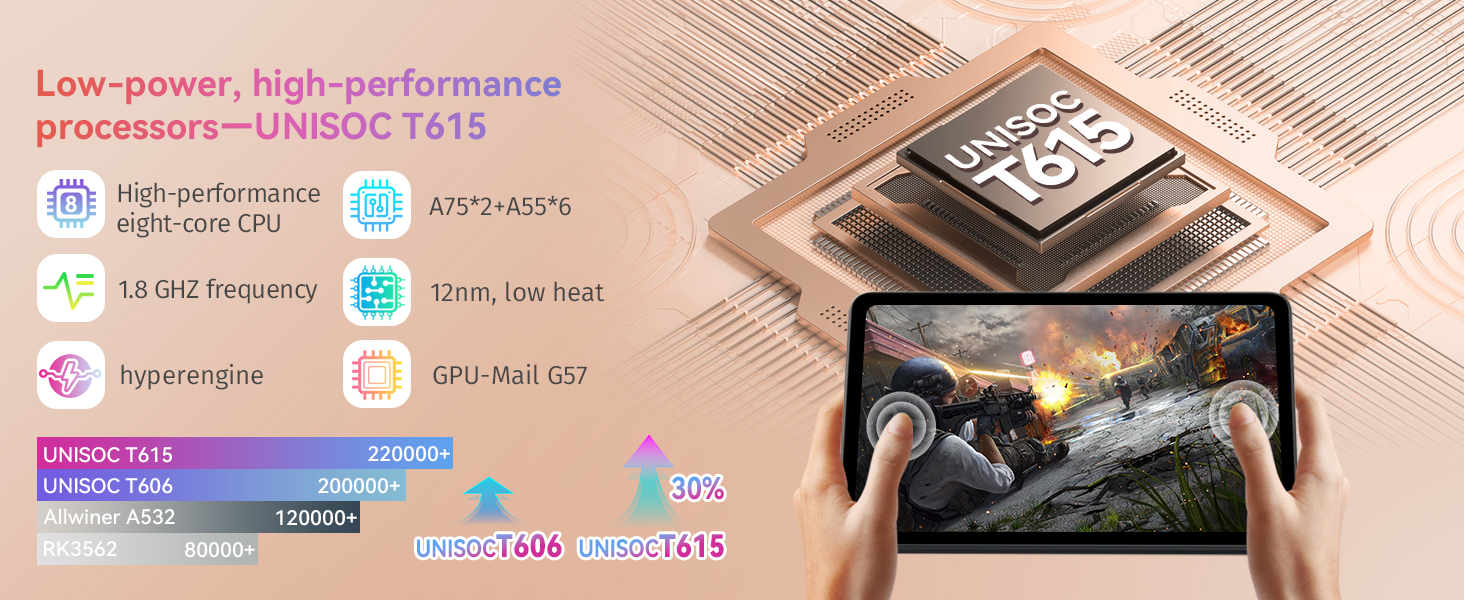
Image: The Alphawolf Lpad2S tablet highlighting its audio features, including dual stereo speakers and the presence of a 3.5mm headphone jack.
4.6 Security and Convenience
The tablet supports facial recognition for quick and secure unlocking. Features like split-screen, wireless screen casting, and OTG data transfer enhance productivity and versatility.
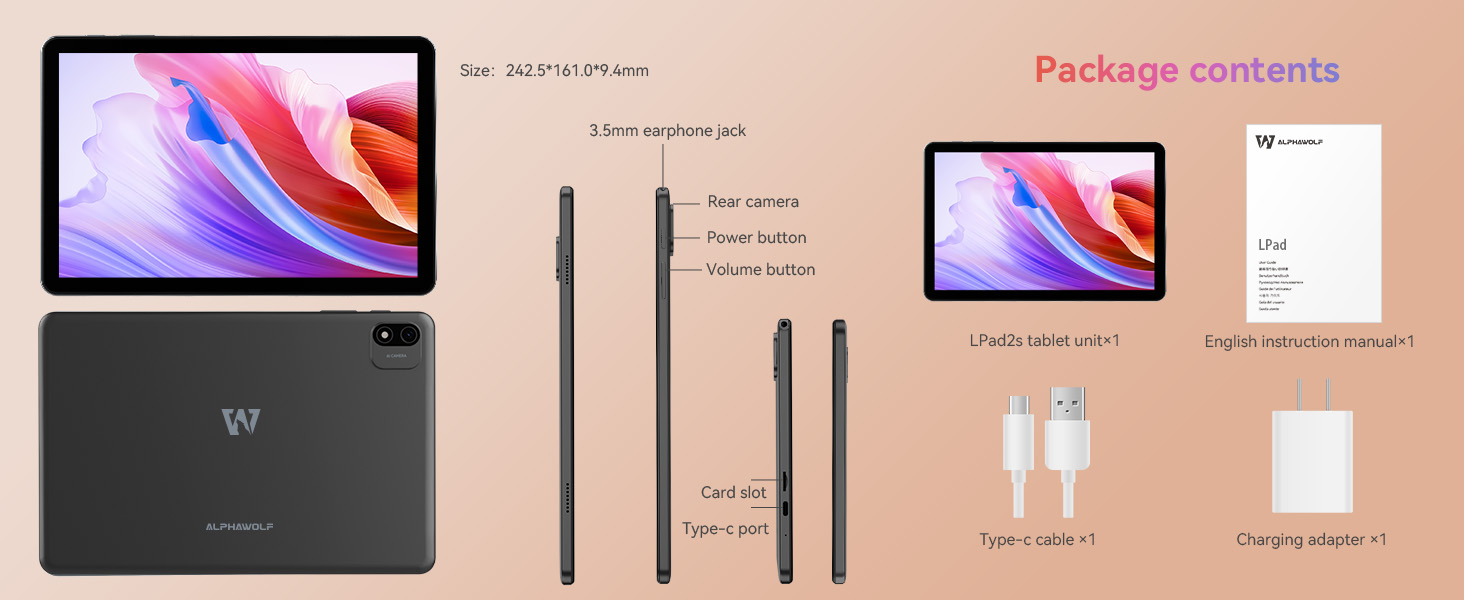
Image: The Alphawolf Lpad2S tablet showcasing its advanced features such as split-screen multitasking, facial recognition, and wireless projection capabilities.
4.7 Parental Control
The Alphawolf Lpad2S supports Google Kids Space, allowing parents to limit screen usage, monitor app usage, remotely lock the device, and easily check the location of their child's tablet. This makes it an ideal device for children.
Image: A child using the Alphawolf Lpad2S tablet, illustrating the Google Kids Space feature for parental control and safe usage.
5. Maintenance
5.1 Battery Care
The 6000mAh lithium cobalt oxide battery provides extended usage. To prolong battery life, avoid extreme temperatures, use the original charger, and do not let the battery drain completely before recharging frequently.
Image: The Alphawolf Lpad2S tablet connected to its Type-C charger, emphasizing its 6000mAh battery capacity.
5.2 Cleaning and Storage
Clean the tablet screen with a soft, lint-free cloth. Avoid using harsh chemicals. Store the tablet in a cool, dry place away from direct sunlight and extreme temperatures.
6. Troubleshooting
6.1 Common Issues and Solutions
| Issue | Possible Cause | Solution |
|---|---|---|
| Tablet does not power on | Low battery; System crash | Charge the tablet for at least 30 minutes. Press and hold the power button for 10-15 seconds to force restart. |
| Wi-Fi connection unstable | Out of range; Router issue; Interference | Move closer to the Wi-Fi router. Restart the router. Check for other devices causing interference. |
| Apps crashing or freezing | Insufficient RAM; App bug; Outdated OS | Close background apps. Clear app cache. Update the app or tablet OS. |
7. Specifications
| Feature | Detail |
|---|---|
| Model | L2S |
| Operating System | Android 15 |
| Screen Size | 10.1 Inches |
| Max Screen Resolution | 800*1280 Pixels |
| Processor | Unisoc T615 Octa-Core, 1.8 GHz |
| RAM | 20GB (8GB + 12GB Expanded) |
| Internal Storage (ROM) | 128 GB |
| Expandable Storage | Up to 2TB microSD |
| Rear Camera | 8 MP |
| Front Camera | 5 MP |
| Battery | 6000mAh Lithium Cobalt Oxide |
| Connectivity | 2.4G/5G WiFi, Bluetooth 5.0 |
| Dimensions (LxWxH) | 10.1 x 7 x 0.3 inches |
| Item Weight | 14.8 ounces |
8. Warranty and Support
Alphawolf provides a one-year repair and replacement warranty for your tablet. For any inquiries or technical assistance, our dedicated customer service team is available 24 hours a day.
8.1 How to Contact Us
- Via Amazon Account: Go to "Amazon account" → "order history" → "applicable order" → "contact seller". Please enter your inquiry content by contacting us and send it.
- Via Product Page: On the product page, click "Add to cart" → Under the button [ALPHAWOLF official store]. Click on it, and you can see "Ask questions". You can contact our store by email.
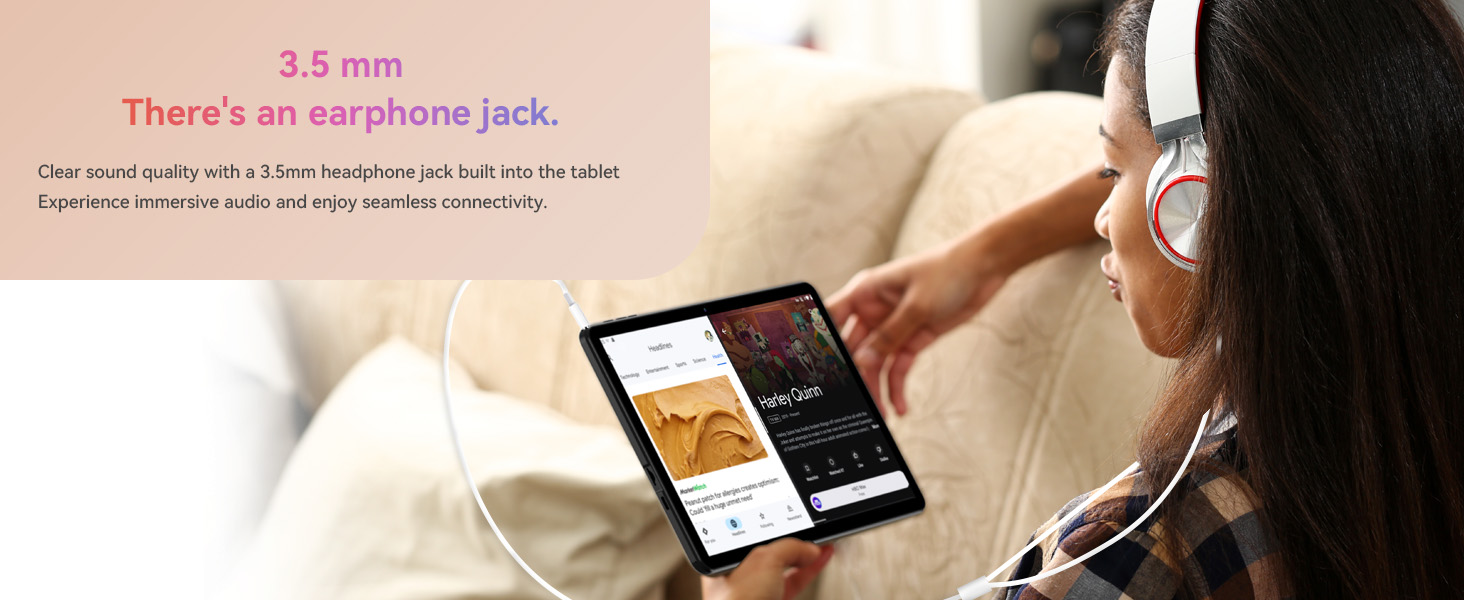
Image: A customer service representative, symbolizing the available support for Alphawolf products.
Related documentsL2S


Ask a question about this manual
Ask about setup, troubleshooting, compatibility, parts, safety, or missing instructions. Manuals+ will review the question and use this page’s manual context to help answer it.