
1. Introduction
Thank you for choosing the AUHIFVAX V88 Drone. This professional-grade quadcopter is equipped with advanced features for high-definition aerial photography and stable flight. Please read this manual carefully before operating the drone to ensure safe and optimal performance.
2. Package Contents
Verify that all items listed below are included in your package:
- 1 x RC Quadcopter
- 1 x Remote Control
- 1 x 3.7V 2200mAh Li-polymer Battery
- 4 x Spare Propellers
- 1 x USB Charging Cable
- 1 x Screwdriver
- 2 x User Manuals

Image: Contents of the AUHIFVAX V88 Drone package, including the drone, remote control, battery, propellers, charging cable, screwdriver, and carrying case.
3. Product Overview
The V88 Drone features a compact, foldable design with advanced capabilities for aerial photography and stable flight.
Key Features:
- 8K HD Dual Camera: Front wide-angle 8K high-definition WIFI camera and optical flow HD bottom lens for switchable camera angles.
- EIS Electronic Image Stabilization: Servo gimbal design enhances stability and clarity of pictures.
- Altitude Hold Mode: Stable flight with optical flow positioning and fixed-point function.
- Long Battery Life: 3.7V 2200mAh lithium-ion battery provides approximately 45 minutes of flight time.
- Custom Route: Draw desired flight paths on the mobile APP.
- APP Control: Features include one-key return, headless mode, and various flight directions.
- Gesture Photography: Capture photos with simple hand gestures.
- Brushless Motor: Provides stronger power and extended service life.
- 5GHz Anti-interference Technology: Ensures stable connection and control.
- 720° Omnidirectional Obstacle Avoidance: Enhances flight safety by preventing collisions.

Image: Close-up view of the V88 Drone's 8K dual camera system, highlighting its high-definition imaging capabilities and remote switching perspective.

Image: The V88 Drone with its modular battery, indicating easy installation and removal, and specifying 2200mAh capacity and 3.7V voltage.

Image: A detailed guide to the V88 Drone's remote control, showing labels for obstacle avoidance switch, speed switching, throttle, one-click takeoff, one-click landing, 360° roll, one-click calibration, direction lever, headless mode, power switch, and fine tuning.
4. Setup
4.1 Unfolding the Drone
Gently unfold the drone's arms until they click into place. Ensure all arms are fully extended before flight.
4.2 Battery Installation
Insert the fully charged 3.7V 2200mAh Li-polymer battery into the designated battery compartment on the drone's body. Ensure it is securely latched.
4.3 Remote Control Setup
Install batteries into the remote control. Extend the phone holder and securely place your smartphone. Download and install the official AUHIFVAX drone application from your device's app store.
4.4 Connecting to the APP
Power on the drone and the remote control. Connect your smartphone to the drone's Wi-Fi network (usually named 'V88-XXXX'). Open the drone application to establish a connection and view the real-time camera feed.
5. Operating Instructions
Familiarize yourself with the remote control and APP interface before your first flight.
5.1 Takeoff and Landing
- One-Click Takeoff: Press the dedicated one-click takeoff button on the remote control or in the APP to automatically launch the drone to a stable hovering height.
- One-Click Landing: Press the one-click landing button to initiate an automatic descent and landing.
5.2 Flight Modes and Features
- Intelligent Hovering: The drone maintains a stable altitude, making it easier to control and capture steady footage.
- Adjustable Camera: Manually adjust the angle of the HD camera to capture different perspectives during flight.
- Real-Time Image Transmission: View live footage from the drone's camera directly on your smartphone via the APP.
- Gesture Photography: Use specific hand gestures in front of the camera to trigger photo or video recording.
- Trajectory Flight: Draw a desired flight path on your smartphone screen, and the drone will automatically follow it.
- 360° Roll: Execute impressive aerial stunts with the 360° roll function.
- Headless Mode: Simplifies control by eliminating the need to adjust the drone's orientation relative to the pilot.
- Obstacle Avoidance: The drone is equipped with 720° omnidirectional obstacle avoidance sensors to prevent collisions.
Video: Demonstration of the V88 Drone's key features, including folding, battery installation, app connection, one-click takeoff, intelligent hovering, adjustable camera, real-time image transmission, gesture photography, trajectory flight, 360° roll, and one-click landing.

Image: The V88 Drone in flight, illustrating the trajectory indication feature where users can draw a desired flight path on the mobile app for automatic intelligent flight.
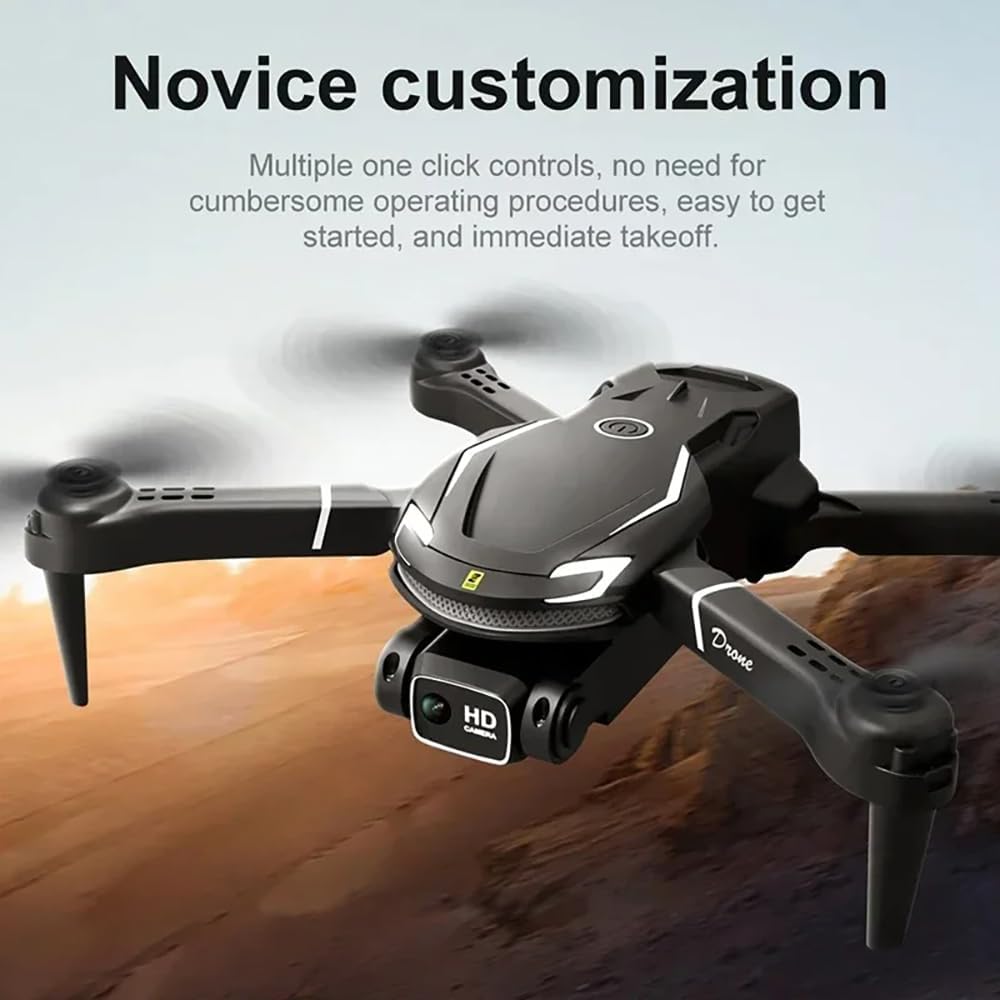
Image: The V88 Drone in flight, highlighting its "Novice customization" feature with multiple one-click controls for easy operation and immediate takeoff.
6. Maintenance
- Cleaning: Regularly clean the drone body and camera lens with a soft, dry cloth. Avoid using harsh chemicals.
- Propellers: Inspect propellers for damage before each flight. Replace any bent or cracked propellers immediately using the provided spare parts.
- Battery Care: Store batteries in a cool, dry place. Do not overcharge or over-discharge. If storing for extended periods, charge to about 50% capacity.
- Storage: When not in use, fold the drone and store it in its carrying case to protect it from dust and physical damage.
7. Troubleshooting
| Problem | Possible Cause | Solution |
|---|---|---|
| Drone does not power on | Battery not charged or improperly installed. | Ensure battery is fully charged and correctly inserted. |
| Cannot connect to APP | Wi-Fi not connected or APP not open. | Connect to the drone's Wi-Fi network and restart the APP. |
| Unstable flight | Propellers damaged or calibration needed. | Check and replace damaged propellers. Perform one-click calibration. |
| Short flight time | Battery not fully charged or aging. | Ensure battery is fully charged. Consider replacing old batteries. |
8. Specifications
| Feature | Detail |
|---|---|
| Brand | AUHIFVAX |
| Model Name | V88 |
| Color | Black |
| Video Capture Resolution | 8K |
| Connectivity Technology | APP Controller, Remote Control, Wi-Fi Connection |
| Battery Capacity | 2200 mAh |
| Item Weight | 550 Grams (approx. 1.21 pounds) |
| Product Dimensions | 8.74"L x 2.64"W x 6.89"H |
| Material | Plastic |
| Special Features | High Definition Camera, Integrated GPS, Optical Flow Positioning, Obstacle Avoidance |
| UPC | 600304474974 |

Image: Dimensions of the V88 Drone's packaging box and carrying case, showing approximate measurements for length, width, and height.
9. Warranty and Support
For warranty information and technical support, please refer to the contact details provided with your purchase or visit the official AUHIFVAX website. Keep your proof of purchase for any warranty claims.